Search
-
Customized chopper with PBR material setup

 we have been involved in this customized chopper vehicle asset creation recently. we are really happy to post our first work sample here as we learned a lot through polycount. as always, we would love to get some comments. Quick steps: - Low poly blocking and in-game version -High poly sculpting -Baking various Maps -…
 -
UDK Parallax Floor Tile Material
 Hey Polycounters! So I've been messing around with some parallax materials via sculpting and baking maps down. Thought I whack up my progress and see what y'all think about it. This material is supposed to be some stone tiles in a bed of sand, not really meant for indoors, but the contrast in lighting there shows it a bit…
 -
Speed up workflow with Material IDs?
 Hey guys, i've been looking for other alternatives to change my workflow to paint Material IDs in a HP object inside 3ds max. Right now it's taking me a lot of time to just select the surface and put for each polygon a different material ID, specially when i Turbosmooth my HP mesh i have to deal with selecting manually…
 -
[3ds Max] - How to make object material transparent in version 2018?

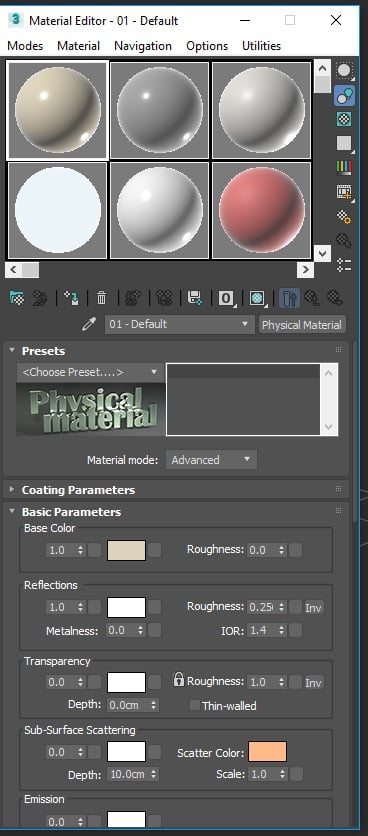 Hey, how do you make a model more transparent so you're able to see your image reference underneath? I'm using 2018 and I can hit 'alt-x' to make it transparent (ish) but that still remains too light and I can't see the reference. I found out that I'd have to create a material then change its opacity in the "Shader Basic…
 -
Re: Subway Station Warnings Floor Materials
 Hey, I'd work on the render a bit. It's really dark, so I can't figure out roughness variations. Also, I think it'd be better to display the material on a flat surface (cube or plane) like it would be in practice. I would also increase the material tiling to 2, because you'll rarely see this material so close up.
 -
3D max 2012, materials black slots
I am following a tutorial from Viscorbel, the only problem i have is when, he start to add materials to the meshes. My material slots are all black, and i can't seems to get the result like him. I have tried with every single combination of the Assign render option. I will give you a screen shot from the issue i have.… -
Answered: Quixel dDo v5.2( material detail)
in my model 3 types of diffuse id iam using rusted metal, iron and gun metal. iam doing manual texturing;(environment texturing off) and then iam applying material detail;(surface chips, edgechips etc) on every id, in all id the material details options;(diffuse,specular,gloss and height) are working properly but in one id… -
Re: Landscape Material Setup in UE4
 For us multiplying the AO on Albedo works better. The roughness maps look very similar for all materials.. so we modify them a little to give each material more character. We also multiply a color on Albedo where necessary for art direction. I'm not sure what you meant by Displacement (Green Channel). We currently put…
 -
Re: [UDK] Wet Material HELP
 ok ok sorry guys was my mistake was not provide more information about my problem this is the situation i literally copy all the nodes from the image of the UDN here's the comparison of the materials UDN Mine and the results are extremely different my material turns purple like this all the other parameter works normal…
 -
Material Editor - Need help with Panner
Hi, I'm fairly new to UDK and I have a doubt regarding panning textures in UDK. I have a material in which I've connected texture coordinates with parametric inputs into the UV of my Diffuse texture. I need to add a panner as well so that I can move the texture from the material instance. The problem is that I cannot…
>32871 results