Search
-
Re: perfect normal for sand beach
 Can u explain what you mean with a sample? I was also thinking like make a very grainynoisy normal map with overinposed small dunes normal map more or less following the texture but I dunno how to do that thing ....
 -
Mirror normal map problem at render
 Hello, everyone!:) i'm so sorry for my poor English.:\ I have some questions about the Mirror normal map.:poly122: Below is my attach relevant pictures to illustrate my problem seam effect is not correct . high quality: render: UVS: Who can tell me how to set the option, thanks :poly142:
 -
Sharing UV map for baking normal

 Hi, I just wondering if sharing uv map for baking recommended ? something like the image below : is it gonna be fine or I will get error when I baking ? if this cube, I share the top with the bottom and the left side with the right side. when I baking the normal map is it gonna be fine and perfect or I will get bad baking…
 -
Barrel model, Normal map problems
 Hey everyone! This is quite embarrassing... I've made a simple barrel model to test baking normals out from xNormal and I keep getting one specific edge than is much darker that the others. Could someone explain why this is happening? The model is symmetrical, so I don't understand why this is the case. Issue: Wire:…
 -
[Help] Normal map gets cut
 I have a strange problem, my normal map gets cut. Why? I get the same problem if I bake in xNormal or Projection in 3Ds max. So is there a problem with the cage? The cage is covering the high with no problem. I dont get the same error on the upper side. Only the sides and the back. What may cause this? Thanks!
 -
Maya Normal viewport display issue
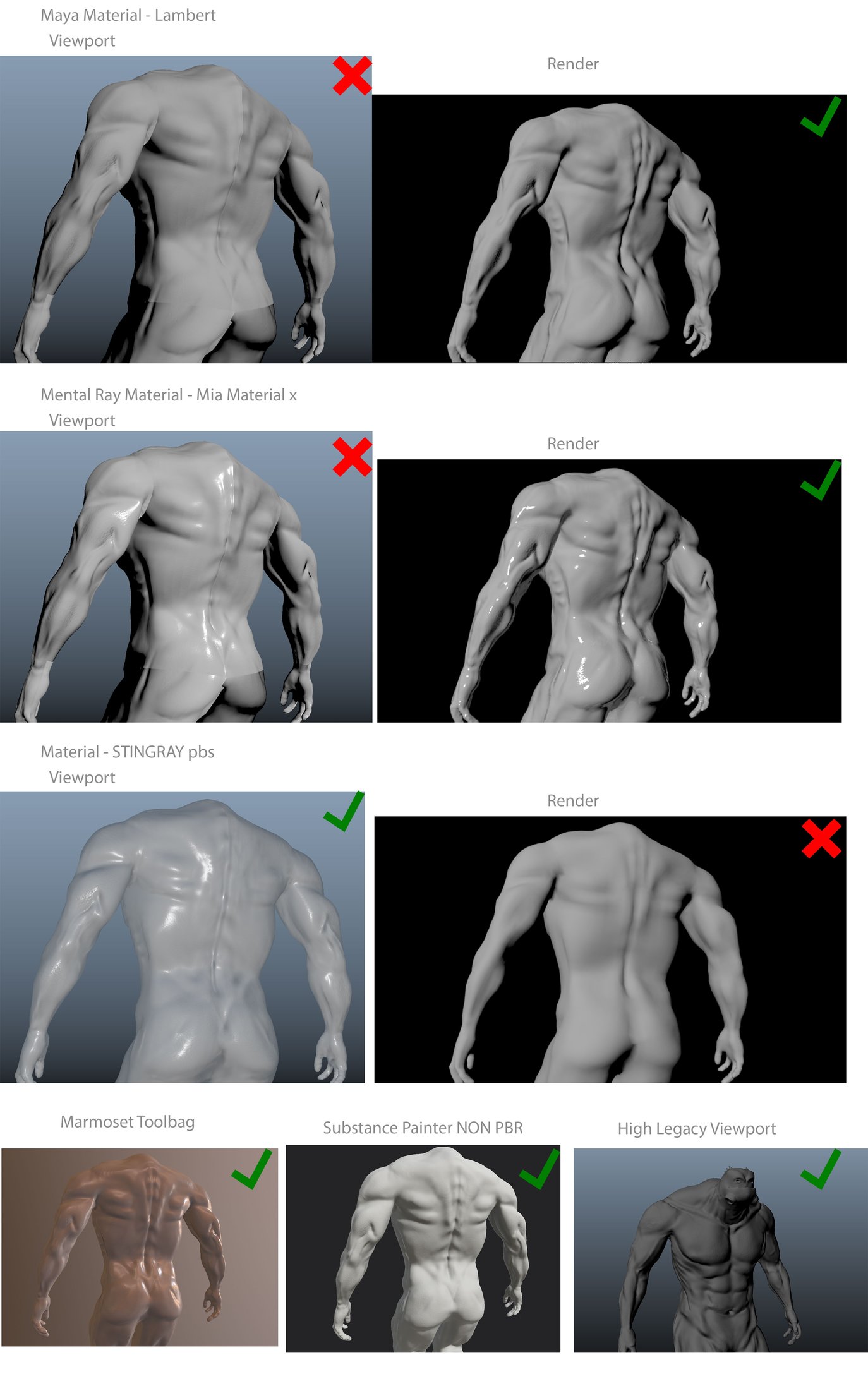 Hi guys, I've attached what my problem is. It's basically a view-port issue with Maya. The version I am using is Maya 2016 SP6. I'll attach my normals but I don't think that's the problem as they render out okay and look fine in different software. Any help on this would be great. Thanks.
 -
UE3 Normal maps and z mapper
Hi, Anyone found the right settings for z mapper to make ue3 friendly normal maps. Do you know if anyone has made a config file for z mapper that works well with UE3, i'm having there are seams showing in the map, and they render fine in zbrush and 3d max. Thanks in advance if anyone has advice. -
Normal Map seams
First and foremost...sorry, sorry, sorry. I found other threads on this but though "what the hell does that mean?" So I'm having problems like the picture below were you can clearly see my seams. If someone could possibly explain it to me in layman terms, I would be very appreciative. I know it has to do with my normals… -
Normal projection issue!

 Hey guys, I have been using TB3 to bake my normals for a prop I am currently working on. I've hit a roadblock though and as far as I am aware I didn't do much wrong, The baker is giving artefacts on a face (not along the edges) which has good high/low overlap and the cage is offset enough to cover the high. Also checked…
 -
normal map issues , max bake vs ue
 Im importing normals and tangents so im a bit confused why the render isnt the same. Any one have any clues
>37656 results