Search
-
[3ds Max] - Normal map black edges on UV splits.. can't figure it out
 I recently switched to max 2015 and everytime I bake I seem to get black edges on all my seams, a problem I never had before... I can't for the life of me figure it out. Hoping someone has some insight on this! thanks in advance. HP:
 -
Weird edges in Substance Mesh...Please help
 Hi there, I am currently trying to make an asset for a VR game in Unity for a school assignment. I am currently facing a problem with a bake from substance.I am still new to substance and I am getting these weird edges which looks bad.. I need the mesh to be low poly so i cant smooth the mesh too much to get better bakes.…
 -
Solved: Overlapping UVs = hard edges in 3DO?

 I've imported a lowpoly model in 3DO, but 3DO always seems to split the vertex normals where there are overlapping UVs. This is an asset for a mobile game, so I need the overlaps. Each side of the building uses the same UV space, to save texture resolution. I could re-pack the UVs so there are no overlaps, but this would…
 -
Maya 2014 Editing hard edge normals like Max
Hello everyone, I had to switch from 3ds max to Maya for work and I am having a problem with vert normals. I have a rounded modular wall section and I need the verts on the hard edges at the end (where the walls will meet) to point straight out instead of the slightly angled position it has be default (so there is no… -
3dsMax - How to remove interior edges of a selected polygon group while keeping borders intact?

 How to remove interior edges of a selected polygon group while keeping borders intact in 3dsMax? I can do it by a single command in Modo but couldn't find any tools or scripts that does it in 3dsMax.
 -
Dither Edges for a path Spline UE4
 I've been looking into Spline paths for the project I am working on, where we're trying to work out how to add cart tracks or similar features to the landscape around the level/world. I saw this live talk here @ 17.07: https://youtu.be/oRfVFh_6OyA?t=17m7s Where the designer has exactly what we'd be after. However he talks…
 -
Re: change colors of edges and verts in maya UV editor?
displayColor -active polyEdge 1; Using this command while swapping the one out for any number between 1 and 31 will change the colour of both selected edges on your mesh, and in your UV editor. Dont know how to do it for unselected edges. you could make a python shelf button with this codeimport maya.cmds as cmds i =… -
making hard edges in 3ds max for exporting to mudbox
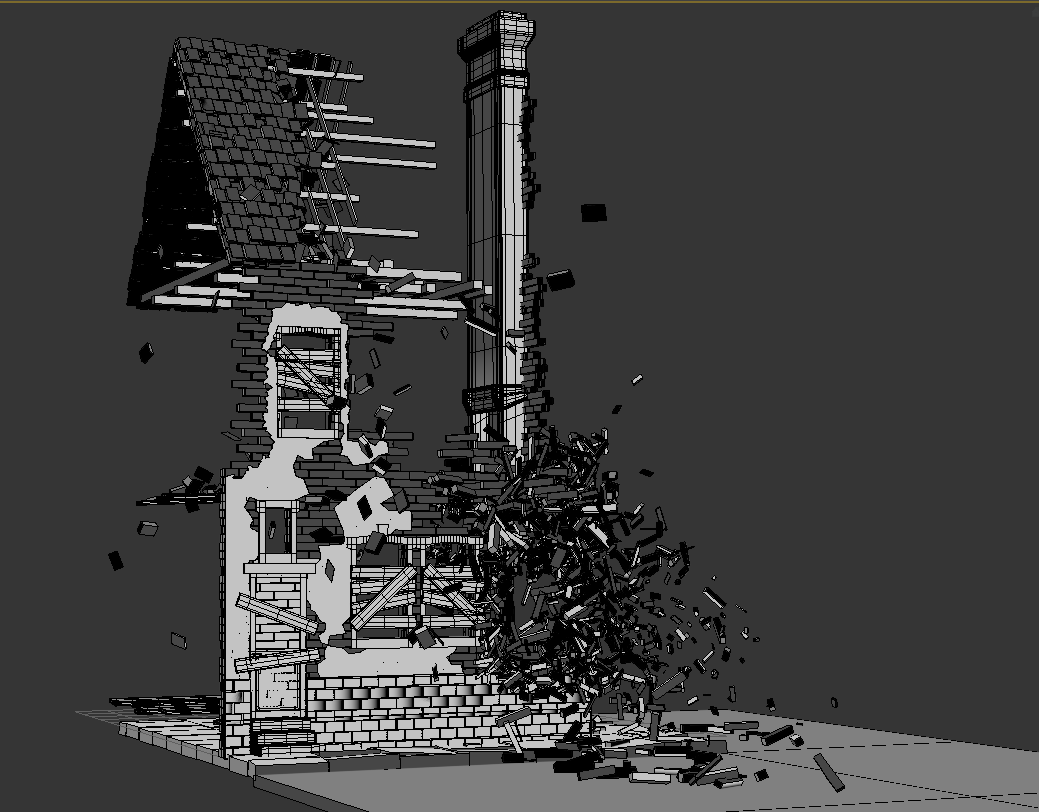 I recently made a really complex model of a destroyed wwii house using the rayfire plugin, so every brick is a standalone box, and i now need to export it to mudbox. The issue is swift loops are not possible because it would take weeks to add them to every box, and if i try to select all edges and chamfer them the…
 -
Zbrush Base Mesh Question - Hard edge and organic together
 Hey guys, Got a quick question for you all; how would you go about making the base mesh for an astronaut-type character in this sort of style: I'm not sure whether to make a very simply base mesh in Max and just sculpt everything, or make the hard edged stuff such as the helmet ring in Max and import them onto a simple…
 -
Can't bake normals without seams along polygon edges
 I've been having this problem for like a year now, and I've not seen anyone else who does. When I go to bake a normal map on an organic shape, it'll end up with harsh seams along certain polygon edges, like this: There's only one smoothing group on the mesh, and there aren't any disconnected verts--the lowpoly looks pretty…
>27970 results