Search
-
Re: Hard Surface Blog: Sci-Fi Processing Station

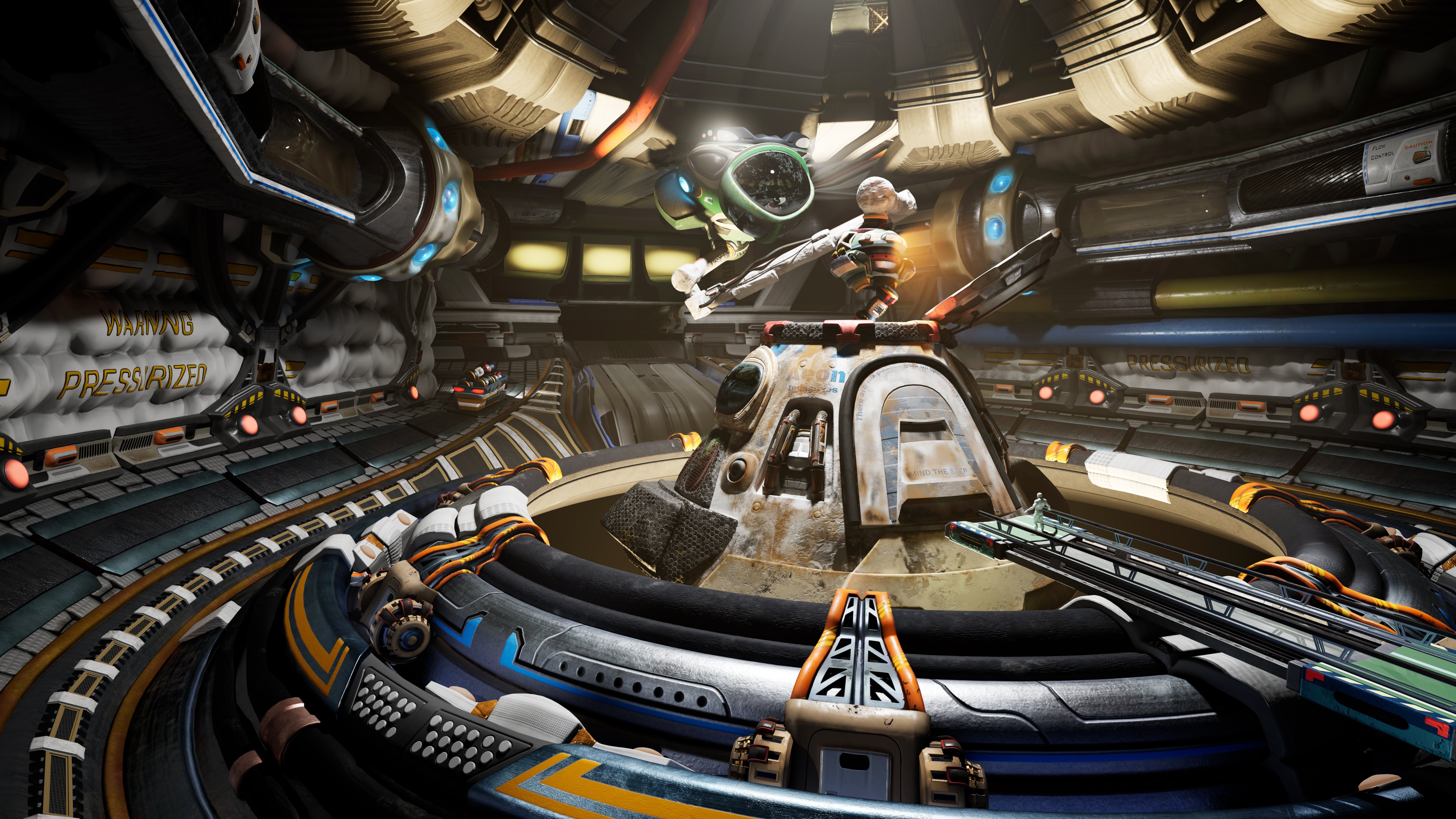 Updated lighting with some rim lighting, some is real effecting all things in the scene, some is fake rim lighting. Utilizing channels in to affect certain objects and not others to help bring out certain details forward to the foreground with more light on it. This way I don't contribute to the indirect lighting as much…
 -
Blurry light map bakes in Maya
Hello everyone, I'm currently on Maya 2012 using the turtle renderer to bake out light maps. All of my bakes have so far turned out with a considerable amount of blur when compared with my original diffuse texture in Photoshop. I am baking from and to the same resolution (4k to 4k map). What options should I be looking at… -
Octane Render fixing object Shadows and Bounce Light

 Issues below (not rendering shaodws or bounce lights), I haven't found help from Otoy forums, Polycount forums, online search, been looking A few days now. rendering issue 1 rendering issue 2
 -
Backface normals lighting question
I've just recently got back in to 3d modelling and have spent the past three days solidly trying to work out bump maps etc. I'm building a treasure chest and for some reason. My mirrored UV's seem to be lit from the back of the faces, as if they are using the same lighting direction as the original UV's. Now reversing the… -
Rhythm-based Fighting Game
Here's what our team of 3 guys has been working during this (very short) 2nd semester. The basic concept is a fighting game where the player has to lose in order to win the game: Beat the Bot Logline You control a robot fighting against your best friend - help him win! [*]Engine/Platform Unreal Engine 4 on Android… -
PCG Filter Not Working
Hello everyone! I’ve been searching for answers to my questions for the past two weeks, but I still haven’t been able to find a solution. I built my PCG setup based on the official Unreal Engine 5.7 documentation and several YouTube tutorials. However, the solutions shown in those tutorials don’t seem to work in my case.… -
Re: Gothic 2 monastery remake
 Ah, you have hidden your reply well :sunglasses: Fog cards I find they can help to elevate vistas, but to my knowledge shouldn't be layered too much due to the increased cost of the pixel on screen (Overdraw). Sample Projects I would follow the path Eric suggested. I haven't tried this one, but going by its description it…
 -
Light seam on matcap bake (zbrush)
 This is what I'm doing (after I have a model with subs, a low poly, and uv's) 1. generate displacement map 2. create plane polymesh 3d 3. subdivide a bunch 4. apply displacement map 4.5 Turn off ao and shadows in the render settings 4.8 BPR render 5. grab doc to create texture 6. export texture 7. cry This is what I'm…
 -
adidas multi-store texturing and lighting in Unreal Engine.
Experiential company looking for a freelance Unreal Engine pro to texture and light multiple Adidas stores ASAP for realtime concept presentation purposes. Majority of modelling will be supplied but modelling skills for additional elements would be a bonus. Please drop me an email if interested. -
Question: Is it possible to get light shafts to change shape?
 I'm trying to simulate light coming through the canopy of a forest and get those nice scattered rays. Using a gel image I've got the pattern on the ground I want but the shaft is still a cone. Any thoughts? Thank you so much!
>90491 results