Best Of
Re: Questions regarding hard surface modelling
https://polycount.com/discussion/166058/ak-337-modular-rifle-system/p1
https://polycount.com/discussion/208690/game-ready-lowpoly-asset-from-fusion-360-workflow-guide
 sacboi
Re: The Bi-Monthly Environment Art Challenge | September - October (80)
Hey all! I'm seeing a lot of really cool work here. I don't know what to say yet that hasn't already been said... maybe I will be able to share some insights after seeing the next batch of progress posts.
The weapon station concept stood out to me as a great opportunity to learn how to create some simple effects. That said I have extremely little experience in creating effects, but I know they can make all the difference in creating engaging environments.
I plan to spend more time with texturing my model, right now it is pretty much just solid base colors with a slight blend of convex highlights and roughness & metallic info. It seemed important to me to get the lighting environment and effects established first before getting too far along with texturing.
As mentioned earlier, I am no effects artist lol... but I would like to share some screenshots of how I created the flame and lava effects:

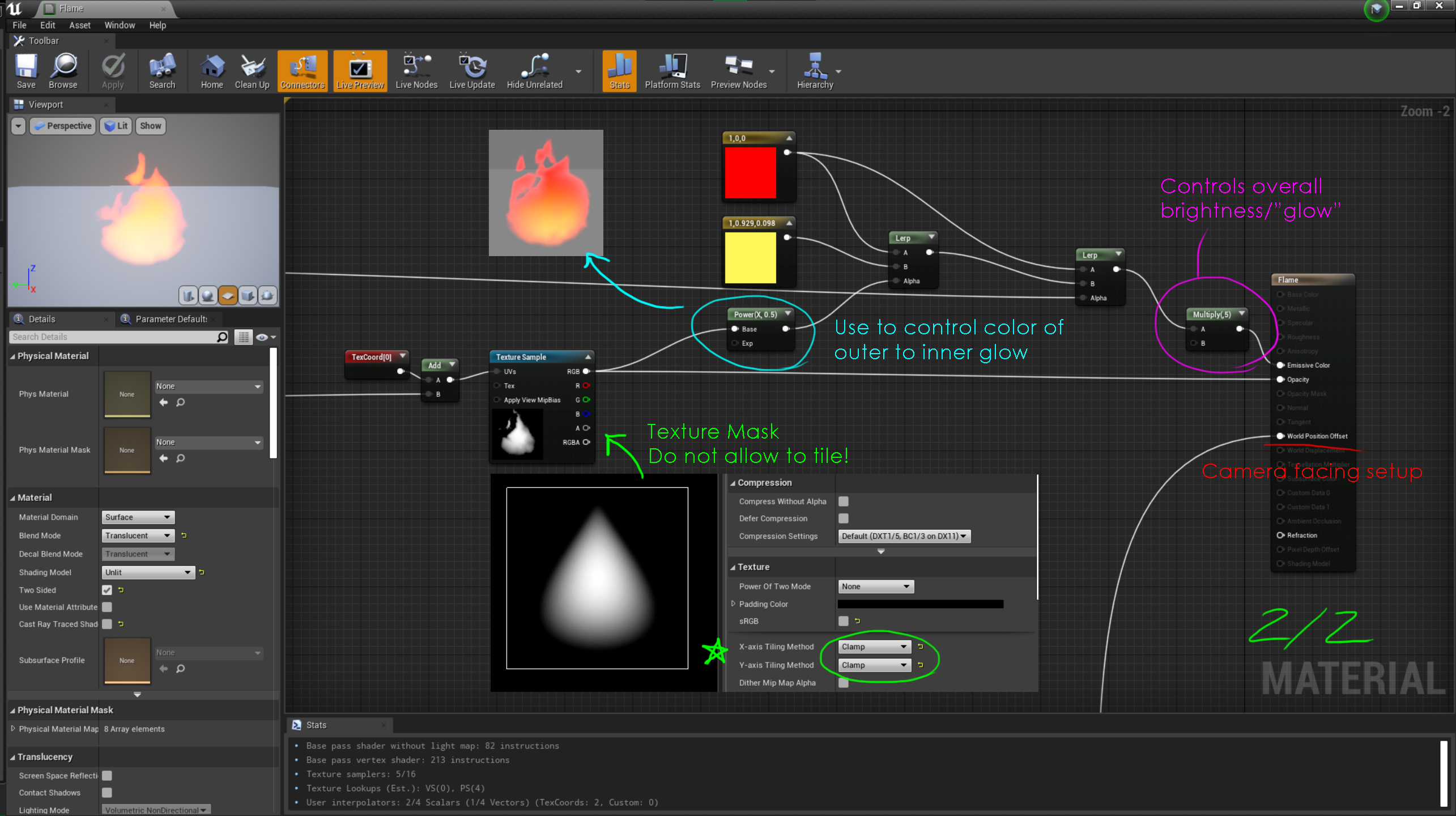

I have a heat wave effect that I placed over the various lava pools. That is just one of the fire particle systems that I altered from the starter content. I deleted all emitters but the "Distortion" emitter and tweaked some settings here and there.
The subtle embers are a Niagara System which uses the hanging particulate template. I gave the particles an upward "velocity" as one of the major tweaks.
 wrd0mth
Re: Question about being a Senior
If you got promoted to Senior you are already a Senior. Just keep doing good work.
 oglu
oglu
Re: Foliage Project
Thank you!Niknesh said:Beautiful foliage, awesome work man!
What's your usual texturing process/layer setup and how do you paint it all so damn good? Your color transitions very look natural, realistic.
So, First I export normal, cavity and AO maps from Zbrush to Substance Painter. I create a good base color layer and then add 1 or 2 color variations with some procedural noise. I also create a few more color variation layers that I paint manually. It depends on the plant, it's usually stuff like painting a bit of darker green color in the middle of the leaf and lighter yellowish green at the edges. Then I use a cavity map for the veins. After that I invert the cavity map and apply another color variation for all the areas around the veins. Add a bit of an AO and the rest is just building up the layers by hand painting. So far I've been adding damages with an opacity layer and painted the damaged edges manually. For the final touches I sometimes add tiny dots with some procedural noise as well. The most important thing is to make it look good as a whole, so get the colors right and make all the important information read well from distance, but then I try to add a bunch of small micro information so it looks good even from a closeup.
For the normal, I overlay a couple of masks with a height info to achieve tiny surface variations which represent small veins.
I guess to achieve that color blending you just need to use a low intensity brush and keep adding the color slowly by a bunch of brush strokes. Tablet helps a lot with this.
I've been busy with other work, but I think I'll release a tutorial in a few months, a lot of people want it. I guess it would be better for it to be in form of a video, maybe both a video and step by step screenshots.

 Sven_M
[Finished] Artstation Challenge: Dragons Rise - Dragons Keep.
I wanted to share some of final 4k frames from my Artstation Challenge entry
https://www.artstation.com/artwork/Rnmlwy
It's based on a concept by Florian Coudray.
Most of the work was done using Houdini, ZBrush and Substance Painter. I also made a few tiling textures in Designer which I reused quite a lot. I also used Houdini to help make the trees, vines and scatter some of the foliage,


 iansmithartist
Re: The Bi-Monthly Environment Art Challenge | September - October (80)
This is my last submission very likely as I haven't had much time to work on it recently and won't have much time until next month. I spent quite a bit trying to unwrap the UV and make it presentable in sketchfab but cleaning up at this stage turned out to be too hard and messy and gave up. It's a good lesson for next piece tho! I also played a bit more with lights, mostly toning down the brightness and adjusting the rimlight as I got a bit tired of the previous look. Sadly I don't feel like it improved much :) If you guys have any other suggestion with the best ratio effort/improvement I may try to implement it before the end.

You guys are doing an amazing job by the way! I am very excited to see more progress!
 Esselle
My 3D Character Garbage dump
I needed an outlet where I can post my garbage as I want to stop posting wips on artstation and I can just relax and not really care.
Here's some old to - "newest" or latest stuff I've done, if I ever have time I will post some updates.


 Francois_K
Re: Why is triangle used instead of Quad?
The model compiler part of the engine will spit list of triangles out to the renderer - what the various editors show you is irrelevant.
As mentioned in an earlier post, there's no guarantee that a quad/ngon will be subdivided in the same way by two different applications. The only way to be sure is to manually define edges.
As tiles said, this is less important when you have dense geometry as the errors will be far less obvious.
Not sure if Frank covered it( probably did, I don't read his posts cos they're always completely correct ;) ) ...but
You should triangulate your target mesh before baking normals and you must use a mesh with identical triangulation in engine. The reference frame for calculating normal direction is influenced by the presence of edges and you can easily end up with Bork if they differ - it's the same underlying thing that causes UV interpolation issues as well
poopipe
Keghammer - Stylized Game Prop
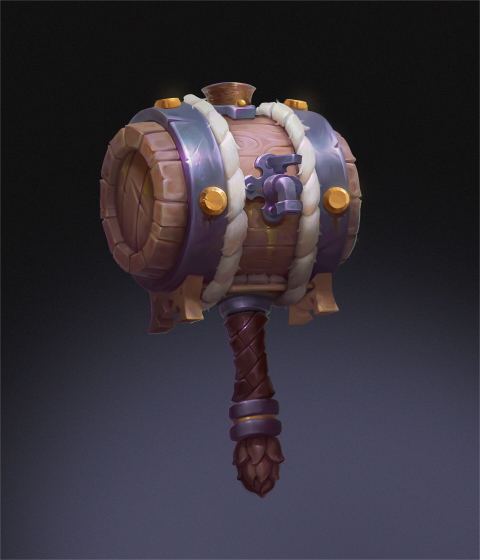
In order to brush off my skills, I've made this lovely concept using Maya/Zbrush/Substance Painter. I want to look it's best before adding it to my portfolio so any critic, feedback is welcome.
Btw, after starting I realized this was used as one of the monthly challenges a couple years ago.


Concept
Blockout

Sculpt

Retopo
 supersnakelx
Re: Book of Tyrael
Aaand, It's done!

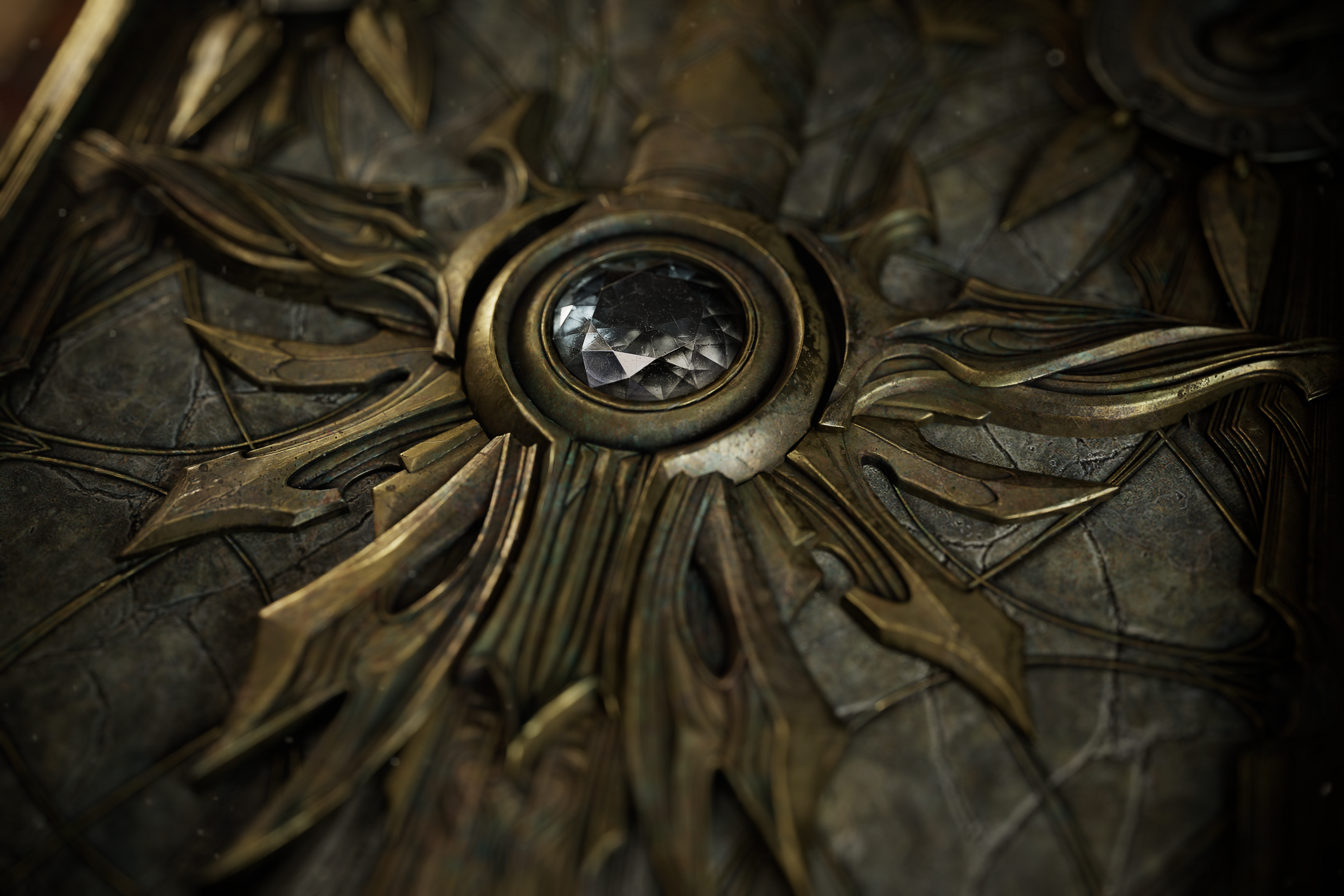




You can also find a flythrough video on artstation. Go check it out!
 Svartberg