Best Of
Re: Where have all the promising projects gone?!
AI isn't why people aren't getting together and making hobby projects online, neither is unreal.
The fact you can easily self publish and there's a chance you can make some money is why. Anyone driven enough to build something for fun a decade ago is driven enough to build something shove it on steam and get paid.
As soon as money is on the line you cant just let random strangers contribute so the community project dies.
You can still mod though - there's plenty of people out there doing that and forming little communities.
The fact you can easily self publish and there's a chance you can make some money is why. Anyone driven enough to build something for fun a decade ago is driven enough to build something shove it on steam and get paid.
As soon as money is on the line you cant just let random strangers contribute so the community project dies.
You can still mod though - there's plenty of people out there doing that and forming little communities.
 poopipe
3 ·
Re: What Are You Working On? (3D) 2026
messing rendering in Arnold. made the model in 2020, but recently got in to better rendering
techniques which i really could not do then. far from great but having fun with it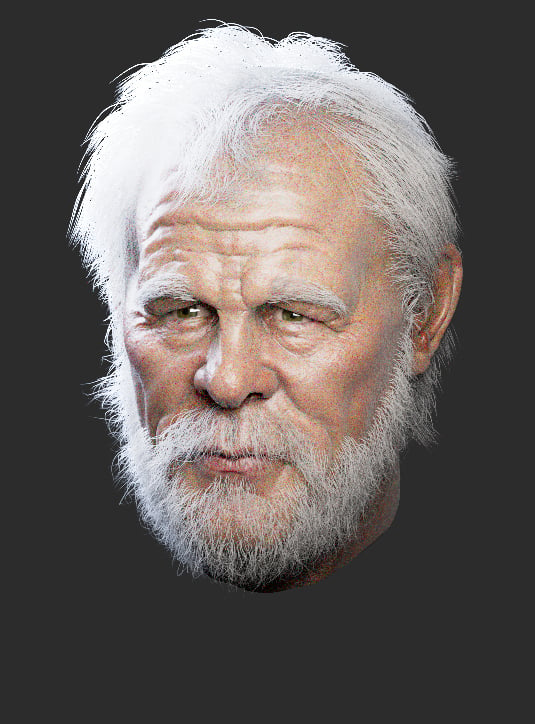
techniques which i really could not do then. far from great but having fun with it
 Ruz
Ruz
3 ·
Re: What Are You Working On? (3D) 2026
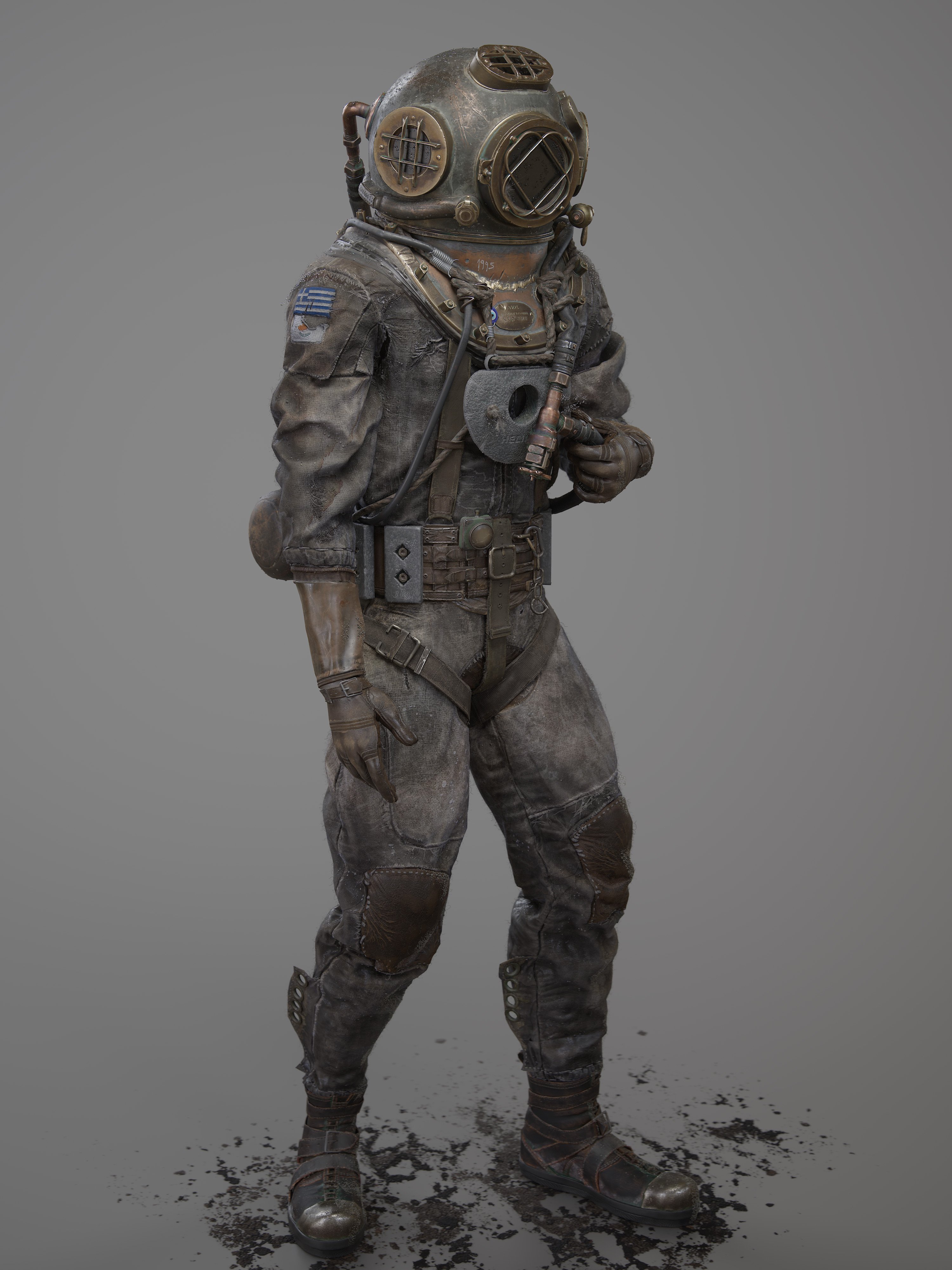
So been working on this dude for the better part of 2026 and now its finished. More info and shots on my artstation hope you like it!!
https://www.artstation.com/artwork/a0KXVz
 MrJimGamer
3 ·
Re: What Are You Working On? (3D) 2026
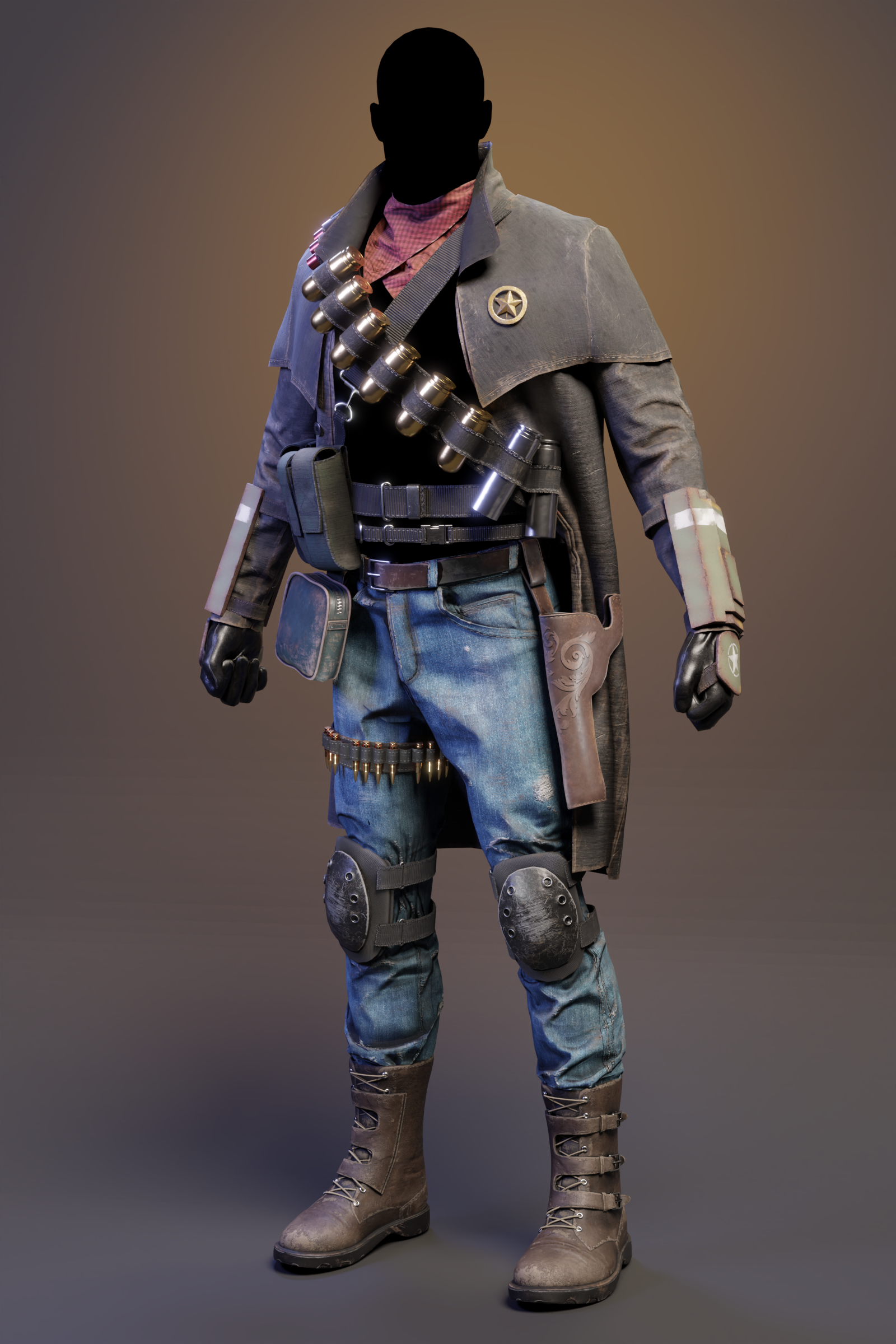
This is character outfit that I have created as part of freelance contract. After project was completed, I did some rework to improve it and this is the result so far. I'm still trying to improve it here and there so any feedback would be great.
 loshmiii
3 ·
Re: What made you feel good today?
A vintage polycount Tshirt getting some good use for weekly workouts :
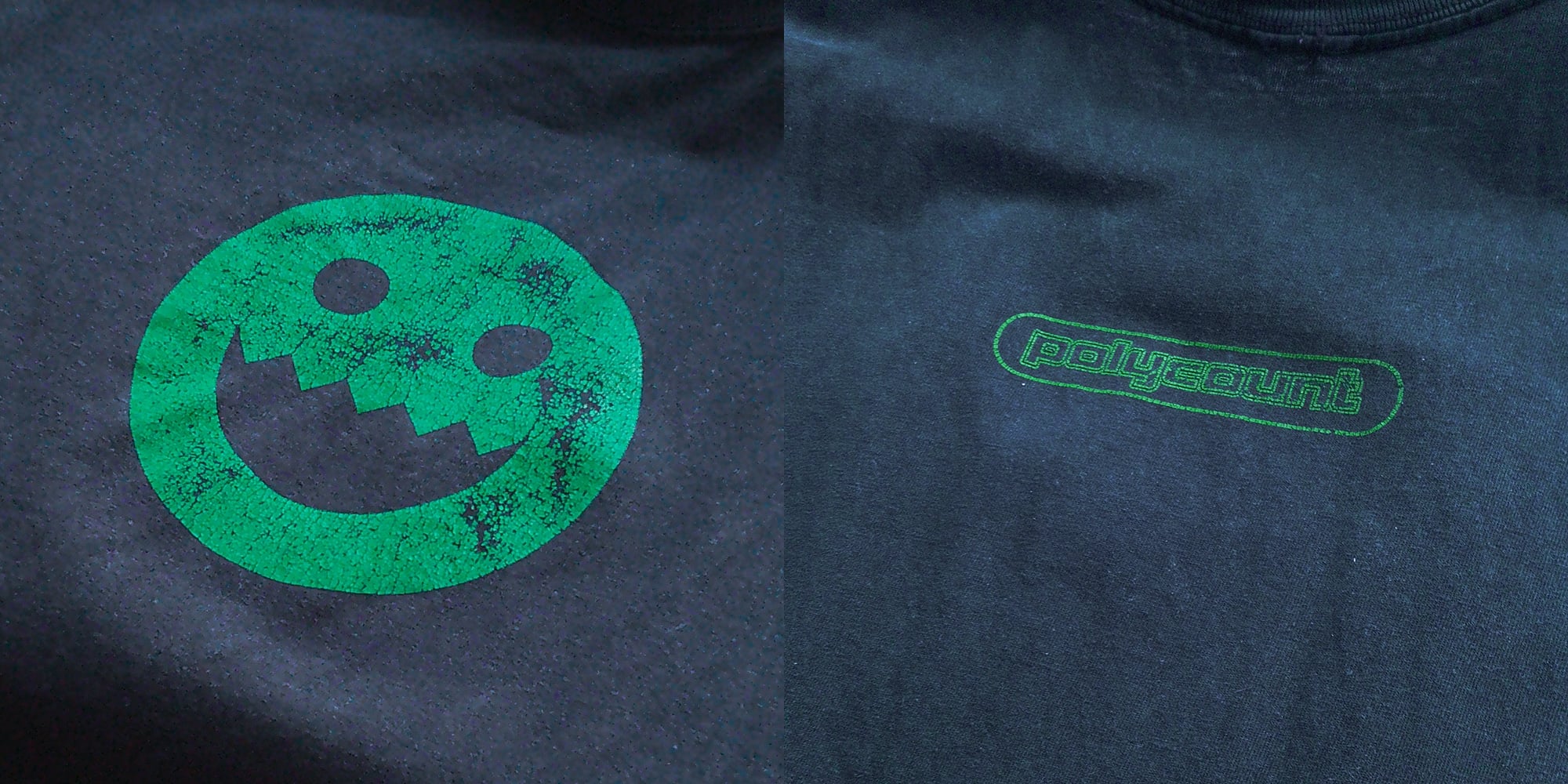
Will probably end up making a DIY repro of it eventually
The heavyweight fabric is great btw, it holds up well. Props for picking a good provider back then !
Will probably end up making a DIY repro of it eventually
The heavyweight fabric is great btw, it holds up well. Props for picking a good provider back then !
 pior
pior
7 ·
Re: Powerful new tool for critiquing your 3D Models
FWIW, from the perspective of the person providing feedback, commenting on a model to indicate edits is generally much faster when done over a clean screenshot provided by the 3D artist, as opposed to being given direct access to the model.
Dumping the responsability of capturing screenshots for paintover feedback on to the AD or the concept artist is IMHO a bit unelegant and irrespectful of their time. Personally if someone handed my a link to a 3D viewer I'd still ask for clean screenshots first and foremost, *even* if I end up capturing my own if the ones provided by the modeler are unclear. And then ultimately the modeler would then gradually learn how to present stuff better, which is a win-win.
That said, what you have here does look interesting for the modelers themselves, as a way to take good notice of the various paintover feedback handed to them. I suppose it all comes down to how well this is integrated into a pipeline.
Cool stuff
Dumping the responsability of capturing screenshots for paintover feedback on to the AD or the concept artist is IMHO a bit unelegant and irrespectful of their time. Personally if someone handed my a link to a 3D viewer I'd still ask for clean screenshots first and foremost, *even* if I end up capturing my own if the ones provided by the modeler are unclear. And then ultimately the modeler would then gradually learn how to present stuff better, which is a win-win.
That said, what you have here does look interesting for the modelers themselves, as a way to take good notice of the various paintover feedback handed to them. I suppose it all comes down to how well this is integrated into a pipeline.
Cool stuff
pior
3 ·
Re: Struggle to model a cut cylinder!!!
Lots of good advice so far.
It's probably worth using all this feedback to create a few samples then compare the results, from a typical player's point of view, to see what works and what doesn't.
Though it's also worth asking: How sharp is sharp enough and how good is good enough? As an example: Here's three cylinders with the same size slot. One has 32 segments, another has 24 segments, and the third one has 48 segments. Which is which?
It's probably worth using all this feedback to create a few samples then compare the results, from a typical player's point of view, to see what works and what doesn't.
Though it's also worth asking: How sharp is sharp enough and how good is good enough? As an example: Here's three cylinders with the same size slot. One has 32 segments, another has 24 segments, and the third one has 48 segments. Which is which?
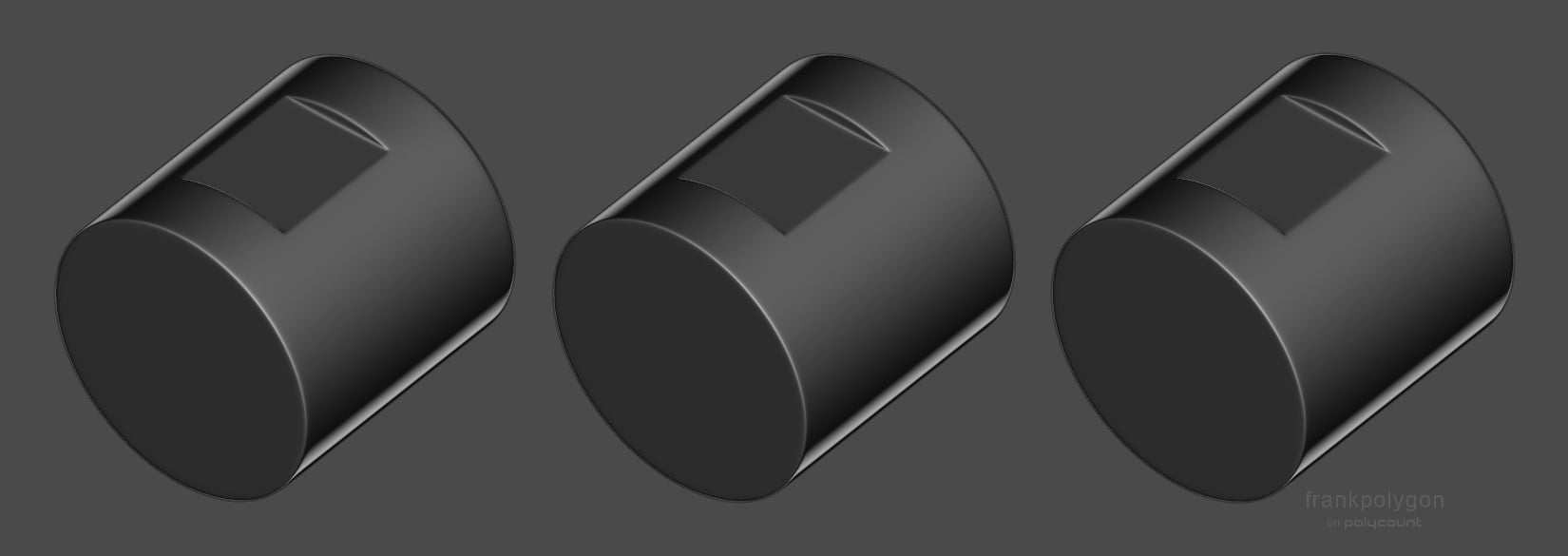
Which one is all quads? Which one has inconsistent segment spacing? Which one was created with manual loop cuts? Which one was created with non-destructive modifier based loop placement?
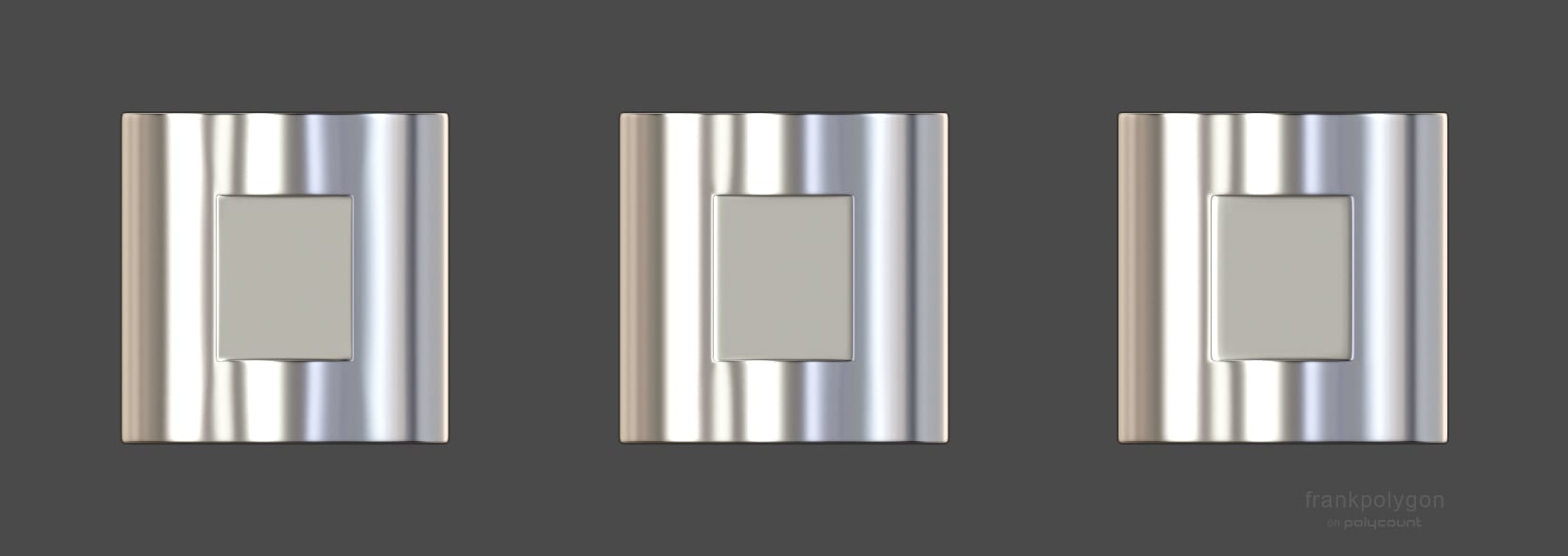
Which one performs best up close and at a glancing angle?
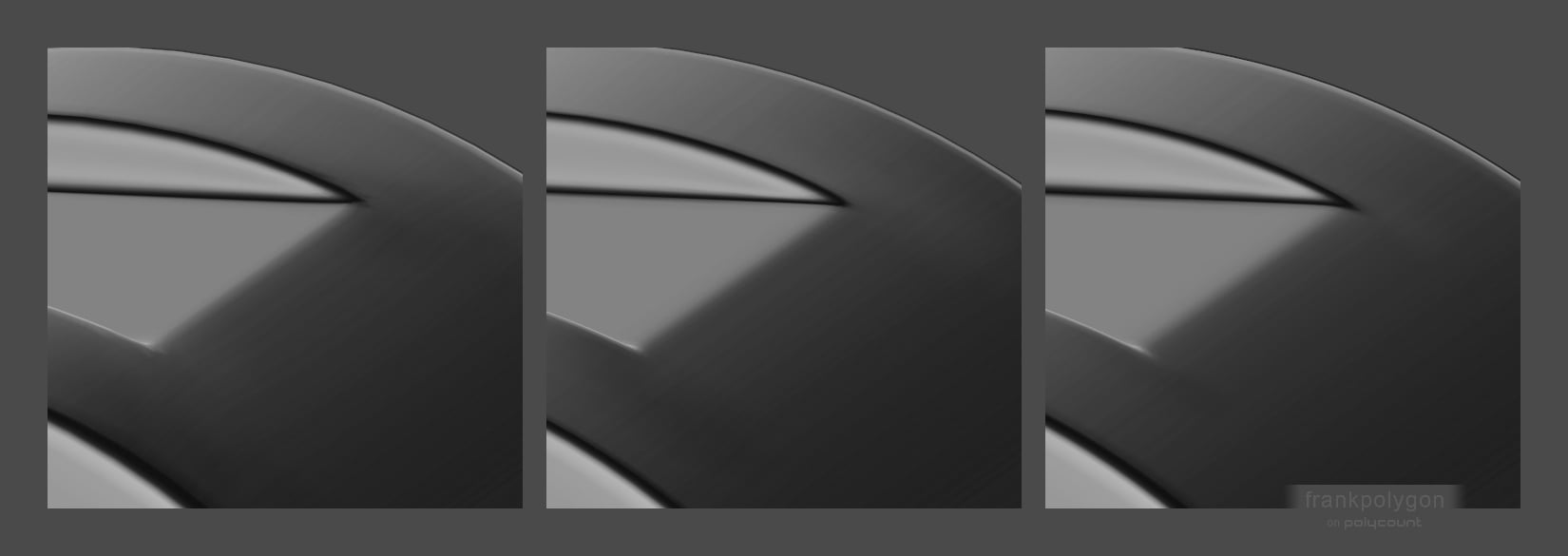
Is there even enough textel density to pick up these subtle artifacts
when everything is baked down and the high frequency noise from the wear
in the material layers blends everything together?
Most importantly: Will players ever look at it this closely? It's a small part that's on the underside and it faces away from the player's point of view. Even if this part is visible in a configurator it's very unlikely that will be much bigger than what's shown on screen in these examples.
So avoid overthinking some of this stuff and instead optimize for the typical player's experience.
So avoid overthinking some of this stuff and instead optimize for the typical player's experience.
Also, over sharpening the high poly can make the shapes difficult to read and can cause normal artifacting when there isn't enough textel density during baking or when the textures mip down at lower quality settings. For most game art stuff, as long as the mesh smooths cleanly enough to bake down without generating any visually significant artifacts then it's more than likely going to be passable.
Below is what the wires look like from the examples above, in the order they appear.
24 segments.
Manual loop placement and some destructive edits to relax the vert positions so everything smooths cleanly.
Manual loop placement and some destructive edits to relax the vert positions so everything smooths cleanly.
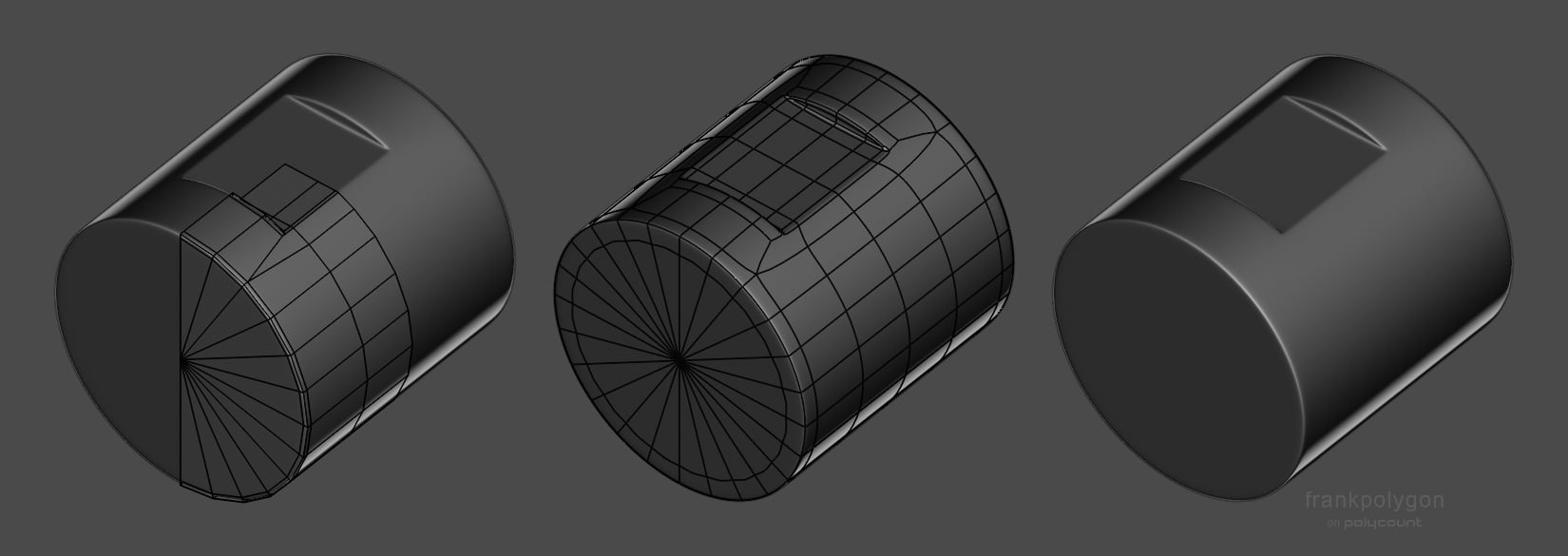
32 segments.
Non-destructive modifier based support loops. Easy to create and works pretty well in most situations.
Non-destructive modifier based support loops. Easy to create and works pretty well in most situations.
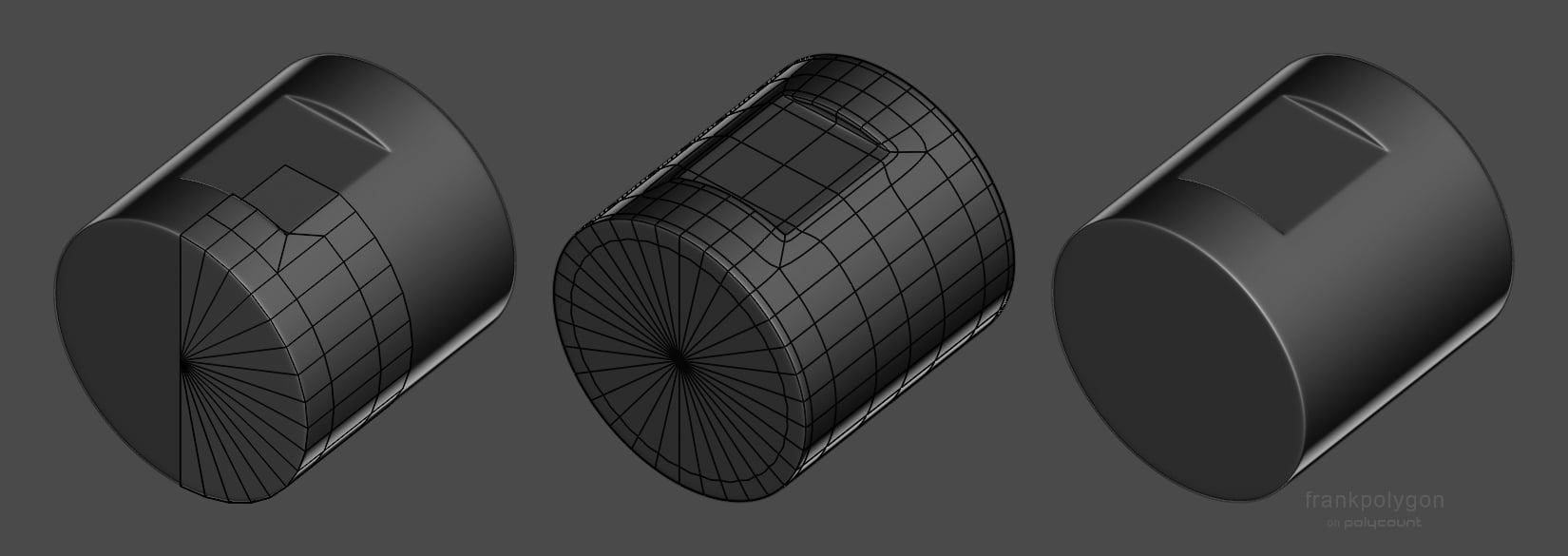
48 segments.
Same non-destructive modifier based support loops but the loops bunch up because of the increased geometry density.
Same non-destructive modifier based support loops but the loops bunch up because of the increased geometry density.
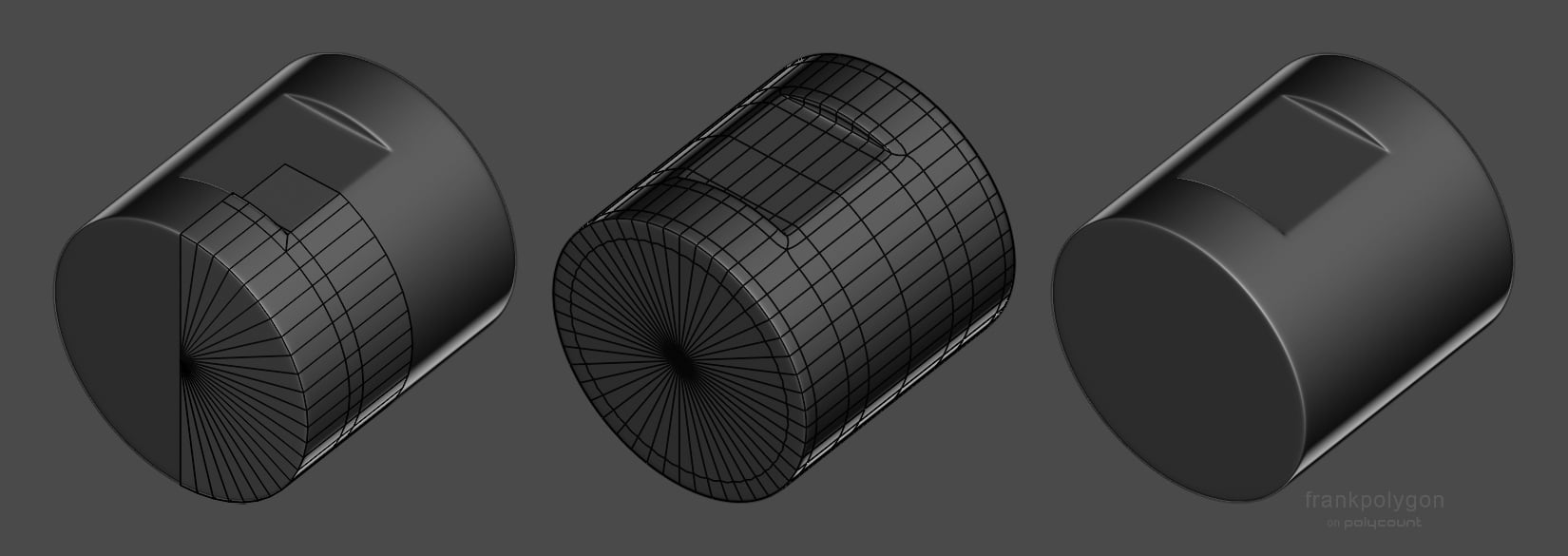
(The artifacting on the 48 segment cylinder was reduced by deleting the outer loop around the slot then moving the remaining support loops closer to the inside edge but this does tend to soften the highlight slightly.)
Adding more geometry works but there's diminishing returns. Same with manually compensating for smoothing stress by editing the base mesh. So it's generally considered best practice to match the segments in the intersecting shapes and use the minimum amount of geometry required to accurately hold the desired sharpness level at the typical view distance.
What those technical constraints actually look like will vary depending on the project. If something doesn't add to the overall visual impact or the player's
experience then it's worth thinking about whether or not it's worth
chasing perfection there. What makes sense for a third person game is different from what makes sense for a first person game and that's different from what makes sense for typical VFX shots that have to work at various camera angles, etc.
With subdivision modeling the trick is to either constrain any potential artifacts to the space between the inner and outer support loops or average out the differences between surfaces over a wider area that's well supported. So it's more about better use of the existing geometry and routing the loops around the shapes to average out or reduce unwanted surface deformation.
FrankPolygon
5 ·
Re: Powerful new tool for critiquing your 3D Models
Maybe it would possible to add a bookmark feature that acts as clean screenshots. Notes / draw overs could be saved per bookmark while still allowing for free orbiting of the model by the reviewer if they wish to do so?
 jStins
3 ·
Re: How The F*#% Do I Model This? - Reply for help with specific shapes - (Post attempt before asking)
Exactly like that.
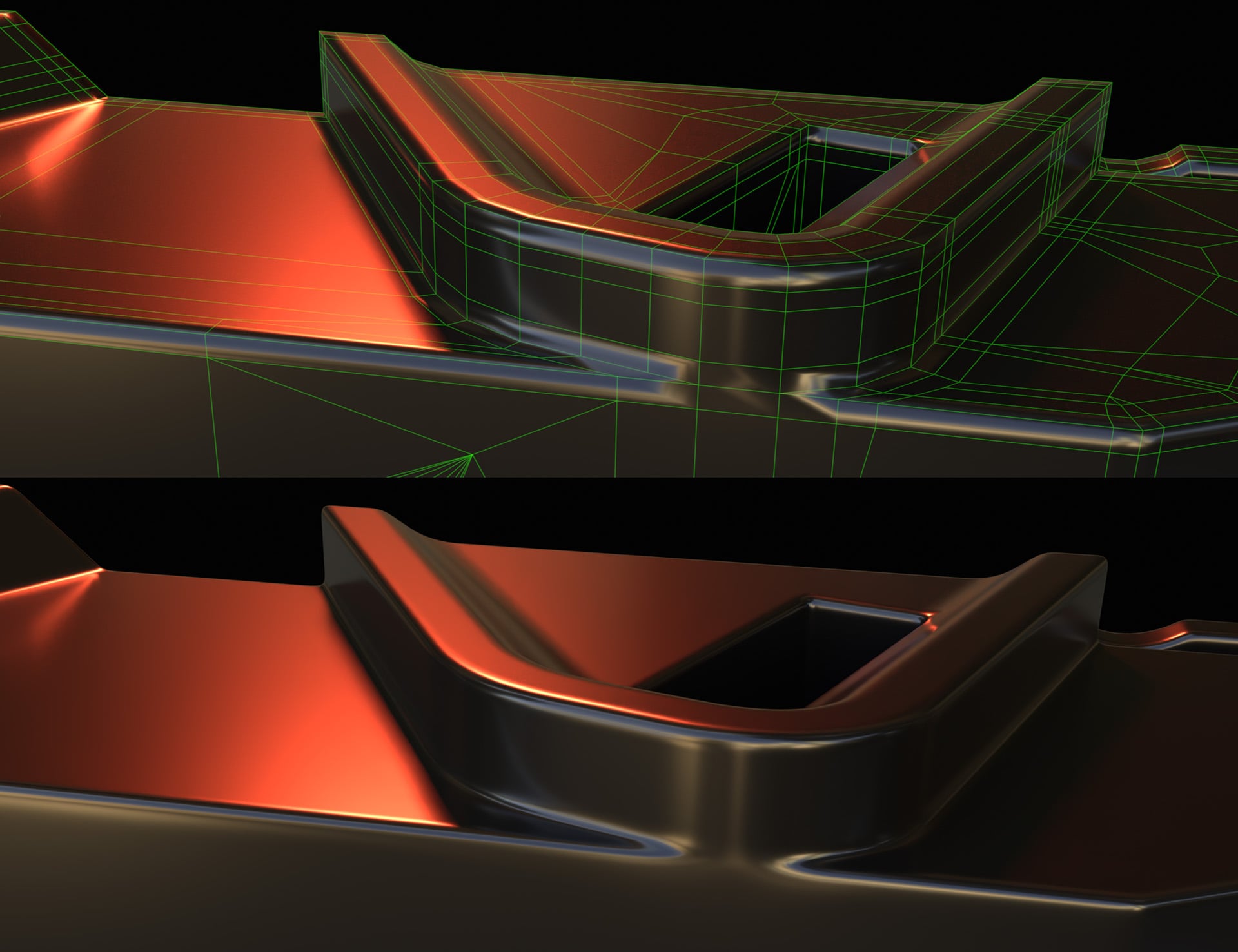
I do stuff like this on the regular, and if I require 100% precision, I don't boolean them, because Max's boolean adds Parkinson's to vertex coordinates. For small parts or non-important surfaces like internals, it doesn't matter.
For the major surfaces of a CNC'd hero prop, I do 'em manually.
First I pseudo line up a cylinder with the wall, and plan out how many segments I want on the cylinder.
Then I cut into the wall to add verts to where I want the cylinder to end up.
Then rotate the cylinder with angle snap so one of it's faces lines up with the wall.
The rotation amount equals (360 / No-of-Cylinder-Segments / 2).
Snap-drag one of the cylinder's verts onto a vertex on the wall
Perfect intersection. Without practice it takes 10 minutes, with practice it takes 30 seconds.
I do stuff like this on the regular, and if I require 100% precision, I don't boolean them, because Max's boolean adds Parkinson's to vertex coordinates. For small parts or non-important surfaces like internals, it doesn't matter.
For the major surfaces of a CNC'd hero prop, I do 'em manually.
First I pseudo line up a cylinder with the wall, and plan out how many segments I want on the cylinder.
Then I cut into the wall to add verts to where I want the cylinder to end up.
Then rotate the cylinder with angle snap so one of it's faces lines up with the wall.
The rotation amount equals (360 / No-of-Cylinder-Segments / 2).
Snap-drag one of the cylinder's verts onto a vertex on the wall
Perfect intersection. Without practice it takes 10 minutes, with practice it takes 30 seconds.
 Thanez
3 ·