Search
-
Materials Help
 Ok, I'm not so good with materials, what are some of the best ways you simulate steel, chrome, and titanium. Also is there a way to simulate machining marks and is there a way to do it without a texture?
 -
Creating 'cell-shaded' materials for static meshes
Longtime lurker, first post. I wonder if anyone might be able to point me in the right direction. I am pretty new to UDK, but I have a fairly good handle of modeling/texturing and level design in the Source engine. I have been working on an environment in UDK for a couple of weeks as I learn the software, and I am unsure… -
3DS Max material editor window width ?!
 I'm really puzzled by this, it's not necessarily a scripting question, but it's a problem that prevents a script from working on multiple installs. Problem: the material editor window width seems to differ randomly (probably not, but seems so) between different max installs on different computers. Some computers will have…
 -
Re: Trying to create a liquid material contained inside glass (erlenmeyer flask?)
 I would take a look at the water materials that UDK comes with. they have very very good ways of setting up liquid movement. you can then change the speeds at which the liquid moves. if you are feeling like having a static movement is way too boring, you could always create a material instance and then have it do funky…
 -
Material Artist and surfacer

 I'm a material artist with knowledge of the entire art pipeline production. I have a great understanding of optimizations and shader stuff, working directly on engine to achieve the desired result.
 -
Sandstone Bricks - Material
 Heya, I Created my First Material with Substance Designer. I would like to hear your opinions, feedback, and critics
 -
Answered: Smart material creating a problematic mask
 I'll try to break my workflow process as best I can: Using latest Quixel Suite Photoshop CC 2015 x64 The model I made originally came from Zbrush and exported as a .OBJ along with the creation Normal, AO, ID, and Cavity maps. Everything up to this point has loaded ok so far, but it isn't until when I load a smart material…
 -
[MaxScript] - Remove duplicate materials from array
 ( function uniquifyArray arr = ( curnum = arr.count for i in arr do ( if (findItem arr i > 0 ) and ( finditem arr i == curnum ) do ( deleteItem arr (findItem arr i) ) curnum -= 1 ) return arr ) tm1 = Standardmaterial name:"Test1" tm2 = Standardmaterial name:"Test2" pm1 = Standardmaterial name:"Proxy1" pm2 =…
 -
Material studies
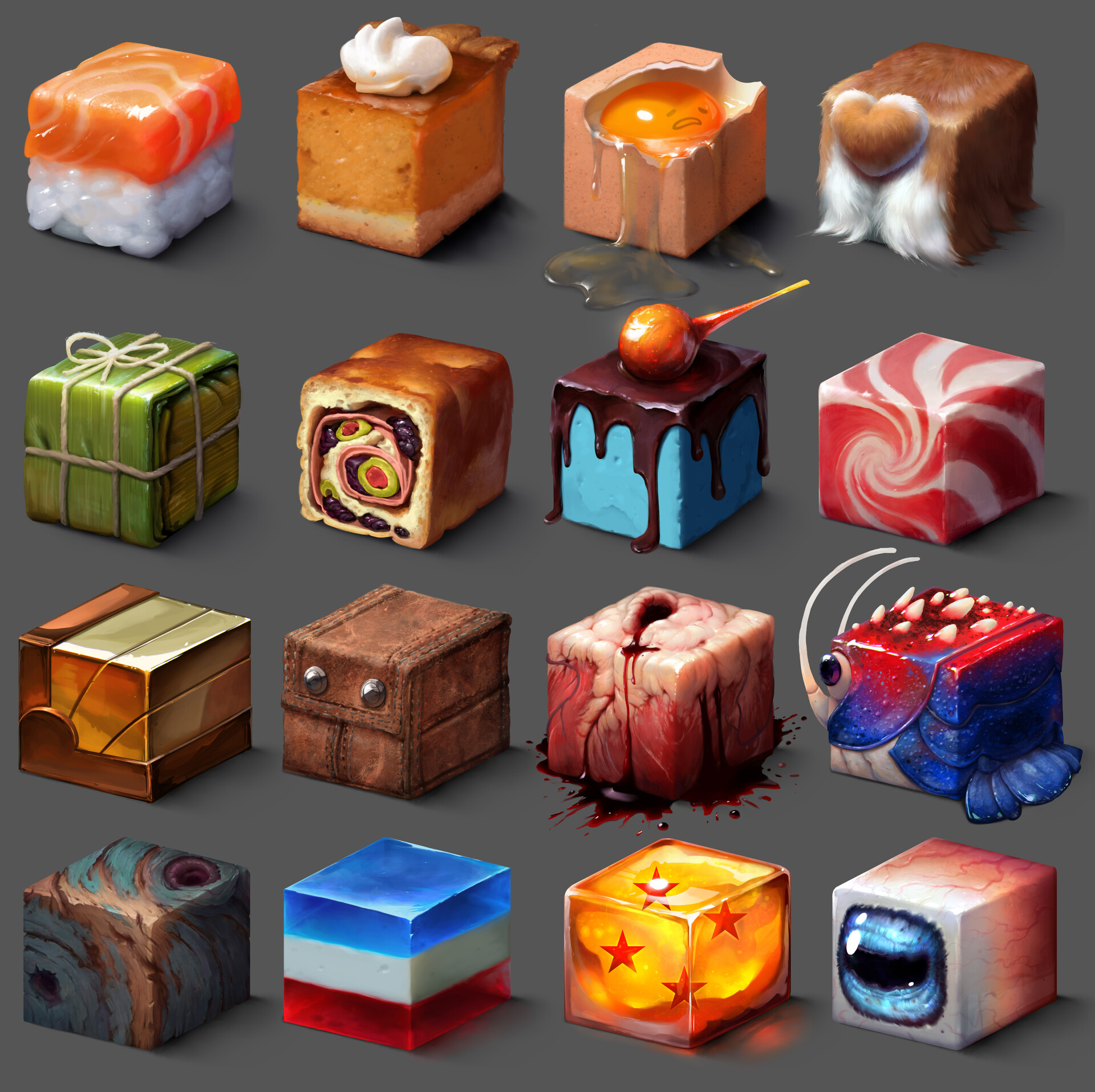 Hi ! been practicing lately material studies to better paint. here is the finished sheet! hope you like them. also added some animated gifs on the process for these here:https://www.artstation.com/artwork/0XGb1V process giffs on some of the cubes:
 -
Odd Banding / Stair-Stepping / Aliasing Issue with Substance Designer Material Render

 This is a material I created in Substance Designer. I exported the texture maps and created a material in MT3 thrown onto a flat plane. Seems simple enough, and the image above (res downsized for web) looks OK, buuuuuut... Look at this center crop: What is that all about? Looks almost like 3d printer banding stuff... the…
>32871 results