Search
-
Fixy - 3D rigged Anime girl character in Blender

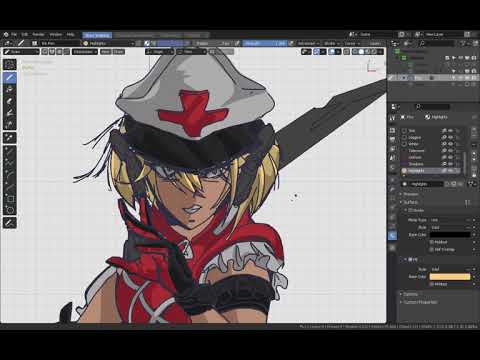 Hi, I wanted to show an OC. Her name is Fixy and she's a cyber military nurse fully rigged and stylized in Blender with custom controls.Here's one of the many sketches for her concept: https://youtu.be/FZGY5UKQqLM Here's a short trailer (she's available for download): https://youtu.be/e58zicYyjes And here's a full…
 -
Re: Creating a smooth-edged deboss area without making an inset first?

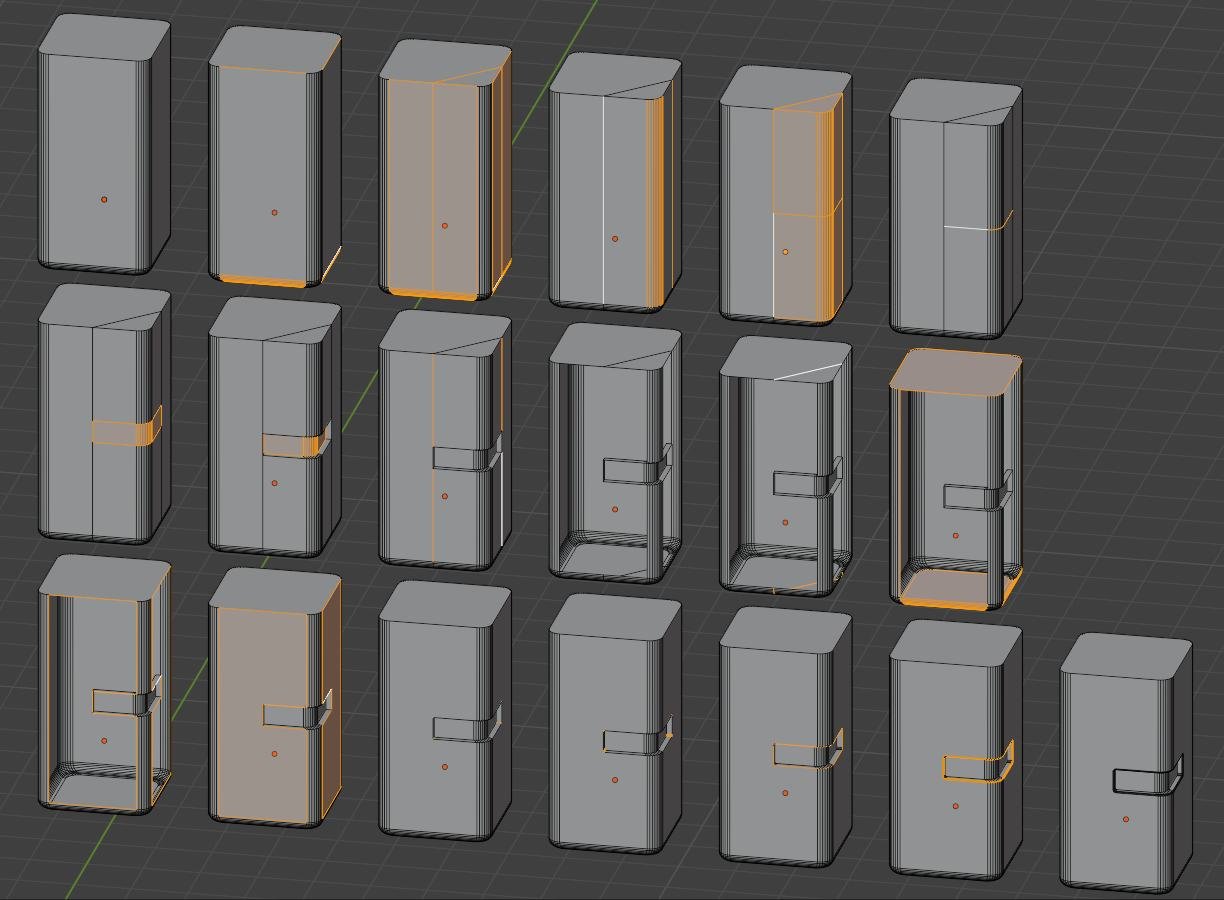 Maybe it's easier to make this inset first and "repair" this later... also depending on the tool.. here in blender: I start with the partly chamfered cuboid (like asked in the other thread).. So because the top and bottom are n-gons a loop/ring select (i always mix the names for the directions up :sweat_smile: ) a…
 -
[CLOSED] Blender Character Rigger For 3D Animation Series

 Hello, We are looking for a character rigger that can fully rig characters in Blender. The rigger would take an already created, complete rig and transfer it onto other characters that share the same body base.We would also need the rigger to rig each of the character's hair meshes and setup a system for proxy collision…
 -
What is the Material ID Workflow for Substance Painter ( Blender )
 Hello, Im using Blender and im creating right now a 3D Asset it has like 80 Objects the Question is should i join everything together and UV Map it or leave it like that? I saw people joining everything together and UV Mapping it after that and assign a Material ID for each object to use in Substance Painter.. i want to…
 -
Blender boolean and split edges problem.

 Hi Applying an animated boolean to a hard surface model with split edges works but doesnt show a closed wall. It shows an open area inside the geometry as expected, With Max you wouldnt have to split edges but just use smoothing groups. With Blender it also wouldnt be a problem if it was a still image. Just merge all verts…
 -
Foliage Question (Backface Cutting Blender+Unity)
Hello everyone! I'm still a noob when it comes to working with game engines sooooo I've got a question... I'm having trouble with backface cutting atm. (I'm using Blender and Unity) I'm doing some alpha textures for foliage (leaves and flowers and stuff like that) but when importing my blend files to unity the backfaces… -
Re: How do I instance a given number of objects to specific faces only in Blender?
Unwrapping in Blender goes as follow. Switch to edit mesh node (Tab) > go to edge selection mode (2) to select edge loops alt+ click or click start edge and then Cntrl+click an end edge or just (shift+click) edges one by one. > use ctrl+E to open edge menu and "mark seams" those selected edges. Or you can just select UV… -
Re: What is the consensus on 3DConnexion hardware?
Had my space mouse for around 3 years now and its become essential for me, Especially for blender. When you first use one it will feel very weird but becomes completely natural after a while. It might also take a while to find out a good shortcut key setup that works for you. My setup is the two button space mouse, and a… -
Re: How to mimic this 3ds max workflow in blender
that's what I feared, so what is the best workflow for producing "easily" a low and high poly hard surface model? I've started cg shrimp hard surface blender modelling course, but it doesn't cover videogame production or making low poly. And chamferzone's course are really close to it, the only big difference being this… -
Sculpting misstep-Blender
 I was sculpting this model and I mirrored the symmetry on the facial features along the X axis and started refining the face further.Later on,I zoomed out and noticed this: Turns out I must have mirrored the mesh along the Y axis by mistake,eliminating her legs and didn't noticed because the cam was zoomed in on the…
>9770 results