Search
-
Maya uv editor pin/lock uv's or sew to edge.
 Is there a tool which will do a move and sew but instead of sewing the edges 50% into the middle it will only move the edges of the specified shell. Or if I could just lock the uv's so they don't move during the move and sew.
 -
Hard Edges around Holes
 Hey guise, So I've got a shotgun model and it's got some crappy hard edges/artifacting around the shell ejection port. I thought it was pretty minor at first and that I could fix it with some highpoly baking, but that's not the case. I feel noobish for asking, but how would you approach fixing this? I feel like I probably…
 -
architectural hard edges in mudbox
 hey guys, im trying to export my architectural mesh (a back alley building) from 3ds max to mudbox but to do so i need to create edge loops in max to keep the hard edges. everytime i do i end up spending a lot of time and end up ruining the mesh and having to start over again. i guess what im asking is, 1.do any of you…
 -
Need to realign objects rotation to and edge (in maya)
Hi Im a relative noob to 3d, so am hoping that this is easily achieved :) . After playing around with some animation on mu model ive managed to loose its initial rotation. I dont particularly want to realign it by eye as that feels a little imprecise. I was hoping that there may be a way to do such a thing by aligning to… -
Re: avoiding sharp edges in game model
 I think he's saying how even though the metal edge of the heel cutout only has one edge, it's still soft - it's because of normal map baking - the high poly model used as source for the bake was soft and this information is transferred, even though the low poly only has an edge there.
 -
What's better for sub-d? Bevel or edge loops
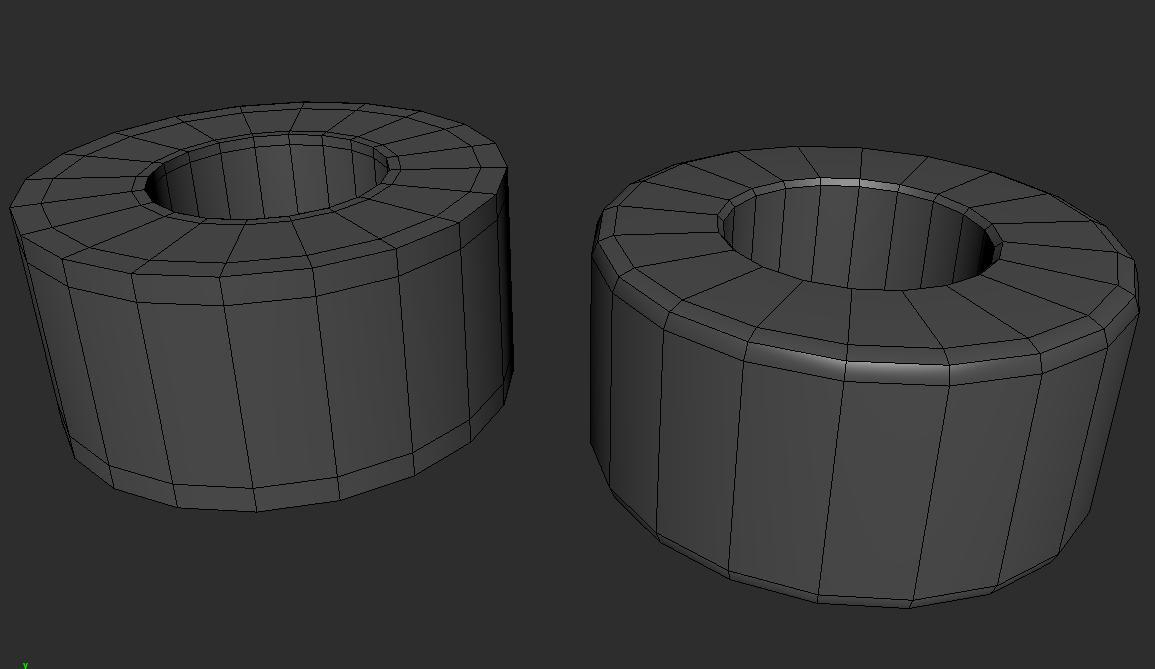 Hello, guys. What's the difference between beveling edges and inserting edge loops when modeling for subdiv if the resulting mesh almost is the same? I'm quite noobish at modeling and I don't know what to use. What method is better and used more in the industry? And what should I use to get clean models with good topology?
 -
[3ds Max] - Extrude edges help?
 Hey, probably a very obvious question but I'm following the Kukri Knife tutorial from Chamferzone.com. At both these times in the tutorial at 6:00 & 7:22, Tim selects edges and extrudes them without pressing extrude... he simple just says 'drag them out' and does so with the move tool. Was wondering how he 'dragged' the…
 -
3DS Max - Question - Reorient or Align an antire mesh by an edge?
 Hey to all, As the title says, is there a way to essentially use the edge of a mesh in order to use it rotate it or align to that edge. Think of UV mappings (like TexTools) Align function, but for a mesh in World space rather then local or working. Cheers in advance.
 -
Going from Max to Maya - I want to turn off edge display. Any tips? (SOLVED)
 Hey all - I would like to find a way to make it such that edges do not display on my selected mesh while in, say edge mode. Though if I could just turn them off all together so when I'm in object mode they don't display either, that would be great. I want to do this mainly during hardening and softening edges, and other…
 -
[Maya] Shift + drag edges to extrude like in Max?
 Hi guys, I'm trying to learn the depths of Maya this week. One thing that I use a lot in Max is the shift + drag in edge mode to extrude polys. Is there a way to do this in Maya? I found shift + holding right click and Extrude Edge in the menu. It's a bit slower though, even if I hotkey it, it's an extra key press every…
>24966 results