Search
-
Re: HELP PLEASE
 The JK2 engine could be defaulting to the hand tag if there's something wrong with your *flash tag. I'm not that intimately familiar with weps for JK2 but for characters the tags have to be very precisely created and linked. Have you been through Tim Appleby's (spacemonkey's) guide? http://www.raven-games.com/essential.php
 -
Unreal Tournament Scale?
 So, I was having trouble finding any mention of it here or in the UDN, but what is the scale in Unreal Editor vs. Maya? I see that by default the skeleton for a female is about 94 units high in Maya, but is there any set effect like 1 grid unit = # inches/feet? I tried to search for it here but with no real results. -Mike
 -
maya 8.5 help
This is a random request but i've somehow managed to mess up my settings in maya and was wondering if their was a way to restore everything to default?? i've looked through the menu's but cant seem to find it myself. The real issue i'm dealing with here is that i can't seem to get my world relative values back to… -
Corel Painter Modifications
 Greetings and Salutations; Before you ask me to google or "let me google it for you." I come here in peace and asking you guys to help out finding a proper guide or tutorials for Painter to; Modify the UI, brushes, template, etc. Working with default layout is really hard for me. If anyone know better, please direct.…
 -
Metal Ray. Render to Texture. Black Lines on Boarders
I'm using 3d max 2012 and i'm doing render to texture with render Metal Ray and i'm using almost default settings at this point with only differences with samples being at 1,000 and element background being black. my materials are setup to render to diffuse and i've got Ambient Occlusion in that slot. -
Texture Issue - displacement/Mental Ray?
 Hello all. I've a texture issue I'm stumped on. I have a simple displacement shader and diffuse on the character, but it's not rendering properly. The viewport 2.0 render looks good, but the actual render doesn't. Does this look like an issue you've seen before? This is rendered in MR, with a default sun and sky setup.…
 -
Make second monitor go inactive if mouse doesnt go on it?
 When hooking up 2 monitors it increases idle clock speeds by default on nvidia cards. I don't want this idle clock speed increase if im not using the monitor actively. Is there any way I can have it disable when my mouse doesnt move into its region?
 -
Breaking Bad Lab (UDK)

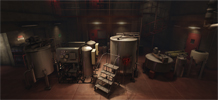 You are not a fan of Breaking Bad like Aigik is So I'm poking around P&P and I click on this thread thinking it would be a big box with a default checker pattern applied and I'm hit with some of the best environment art I've seen in a long time. Check out the rest of the environment and follow the progress here
 -
[3Ds Max] can't change spline TOOL color?
 searched all over and I can't find a way to change the color of the default spline tool? I got a dark grey background and the spline tool is dark grey so its super hard to see where I have placed lines before the spline is completed thanks in advance guys!
 -
FiberMesh to Splines for Maya released
The small FiberMesh to Splines for Maya application will convert the exported FiberMesh from ZBrush to splines. The splines can be used to create and render Maya hair either with Mayas default hair or using a hair plugin. More here. [ame="https://www.youtube.com/watch?v=NVNtY-WIgIk"]FiberMesh to Splines for Maya -…
>10519 results