Search
-
ZBrush: disable ZTool mode by default?
 Is it possible to disable ZTool mode on startup, or disable it altogether, in Zbrush? I'm having a real hard time dealing with this, eventually leading to losing work. :poly127: MudBox is more intuitive, both in UI and UX, but zBrush has all the nice things. :(
 -
z brush x ray mode?
 I know max has one, z brush has a ghosting mode which makes everything other than the mesh you are working on transparent which is not helpfull, especialy w/ orthographs. Either that Or ive got a wrong setting somewhere.
 -
What could possibly make coding fun?
sittin here, second lesson in MEL and im just hating it with every bone in my body.. How do you go about to consider coding to be atleast tolerable? -
Re: Does having five edges meet here work for this product? What’s a better alternative?
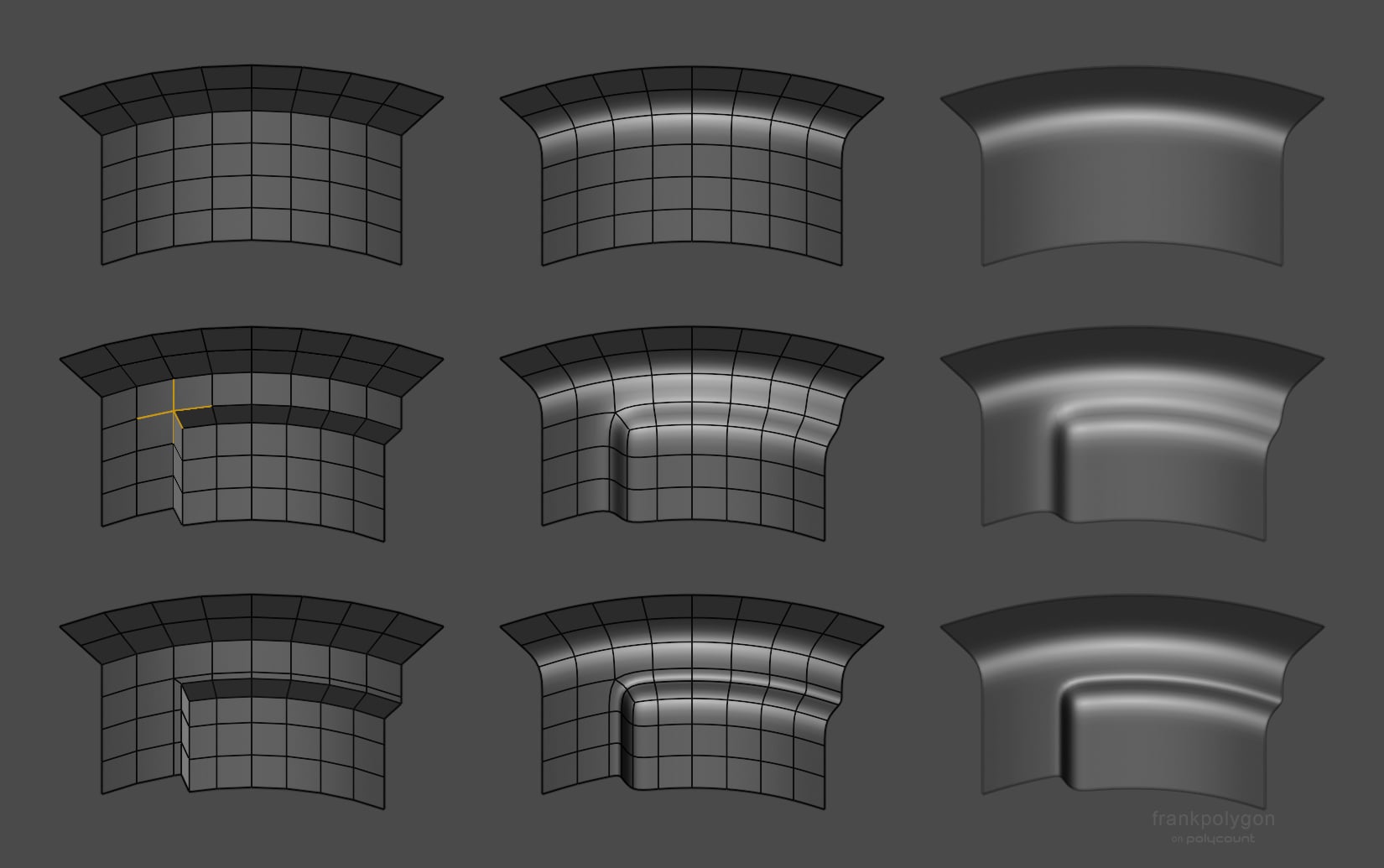 @zylan Determining if a high poly mesh is acceptable really boils down to how closely the shapes in the model match the shapes in the references and whether or not the topology subdivides cleanly, without generating any noticeable smoothing artifacts or other surface quality issues. If the shapes and surface quality checks…
 -
Does anyone have Zbrush discount codes??
 I am wanting to buy ZBrush but would love to have a discount code to make it cheaper for me. Or does anyone have Zbrush for sale?? Thanks
 -
Accessing the stack without leaving expert mode?
 Hi guys Does anyone how could I access modifiers or subobjects in the stack of a selected object without leaving the expert mode? A quad menu would be great Cheers
 -
[ 3D Artist Needed ] Ever want to help tell a short story....?
 Tell me if this sounds familiar? I can do everything alone. I don't need anyone. I am smart, hard working, and most of all, I have been hurt, so why do I need anyone? You're not alone there... been there myself many times. We are all in this life together, and none of us got where we are without help from someone. That is…
 -
We Game Coding team,need animator
Hi we have a our Game Coding team.We are working on a professional project and we need a Animator.You can contact us via our facebook page. https://www.facebook.com/canyapim/ -
Skin Modifier Mirror Mode problems
I'm a bit confused how this works...I have been working to rig one side and when I turn on "Mirror Mode"...shouldn't I see one half of green verts & one half blue verts? I can't see any vert colors, not even red... -
zBrush - stuck in navigation mode
Heya! I must have hit something, because suddenly it's like I am locked in navigtaion mode or something. Proj. master and noise is working, but I can't use the brush. I tried going back to a save, but the same thing. What have I done? :( It also says "New... ctrl+n" up in the left corner with lightbox and proj.master if…
>37269 results