Search
-
Maya FBX Issue
 Sorry if there are no apostrophes in my post, that key on my keyboard is broken. Ive had this issue come up before when I switched between different monitors, but I cant seem to crack it on my home computer. When I try exporting FBX using Export Selected in Maya, it gets to the point where I can type in the file name,…
 -
[solved] Modo - Pivot / Center issue

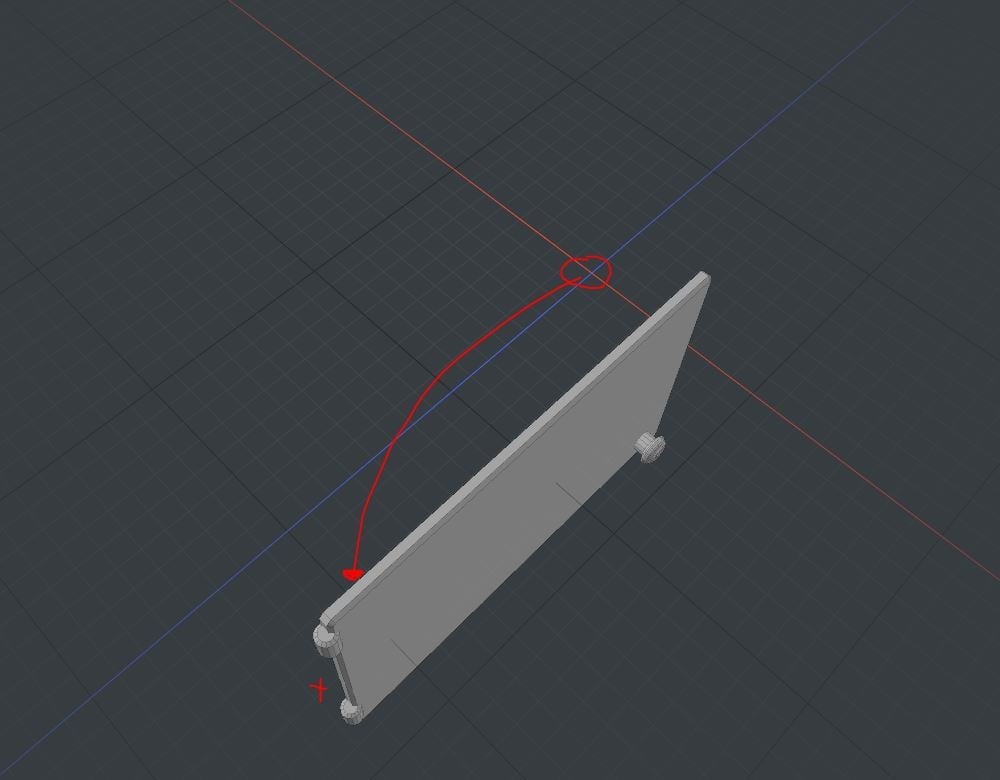 Dear polycount people, hope you are fine and i don't bother you with my tiny issue... but i am kind of frustrated now. I use Modo 11.03 Here you can see what i would like to do: What i tried so far: - moved the pivot in Modo and exported for test - moved the center point in Modo and exported for test - moved both in Modo…
 -
Can't seem to get multi-sub objects to work
 Hey folks, I've now followed a couple of different tutorials for multi-sub object materials/objects and I can't seem to get it to work. The latest, most sensible method I've gone through: Create my object in 3ds Max. Assign material ID to the polys. Create dummy and link object to dummy. Export geo by adding the dummy to…
 -
Help making a MEL script
 I basically have zero scripting knowledge, but I want to make a simple MEL script that makes CryEngine exporting faster for me. Can anyone help me out with how I can achieve this? This should save a bunch of time since I export from Maya very often. In the following order I want to: 1. Select one or multiple objects…
 -
UDk Breaking my UVs
 I am getting a weird error here guys, maybe its something really simple to fix or i am just missing something stupid, but this is getting me crazy and nobody seems to have this error :( The problem is that once i have imported the model from max to udk the uvs seem to break, so it breaks my lighting uvs and the lighting…
 -
Normals from Zbrush to maya
 Hi i been trying to make normal maps for my work i use zbrush to scuplt it I been using GOZ is easier putting into zbrush i create the normal map for it from zbrush i am not using zmapper. But when i attach it to my model the normals dont turn out right but when i export the low res zbrush file and import it in the normal…
 -
Re: Marmoset Viewer issue ( Model not displaying the same as in Toolbag viewport )
Hello @Uchiha_144 I would check to see that all the features you are using in Toolbag's Viewport are supported in Viewer. There is an Alerts section in Viewer Export that helps point these out and further information can be found on our Viewer Support page here: https://marmoset.co/support/?page=viewer. I'm noticing that… -
Re: Smoothing Groups not working in Marmoset
Hello @guats, There isn't a setting to check in Toolbag to properly import FBX data. All features will be listed in the Maya/3D Package export options. I am seeing Hard and Soft Edges being respected on my end from Maya to Toolbag. Try a different FBX version to see if there are changes, my latest test was with 2018.1.1… -
Re: Answered: Adding normal map details from generated masks
I purchased both volumes from Liberty 3D which had some basic tutorials for NDO and DDO painter, see below. DDO for Lightwave Users- Volume #6- NDO Painter DDO for Lightwave Users- Volume #7- DDO Painter In the second tutorial (Volume#7) they added a bump map manually and painted bump details. After export, the main maps… -
Re: MD4 to UE4...
 I doubt there is a single simple pathway for this. MD's animation is handled via simulation. So to get the same clothing animation you'd need to either 1: export the mesh and bring it into unreal as a PhysX clothing asset, and let Unreal do the simulation. (which will work with varying degrees of success), or 2: Export…
>17861 results