Search
-
[Geometry Nodes] 'Realize Instances' node remove rotation information

 Hi folks! So, basically I had to use 'sample curve' and 'set position' nodes and for that it is necessary to 'realize instances' first, this removes the rotation I had done to the poles before...Is there a way to preserve the rotations or transmit them to the post-realized instances? PS: I attached a modified file,…
 -
3ds max: can't remove this edge...
I'm working with an Editable Poly, and trying to do some simplification to the model. Specifically, I want to remove all non-necessary edges. But I can't remove an edge that forms a "donut" (I don't know the technical term for this shape). This is an example edge: http://gamedev.bytestacker.com/temp/non-removable-edge.gif… -
Zbrush UI Removing Side Toolbar

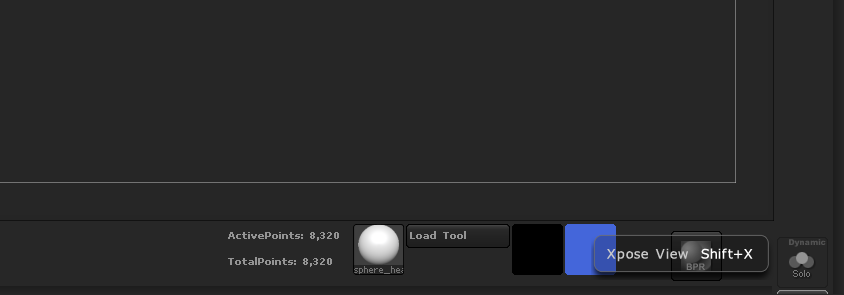 How do I do it? When I try removing every single button in Enable Customize mode, it keeps the toolbar but there's no buttons on it. I just want to be able to remove the side toolbar. I've been able to do it with the top and bottom toolbars. I see I have these two buttons in the tool bar, but I literally can't remove them…
 -
Max: Remove Edge loops plug in?
 IS there a plug-in that someone can recommend that completely removes edge loops and their coresponding vertices? I can remove them now by selecting them with the edge loop button and hitting remove. However, it leaves the vertices behind. Also, is there a good conform tool plug in? I tried the one in max, and it failed…
 -
[3ds Max] Ultrasimple question about vertex removal
 Hey guys, There is this one thing in max that I was never able to do properly. If I want to remove a piece of geometry I usually select the verts and hit ctrl+backspace (to remove the verts as well). But how do I remove the verts/edges without ruining the underlying geometry? right now i always end up having to manually…
 -
Re: Removing RGB Tint en-mass
 I get <font class="small">Code:</font><hr /><pre>-- Syntax error: at ), expected <factor> -- In line: )</pre><hr /> When pasted into the MAXscript listener I have tried wrapping it in a utility, but I get feedback on the listener with that, and nothing happening. <font class="small">Code:</font><hr /><pre>Utility…
 -
removing edges in 3dsmax
 removing edges is very handy for polygon reduction but there is a horrible bug whereby if you add an edit poly , then proceeed to reduce polys by removing edges, occasionally if you 'undo' it screws the mesh up big time. anyone encountered this and found a workaround?
 -
[ZBrush] Rigging with ZSpheres removes the UVW's after creating Adaptive skin.
 I want to pose a single subtool, therefore, I used ZSpehere rig with Adaptive skin. But it removes the UVW. Is there a way to pose a single subtool using a ZShere rig and not remove the UVW? Transpose master only works on multiple subtools. Steps I used: 1) - Created ZSphere rig 2) - Attached Mesh in Rigging menu 3) -…
 -
[PAID][REMOTE] Motioncapture Post Production Animator
Mercurial Dance are hiring a Freelance Motion Capture Technical Animator/ Post-Production Artist to support the development of VR game assets for EmbodyXR® Your Role As part of our asset creation process, we are creating a custom movement library for our new title EmbodyXR® which includes motioncapture / performance… -
(remove)
(remove)
>16096 results