Search
-
How do I make translation a function of rotation? (Rigging)
 I have a character rig that I rigged in an arrow shaped T-pose. When I make his arms go to the side, I must translate the shoulder joint away from his body for a natural look. How do I make it so that when I rotate his shoulder into a certain range, it creates translation? Am I doomed to redo the model/skeleton/skin? or is…
 -
maya 2008: rotating uvs on non-square textures and preserve uvs?
 hey everyone. i was wondering if you guys know a fix (or really fast workaround) for the nasty distortion happening when rotating uvs while using a non-square texture. i also just found out that maya 2009 has a preserve uv functionality (finally!) but is there a way to make it work in 2008 too? cheers, henning
 -
Is there a way to make Zbrush polypaint not to fade out at the angles without rotating geometry?
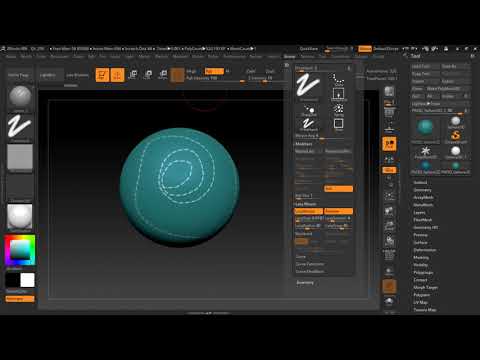 Is there a way to make paint not to fade out at the edges or angles and to be as crisp and intence as at the middle of the geometry. So if i dont want to rotate my mesh and have not blurred paint at the angles. here is the video showing the problem https://www.youtube.com/watch?v=_aDHk-anx1g&feature=youtu.be
 -
Best way to apply squares (texture) onto an object undepending on UV rotation?
So I am trying to figure out how I can texture an object with squares which UV islands are all rotated, sometimes scaled and really therefor annoying to get it right. I was thinking that I could probably bake colors to a texture from a material but all faces are also different size. Is there any smart ideas out there? -
3ds Max 2011 snap-to-grid ratation question
 Hello guys! I don't know if this is right place for this question, but I already search the net and hadn't found an answer. Any help will be appreciated. I want to rotate this object around the working pivot in way that the vertex in the diagram will snap to the y axis. Is that possible in 3ds Max 2011? Thanks, Jerome
 -
Maya - Keying multiple joints at different rotation values?
 Hey guys do you know if its possible to key locators that arent all moving in unision?Like for the eyelids I have 4 joints/locators on it and i keyed the neutral pose at 0Then I move the 4 joints down at different rotate values because the middle lid needs to go lower to fully close the eyeHeres what it looks likeMoving…
 -
Zbrush: Can't sculpt after Projection Master - Stuck on rotate tool
 So I've been having this issue the past few days. I drop my subtool to Projection Master, draw, then pick it back up. My tool turns a shade of grey and I am stuck on the rotate tool and can't sculpt on it. It isn't my color or material that has changed. I can hold ctrl to mask but can't sculpt or draw. I can't hold shift…
 -
Re: Unity - Bone rotation to track mouse?
 Yeah just a bump to say I solved it: var minAngle = -45; var maxAngle = 45;private var tempVector : Vector3;private var tempVector2 : Vector3;private var inputRotation : Vector3;private var rotateCheck;function LateUpdate() {tempVector2 = new Vector3(Screen.width * 0.5f,Screen.height * 0.5f,0); tempVector =…
 -
Answered: Would be amazing if you could rotate brushes.

 The current workflow for working with brushes means that you can't stamp down details unless you create custom brushes at each angle you would want them or this method where you stamp down detail into the displacement map, yet then erase. Stamping on edges of cliff (height map) VIDEO <-CHECK OUT THIS VIDEO! (Having…
 -
[SD] - Texture still tileable after 90° rotation for all sides

 Hi, I'm trying to figure out how to make my texture still tileable after 90° rotation degree for all sides. I have tried a couple of experiments with mirroring and symmetry nodes but it didn't tile as I wanted. See attached gif below what I mean and what I want to achieve: Is there a way how to make it happen in SD with…
>8345 results