Search
-
You can't work with meshes that have the UV outside the 0-1 space in painter right?

 I tried that but i am getting some visual glitches, i want to ask just to be sure that there is no setting or something that would allow me to do that.
 -
3D enviroment artist looking for work
 3D Environment Artist currently available for freelance, contract, or full-time opportunities. Focused on creating immersive real-time environments in Unreal Engine with a strong eye for lighting, composition, and atmosphere. Always pushing my skills further and looking to work on exciting worlds with passionate teams.…
 -
Experimenting with RTX lighting ??

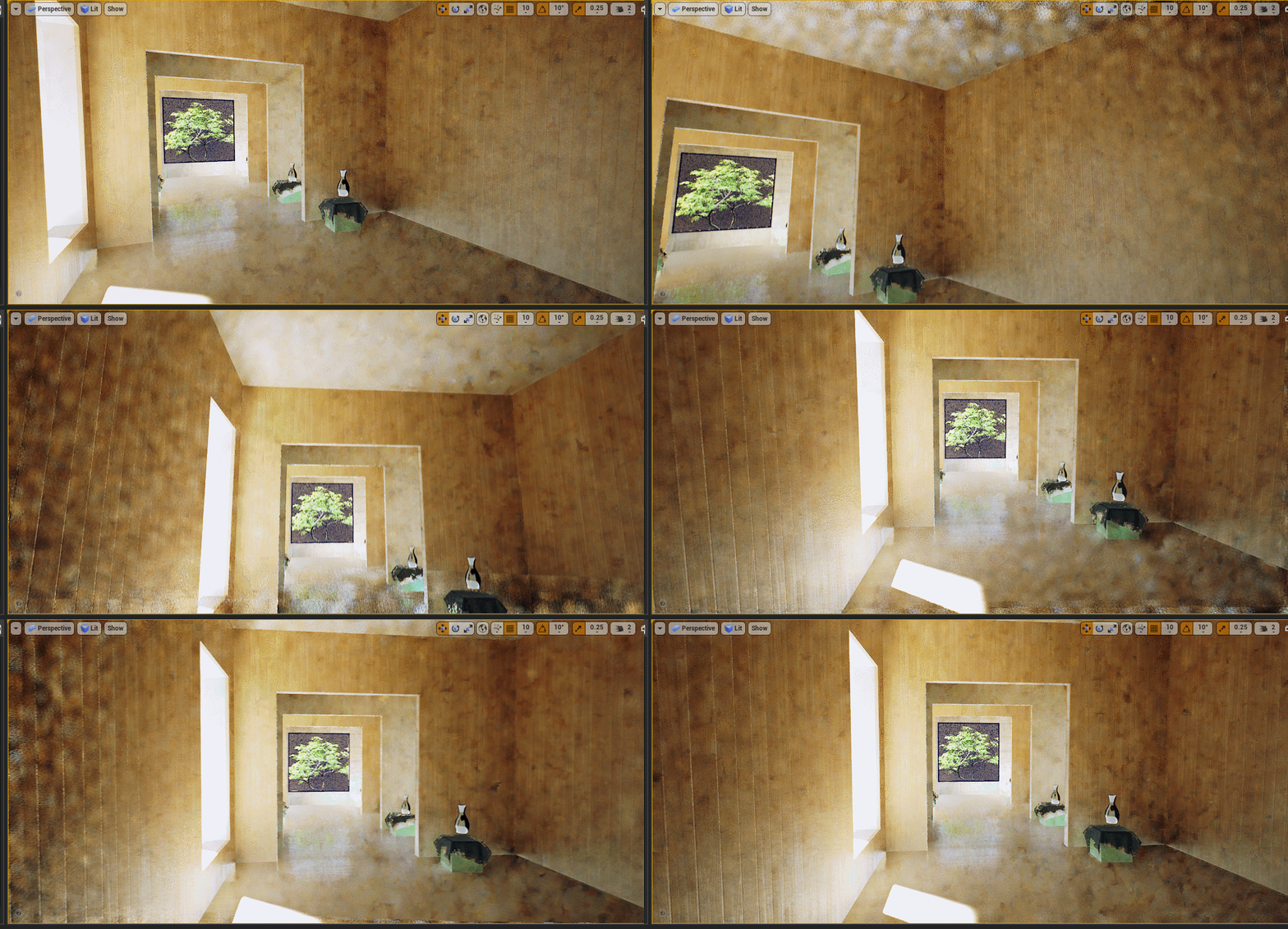 This is a simple scene from Koola which is free in the marketplace. I have completely disabled baked lighting in the World settings. This is what I am getting so far with it. I have an RTX 2080 8gb graphics card so I am not sure why it looks this bad: Notice how the white cloth on green boxes are black but shows as white…
 -
Light build : lightmass properties ?
 Hi ! Here is the thing These walls have correct 2nd UV channels and they kinda work, but the shadows of the vertical pillars inside the walls somehow seems to bleed on the other side of the planks whand I build the lights in production ; a bleed that doesn't seem to be caused by a bad lightmap layout. I think it might be…
 -
Re: creepy HL2 level
 like told you on irc yesterday. to get darker fog you have to change the fog color settings to a darker color. right now you have bright white. to not have the negative effect change it to a dark grey or black. same with the light_enviroment. you have less light set it to a darker color. and you might be able to play with…
 -
Re: Directional Specular LightMap causing bad results with custom LightMap UV channel
 You are baking directional specular maps, right? In the lighting tab at the bottom when you have an object selected it will show you how your different maps sit on your UVs(Unity used several UV channels, not just one). You might be able to identify what map and UV layout is causing the problems. I've been experimenting…
 -
Substance Painter- Mesh doesn't come in right.
 Hi I was wondering if anyone could help me out with this situation. I have this door I'm working on and something strange is happening with it. I have it where i have it where the door has multiple objects when I export it, as a frame, door, and handle. When I do the door it has it where this extra detail on its uv map…
 -
Re: Deus Ex Environment

 You are absolutely right KN5743, thanks for pointing that out. I went back and attempted a different type of chair leg that looks much more structurally sound. I also went and sculpted the flag and the low polys for both these assets are on the way along with the UVs. I also tweaked the lighting a bit more in the scene…
 -
Re: Sci-Fi Starship Bridge [WIP]
 Looks like a good start. I think it would be a good idea to set up some lighting in here, even if its placeholder. The space just feels kinda dark and uninspiring right now. I like the reference, but i feel like the yellow curly bits, while fitting nicely in the concept...look out of place in your scene. I think it might…
 -
Re: [WIP] BlackSmith Girl Character

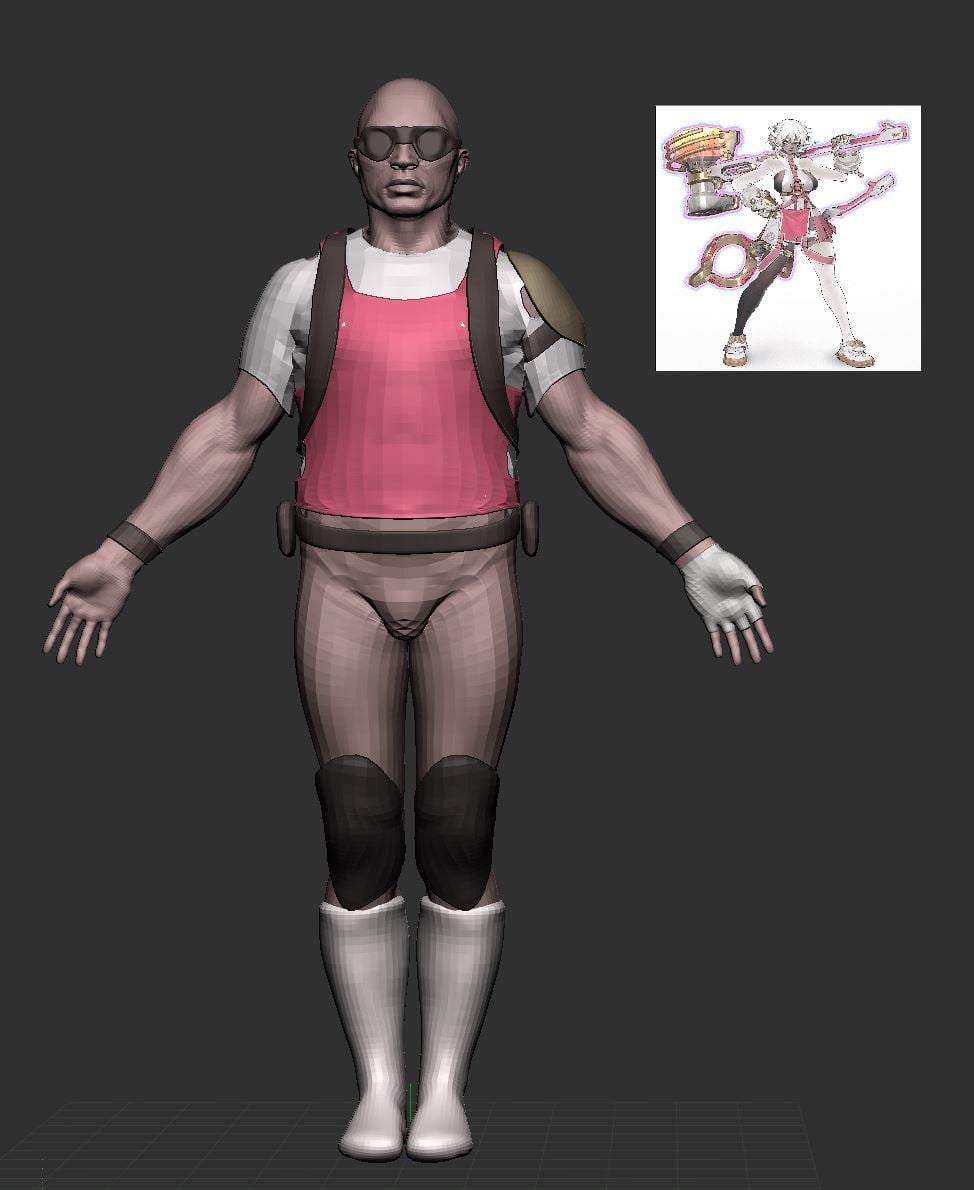 at this stage i would recommend blocking in colour; it'll help with grouping details and getting proportions right; you can drag your concept in as a texture, apply it to a plane, then colour sample the texture (shortcut c) and go from subtool to subtool, rbg > fill
>89254 results