Search
-
Re: Scythe's Anatomy
 If you are using the skin shader I would tone back the normal smoothing a bit. You seem to have lost a bunch of details from your sculpt. Or you could strengthen your normals in the areas you don't want it to smooth as much. I find the smoothing looks great on pores and subtle tranistions, but it kills the creases and…
 -
Re: Mod. H&K UMP with Attachements
 Even if this button is there, it works the opposite. It will work because then you will have uv splits along smoothing splits. And thats the point. But imagine a character for example. You clearly don't want any hard edge on it, so you don't do smoothing splits, but you must split the uvs at some places. And you still…
 -
Re: Adding More geometry
 The traditional way of adding meaningful geometry is smooth mesh modeling. You're doing smooth mesh modeling right when your model looks good when you press 3, while being easy to edit when you press 1. Controlling the shape when smoothing geometry is an art of its own, and there's even a dedicated thread here in Technical…
 -
Re: Normal maps problem...
 It appears that when you export the mesh, it has hard edges everywhere (no smoothing groups/split normals) and then it's being viewed on a mesh that is all a single smoothing group. It could also be that your cage has problems with split normals too. Make sure every mesh you use/view has a single smoothing group, or all…
 -
Re: The Order 1886 Art Dump
 kool, so your essentially doing a double smooth on these assets? model the sub-D cage, subdivide that w/ smoothing groups. then add another subdivide over the top without smoothing groups to give the edge bevel. and allow for evenly distributed polys so you can add enough geometry to put in all those small details in…
 -
Re: n/a
 You could also get the quad chamfer modifier plugin (Worth the cost) and use it to chamfer on smoothing group boundaries or within edge angle threshholds automatically to get a perfect smooth. You can also use the custom vertex normals with a single segment chamfer to get perfect smoothing without a normal map and only a…
 -
Shading issue...

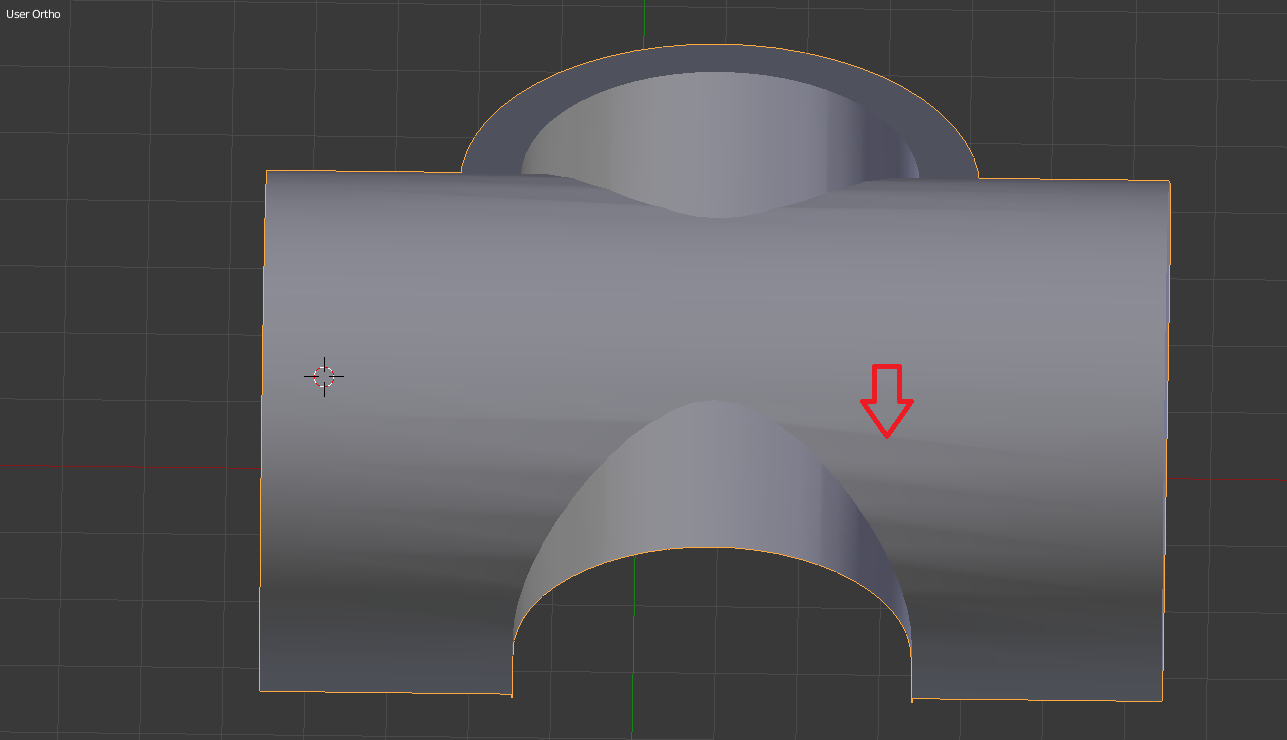 Hi. I'm having an issue with smooth shading. I'm using Blender 2.76. As you can see from the photo, the shading isn't smooth. There are lines showing. I've tried to bevel the edges but that didn't fix the shading. I did use Knife Project on the sides and that seems to be when the shading messes up. Also, I'm using Auto…
 -
Zbrush Normal Map issue - Blender
 Hi, I finished making a texture and normal map in Zbrush, then I put them on my model in Blender. I thought it looked fine until I noticed the shadow on his back wasn't smooth, and it was split. It's at the edge of the UV on his back. This is the only place where the normal map isn't smooth. I switched it to non-color data…
 -
Problem with edges in baking
 Hi, I've got some nasty problem with my low poly model. Some of the edges on the same plane dont smooth and they show later on the normal map that I'm baking in Marmoset. Got few of those problems where geometry is a bit different. Things that I've tried : - using script uv to smoothing groups - setting smoothing groups by…
 -
Fire Extinguisher | Flying Missile Breakdown
 Hey guys! First post on polycount! I Wanted to share this piece, I hope you like it! Introduction I love games like Dead Island or Requisition VR. For this portfolio piece I wanted to get inspired by the crafty, impossible yet believable weapon designs of these games. What better than C4 attached to something like a…

>17084 results