Search
-
Can't bake normals without seams along polygon edges
 I've been having this problem for like a year now, and I've not seen anyone else who does. When I go to bake a normal map on an organic shape, it'll end up with harsh seams along certain polygon edges, like this: There's only one smoothing group on the mesh, and there aren't any disconnected verts--the lowpoly looks pretty…
 -
How do I stop photoshop from applying layer effects at the edge of my texture.
 Hey so I see that this is possible in nDO2 by ticking a box, but how do I keep Photoshop from doing this, for example I have applied bevel/emboss to a brick pattern, but at the edges of my texture it creates a seam. Is there any way around this?
 -
[Maya] GN Automatic UVs By Hard Edges

 Hi everyone! For my latest script, I decided to make a tool that will automatically map, unwrap and layout the UVs of your polygon mesh. The uv seams will be generated from either your object hard edges or a custom surface angle if you choose so. This script can be very useful while modeling to quickly generate UV shells…
 -
Re: change colors of edges and verts in maya UV editor?
 displayColor -active polyEdge 1; Using this command while swapping the one out for any number between 1 and 31 will change the colour of both selected edges on your mesh, and in your UV editor. Dont know how to do it for unselected edges. you could make a python shelf button with this codeimport maya.cmds as cmds i =…
 -
At what Angle do we consider an Edge to be hard (when do we split?)

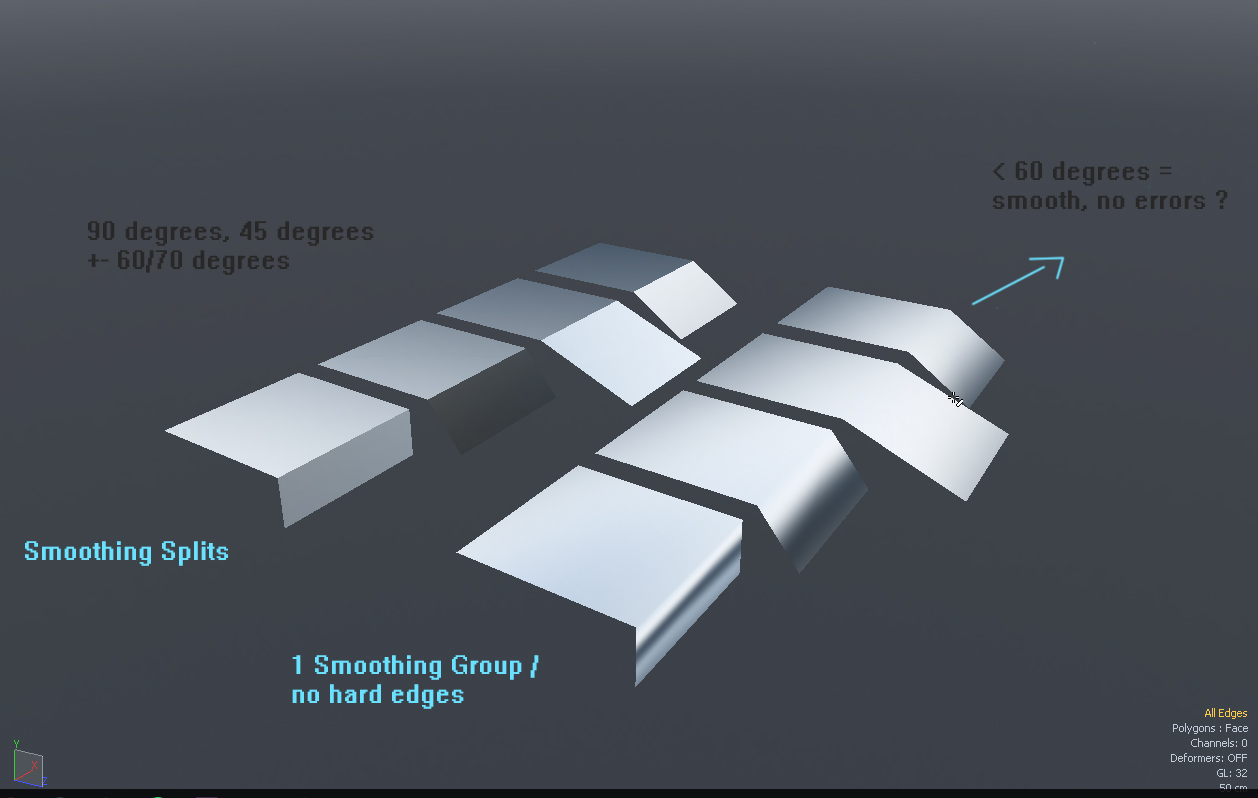 I used to think that only 90* edges should be split / smoothed seperately but after baking several objects I got confused. At what "angle" would you start to see smoothing errors and would require a split ? So I made some test planes to test it myself and it seems that everything under +- < 60 degrees smoothes fine on 1…
 -
Re: Critique my game environment please!

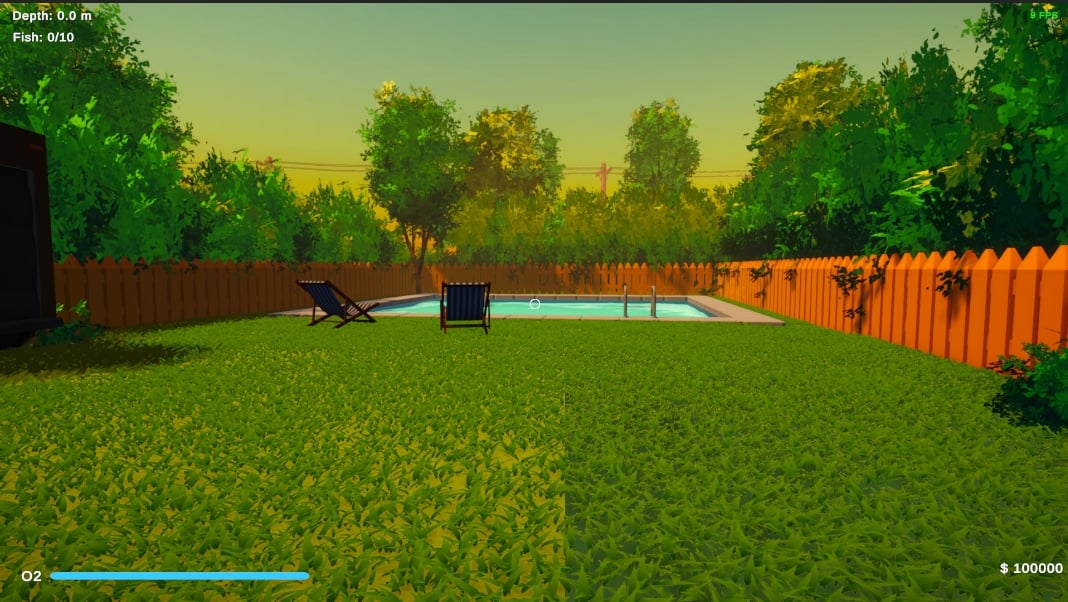 To make the grass look better, use the same color for both the ground and the bottoms of the grass blades. This will automatically help them blend together, helping avoid those hard edges where they meet, and making the grass look softer. Before/after:
 -
When baking, it's shows the edge mesh with normsl maps.
 Hellow everyone, My first topic here. It's my first project as amateur too. And i'm not english, so please excuse me my orthography. I made a background for my model in ZBrush and I want to export to Substance Painter. When i export the maps seems that all is good, but when i put in the mesh in Substance, it shows the…
 -
Re: Max: edge extrusion not following along Move gizmo's axis
 Yeah - this works really strange when you are in local mode. Essentially the border SO is just a collection of edges and for some reasons Max has no idea how to find the average of all those edge's local axis. When there is the cap, it simply uses the caps normal. It works better in View reference coordinate system though…
 -
Re: [WIP] RED V-Raptor camera, Plasticity practice

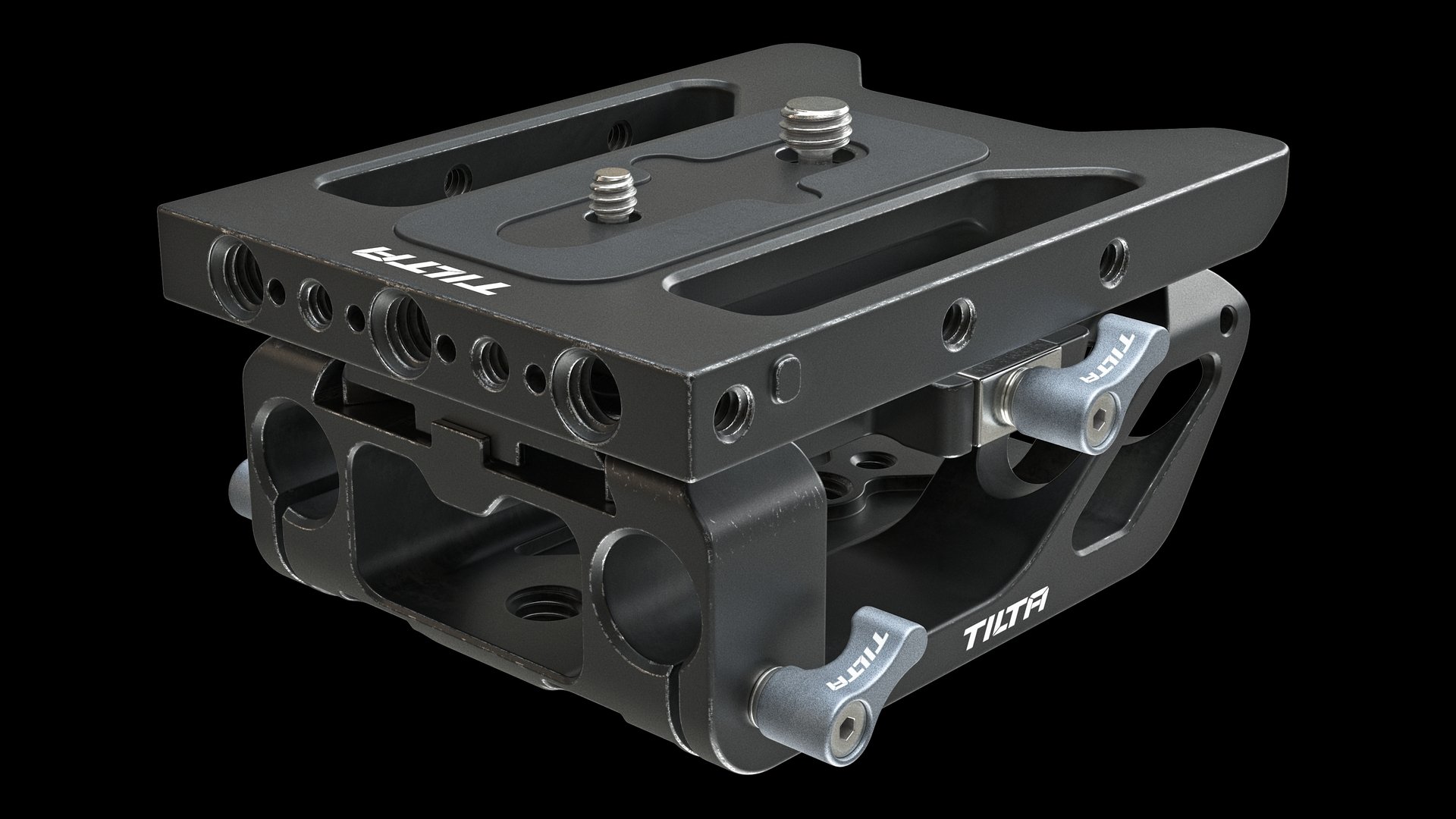 First test renders of baseplates. Too much edge wear and not enough dirt in some places. But the base is ready and it's great. Want to share one method of creating simple signs when you don't know vector graphics or don't like it. It's kinda strange and stupid, but it works. 1. Model a sign. I used Plasticity for that. It…
 -
3ds max unselectable vertices and edges
Hello everyone, I have this strange and annoying problem with 3ds max. I made a high poly model on Zbrush, I finished the retopology and then exported it to 3ds max as an obj. Everything was just fine, I had already unwrapped half of the things when the problems appeared. When I tried to continue with the unwrapping, I…
>24976 results