Search
-
Substance Painter Baking Issues - Weird Sharp Normals

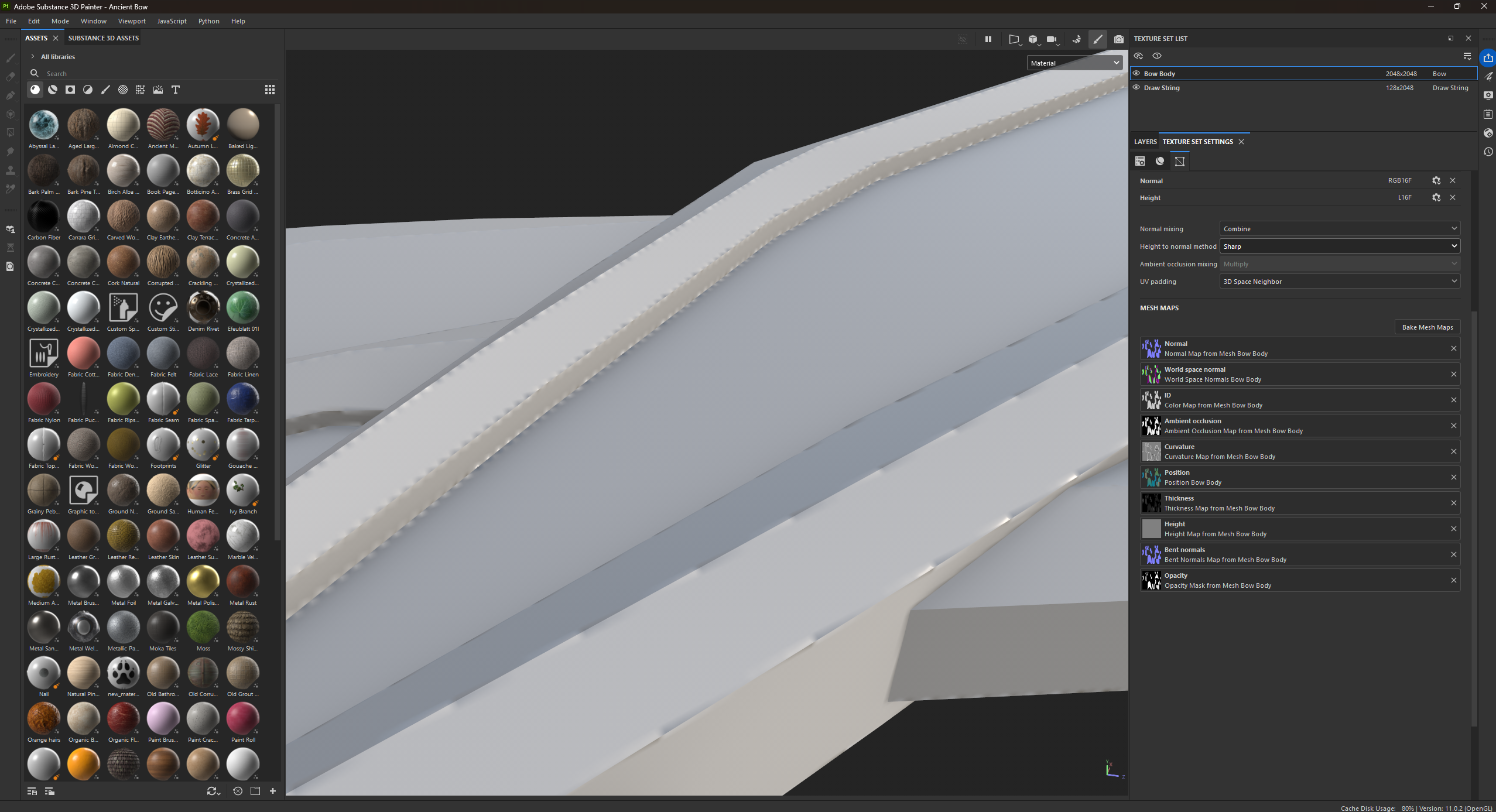 Baking the normals for my model, and it's doing this weird thingy. I'm on V11.0.2, and have to be for college reasons. Any fix for this?
 -
Modo Normalmap depths baking issue with Rounded Edge Shader

 Hi, I recently tried to bake a normalmap based on a "Highpoly" which is actually the same mesh but with Rounded Edge materials. I created the sample mesh with MOP Booleans by W. Vaughan (http://pushingpoints.com/v2/the-pushing-points-mop-booleans-kit-for-modo/). Instead of fixing all the Ngons with nice loops etc. to get a…
 -
How do you make geometry text for normal map baking?

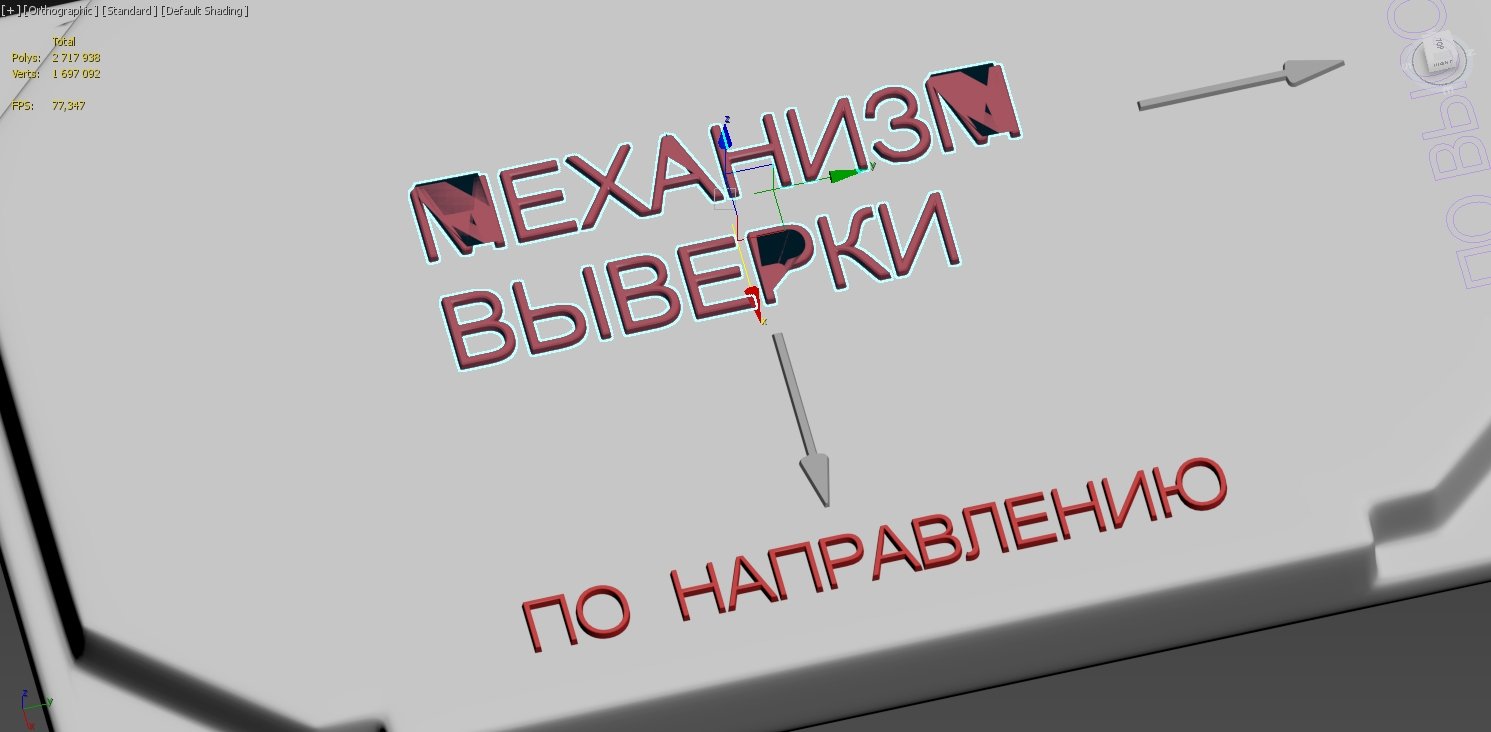 Hey guys! I faced with some annoying issue in 3ds max while making floaters for my highpoly. I use Text tool, then bevel it and apply chamfer modificator. If I do quiet large chamfer it starts to look ugly, when I do little it looks acceptable, BUT: after exporting it to Substance Painter to bake normal, or any other 3d…
 -
Re: 3D model Baking practice
 Hey, after taking a look at the Blend file, here are some notes: Lowpoly - lowpoly has some hard edges with no splits UVs (for example along edge the blade) - this will result in artifacts when baking the normal map. Using the "Auto Smooth" modifier, which shades edges hard by angle can easily introduce such cases that go…
 -
Can we make hard edges look rounded without baking from high poly?
Asking this question because I see less and less need for baked normal map recently.We can put in 'high poly' details directly on low poly using for example substance painter or ndo, and baked normal maps can have errors too often, needs tweaking etc, so maybe we can avoid baking especially for hardsurface objects. I think… -
How do I make shadowless material for texture baking in Maya LT
I'm trying to texture bake a high poly brick wall to a plane. The book I'm using tells me to make the high poly material lambert, but Maya LT only seems to have phong, ShaderFX, and the other more complex shaders. Is there a way to remove the shadows and highlights from the phong or another material so that my diffuse… -
Fire Extinguisher | Flying Missile Breakdown
 Hey guys! First post on polycount! I Wanted to share this piece, I hope you like it! Introduction I love games like Dead Island or Requisition VR. For this portfolio piece I wanted to get inspired by the crafty, impossible yet believable weapon designs of these games. What better than C4 attached to something like a…
 -
Normal Bake Issue
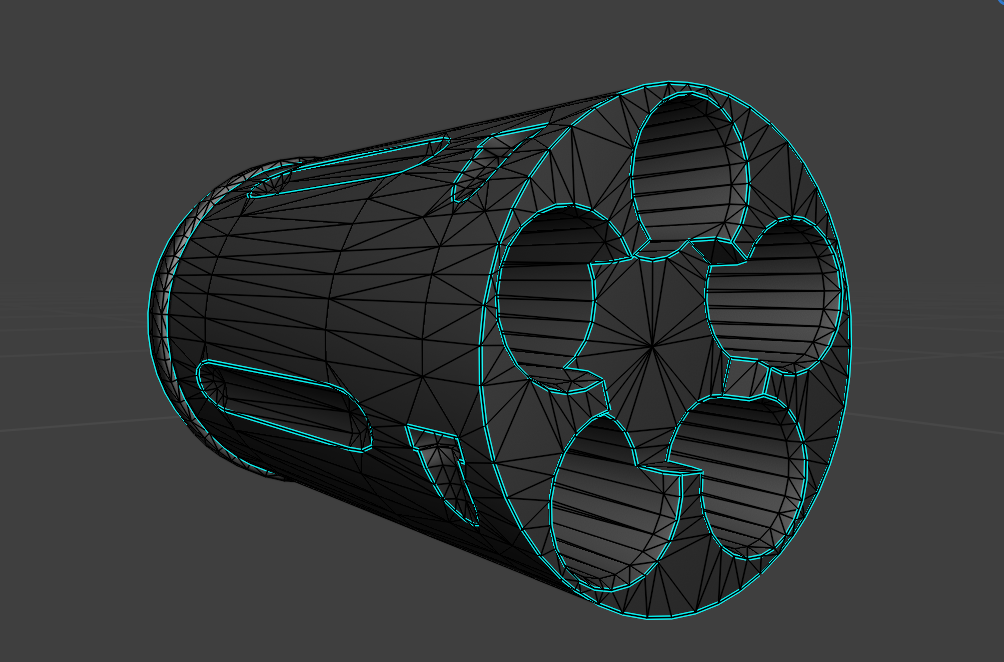 Hi, I'm getting this weird pattern artifact on the cylinder here, all the other pieces are fine. I've tried redoing the UVs, upscaling the texture resolution, I've re-checked the HP and LP and they look fine. Any ideas what's happening?https://drive.google.com/drive/folders/10a8zcuozRHiK_E82KO6FSh3eOQdw9ttf?usp=sharing -…
 -
Re: Flaoting Geo normal map bake warped?
It's weird Painter still doesn't have easy fix for this . Designer baker has "skew " mask option for example . You also can project base box UV on the floating geo ( if it's one sided ), bake object space normal map and re-bake it to tangent space in any 3d package. Sometimes helps with complex things. -
Any tips on how to make UV edges not look off when baking a high poly mesh onto a low poly?
My question is how would I go about making sure my UV's line up really well so that when I bake a HP model onto a LP model the seems don't look off. For instance trying to sculpt a crack on the HP model and it goes over a seem where the UV is. Is there a way to make sure this doesn't look off or is this a problem that…

>114814 results