Search
-
MetaHumans - Combined blend shape

 Hi, In our company we are trying to use MetaHumans to improve our current DigitalHuman we are using, and we are trying to get some custom blend shapes to use with speech (Phoneme expressions). The issue I am facing right now is that I cannot figure out how to create said combined blend shape (Maya), since every slider is…
 -
Re: manual mip maps? or how to avoid texture bleed in atlas
 The issue with bleeding comes from the texture filtering. Linear filters (standard texture filter) will consider the neighbors, which leads to the not-to-avoid one pixel bleed. But this bleed occurs on each mipmap-level. A simple example: 2x2 atlas of size 64x64 (each tile 32x32) All pixels at x or y position at the center…
 -
Photoshop Blend Modes - UDK Equivalents?
 Hi Polycounters! Are there any particular ways in which to recreate some Photoshop blend modes within UDK's Material Editor? (Blending between two textures instead of blending between layers.) I know the simple ones: Photoshop's Multiply = UDK's Multiply Photoshop's Linear Dodge = UDK's Add But are there any relatively…
 -
Blending Textures in Mayas Viewport 2.0
Hello, so I am trying to blend 2 textures with a Mask in Maya. I tried both a layered Texture Node as well as a blend Color Node. The shader works great when I render the Image and when I am in hardware shading mode, but whenever I switch to Viewport 2.0, just one texture is displayed without any blending. Is there a way… -
Re: [UE4] - Blurry textures with WorldAligendTexture node [Solved]
 Well you could bias the mipping to force the input textures to be sharper. Also look at tweaking the blend settings between the three projections.
 -
Re: Paint vertex normals in 3dsmax

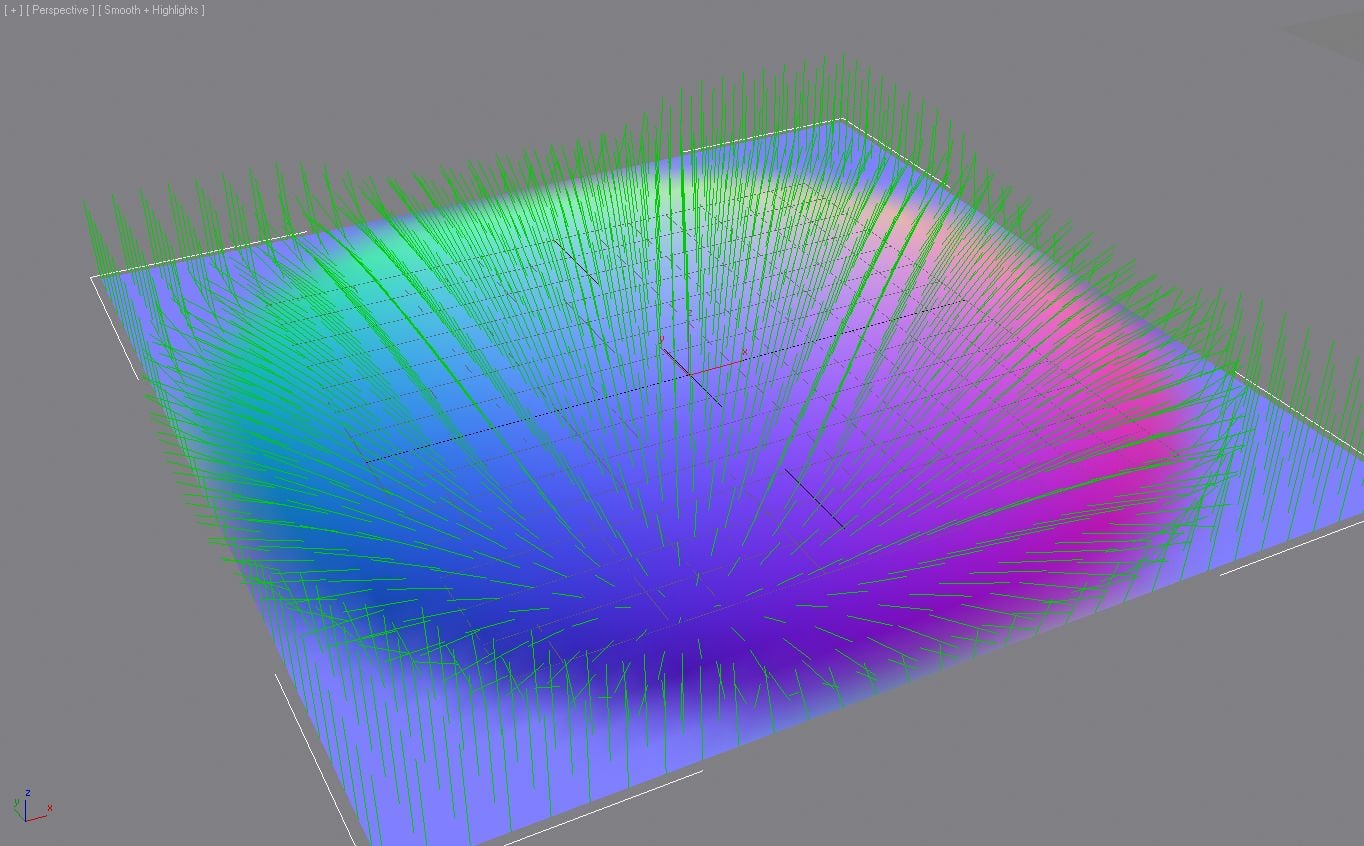 my idea is actually the other way around, being able to edit/comb these and then baking those into a texture. painting flow maps is just really cumbersome :) because on stylized hairstrands its a looooot of strokes, a looooot of blending things, while its just a few vertices/normals to bend
 -
Re: Height based Texture Blending in 3dsmax?
it's possible to do anywhere with Max ("lighter" in photoshop terms) and subtract arithmetic nodes working with texture pixel values (blending modes) . Perfectly doable in Photoshop, Substance Designer/Painter, Blender shader nodes, etc Sure in 3dMax too but i did it years ago in old shader fx only before they bought it.… -
Re: What Are You Working On? (3D) 2026

 Did a small stylized art direction study recently focusing on softer organic shapes mixed with sharper metallic forms. Wanted to experiment with blending painterly textures and more realistic PBR materials together to see how far I could push the style. Would love to hear any thoughts or feedback.…
 -
Re: Don’t use gamma on normal maps
+1 ^^ A great read if people want to dive deeper: Self Shadow: Blending in Detail by Colin Barré-Brisebois and Stephen Hill. And a free tool to combine normal maps, by James @Farfarer O’Hare: RNM Normal Map Combiner "A little Python/OpenGL app for combining tangent space normal maps together. Uses the Reoriented Normal Map… -
Maya Vert blending question
 Hey quick question for everyone. In Maya, is there anyway to get vertex blending between two different textures to work w/o the need for a programmed CGFX shader? So far, the closest lead I've found said something about plugging in the CPV (color per vet) from the mesh node in the Hypershade into a layered texture's alpha…
>11458 results