Search
-
Do you copy along spline?
 with 3ds max9, I'm currently trying to copy any object along a spline with the spacing tool of course. But is there a way to copy an object along spline, as a modifier like a loft so I can edit my spline and the object just folow it?? mabe there is a script? cheer
 -
Unity Workflow?
 finally i subscribed. my first test is somewhat disappointing. maybe i am doing something wrong. my first two purchases where 3d plants. exporting from bridge to unity via script. the model has no lods it is flipped 90 degrees and has no material setup!?
 -
Form 1.0 for 3ds Max released
Form is a new modeling system for 3ds Max that allows to quickly and easily create models. It contains a Form modifier, a Form Sphere helper and a Form Tools script. More here. [ame="https://www.youtube.com/watch?v=wRWAB1DLI4w"]Form 1.0 - Overview - YouTube[/ame] -
[UNITY] Volumetric Explosions

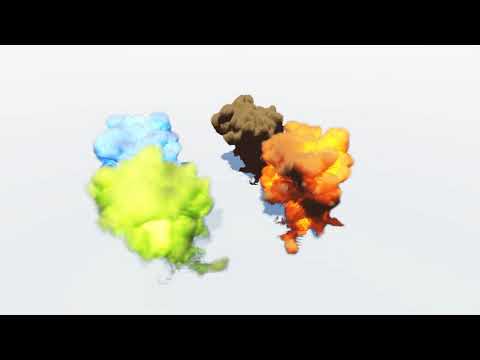 https://www.youtube.com/watch?v=Qn7XZ9bMpYo Improved my volumetric explosion shader. Simple drag and drop into the scene, no scripts, no extra libraries, no post processing tricks, correct depth sorting with solid objects and fully modifiable flame / opacity. Also pretty lightweight on the GPU.
 -
Re: 3DS Max -- How to weight paint specific geometry?
 I think it does answer the question... don't use the Paint Weights tool, instead adjust weights on selected vertices. If the Weight Tool doesn't provide enough control, there are various scripts & plugins around, like Weight Pro.
 -
(MAYA)KTHolePuncher

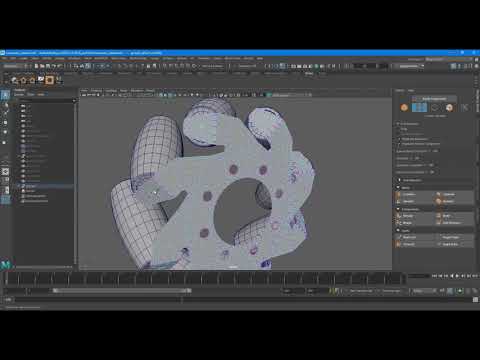 Wrote a script that saves time creating Holes in objects. Works on multiple component selections(Vertices and Faces) for Maya 2018 - 2020. https://www.youtube.com/watch?v=I913wBznX9A Available at Artstation storehttps://www.artstation.com/marketplace/p/KLV1/melktholepuncher Gumroad https://gumroad.com/l/nRvNV
 -
Technical 3dsmax question
 How can I get this? _^_^_ Can this be done with materials or options, or hack scripts? What I want is to be able to hide or remove edges form one model but keep them for another? The detailed version is sculpt, and the obvious lower detailed version is the new topology. Help!
 -
[maya] Copying vertex color information
Hey ppl, Does anyone know an easy way to copy the vertex color information from the red channel to the alpha channel in maya? (maybe sombody knows/has a script or something?) I could do it by hand, but that takes ages... Thanks in advance! -
Modern 3ds 64bit Skin Tools/Skin or Die
 Per title, what are the modern replacements for these old scripts to work correctly with more modern 64bit Max versions? What skinning tools are being used other than the default? Also, anyone tried this? http://www.raylightgames.com/xrayblendskin/XrayBlendSkin.html
 -
Max: Is there a way to make 'Copy' default in 'Clone Options' (as opposed to: 'Instance')?

 This has caught me out once to often (usually when creating a high-poly from a low), its a real nuisance. Is there some sort of script or tick box to change it?-thanks in advance... [Max 2014 User]
>11574 results