Search
-
Perspective Veiwport Not Displaying Anything
 Hello guys. I appear to have an issue with the Maya veiwport. My mesh will not display no matter what mode i'm in. It's completely blank with no mesh in sight, yet the HUD is still giving me a tri count. I have noticed that all my other veiwports are working just fine but framing the object won't fix the issue, therefore I…
 -
Getting an AO map out of Floating geometry
 So I was working on a normal map base for a texture this morning, and I want to get an AO map out of it - but I have no idea if its possible with floating geometry (see below!). So whats the best way to deal with this? or is something simple :P Thanks for any help!
 -
Gothic 2 scene problem

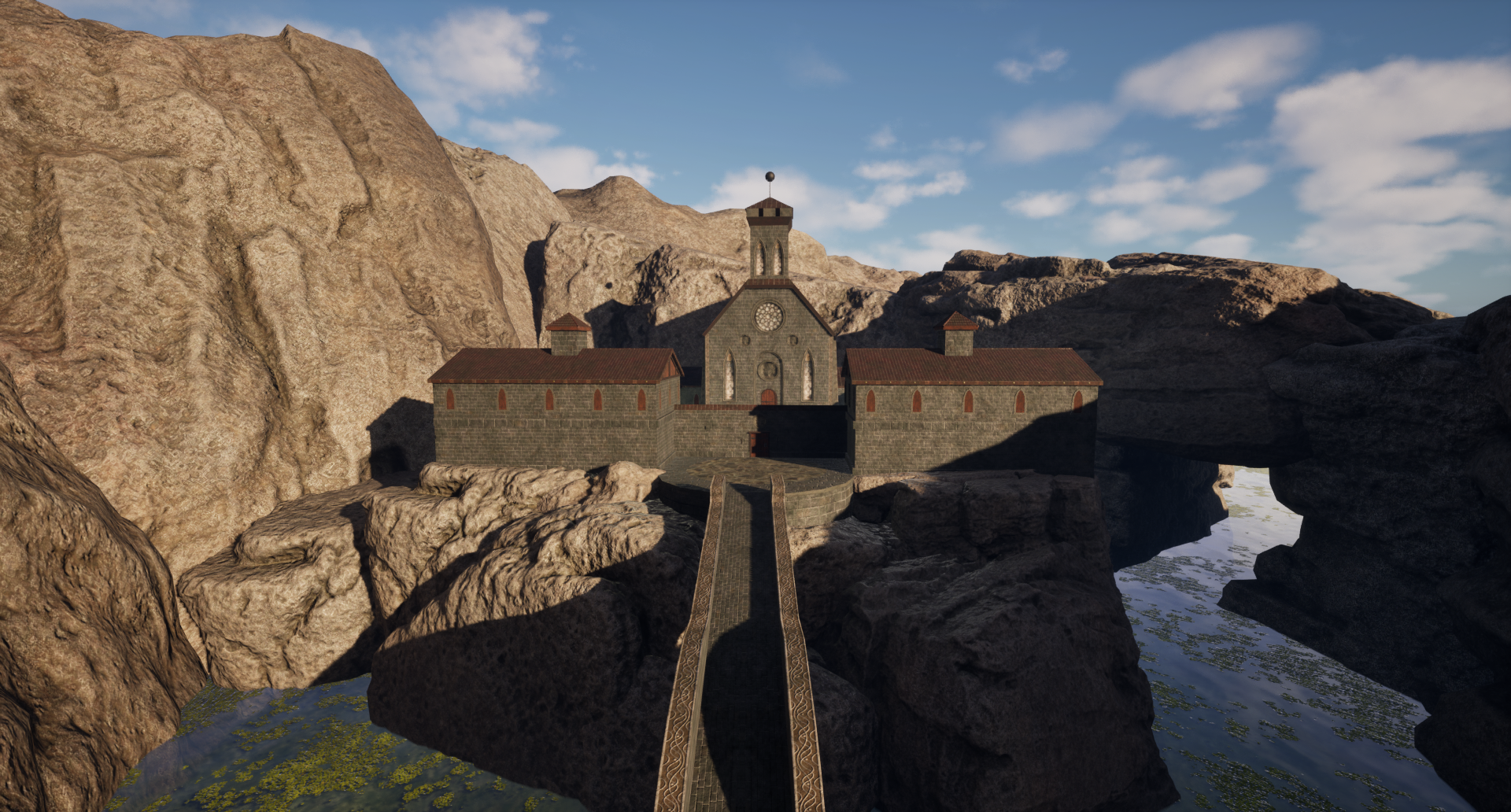 Hello, I am working right now on my personal project. I decided to rework in UE5 monastery scene from my favorite game Gothic 2. I wanted focus heavily on trim sheets because i would like to improve in this area. I used one 4K texture for all assets(buildings, walls, sidewlaks , bridge and everything what i modelled.). I…
 -
color grading - how to fix for more legible dark skin types

 this is question thread but will update with my findings as I go problem is that i try to make sure that dark skin type faces remain legible. with unreals default tone mapping if you are any darker than light-skinned it becomes difficult to read faces. the low values just seem too dark. In Maya if i set tone mapper to Log…
 -
Breakdown of SciFi Cylinder tunnel.
 Hello! After some requests, this is a breakdown and quick walkthrough of how i created the scifi corridor i recently finished. The scene is inspired by this scene: http://cghub.com/files/Image/103001-104000/103206/737_max.jpg Created by Sam Brown (thanks people in the community for pointing this out) This is my first…
 -
Cylinder/Bool/SetFlow and Pinches
Hey guys, i wanted to make this shape right here. its a kind of scope up on a cylinder: So i created a cylinder and booled the shapes out: But as you can see i got some real bad pinching. here you can see other pictures with turbomsooth and so on. its even not round at all after the bool. i tryed to fix it by setting the… -
How to paint wet surface?
 I'm texturing a monster's tongue. I've set the roughness to 0, but it still doesn't look wet at all: I'm aiming for a very wet and glossy stylized feeling. Something like: (reference from ArtStation - Tongue monster ) Any tips on this?
 -
How to see Speed Tree Collision in Unreal 3.0
So all morning I have been looking for the answer to this question and I can not find an answer anywhere on the net or in the UDN about how you turn on the collision for speed tress in unreal. Normally you can press 'c' on the keyboard and you will see the pink wire frame of the collision boxes for anything in the scene… -
Team Blur Games is recruiting...
Team Blur Games is recruiting, so check inside for all out requirements and give it a go! Posted by Gavavva on Aug 2nd, 2010 digg this super bookmark (http://www.moddb.com/games/overdose/news/team-blur-games-is-recruiting) As always, a few people are still unsure on the fate of teamblurgames.com, so let me start the news… -
How would you approach modeling soft surface (for example character face) (Houdini Amarok)
 I got now image planes set and i know how to set material on to it and lower visibility of the object so i can see image thro that object, but what tool would you recommend to start with in order to create head shape? 1.) Create a geo node 2.) Dive inside 3.) Delete what ever is inside to get fresh start 4.) Assign…
>122322 results