Search
-
Shading problem on skinned object
 this is a skinned object (an arm) ive animated it using bones, and now im trying to render it, but it keeps getting shaded as if it was in the default pose (arms outstretched) the picture is taken from the viewport but it happens when rendering too (tried it with scanline and mental ray) so, any ideas on how to get the…
 -
Maya Shading Problem
 So here I am, getting back into modeling after moving fully across the US (CA to NC), all I want to do is take my model from Wings and drop it into Maya for rigging and animation... Problem is these little artifacts in the shading. Well, no problem, I can just selectively fix those... (Of which there's usually one per…
 -
Q3 fire scroller shader
 How would one do a shader script that: - stage one would scroll an additive fire texture upward, the 'fireball' stuff - stage two would 'alpha' this out to a blob shape where we don't get seams and such ugliness, and make it look more like an actual fire. I used to have this all printed out but it's all gone now, to a…
 -
"rime flame" custom shader

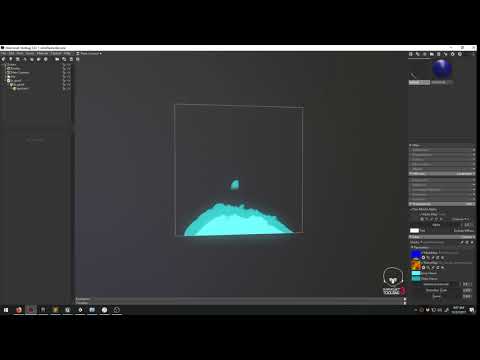 I'm writing my first shader in tb3. i'm trying to recreate the rime flame that simon shared in his talk and am staying as close as i can to the material he was able to provide here. https://www.youtube.com/watch?v=_mcXnb2tSa8&feature=youtu.be Right now I am distorting the uv's by adding it to my main texture's texcoord.…
 -
Re: Baking normals with artifacts in Blender
These baking artifacts are caused by the convergence of a number of separate but related issues. Material artifacts: The material on the high poly model is generating additional surface information that's causing normal baking artifacts. Removing the material from the high poly model resolves this issue. The material on… -
Substance Painter shader prep for MAYA [FREE SCRIPT]
Hello folks, I created a small script that applies a lambert shader for each object selected. Installation instructions: -------------- Install in Mayas Script folder: C:\Users\[your username]\Documents\maya\scripts Call it by either calling it from MEL prompt or add a shortcut with LambertPerObject() --------------… -
3ds Max: Independent shading modes
 Possible newb question; how do you set independent shading modes for objects in Max? Example: I'm modeling a low poly mesh over the high and want to display the low poly in wireframe but have the high shaded only.
 -
Re: Maya fbx export is not exporting blendshape animation.
 Brilliant. Friggin' FBX Viewer, and others, weren't showing the blend shape animations on playback. However, the file sizes were different when toggling Blend Shapes only for Maya export. Imported into Unity and presto, it worked. I've been here before in this most frustrating blend shape saga so thank you for the clue!
 -
Re: LOW-POLY ART

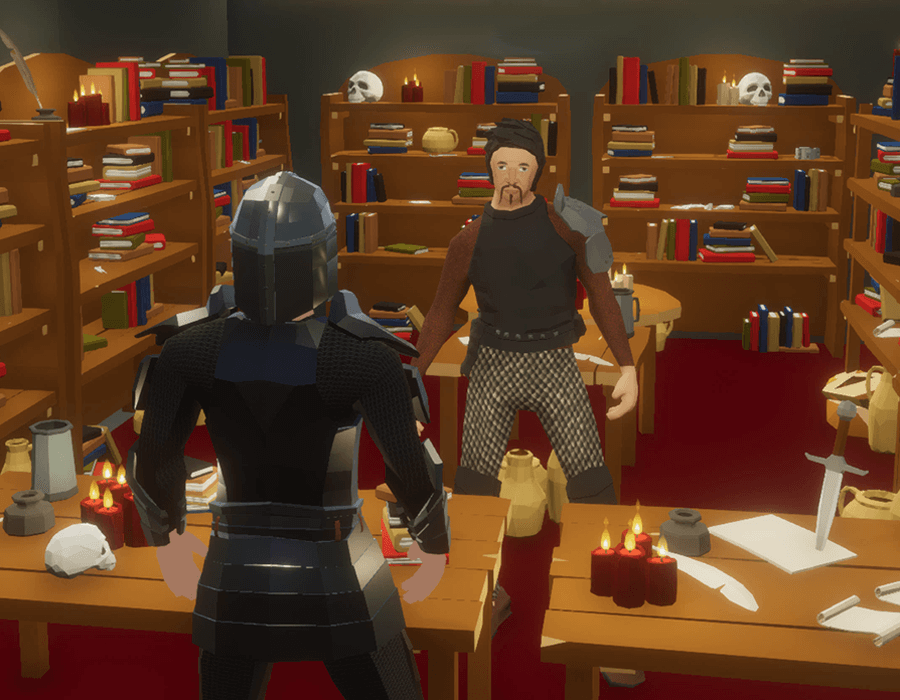 I had started building a series of low-poly / flat-shaded game-ready assets and after years of them just sitting there in the asset stores, decided to make my own game out of them. This is a scene from Crown of Kings using Almighty Assets low-poly 3d models and props.…
 -
Normals Shade Differently on opposite side
 I'm having some trouble with the normals on my wall. The one on the right shades correctly, but when I rotate the object 180 degrees, the shading is reversed. Anyone know how to correct this? FYI, normals baked in Xnormal, rendered in UDK.
>56791 results