Search
-
[SP2] Export producing black textures.
 I'm having this issue with the export in Substance Painter 2 when I export all the maps they're all 16kb black textures. If I change it from .png it .tga it makes them all 16mb black textures, same with every other file format.
 -
Old Kitchen Scale – Modeling/Texture

 Just a bit more modeling and texturing practice. This time an old American Family brand kitchen scale. Modeled in 3D Max 2017 and textured/rendered in Substance Painter 2/Iray. Recreated dial in Photoshop. Total poly count 30,000. Thanks for looking! Daf
 -
3D Environment/Texture Artist

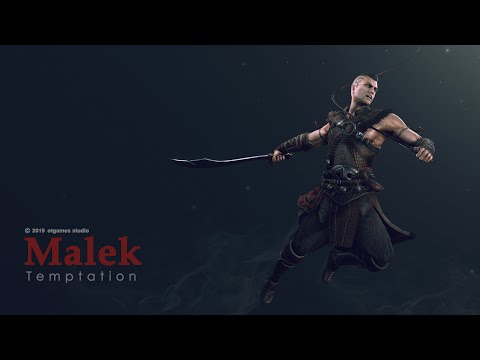 I am a 3D Environment/Texture Artist with 7 years of AAA experience, most recently having worked as an Environment Texture Artist on Temptation Able to work in a variety of stylesCapable of working from any amount of directionEnvironment designPropsTiling texturesHigh resolution sculptingHard-surface…
 -
3DS Max - Display vertex paint textures in viewport
 Newbie question for a newbie newb. I've searched around for a good while now and I currently don't know what else to click. From Autodesk docs: While that does show the painted colors, it does not display the textures that I actually want. There's plenty of info about how to display them on renders though. I also read…
 -
Hand Painted Texture Practice
 This is my first thread here and i would like to use it for posting my progress in improving my hand painted textures. My plan is to make a bunch of smaller probs and hopefully see the quality improve over time. I am in the process of making a dagger with a hand painted texture in a WoW like style. I am a little stuck…
 -
Alpha issues with render to texture
Hey guys, constructed a branch and to save memory, I have rendered it to texture in max, and then constructed a larger branch from the lowpoly. Now when I try to render my final UV sheet to a texture, the polygons cover other poly's below it, even though there is an opacity mask on them. It's strange because it only… -
Maya Texture Filter Problem
 Maya 2013 SP1 Whenever I update a PSD network, all of the materials in the scene change their Texture Filter to "Use Global Settings", I have to go back in and change them to "Unfiltered" every single time. I'm working with really low resolution textures and need my materials to stay unfiltered.. Can I change the global…
 -
Texture blending in 3ds Max
 Hey. So I've been playing around with texture blending in max, and I've been having a few problems. Is it possible to blend more than 2 different textures in max? Here is what I am doing: - Use a Blend Material instead - Define Material 1 and 2 - assign "vertex color" to Mask with cannel x - add "verex Paint" modifier set…
 -
Black Metal Textures.. is this right?
I have been trying to find some textures for a lamppost that I modeled out for a medieval styled game. I was wondering would black painted metal be the right feel? And if so where do I find some? I have looked everywhere and every time I find the right texture it has all this over paint on it and looks like it is been… -
Re: Headlight/tailight texture
well if you can't steal the texture from picture you can always model a 3d version and bake that down to your texture. You will probably have to do some painting over in Photoshop to get it to fit your texture.
>63320 results