Search
-
Trying to get rid of jagged edges
 For the past week I've been trying to figure out a way to get rid of jagged edges from my painted textures. So far I have not succeeded in getting rid of them :( . I've tried subdividing my mesh to a million polies in Zbrush in order to get nice, smooth, crisp, lines and so far it looks good at high polycounts. The problem…
 -
3DS MAX - Smooth edge shader

 I noticed that Blender has a great working solution for a smooth edge shader where the mesh edge normals are rendered with smooth edges without having to do any chamfering, edgeloops or actual bevelling of the polygons. This saves a huge time on the development part and doesn't require reworking the model all over to add…
 -
Smoothing Out Edge Borders in Zbrush?
Is there some particular reason why I can't smooth edge borders? I might be wrong on this but I think back in Zbrush 3.1 you used to be able to smooth out the edge borders using the smooth brush. I am able to do this in Mudbox cleaning up artifacts along edge borders after a projection but can't do this in Zbrush. I have… -
Re: Maya - Edge loops and some other quesitons
If you want the split to be centered you can select one of the edges you want to split and use the "To Edge Ring And Split" command (Hold Ctrl and right click and select "Edge Ring Utilities" and then "To Edge Ring And Split" in the marking menu). Another way is to use the "Insert edge loops tool". Go to the tool settings… -
Maya - How to scale two edge loops equally?

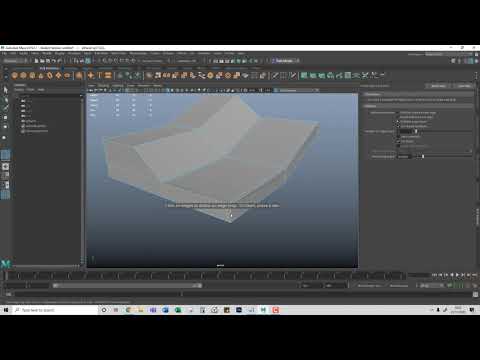 Hi all, First time poster with limited skills/knowledge/experience - please be gentle :) I'm just running through an online video for some hard surface modelling techniques and have encountered a little issue when insert edge loops. On the "top" surface, I inserted two edge loops and then used the scale tool to push them…
 -
Border edges cannot be made soft in Maya

 I created a mesh from a plane primitive and cannot remove the hard edges on its border (shown in purple) This is causing issues when I try to extrude and use smooth preview. When I bring the model into blender and clear hard edges I can extrude and apply a subsurf with no issue. However, bringing that same model back into…
 -
How do you preserve hard edges while smoothing in Maya?

 I simply want to smooth a model while maintaining hard edges where I choose. I can jimmy rig this by adding extra edge loops near edges, but that tends to mess up my topology and doesn't achieve clean results. I like to model in low poly, then export a subdivided mesh to ZBrush where I add detail. But if the smoothing…
 -
[Maya 2017] Looking for an alternative to Shortest Edge Path Tool
 The Shortest Edge Path Tool works great when you're selecting vertices and edges within the UV Editor. On the other hand, it has its shortcomings when used in the Perspective View. You are only able to select the shortest edge path that is within a single UV shell. Also, you can't select a vertex that is on a Texture…
 -
Re: Max to Maya: Edge Constraints
 Yeah, for some reason, it doesn't choose to slide my selection down the edges I'd expect it too, when moving down, the top edges will slide down the edges running that direction, the bottom edges seem to choose a different edge than I would expect when they should go in the direction I'm dragging them. It has half of a…
 -
Hard surface edge baking - how to improve?
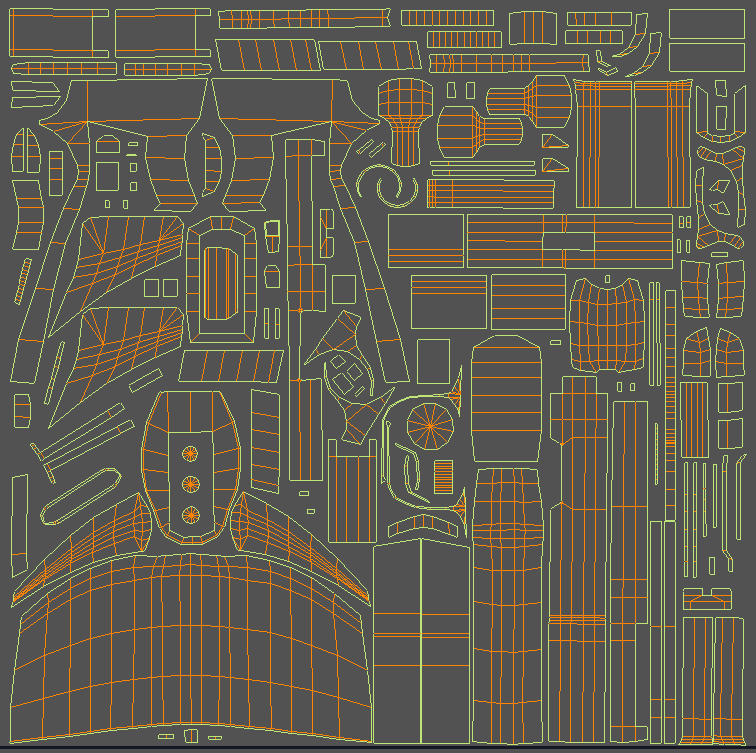 Hi all, I'm trying to create a pistol and I just finished the model in 3dsmax with its UVs. Next up i wanted to bake the edges of the model so that the hard edges are slightly polished. I'm baking EVERYTHING with a cage (no choice here since i'm baking 90° angles). Also every smoothing group is split to its own UV-island:…
>27958 results