Search
-
Re: [Riot Art Contest] - The fall of Morgana
 Reply by Klaus Hustle · · Home› Contests & Challenges Archives› Riot Art Contest› Riot Art Contest - Illustrationjust try stuff out, and use layers for it. you can try everything you want, but do it on a new layer, so you can delete or hide it any time u want to see if what u did was an improvement or not. thats just a little tip in general i can give you for better workflow. but dont worry, as long as you are open to try stuff out…
 -
Re: Sketchbook: GameDevGoro
![[Deleted User]](https://polycount.com/themes/polycount/design/default-avatar.gif) Edit: Thank you, Eoq and Callesw. Means a ton. :) Wooo. Quite the while since my last thing. So, I've been doing some 3d work the past weeks or so, just knocking out all of the models I need to put together for my engine demo. And I'm going to put up a model on here that you guys can hurl some boulders at! :) I posted an…
Edit: Thank you, Eoq and Callesw. Means a ton. :) Wooo. Quite the while since my last thing. So, I've been doing some 3d work the past weeks or so, just knocking out all of the models I need to put together for my engine demo. And I'm going to put up a model on here that you guys can hurl some boulders at! :) I posted an… -
Biplane CR.42 Falco for Games – Hard Surface WIP / Looking for workflow advice
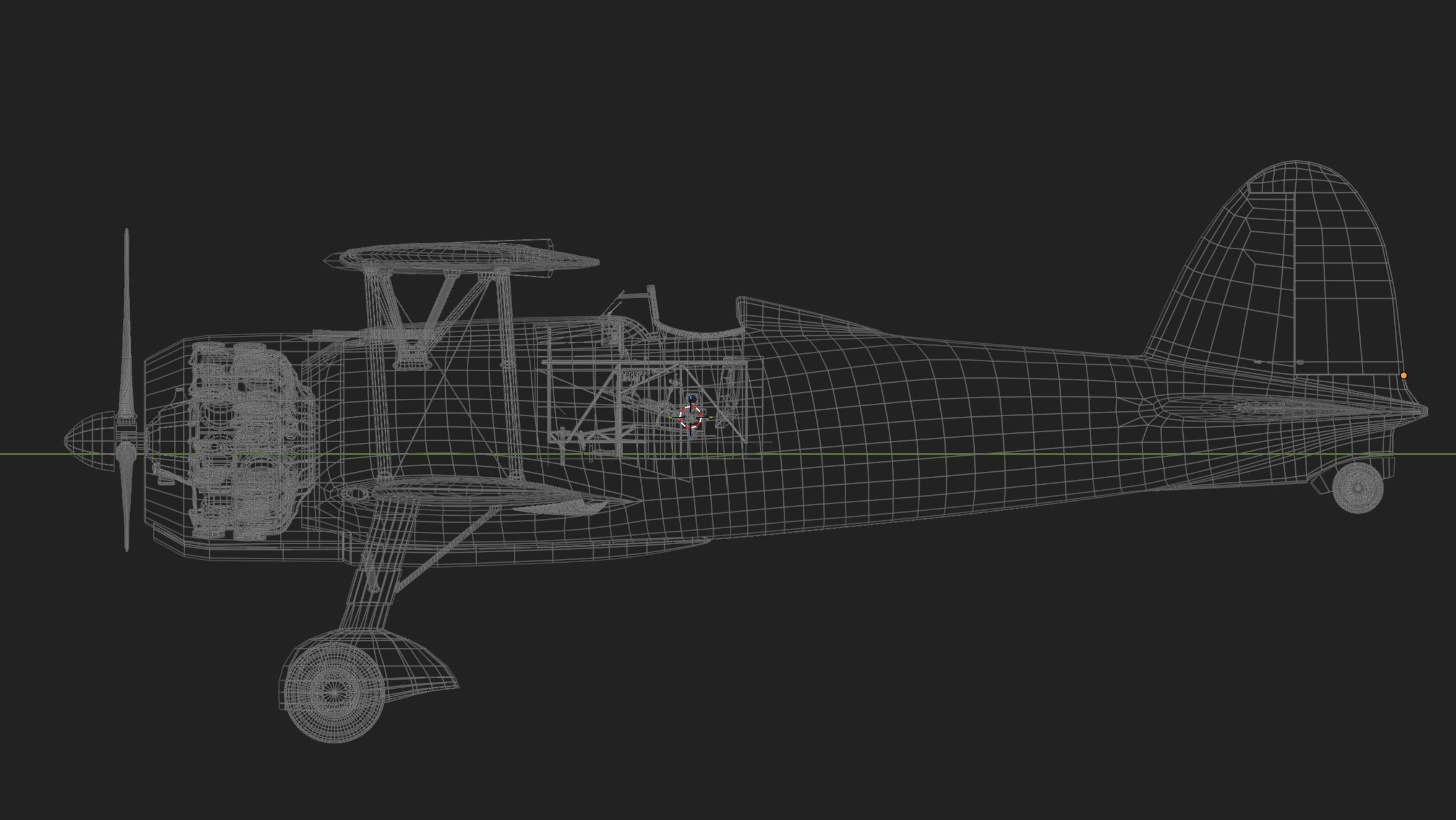 Hi everyone, I wanted to introduce myself and also share a project I’m currently working on. I’m Dan , a self-taught hard surface 3D artist, and over time I’ve mainly focused on modeling props for games. Most of my experience comes from the more traditional low poly / high poly / bake workflow, especially for smaller…
 -
Re: Someone testing Ubuntu 16.04?
Little addendum here: in part 2 I stated that you could paste into a transparency mask to create your texture's alpha channel. That is actually not something you can do. Instead, you must copy the greyscale mask, paste it into a paint layer above your other masks groups, right click that layer, and convert it to a… -
Re: 3D coat limitations versus Zbrush?
 You can create layer masks but not the same way as Photoshop - in blending select a layer from "linked layer". The bonus is that you can link multiple layers to that layer as well as inverse the linkage. I typically name the layer "_____ mask", paint bright neon colors and set it's opacity to 0%. I'll either "apply layer…
 -
Re: real time distance coverage
 You don't need more than four textures. My example uses hand-painted mask for each of the four layers, only four pixels per meter or so, and hand-sculpted terrain. Hopefully it shows what's possible with limited toolsets. Splat mapping just refers to using two or more textures, tiled across the terrain like normal, but…
 -
[UDK] WIP - Mass Effect inspired environment - Team project (image heavy)
 Hello polycounters, I am posting a thread representing my group for a project we're working on in college. The idea is to make a real-time level using UDK believable as possible in terms of the "realism" and to make it fit within an existing IP. (In a way, think fan art, but in the terms of like -- this would be the DLC if…
 -
Re: Painter - height / normal UV discrepancy

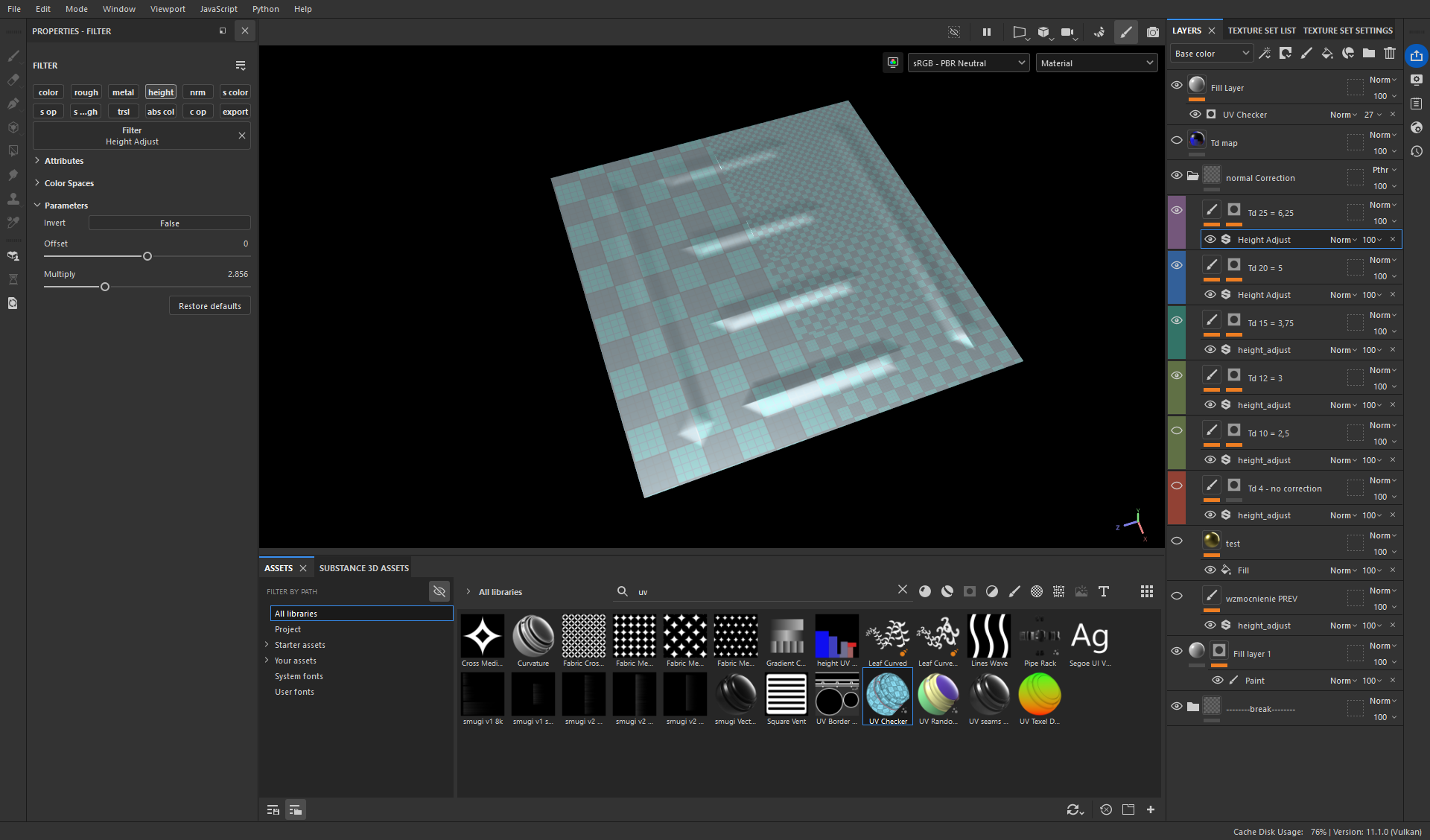 I have found a solution: 1. export the texel density map from RizomUV 2. use it to mask areas with variable Td in Painter 3. use a filter Height Adjust Now to properly set this filter I export a simple plane with all texel densities in my project: say I have 5 different Tds - then I divide this plane into 5 areas, unwrap…
 -
Re: New.. Removing or painting over Textures
 save yourself a lot of trouble and do some tuts. you'll want to understand how to use the layer stack to your advantage here. That's the main way to separate different types of elements. Technically you can paint directly in a single layer like that, but -- well just do some tuts and you'll see why it's really wasting the…
 -
Re: Doing Hardsurface Modelling in for the first time. Need help with pipeline
 I've got to agree with @musashidan that.s one ugly ui haha. But why would you retopo in zbrush? I like to dynamesh the shit out of my mesh once I get the shapes right I duplicate the mesh. After that I zremesh one and project the dynameshed one on the zremeshed one. Than I sdiv my mesh and add details. After that I take my…
>40559 results