Search
-
[solved]Edit normal direction when using Smoothing group (3ds max)

 안녕하세요. 이 사진은 3ds Max 및 Maya에서 수정 된 동일한 개체입니다. A : 모든면을 스무딩 그룹 '1'로 설정 B : 모든 가장자리를 부드러운 가장자리로 설정합니다 . 3ds Max에서 스무딩 그룹을 사용할 때 오브젝트의 법선이 B (마야 사용)처럼되도록합니다. 모서리에 모서리를 추가하거나 하나 하나 일반을 고칠 필요가없는 방법이 있습니까?
 -
Smoothing Groups -Soft or Hard Normals On Alpha Cards used for Tree Canopies in game
What is best practice for getting good real time rendering of tree canopies in game? Should I soften all edges in Maya before exporting or keep the Alpha Planes all hard edges? Most of these planes are 4 - 6 poly So I get a bit of bend on the branches. What's common practice? Thanks a lot! -
Re: Looking for feedback! Modelling, texturing, and rendering a surrealist inspired environment
 Neat idea, I love warped visuals like this! Reminds me a bit of that scene in Inception where they warped Paris. I think the metallic character detracts from the scene, because it’s in a t-pose, which isn’t a visually interesting shape. The concept has a twisted pose that’s more evocative. You’ve also repeated the…
 -
Re: How much of ZBrush do you guys actually use?
I use mostly variations of seam brush with custom ribbon like alphas , trim smooth border and a few other custom trim brushes beyond usual clay brush + lots of custom multimesh insert and Tripart curve brushes. Fibermesh and polygroups. That's all. -
How can I make a smooth curved UV map to be use with tile texture for UE4?
 Hi, I try to unwrap UV map for a mesh like this one. And I want it to be usable with tile texture which the texture should be curved along the walkway. Though, no matter how I try to unwrap it, it will always appear distorted like this. The UV got straighten in UVlayout. And this is the result in UE4. I followed many…
 -
Re: Project- Sword
Nice work, this looks really sweet! If you’re open to feedback at this late stage, your presentations/flats could potentially benefit from some changes. The three-sword image is a bit confusing. The front and back views look like they have different lighting; this could be because you painted some lighting into the color… -
Zbrush Hard+Smooth surface when sub-div ??
 Zbrush 4.0 3ds 2011 So i'm having difficulty subdividing my pillar and keeping it round, but also keeping the edges hard in certain places. I know I could create a "control edge" in 3dsmax, but that would make those edges too dense after I sub-div it. Is there a plug-in for zbrush 4.0 thats like the SmoothGroupImport ? I…
 -
Texture Image Baking: How do I smooth jagged edges?

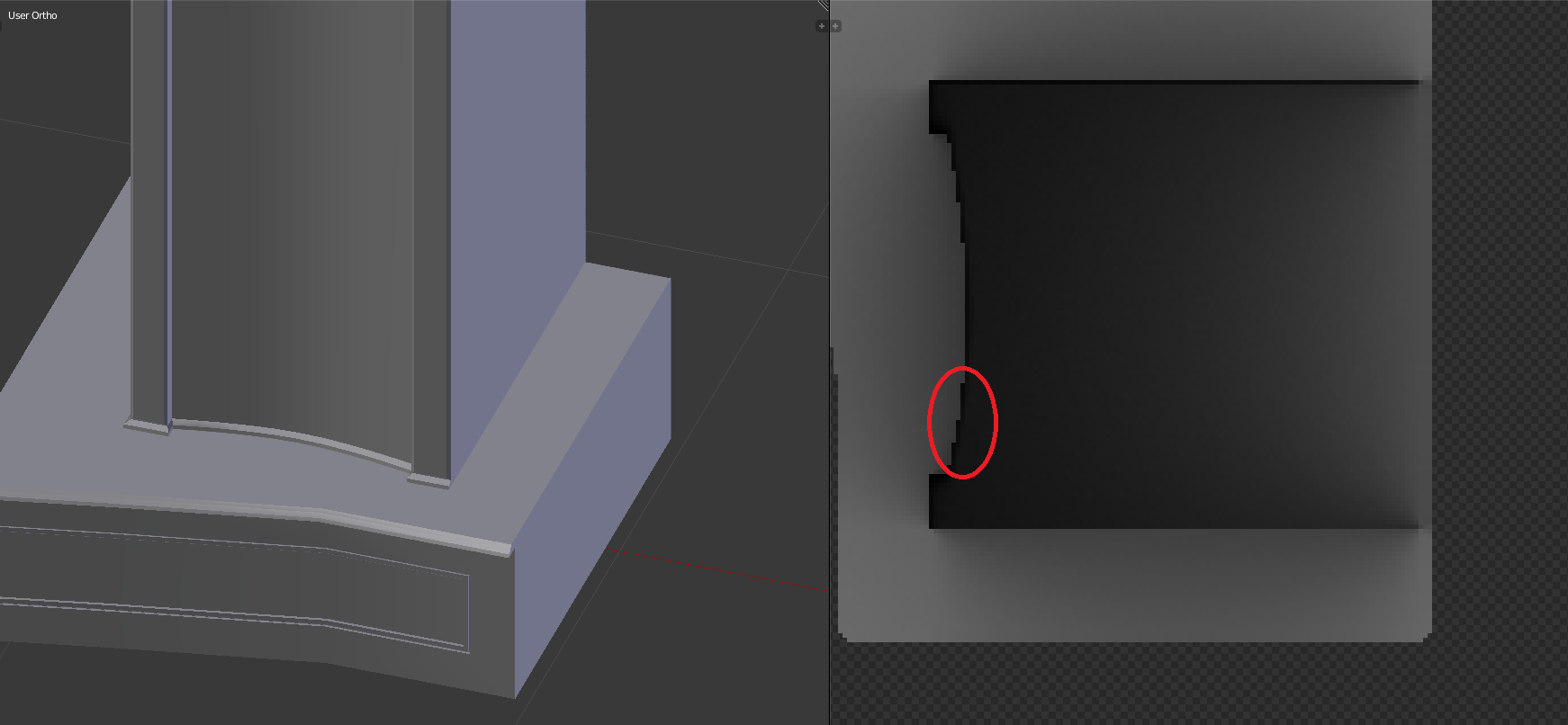 Hi. :'( I'm baking a Texture Image for my 3D Model, but I'm having issues with jagged edges. Some parts on of the image has Jagged edges. The edges shows when I apply the Image to the mesh in UVMapperPro, which means it will show up when I put this object in my game. I seem to be having the same issue mentioned here when…
 -
Re: [3ds Max] Preserve cylinder volume after subdivision
 That kind of depends on why you're sub-dividing it and what your end goal is. Since you're using Turbo-Smooth to divide the mesh it will smooth and relax the mesh as it subdivides. That volume loss is just part of what it does. If you want the exact same volume you can subdivide without smoothing, turbosmooth probably…
 -
Re: [Finished] Numenor Inspired Environment UE5
 Looking really good overall, the lighting and mood are working great, especially the sunlight coming through the beams and vines. =) One small thing that stood out to me: the step in the foreground feels a bit too smooth/curved compared to the rest of the stonework. It might just be me, but since the scene leans more…
>17084 results