Search
-
Select surface objects script(Maya)

 Hi all! I want to make a script in Maya for switching Select surface objects command. Now i have two separate scripts for this: setObjectPianckMask "Surface" true; and setObjectPickMask "Surface" false; How to combine them into one so that modes can be switched at the press of a button?
 -
Select surface objects script(Maya)
Hi all! I want to make a script in Maya for switching Select surface objects command. Now i have two separate scripts for this: setObjectPianckMask "Surface" true; and setObjectPickMask "Surface" false; How to combine them into one so that modes can be switched at the press of a button? -
custom hotkeys in maya. Care to share yours?
 I am new to maya and want to start adding hotkeys in the hotkey editor. Initial plan is to have Alt + the QWERTASDFZXCV keys set aside as my personal hotkeys. I know many here prefer marking menus, but I am on a laptop and dont have a pen tablet. (as a student dont want to buy one just yet as the budget doesnt allow it).…
 -
i broke symmetry in maya modeling toolkit
 Hello, I've been using symmetry in mayas new toolkit, and it's been awesome. however, recently i tried cleaning up my scene and the symmetry button has stopped working on the asset i was working on. I have no clue what I did, but maybe some one might know of a way to get it back? Here is what I DO know... I CAN create a…
 -
[Maya] Facial rigging control's movement axis
 Hi, so I have been watching this and in it he is having a facial control GUI with one set of controls which moves in their own Y and X axis. I can't get it to work and there is no walkthrough in the tutorial on how to do this, but maybe someone has any idea how, if still possible in Maya 2013, you can do this. The control…
 -
Re: Maya Select all by Componets (verts,edges,faces)
 I bumped into this old thread and I thought that maybe somebody is still wondering about the "Select All" hotkey in Maya ... The Select All has been added in Maya 2014: - if you RMB in the empty viewport it will display a marking menu where you can see 2 options: "Complete Tool" and "Select All". - the MEL for "Select All"…
 -
FGO Minamoto no Raikou - Real-time Character
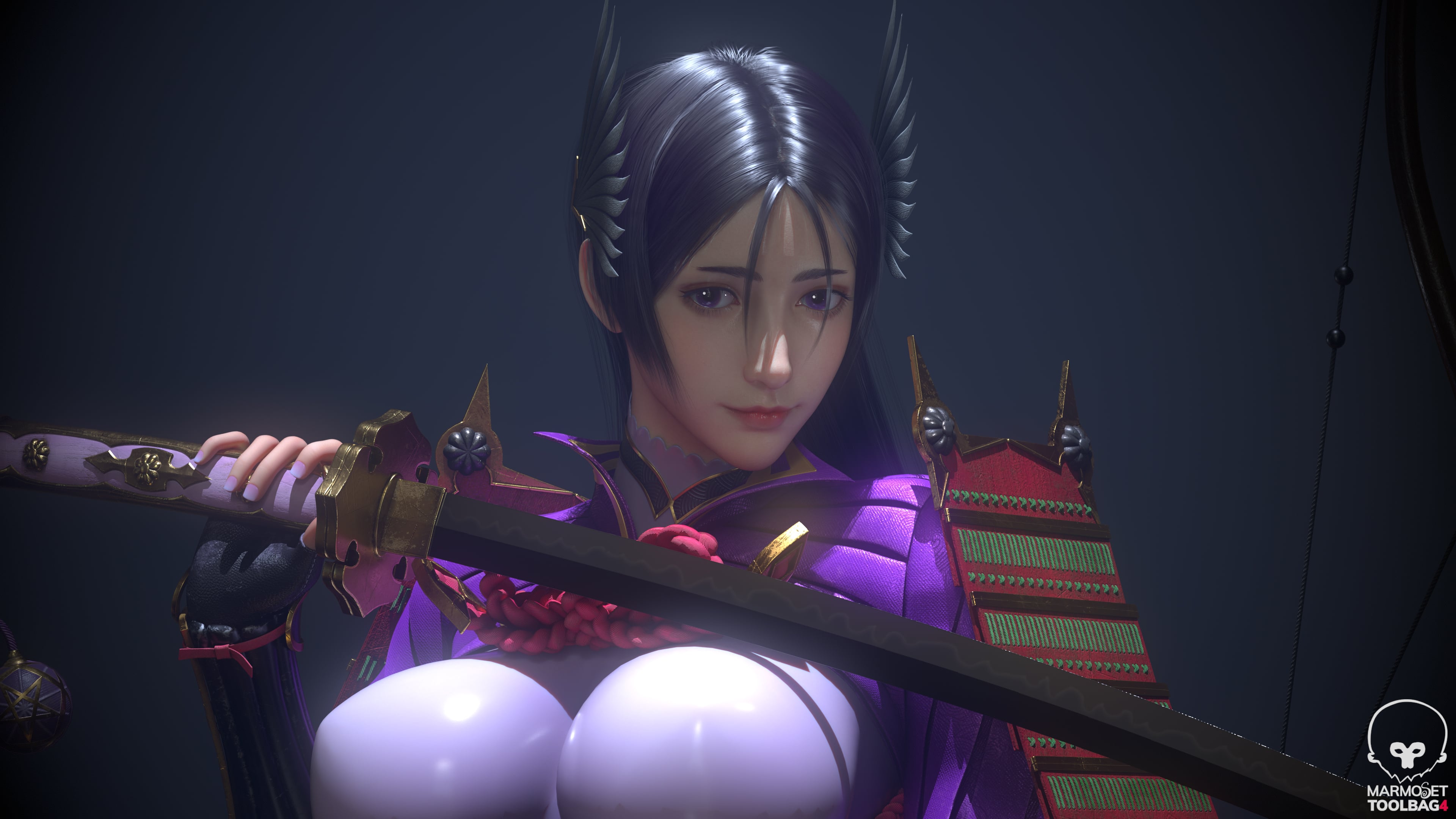 Software: Maya / ZBrush / Substance 3D Painter / UE5 Fan art of Minamoto no Raikou from Fate/Grand Order. Rendered in toolbag Feedback and critiques are welcome.
 -
Maya Animation - weird mesh distortion
Edit: Problem solved by setting up everything completely new. Hello guys, I'm currently sitting on an animated short movie for my university assignment in Animation this semester. This is the first time making a small animation clip in Maya to me. Can you tell me what could cause this problem maybe? Can't find whether a… -
[ZBrush & Maya] Exported OBJs from ZBrush Doesn't Have UVs in Maya
Hi everyone, I just finished my sculpt and I exported it. When I imported it in Maya and looked at the UVs to check if they were there, they weren't. I tried the morph UV functionnality in ZBrush and everything looked perfect. The morph matched the UVs I had in the beginning. I tried with the MRG button in the Export… -
stopping nhair in Maya from zbrush fibers massively slowing down Maya
 I used zbrush fibers to create hair and then imported this into maya and made it into an nhair system, but this creates the hair system as well as 100's of follicles all connected to the curves that I used to make the system, this slows down the scene massively when put in with the model - eurghhh The hair doesn't move on…
>63145 results