Search
-
MODO | Edge Wrapper
 MODO | Edge Wrapper Keith on the Foundry forums has released a free kit that is a must grab for MODO artists. Check out the video below to see the tool in action. http://www.pixelfondue.com/blog/2017/5/7/modo-edge-wrapper
 -
removing edges in 3dsmax
 removing edges is very handy for polygon reduction but there is a horrible bug whereby if you add an edit poly , then proceeed to reduce polys by removing edges, occasionally if you 'undo' it screws the mesh up big time. anyone encountered this and found a workaround?
 -
Re: Edges and their effect on normals
 maya with the automatic interior edge stuff, like pior describes is driving me nuts. I always turn the interior invisible edges in max when i need to, i only triangulate when the exporter doesn't grab out of max what i did with the interior edges. That brings me to another question how does Maya shade? I worked with some…
 -
Re: Baking Problem in SP (Modelled in Max)
 Hi! Hm, interesting that you checked in Max but normals are flipped in the fbx. A simple way to check, would be to re-import the exported fbx and check that everything looks as intended. Since its normals define in what direction a face is looking, I would say flipping faces and flipping normals describes the same outcome.…
 -
Maya - black artifacts after harder/softer edges were applied.

 Hey guys iv had this issue inside cinema 4D before but there i could change settings in the phong tag and sort it but i UV in maya and am trying to export the mesh into substance with the softer/harder edges so i can create a smoother texture. But i dont know how to sort the harsh black lines on the top and bottom of the…
 -
Deleting edges in maya
 Ok this is bugging me now because it takes up way to much time, in maya when you select an edge or edge ring and delete it the verts are still there. Is this some kind of option or something because it really slows things down and its annoying me to death.
 -
Your personal workflow for creating torn cloth edges/holes?

 So I'm trying to recreate this samurai jack drawing and I'm onto the point of trying to grasp how to texture the torn cloth at the edges and holes of his sleeves This is my base mesh Should I keep some extra distance on the edges of the sleeves and use alpha-blending in substance painter to manually draw the torn edges?…
 -
spilt polygon tool on a face without connecting to edges in Maya?
 When modeling stuff in Maya,my most frequent tool is the spilt polygon tool,Autodesk later changed it to the interactive spilt polygon tool.I love using this tool but I would love it if one can say create a four sided square on say the face of a cube without conecting to any of the sourrounding vertices/edges.kinda like…
 -
Relax Tool on beveled edges (3ds Max)

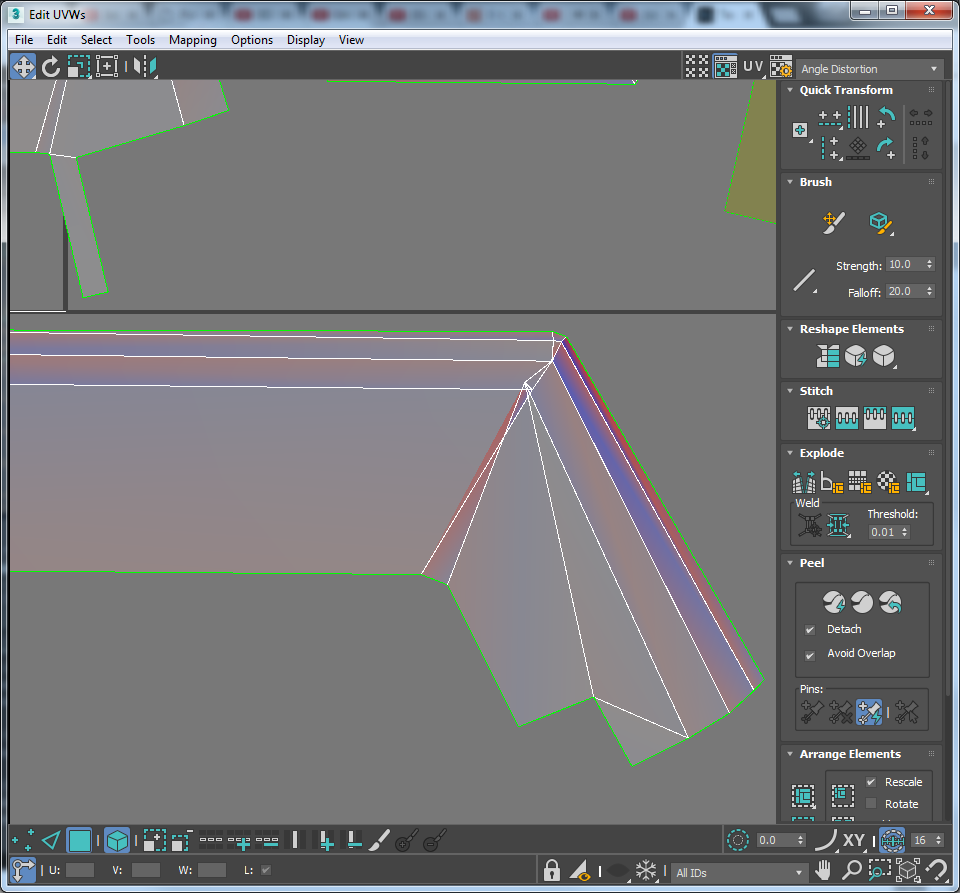 Been modeling several hard surface objects on Max and have beveled the edges on all the sensible places to run the Face Weighted Normal Script on it to get those nice bevels. My approach to Unwraping in Max is: I will cut my peel seams first (and eventually make more seams as i go). Select the whole faces defined by the…
 -
Re: Edge Distance Detect in 3DS MAX
Its kind of a solution, but this is more for overlapping edges, whereas im after edges that are very close together. or within a certain distance. Thanks for the help tho. This is a pretty useful modifier.
>24979 results