Search
-
Unwrap in 3ds max
 I have this model that I am unwrapping. I selected the top faces to do a planer map on it. Is there a button that automatically matches the size of the unwrapped faces to match the size thats on the model? Right now I am having to select a few faces then move and making sure my checkered map has unified boxes on the…
 -
Maya Exporting object pivot location/orientation into Unity
 Hi guys, i'm a bit stuck on this situation. We have a rope with some bones attached to it that will be animated in Unity however i can't see to export the orientation of the pivot into unity. I tried testing it with a simple cube. I moved the pivot to a vertice on one of the corners and exported it as FBX into unity but…
 -
[Photoshop] Extension-> Lazy Save
 EDITED: I'm going to take this extension in a slightly different direction to just fill a part of my own workflow at least. Going to make a little extension that allows users to click a button and have the Save As dialog pop up with the desired File Type already selected. It's a simple extension idea and just meant to take…
 -
Maya UV grid or vert snapping going bananas!
![[HP]](https://us.v-cdn.net/5021068/uploads/userpics/PW2278Q17H7M/nK9DV1HH4CBZK.jpg)
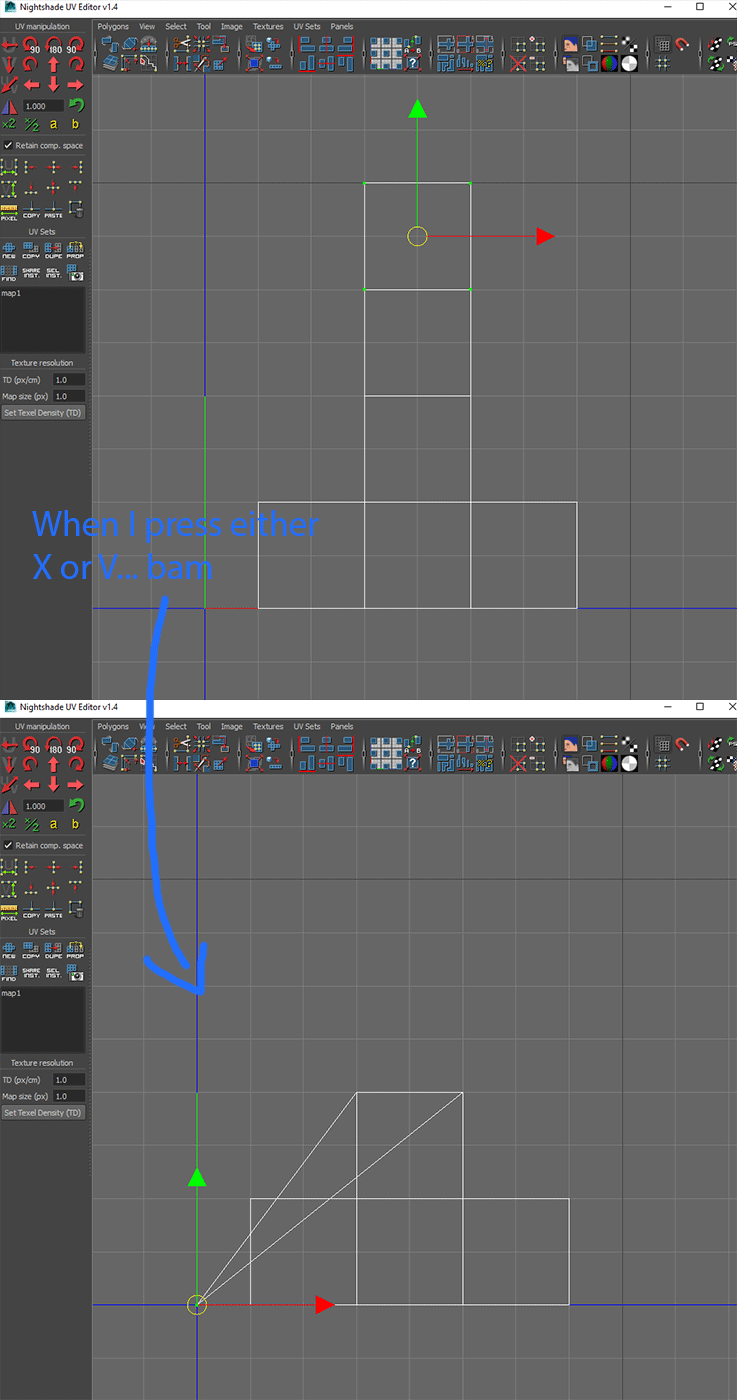 Hey guys, I've always used Max at home and Maya at work, I'm now trying to use maya at home as well so I just brought over all my scripts and hotkeys that I use at work, such as UV Nightshade. Although, something really weird is happening. I tried a million different things and I can't figure out what might be causing…
 -
Shift Dupe Geo in Max 2008
 so i was playing with Max 2008 and in previous versions of Max, selecting faces, with move tool, holding shift and clicking, will dupe those faces. i like mirroring/rotating selective areas this way. you have to actually move the faces in order to dupe them now. any max 2008 pros out there that know how to make it work the…
 -
scene-states are cool (max)
 I only found about scene-states recently from Rhinokey, they seem mega awesome and it's weird that I never hear about anyone using them. I've just started using scene states to isolate certain sections of a very large scene I'm working on for example: I hide everything except one room and all the props in it, right click…
 -
Textures becoming Soft! :(
 Hi there! I got a Problem with all Big Textures, downloaded from cgtextures! I gonna scale them down to fit my UV Isle, but then they´re becoming soft. nothing left of the sharp hi res look :( What im doin wrong? My workflow is like this: 1. Open Photoshop with my UV Diffuse Layout 2. Open HiRes Texture 3. Select the right…
 -
Studio Max export default.
Good Morning ( or afternoon, or night ;) ) to all my fellow polycounters! Studio max has been pissing me off lately since I have to do a lot of obj exports out of it and everytime I do an export selected, it never remembers that I wanted to do an obj export and instead randomly selects one of those numerous formats that I… -
3ds Max isolated vertecies not getting deleted
Hey I have a problem with 3ds Max. I'm currently trying to clean up my model and so I wanna delete all the isolated vertecies. I go to xView -> Isolated vertecies -> select results and either hit backspace, delete or "remove isolated vertecies" but when I hit update again it shows the same number of isolated vertecies as… -
Maya 8 texture problem
 I'm having this weird issue in Maya 8 when I apply a second color map. Its on the 0 min -1 max U space and 0 min 1 max V space in my UV texture editor. From the way I learned to do it in Maya 7, I would select the UVs in the coordinate space, change selection to faces, then right click the faces in perspective veiw and…
>15393 results