Search
-
Re: Help people with normal map baking methods?
 @myclay Hi! I assume to remove the normal map clipping of the protruding sphere shapes in Toolbag, you would have to increase the cage offset, ensuring it incapsulates the high poly. In regards to the 24bit, my understanding is that it's consistent with the 8bit export option in some applications (8bit per r, g and b…
 -
Struggling 3D Artist in Japan
 Hey guys! This will be a bit of a long post, and I thank you for anyone taking the time to read this..! Background on career shift: ・Back in 2018, I couldn't find any fulfillment with my current role as a DevOps at a financial institution, so I took a leap in my career to leave my job, and pursue the things I've been…
 -
Nitecon - The adaptation
 Backstory: It has been 2 winters since I last saw my beloved Belle, the news today has been utterly dire. What kindness I still feel in my heart has almost all but vanished. I feel the hatred and anger boil within me, what once was silent has newly arisen. I do not know if I can contain the monster within should the fate…
 -
Splatter v2 in Designer 16.
Does anyone found anything truly new and useful there ? I see Splatter v2 allows dense details with tiny scale but still does same aliased depth combine and bad alpha for something like tiny twigs or grass blades. I am still using old fx-map nodes instead . More controllable and easier to modify. Anything other new and… -
[Collaboration] Creature Rigging (Quadruped) for Short Film – Maya
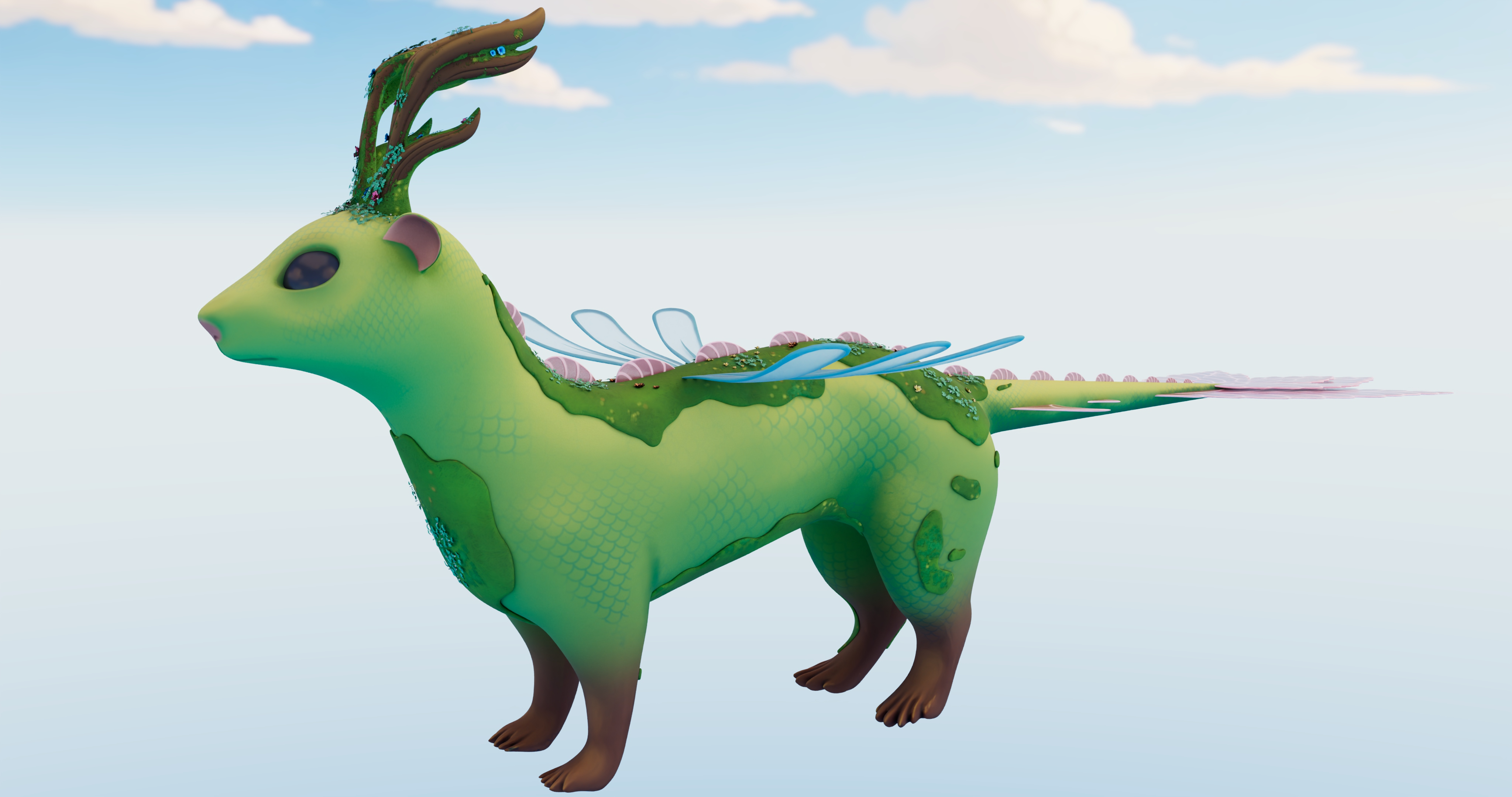 Hi, I’m currently working on a ~10-minute 3D short film and I’m looking for an experienced rigger to collaborate on a main character. Project context * Personal short film (solo project) * Creature: quadruped with stylized semi-realistic anatomy * Software: Autodesk Maya (Arnold pipeline) * Goal: clean, animation-ready rig…
 -
[3DSMAX 2027] Smart Bevel improvements feature request (please vote on official 3dsmax forum)

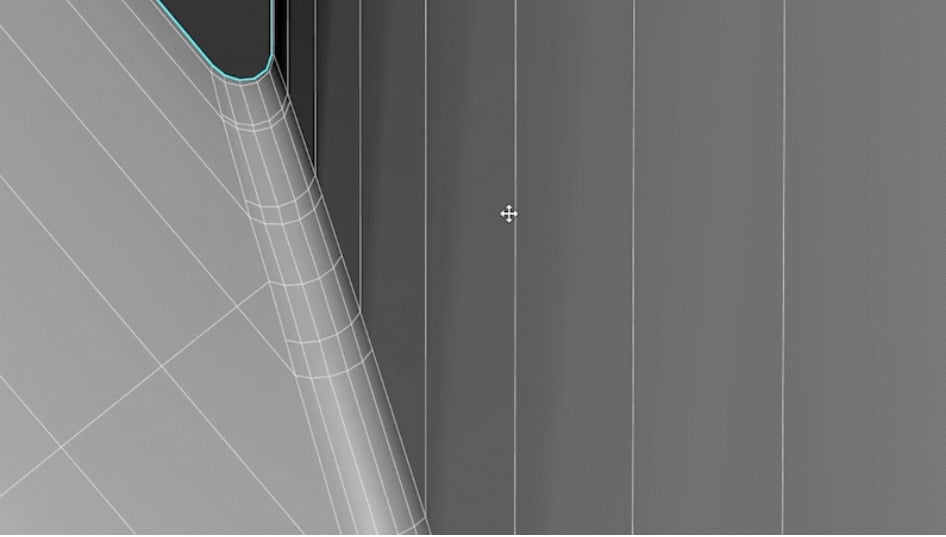 I made a feature request on the official 3dsmax forum for improvements to the new smart chamfer modifier; Evenly distributed edges along the chamfer geometry and inset loops along the borders of the new chamfer geometry. /!\ Please vote for this improved smart bevel feature request on the official 3dsmax website here: /!\…
 -
Re: Optimizing Models
 Well very specifically here, in your paintover there are also verts connecting the shapes. So its just a bit nonsensical to detach that area. What benefits does it give? As more general advice, randomly detaching stuff isn't a good idea. With a proper baked workflow, hard edges/sgs shouldn't show up as seams in the end…
 -
Re: Sketchbook: Trancerobot
I'll second onionhead_o 's comment. You've got great style and a definite grasp on forms, profile, plane changes ect, but there's a alot of fuzz on your strokes, almost like you weren't sure if your stroke was gonna go where it needed to so you chipped away at it bit by bit until you got your lines. this applies to the… -
Concept Artist (2D & 3D) - [Available freelance, remote, hybrid, contract]

 Hi, I am Will Maccabe and I am currently seeking freelance, remote or hybrid contracts or commissions for concept art/design, illustration & game art. I am currently available immediately and my rate is negotiable. For all serious enquiries, please email: artbywillmaccabe@gmail.com You can also use the contacts below.…
 -
Re: Unwrapping a pistol, ugh
 its all about defining seams and after that just relax the whole selection. So for starters select everything and hit the "Quick planar map" which will project the UV's all together just like in the 3d space. Next loop select some edges you want to cut or want to define as seams in your UV and break them there (Tools >…
>154778 results