Hey Everyone!
Some time ago I created a series of mini trains for 3D printing in my free time and it was a ton of fun!
You can read a bit of backstory about that here:
Or check a few more photos here:
Few weeks ago during the 2022 Game Industry Conference I had the chance to look around at the Poznań Game Arena too, and I’ve just fallen in love with all those great indie games. Some of the developers were giving away free stickers and after grabbing the first few I had the urge to collect as much as I could. :D I guess childhood memories kicked in, does anyone else remember those albums with the collectible stickers?
So these little stickers got me thinking, how cool would it be to have my train series as colorful stickers!
But unfortunately the models were for 3D printing, STL files from CAD program, messy topology, no UVs, never been painted.
Anyway, fast forward to the boiling point when I could not resist anymore and I sat down to remodel one with UVs and textures.
This was inspired by the hungarian M62 Szergej. (These are my childhood favorites. I remember standing next to the train tracks close to my grandma’s house and watching these massive iron horses pulling 50+ fully loaded cars behind them.)
It's using this texture:
(I know, I know, so much wasted space, could be more compact. :) )
If you are a train fan, you can spot right away that the M62 locomotive has 6 axles and this one only 4.
The reason behind it is that when I came up with the first designs I made an art decision to fit all of the models to a 1x1 base plate. This limitation made designing quite challenging. I could fit all 6 axles under the train, but then the body/wheel ratio would be something that I don’t like. So… I did my best to make it look okay even if it’s wrong, focusing more on the recognizable silhouettes and main forms. And this example is not even close to what I had to sacrifice with my very long steam locomotive designs. :)
I am also not making a difference between the american and european couplers and every model is using the same, kinda cartoonish buffers. I made this decision to make the 3D printed models “compatible” with each other regardless of what locomotives and cars you put together.
I still have not ordered sticker papers to print the first test versions :) But what I did is that I exported it to Unreal Engine 5, out of curiosity, and quickly made a few more models around it.
At this point I was like, what the hekk, why not… And made one more locomotive.
It’s pretty easy to model and texture them with this art style. This one took me like 7-8 hours to finish. And this is a brand new one, there is no 3D print ready base model to work with, which means some of the time was spent on checking references, proportions, forms etc.
As you can see I was fine tuning the proportions and details until the very last step, and still made a few adjustments after recording these steps.
And this is where I am now:
Still not sure where this is going...
...but 2 things I know:
- I will remodel more of my previous models to in-game models.
- I will dig deeper in Unreal Engine (spent almost the whole last decade working with RED engine, kinda forgot what is what in UE :) ) and make them move, maybe even I will try to make a mock up video about how a game would look like what I have somewhere in my head.
I’ve figured I will make posts like this to keep record of the progress. Whenever I have something to show, there will be a bigger post about it. As for now I go back and try to figure out how to make DoF in UE5. :) This is Photoshop DoF on the last shot, somehow I can not make it work on the simple CameraActor, no matter how I change the parameters…
@Neox Really appreciate the kudos.
@laeion Welcome to Polycount. Consider checking out the forum information and introduction thread.
Soft hard surface objects can be tricky to model but taking apart one of these packages or gathering references of them disassembled can provide some insight into how the paper is cut and folded to create the carton. Analyzing how these pieces fit together will make it easier to come up with a plan for modeling the shapes.
While there's a few different ways to approach this, depending on the level of accuracy required, it's generally a good idea to start by blocking out the shapes. Keeping things fairly simple during the block out makes it easier to adjust the larger forms and change the topology flow. Try to resolve any major shape or topology flow issues before adding the support loops.
If simplified fold details are acceptable then one of the easier modeling strategies would be to cut in the basic shape of the flaps and sealed seam then inset or extrude the outline to create some depth. While this approach is fairly quick and detailed enough for most background props, it won't be completely accurate. Which could be an issue if the model needs to be viewed up close.
If more complex fold details are required then it probably makes sense to model the entire seam standing up then fold it flat against the carton. This approach is a bit more involved but produces more accurate fold details. Below is an example of what this modeling process could look like.
Start by establishing the overall form then apply a mirror modifier and add a central loop cut. Select the outside edges and run a chamfer operation to create the fold line around the corners of the packing. Cut in an edge loop to define the basic shape of the flaps. Extrude this section and merge the geometry into a point. Use a bevel operation to create a square edge, that's the width of the sealed seam, along the central edge loop. Extrude the new loops upwards to create the standing seam. Add the support loops for the outer perimeter of the carton and additional loops for deforming the sides. Select the standing seam and fold it over then fold in the corners.
Adjust the position of the loops around the top and bottom of the carton. Looking at the references: the top tends to bow inwards and the bottom tends to bow outwards slightly. Loop select the edges that define the perimeter of the folded seam and corners of the box and add support loops with a bevel / chamfer operation. The folded seam on the bottom of the carton is the same as the top, only the flaps are folded inwards instead of outwards.
Though this mesh is water tight, the area under the folded seams will have some potential for overlap and could be further simplified by merging it into the underlying surface. In most cases this shouldn't be required but it is an option for any sort of edge case where the overlap causes issues.
Recap: Gather additional reference information about the folded parts of the object and use that to develop a plan for modeling the shapes. Block out the major forms and resolve the topology flow issues before adding support loops. Try to keep the basic geometry fairly simple, with relatively consistent segment spacing, then let the subdivision do most of the smoothing work around the corners of the folded flaps.
Lots of good advice on how to approach modeling the truncated sphere but when shape accuracy is important it's often beneficial to rely on mathematically consistent primitive geometry as a starting point. There's also nothing inherently wrong with using a sphere that has a central pole. It just requires a bit of adjustment to find the right number of rings and segments to get the geometry to line up with the section planes. Below is an example of what this process and resulting topology could look like.
There's also some situations where it makes more sense to use a regular sphere instead of a quad sphere or icosphere, since it's a lot easier to adjust the number of segments to line up with intersecting geometry. The remainder of partial rings can also be used as support loops. Without having to add additional geometry that would otherwise disturb the segment spacing and quality of the surface.
Quad sphere geometry tends to work well with symmetrical section planes but can run into issues when blending asymmetrical shape intersections. Both topology layouts are viable and deciding which to use really depends on what the adjacent geometry looks like.
@sacboi has a detailed post that explains a different modeling process for cutting holes in quad spheres and also covers why it's important to constrain shape changes to the transitional area between the support loops around the shape intersection.
For your latest shape question: the silhouettes on the reference sheet and the detailed side views seem to show a cut out between the two cylinders. Try using the two, parallel cylinders ahead of that area as a proportional reference then block out the larger cylinder towards the back and see how it looks with the gap that appears between the top and bottom.
I have some thoughts regarding this that I just kinda feel like writing out, and polycount seems as good a place as any to do so. This is gonna be kinda long and rambling and I'll apologize for that up front, just feel like writing it. Picking this thread as I find @pior 's comic link as a particularly up-to-date example, and because I'm mainly looking at this from the standpoint of a 2D artist.
Firstly, just to get it out there, there's definitely an element to this that I find frightening. To an extent I find it insulting - not that people can generate art. Variations of "generate art without much thought" have existed for a long, long time. But the nature of this - effectively relying on and being built off the backs of artists who did put in the time, who did define the styles - to know now that people with minimal training and study can and will claim it's their imagination, their design... makes my stomach churn. I'm not all that interested in gate keeping, and I think there are ways to utilize AI generation while effectively retaining creative authorship - but let's face it... That won't be the case, it won't be something people are honest about, and it will diminish the value of art creation as a whole.
I do also think there's some pretty enormous gravity to these recent AI developments, and it seems - frankly, that they're moving faster than the world is able to keep up with. I know of several companies already looking to see how viable using AI generated art is to handle certain tasks - and I'm quite sure in the very near future, legal departments either are already or will be going apeshit over the ramifications of not knowing where the art actually came from. Is that dress a designer dress that now we're claiming ownership over the design for "because AI did it"? Is that weapon something that might be mistaken for an iconic concept in a popular video game, that you just aren't familiar with? Did it slap some iconic landmarks you're not allowed to depict in that cityscape in the background? The inability to claim you've done your due diligence in developing the design yourself, not knowing where it pulled those design elements from... that's gonna be a fucking shit show. And people are trying to run with it already anyway. I expect we'll have some noteworthy legal hurdles to try and navigate these issues, the issues of sourcing the "learning" material, etc.
On the topic of this "replacing" artists - I think it's ignorant to say that this doesn't hurt artists, that it's just a tool, and that the results aren't able to replace the work of actual people. From what I've seen develop just over the past couple months, it will absolutely hurt some artists, help others, and in the process - completely change the way the modern world thinks about art and asset creation. I think the main folks this is going to hurt initially are:
I think this will affect almost everyone working as an artist, 2D/3D/animation/whatever. Am I personally worried about losing my job? Hahaha, no. Technology moves quickly - the ability of people, teams, companies, and workflows to adapt as quickly on a large scale is not so swift. Also, consistency and staying on-brand/design is HUGE, and AI currently sucks at that (those comics are a great example, with space suit, VR helmet, and monster designs being utterly inconsistent throughout). Knowing how to implement the shit you're making, how it needs to be used, and being able to make adjustments to it is like 80% of my job and that's not going anywhere. Do I think within the next few years, I'll need to adapt to this technology - and investigate (pending legal hurdles) how I can utilize it to optimize certain things that my team does? Yes. Yes, definitely.
I do think this might mean there are less artists in the coming years (and yes, I am presently defining "artists" as people who like, actually make the shit). There's been a pretty significant influx of artists over the past ~15 years or so I think due to the success of video games, and entertainment media in general - and this is going to "weed out" a lot of those who don't move beyond a certain point of competency. Used to be anyone who was even mediocre at art could say "Well if you don't want to pay me, do it yourself" - and now, most people could. A lot of positions will move from "creation" to "clean up", and the allure of pursuing art will - I suspect, dissipate for many people.
I guess finally, I will say that while there is a scary element to this, even a very very sad element to it, I guess I'm not too worried. I didn't learn art for the money, I did it because it felt like what I was supposed to do and there is shit I want to make, that I want to design. I am fortunate to work as an artist, but asset creation is a small portion of my value. And if being an adult has taught me anything, it's that a lot of people are very, very bad at their jobs so there's always work to be done. At the end of the day, I just want to spend time with my wife and dog, pay off my house, and make the things I want to make. Whether I make my money illustrating things myself, cleaning up AI-generated BS, or just telling other people "looks good", "looks bad" - what does it matter? I don't owe the world my art anymore than the world owes me a job.
Still just one foot in front of the other, reacting to whatever's up ahead.
Two Listen
@YairMorr hey! Looking nice so far, I interpret the spirals between the legs as elements giving structure to the chair, so I agree that they could be thicker, also from a construction material point of view. Other than that, you could place a mesh of a potential user next to it to check that the proportions are working. Keep it up!
I made a small sprint, also with the chair, using a trim sheet approach and built a table based on the same awesome concept batch, using the same technique. Maybe I find time to do more furniture assets, or refine the existing ones. I think currently some wood directions don't make sense, as the wood would have to bend extremely :D As always, I used modifiers where possible to make life easier. Modeled the rest straight and deformed by curve. Used lot's of mirror modifiers ofc. During blockout, relied on solidify and bevel modifiers.
Tiling pattern created in PS used inside Painter for the surface (micro and macro):
Fabi_G
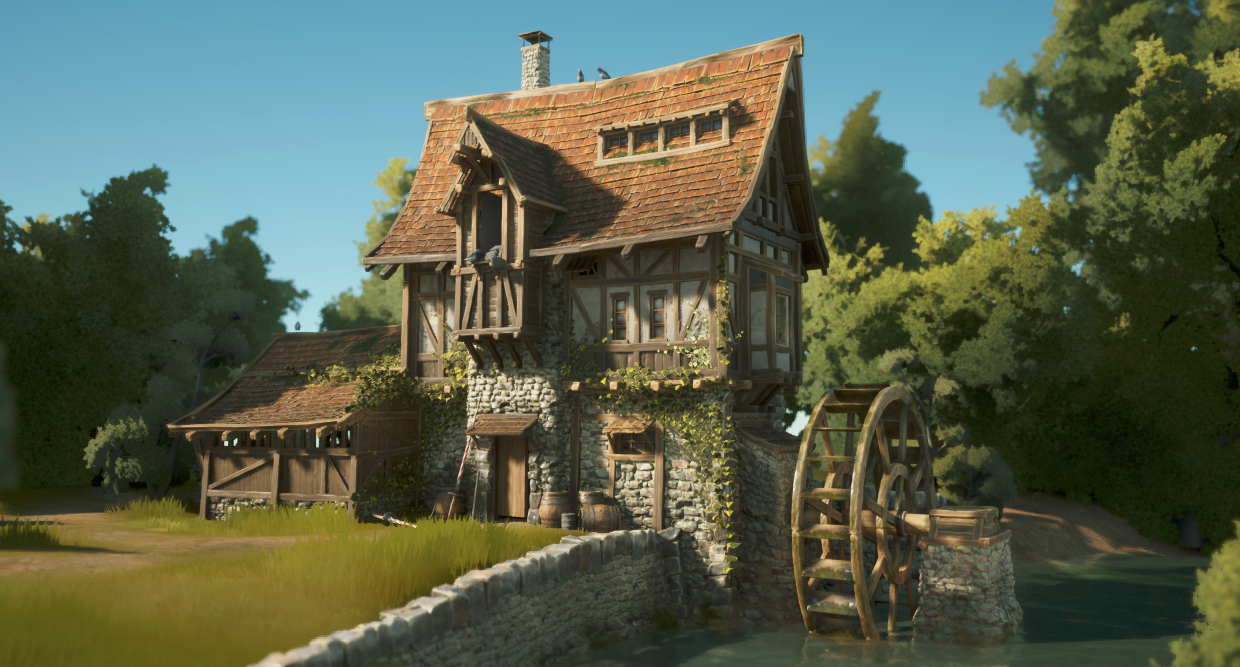
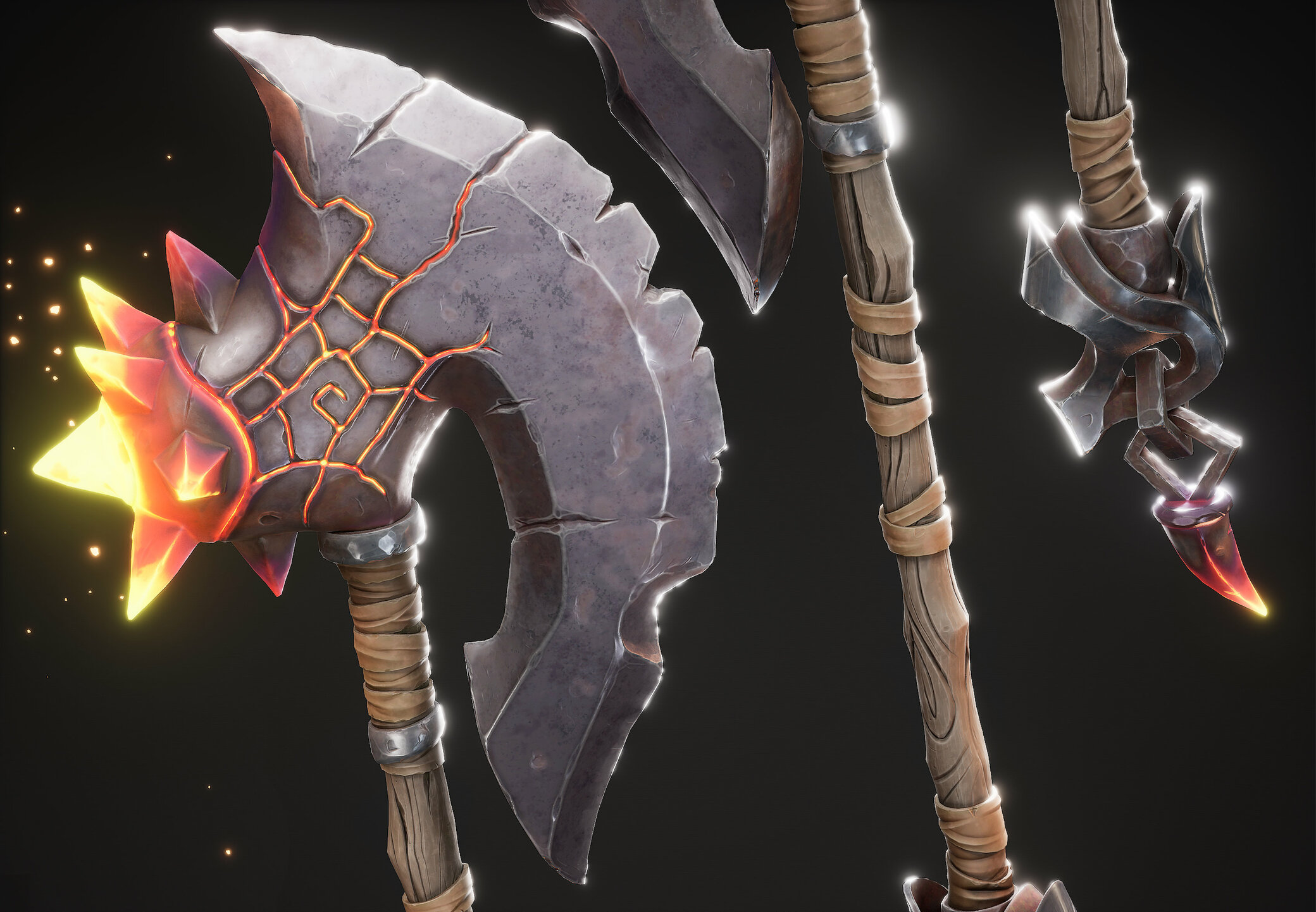
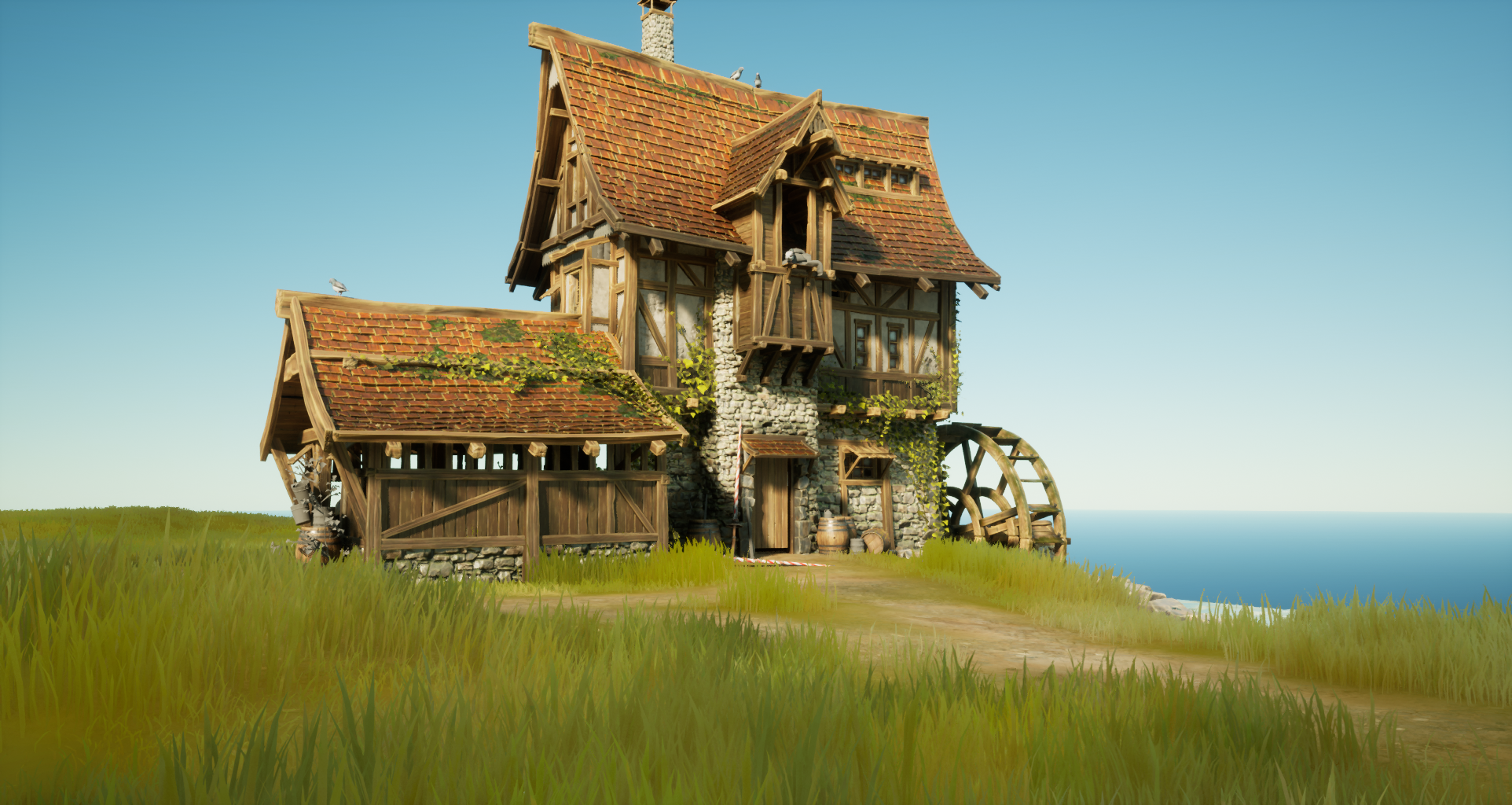
Hey all. I have some images to show of the project im working on since quite some time now. Its Witcher fan art, specifically Skelige islands. Still early WIP but its enough to show to people :D
Aim here is to achieve very high quality visuals and trying not to kill engine completly :D UE5 is brialiant for that, a lot of annoying procceses were cut out of production.
Hope you enjoy and have some feedback.
High Res sculpts for most of this stuff is on Artstation here : https://www.artstation.com/damian94
Hallazeall
I've been using 3DCoat for about 13 years and ZBrush for about 20. I enjoy both thoroughly and believe that they have their strengths and weaknesses.
ZBrush is the industry standard as most will agree. Go to any studio and there it is. Knowing it makes you more employable. Its ability to handle models with obscene poly counts is is unparalleled. Whenever you need ultra-high detail in your model, ZBrush is the app to use. Low hardware requirements also ensure that it'll run well on even a potato PC.
That said, ZBrush HAS gotten fairly bloated over the years. Too much redundancy in the way of brushes, for example. Additionally, there are numerous old features that feel dated and are fairly broken. Certain signature features such as using ZSpheres as well as its sub-purpose for retopo feel deliciously antiquated. There are better, more modern ways. Pixologic/Maxon, apparently, doesn't know how to deprecate and throw stuff away.
Furthermore, ZBrush's UI/UX feels highly non-standard. When coming from an app such as Maya or Blender, you can and probably will feel a bit of "culture shock" in the UX department. It does things its own way. More over, with a bevvy of options nested and sub-nested ... and sub-nested, it's sometimes easy to lose track of what critical feature is located where. Doubly true if you step away from it for a few weeks, for whatever reason.
3DCoat, visually, looks a bit more standard in the UI department. Don't get me wrong. It too does things its own way and suffers from some clutter, which has gotten better in recent years. However, it looks and feels closer to one of the standard suite apps in the way it operates and is organized. Jumping from Maya or Blender to 3DCoat doesn't feel so jarring.
In the performance department, ZBrush is still king. However, to say that 3DCoat performs at a high level would be an understatement. You can readily sculpt models in that 200mil+ poly range without having to mortgage your home for a super computer. And, let's face it. 200mil polys is MORE than enough for most projects and far beyond what you'd ever use in a game anyway; In that case, you're just going to retopologize to a far, far lower level of detail end product anyway.
3DCoat also benefits from having a broader categorical diversity of features under the hood and is a perfect complement to Blender, for example. While Blender has tools for UV, sculpting and texture painting, 3DCoat's puts them all to shame both in terms of power, functionality, and ergonomics. It's not unreasonable to suggest that in many situations, especially as a freelancer or within a small/developing studio, 3DCoat can function as a credible substitute, replacement for both ZBrush and Substance Painter.
Of course, not being an industry standard means that you put yourself on the outside as a 3DCoat user. Sculpting is sculpting no matter the app. However, having ZBrush on your CV carries more weight when searching for a job.
Additionally, 3DCoat's biggest strength is also its biggest weakness. 3DCoat is, effectively, perma-beta. On the one hand, Pilgway, the developer, constantly updates the app to introduce new features and quality of life tweaks. Unfortunately, being beta also means that each new release brings with it the potential for new bugs. Mercifully, Pilgway is on top of the situation and fixes bugs quickly; There are usually 1-3 betas each week. That said, if you constantly worry about stability then just stick with the latest stable version. That's always an option.
If you come into the money, I'd recommend both apps, tbh. They're both great. Personally, I just prefer 3DCoat these days. The upgrade cost, policy is better and the app gets updated more often - something that will probably remain the case now that ZBrush is a Maxon product. The flow, for me, from Maya/Blender to 3DCoat just feels more organic. I only wish that the data interchange plugin were as stable, useful as ZBrush's GoZ.
Just as an added note, if the idea of subscribing to ZBrush is an issue for you, the do still sell perpetual licenses and will (probably) continue to do so for the immediate future. It'll cost more than 3DCoat, but perpetual is still perpetual. No further fees unless you want to upgrade to the next paid version.
Another option? If you want to get your feet wet with ZBrush, but don't want to pay, just download the $0 (100% free) ZBrush Core Mini. The app itself has fewer features than either ZBrush or ZBrush Core and has a stricter poly limit. However, using ZBrush Core Mini will at least allow you to learn the basics of the app and how ZBrush works. So, should you eventually decide to move to the full version then you'll be able to hit the ground running since you already know how to navigate the app and its quirks.
As far as upgrade costs go, 3DCoat is by far the cheaper option. Granted, we don't know what Maxon will ask current users to pay to move from ZBrush v2022 to v2023. However, there's no way that it'll match 3DCoat's low upgrade cost, which will remain fixed at about $45 or so. A massive bargain to be sure.
Last thing. If you have work in a situation with a spotty (or no) internet connection then 3DCoat is most certainly your friend. Much like Maya, with ZBrush, you have to be online to contact the activation server after you install it. (Might be an offline way iirc, but online is the default.) 3DCoat allows you to do that, but it is NOT a requirement. In fact, Pilgway provides its users with a license file that allows you to self-activate. Unless you want 3DCoat to search for updates, it never has to be online at any point. You can literally work out of a cabin in the woods and never need an internet connection or have to contact Pilgway to help you (de)activate. Definitely convenient, especially right now since Pilgway is Ukraine based. (Shocking that they still reliably release updates atm.)
MrMadcap