Best Of
3d model search engine
I have been working on a 3d model search engine for sometime.
It is indexing 3d models from several websites. I will be adding more websites very soon.
3d models can be filtered by price and formats. There is also a separate subcategory for printable 3d models.
Any suggestions for improvements are welcome.
 meshplorer
Re: Sketchbook: Frank Polygon
Subdivision sketch: hand guard.
This is a follow up to the previous post about shape analysis. It's just a quick look at applying the iterative block out process to larger plastic components. Which are often part of other hard surface objects.
Identifying how the basic shapes are connected is a fundamental part of subdivision modeling. So, gather a lot of good reference material. Analyze the references to figure out what the shapes are then come up with a plan for connecting those shapes.
Work through the block out process in stages. Keep things relatively simple early on and focus on creating accurate shapes before adding surface details. This will make it a lot easier to maintain a higher level of surface quality during subsequent modeling operations.

Approach the modeling process with specific goals but also be willing to adjust the order of operations based on the actual results. Rather than sticking with preconceived ideas. Focus on getting the shapes right and rely on tools or modifiers to generate curves, complex shape intersections, fillets, roundovers, etc.
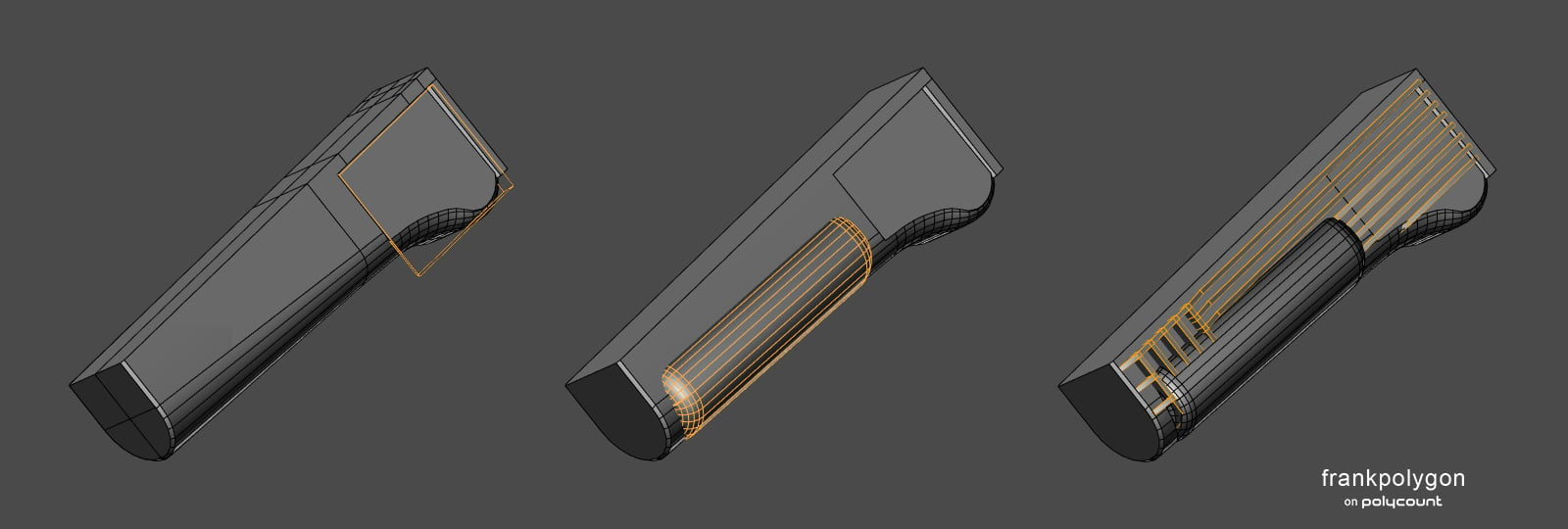
There's often significant overlap in the poly modeling fundamentals used to develop block outs for both re-meshing and subdivision workflows. Three fundamental concepts that make subdivision modeling more approachable are: use a reasonable amount of geometry in the shapes, adjust the number of segments in the intersecting shapes so they roughly match each other and use the existing geometry as support for shape transitions.

Most hard surface game art props aren't required to deform. Which opens up a lot of possibilities for using simplified topology on high poly surfaces that are flat or otherwise well supported. This makes it a lot easier to streamline the modeling process by reducing mesh complexity with workflow elements like booleans, modifiers and n-gons. Something that's still relevant in contemporary re-meshing workflows.

In this example: the basic shapes are mostly generated by boolean operations and all of the small support loops are generated by a simple bevel / chamfer modifier. Which means it's possible to adjust the width and profile of the edge highlights by changing the values in the modifier controls. These modifier based support loops are also used to replicate the parting lines. Where the splits in the mold, used to manufacture the real part, generate visible interruptions in the shape transitions.
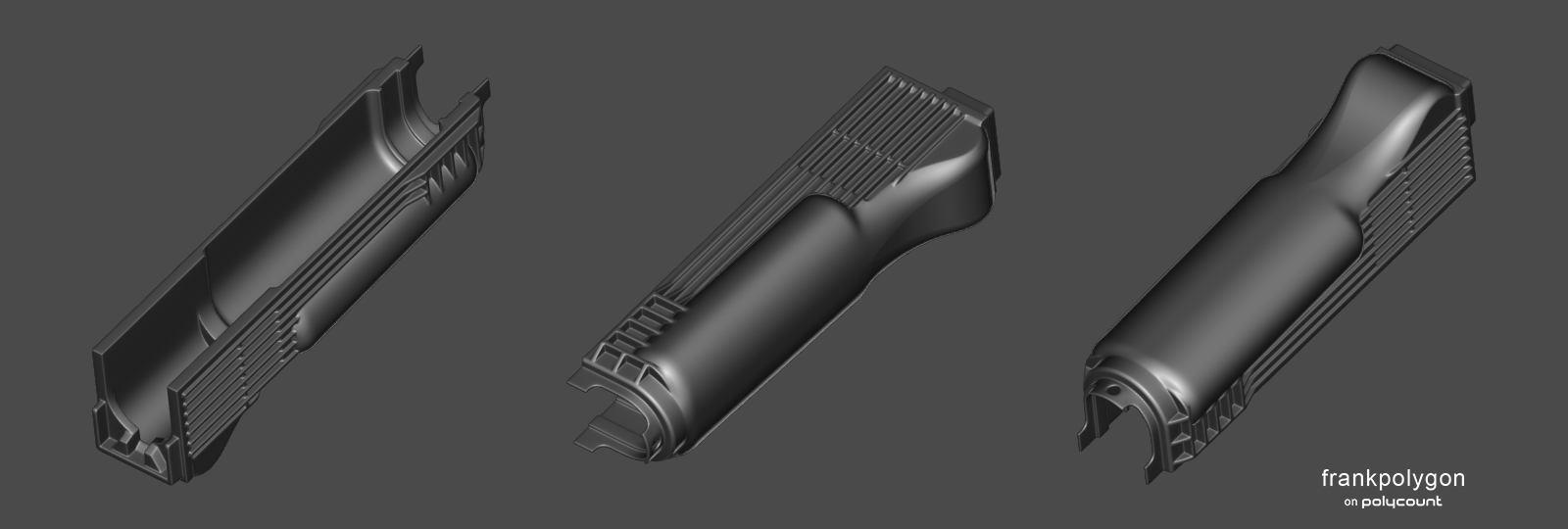
Recap: It's very easy to over focus on the technical aspects of different workflows but one of the core elements of hard surface modeling is being able to recognize and recreate the shapes that make up an object. Regardless of the modeling workflow, using an iterative block out strategy makes it easier to create accurate shape profiles and solve problems sequentially. Without becoming encumbered by minor surface details and managing complex technical elements, that often aren't relevant during the early part of the modeling process.
FrankPolygon
Re: Sketchbook: MrN
Thanks @killnpc!
Created a pipe wrench for a new update for rust and some mini tutorials surrounding it!

Enjoy!
 MrNinjutsu
Re: AI Art, Good or Bad? A (hopefully) nuanced take on the subject.
An important video showing the harassment directed at an artist once AI-babies got their hands on the xeroxing tech :
 pior
pior
 [WIP]
[WIP]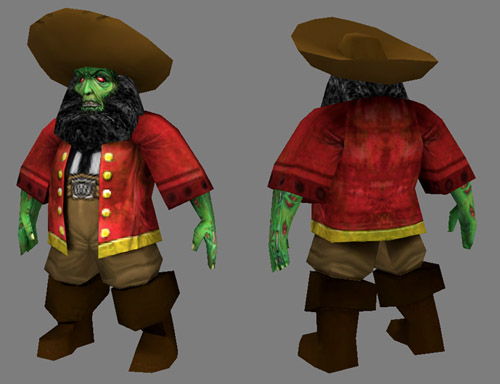

Re: What Are You Working On? (3D) 2023
Working on another stage in Kaido Dreamers, it will be Touge stage
 KaidoDreamers
Re: Show your hand painted stuff, pls!
Hi!
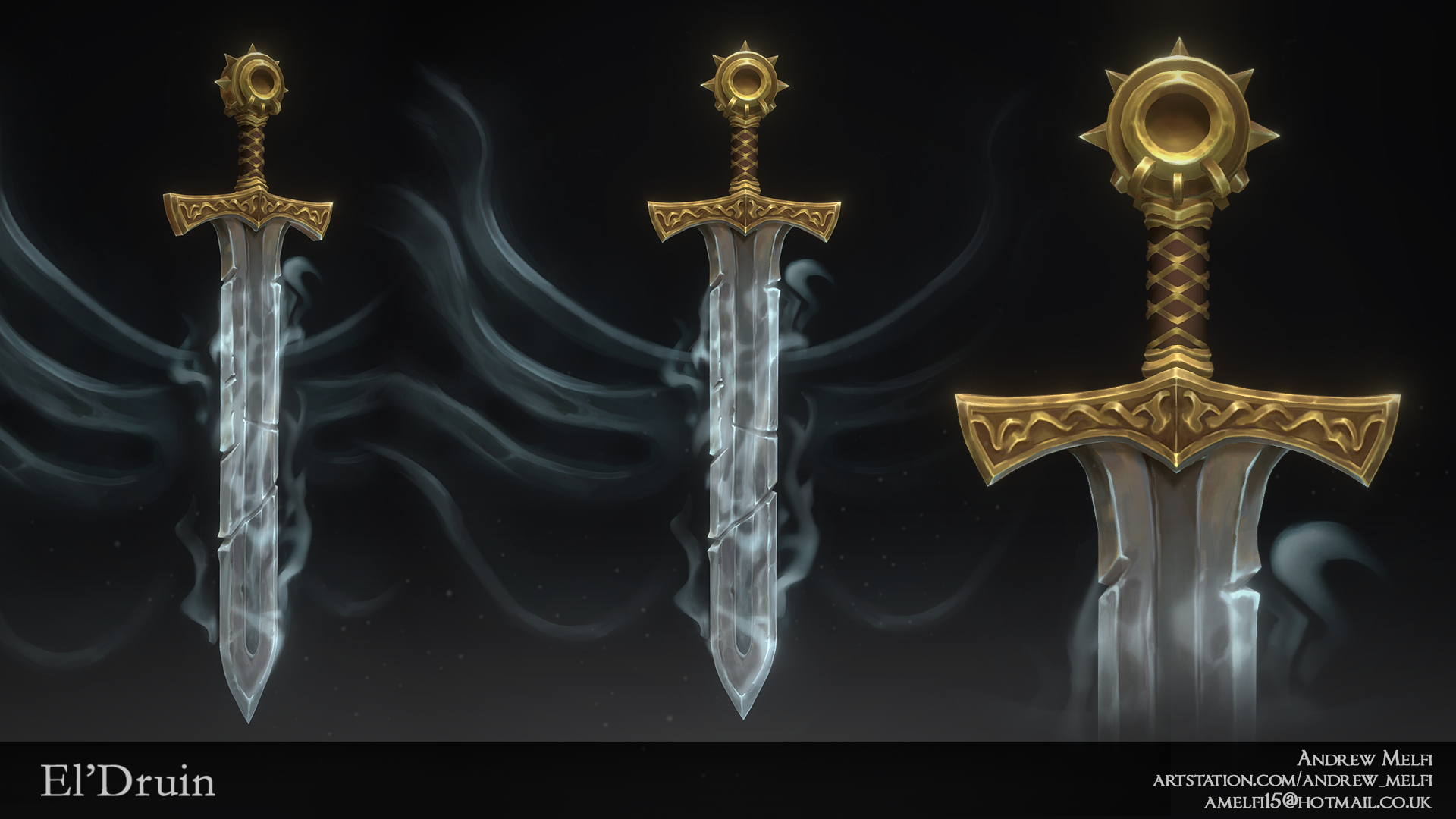
This is my most recent portfolio piece created from a concept by Scott Hennessey for Swordtember 2022.
Hope you like it :)
https://www.artstation.com/artwork/r9kD9J
 andrewmelfi
Halo Master Chief Model

Final Texture render T-pose Model

Maya Processing UV

UV Layout

Model front Finalized

Model back
 Mogyie
Re: What Are You Working On? (3D) 2023
Recently finished this model for a university exam, was quite challenging since I'm more used to doing stylized but it was also very fun 😄
 Silemar
Re: What Are You Working On? (3D) 2023

mkaing more progress, made my own car shader, which is a little more stylised. I have to research more to get good ref for the rear suspension arms. looks really complex
 Ruz
Ruz