It starts May 12, and ends Oct 17. Let's see what you got!
https://polycount.com/discussion/237047/the-brawl²-tournament
Best Of
Re: There is something wrong but I can't see it.
i'd assume the cage is doing weird stuff because you have thet ngon right there.
 Neox
Neox
Re: How The F*#% Do I Model This? - Reply for help with specific shapes - (Post attempt before asking)
@Deqa You have the right idea.
Drawing out the shape borders and topology flow over the reference images can be a great way to start the block out process but it may also be helpful to gather additional reference images with cleaner lighting. Single piece tubs and shower surrounds can be difficult to model because they tend to be designed with a lot of pattern draft and soft shapes that make it easier to pull the fiberglass shells from the molds and helps keep the water moving towards the drain.
Since there's few flat surfaces it's often helpful to use modeling operations that preserve the angle of the surface and keep everything co-planar. This will help prevent the cage mesh from becoming lumpy. Try to resolve the topology flow issues at the lowest possible level, before adding all the support loops, this will make the whole process a lot easier. Remember to let the subdivision smoothing do most of the work.
The amount of geometry required to do this will depend on how sharp the shapes need to be but there are diminishing returns. Subdividing too soon or over subdividing the mesh adds a lot of unnecessary complexity that can make it difficult to cleanly join certain types of compound curves. Start by blocking out the major forms then add the necessary geometry to support the smaller details. Keep things simple by focusing on creating accurate shapes first.
Below is an example of what the modeling process could look like. Create the basic shape of the tub then adjust the width of the flat surround. Add a chamfer around the rim and continue adding support loops to control the smoothing and provide support for the smaller shapes. Cut in the loops for the accent ribs and add the shelves then create transitional shapes that define the triangular hand holds. Support loops can be added around the highlighted edges using a bevel / chamfer operation. Edge dissolve operations can be used to clean up any overlapping loop geometry.

Recap:
- Plan the block out and establish the major forms.
- Try to keep the mesh simple and resolve the topology issues before adding details.
- Work through the block out in stages and use the geometry in the larger shapes to support the smaller shapes.
A more detailed write-up on how to approach these sort of soft hard surface shapes can be found here:
https://polycount.com/discussion/comment/2751340/#Comment_2751340
 FrankPolygon
Re: What Are You Working On? (3D) 2022
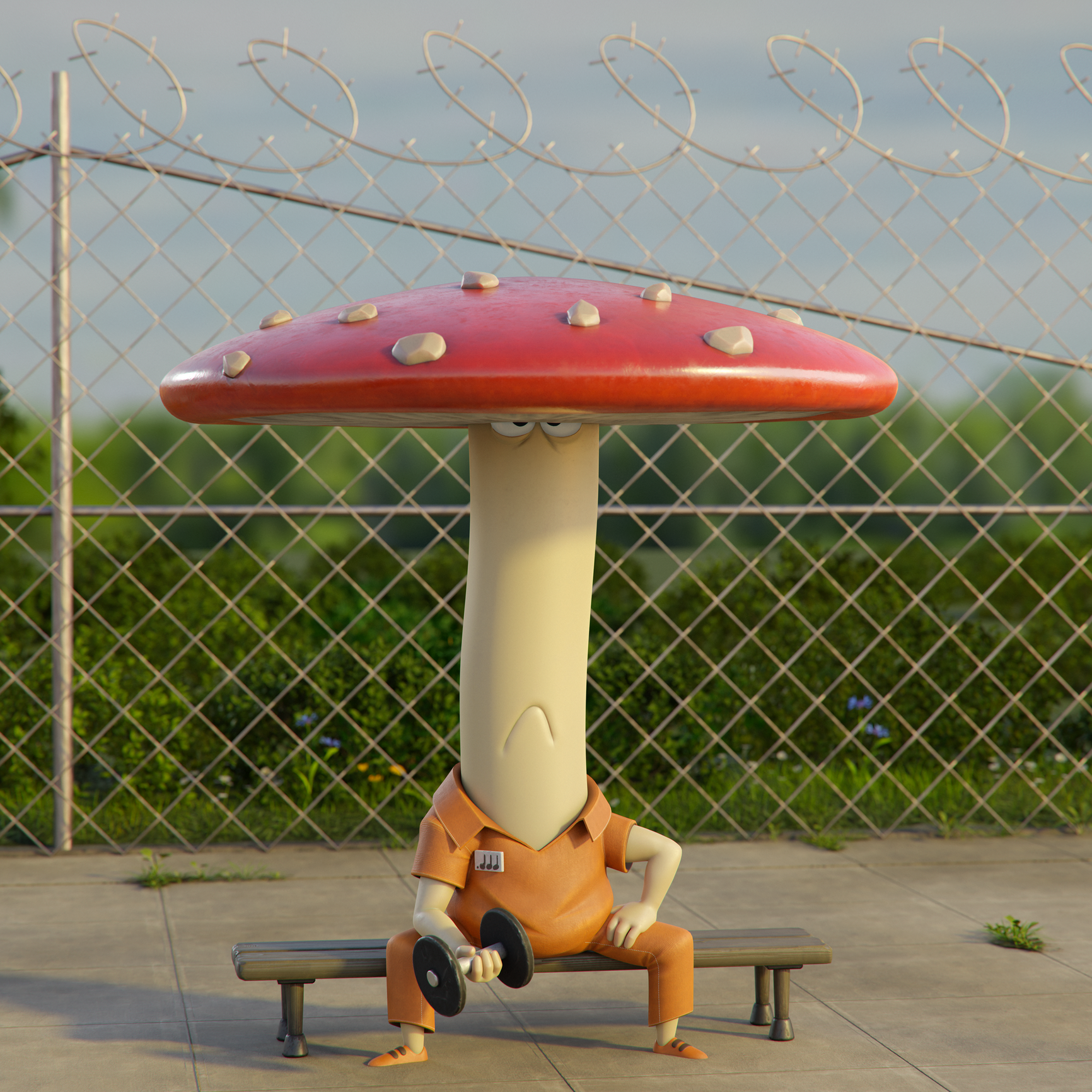
hello,
Today i'm sharing with you my latest project, "mush"
render in cycles.
https://www.instagram.com/lomepawol/
Concept by sleud
 lomepawol
Re: Sketchbook: Frank Polygon
@wirrexx Not a problem. There's definitely some things Blender handles differently. Good to hear the video was helpful in visualizing the process.
@Fabi_G Glad you liked it. Appreciate the support!
@sacboi Thanks! There's so many interesting workflows for hard surface modeling now but it does seem like there's a significant efficiency bonus that comes from being able to do a lot of the work in a single application. It's also nice to have a process that's structured around creating a base model with features and surfaces that can be adjusted quickly. This kind of flexibility makes it a lot easier to send the model out to the more specialized applications when it's required.
@RocketAlex Thank you. The Polycount community has a long running modeling thread that's definitely worth checking out.
FrankPolygon
Re: Star Wars - Redemption ( FanMade Project )
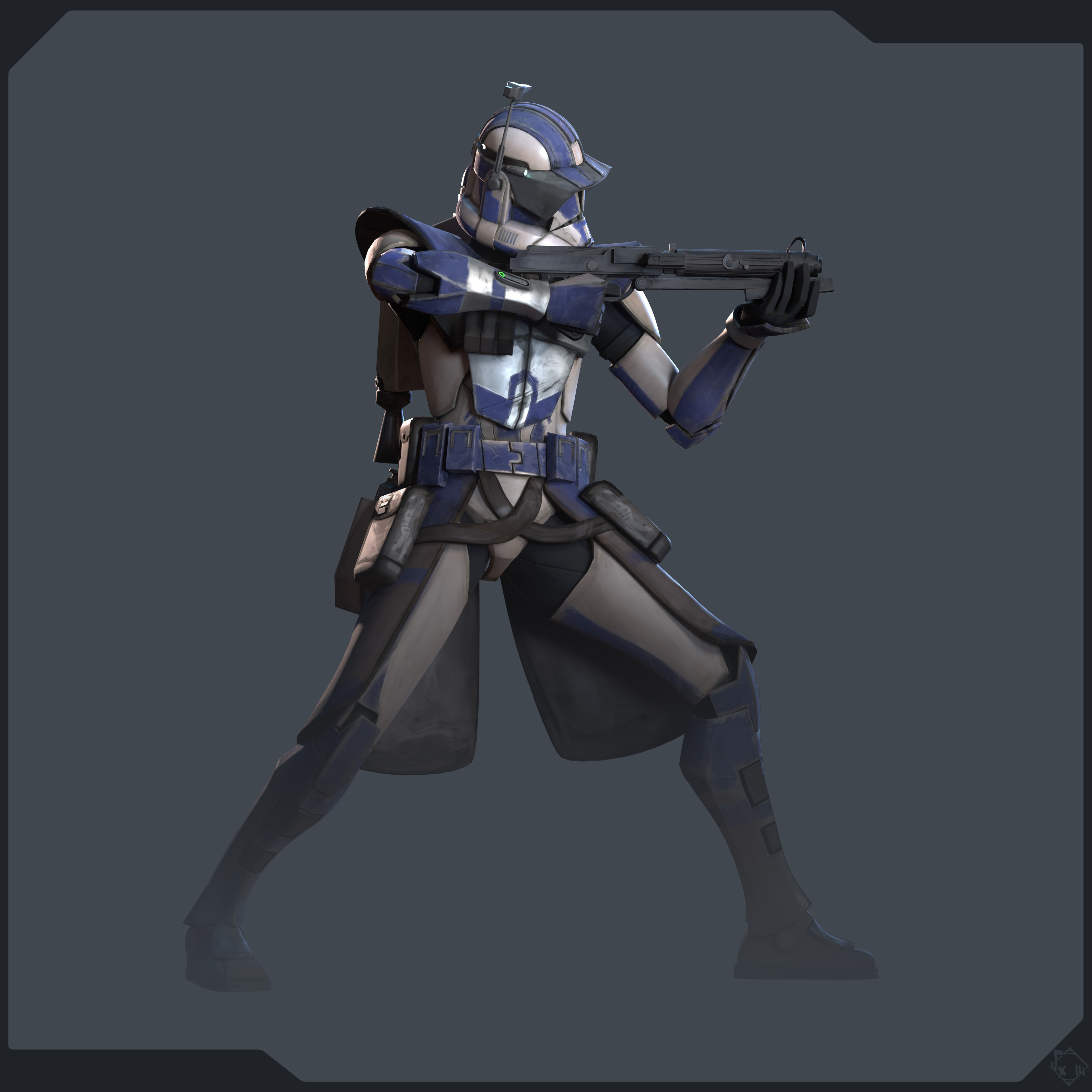
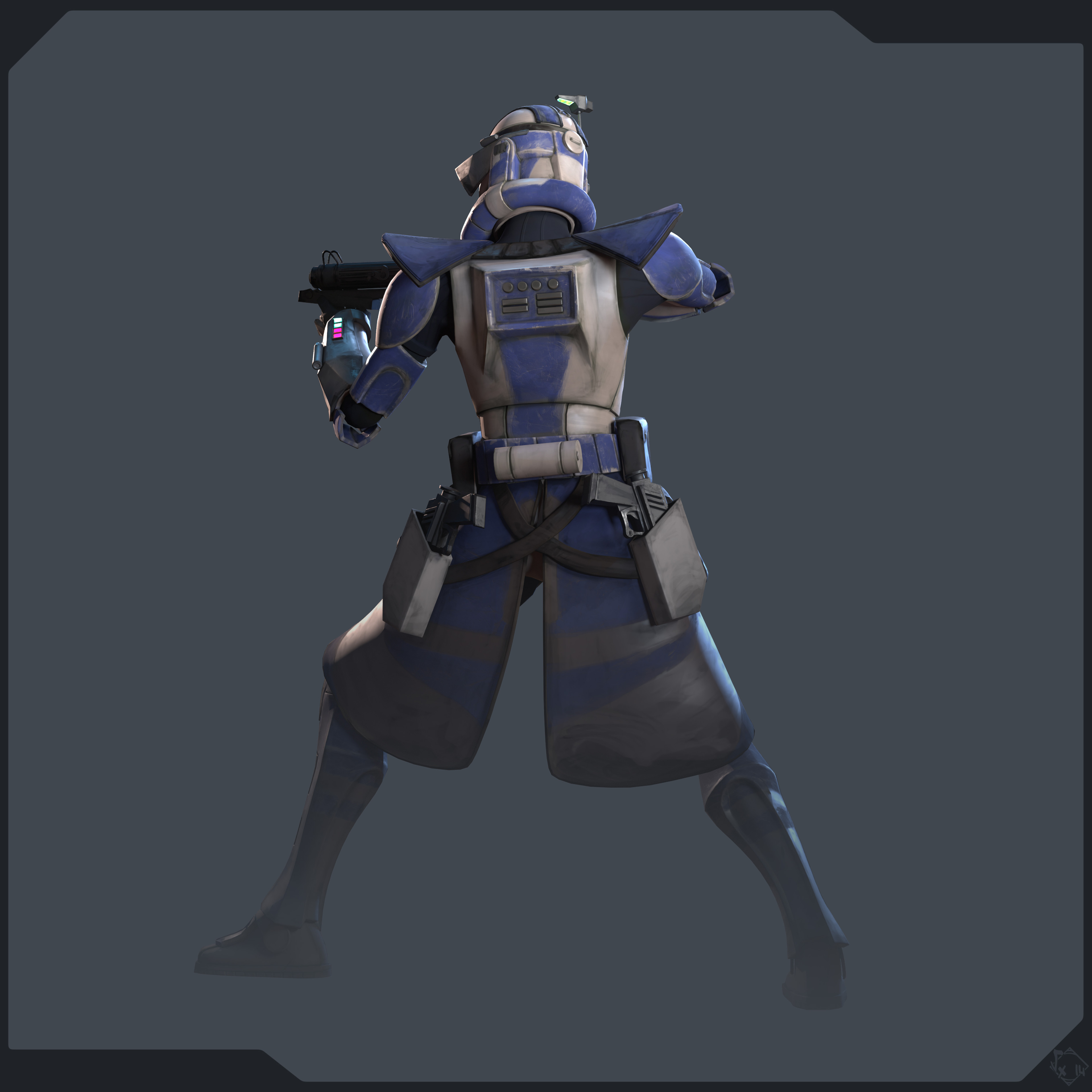
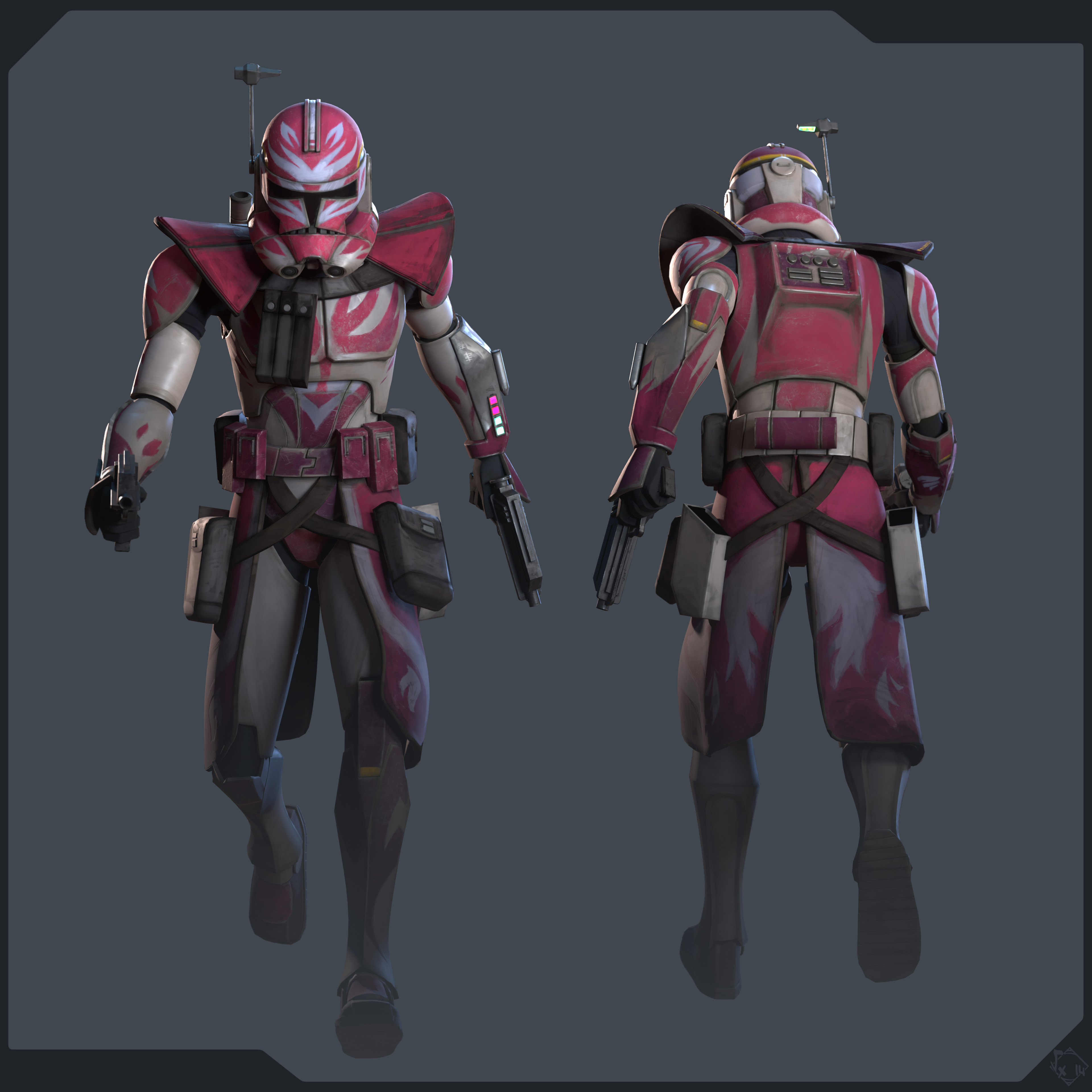
lil' update on the clopne troopers phase 2 : they now have theor commanders properley set up and ready for a solid Order 66 =D
High/Lowpoly, Uvs done with 3dsMax
Rig/Skin/Anim done with Akeytsu
All textures done with 3D-Coat (+Curvature bake), 4K UVset for clone armor & Arc trooper stuff, 2K for DC15S & DC15A, 1K for DC17 handblasters
Bake done with Marmoset Toolbag 4 (IDMap/NormalMap/AO)
lighting/renders done with Marmoset Toolbag 4
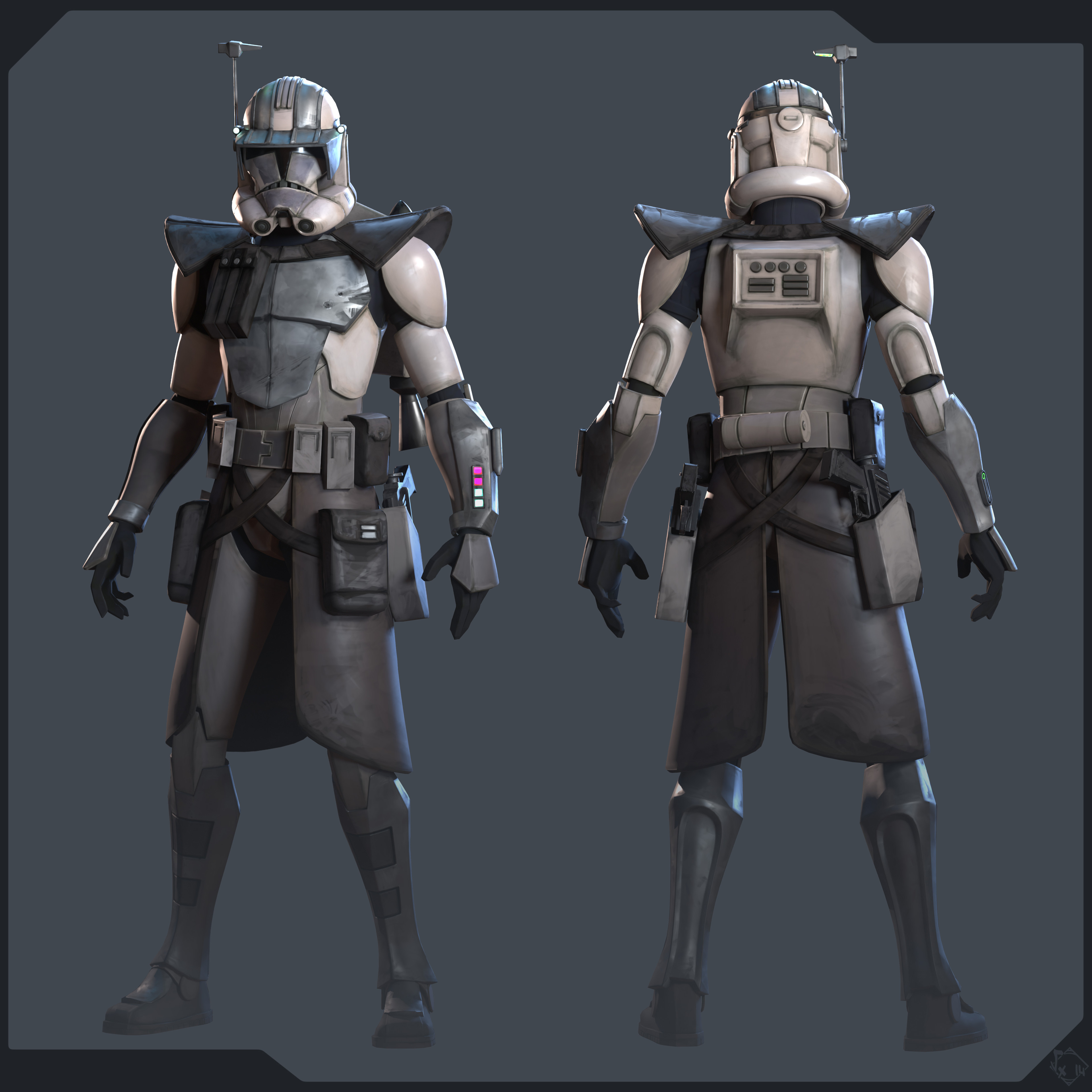
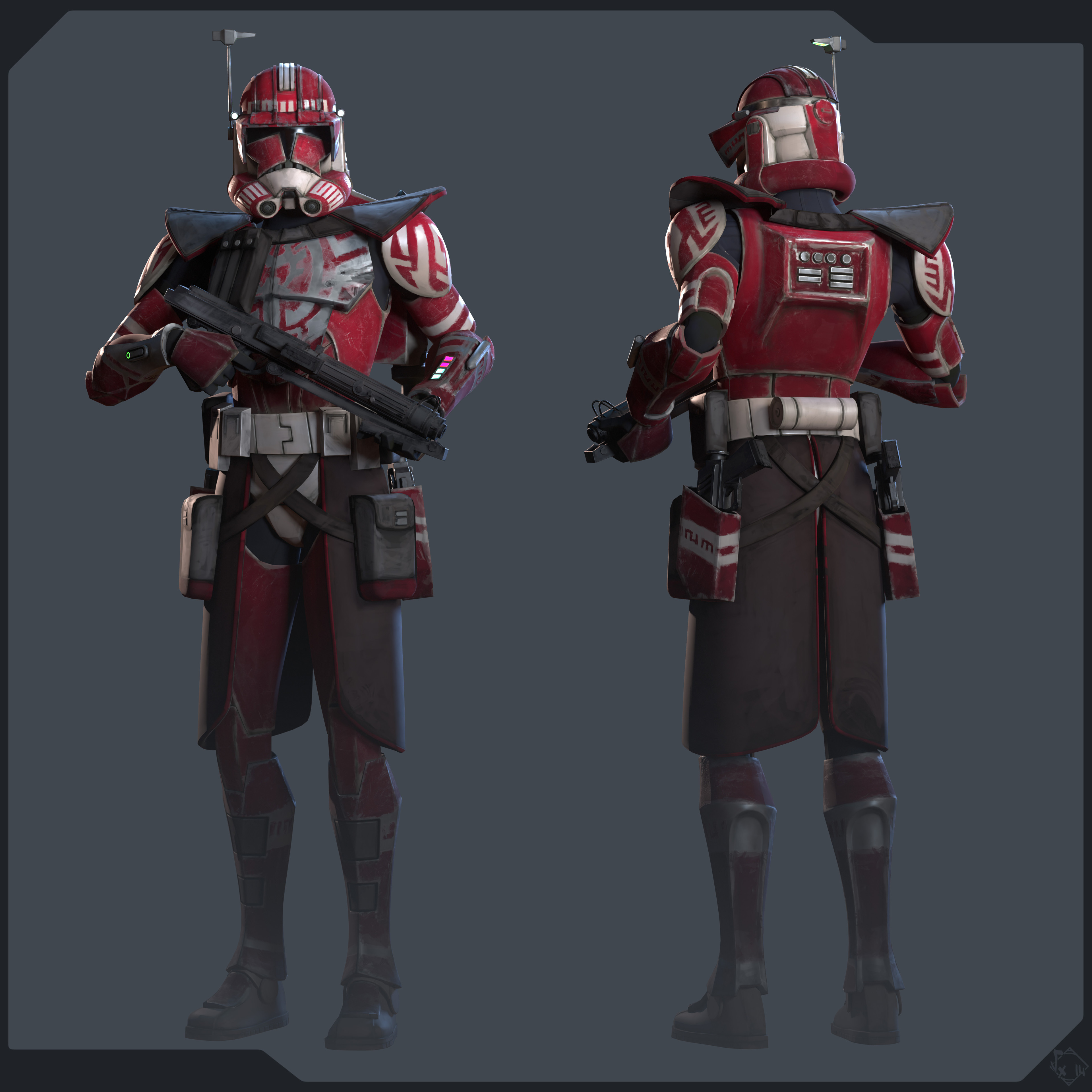
 Vexod14
Re: Portfolio Review
creating a second page is a really great idea Lukes3D.
unfortunately i wasn't able to look through all of your work due to my own personal constraints, but looking closer at your work, if this portfolio is being aligned toward being a freelance artist, i feel these are your three strongest pieces in that regard: 1, 2, 3.
generally speaking, i'd suggest removing anything using store bought assets and kits that are not your own, any cool collaboration stuff like that be sure to credit the source and delineate what is your work, separate your video editing work into its own portfolio. i'd suggest coalescing images from the same project into a single folder or combine them into a single page, i think it best in this setting to only show an asset once per page, asset turnarounds with additional images if really necessary, i'm guilty of this but, i personally don't want to see more than four angles of any given asset and think someone's being classy by only showing two angles, if not getting away with just one. another personal preference, because video thumbnails appear heavily compressed at first and also have an additional time commitment associated with it, i want a sample of what it is before i click it, i'd display a still render first, place the video or 3d model viewer or whatever, below it.
so you have a good amount to select from, what's important to keep in mind is what you showcase in a hiring portfolio essentially puts you on a course of making that type of thing moving forward, so whatever you're showcasing make sure that's the direction you want to be moving, it's not always easy to change course due to the amount of work behind it all.
overall, i'd think you can work towards improving your lighting and rendering, i think presenting work using more modern techniques such as sub-d modeling, texture baking, pbr texturing techniques would be of great benefit for game work specifically.
 killnpc
Re: Portfolio Review
One suggestion that might improve your portfolio is to use albums to batch together stuff, like animation, programming, high poly modeling, real time rendering, etc.
Another suggestion although its been already posted a few times already, is to trim down low quality stuff, like really old stuff that doesnt show your current skill level, that sort of thing. Since you mentioned that you dont really get what is "quality", i suggest looking at portfolios of people working in the industry (movies, games, motion grapghics, etc) and then you will get a sense of where the bar is.
And saying that YOU think your work is pretty good (despite what everyone else here have said) only shows a lack of self awareness and an adversion towards feedback. Not a good trait to be displaying...
 teodar23
Re: Is it awkward to watch a tutorial at work?
if you fly under the radar by getting your work done right and on time nobody is going to pay much attention to what you are doing.
if you cause problems then people question every little thing you do.
 Alex_J


Re: What Are You Working On? (3D) 2022
https://www.artstation.com/artwork/Je84gn

This is my old work that I completed during the war in my country to the sound of a siren.
I wish that wars and death were only in computer games, and not in real life.
Peace for everyone!
Crit3t