Best Of
Re: modeling TV
normal maps can capture changes in surface direction but they cannot affect sillhouette.
if the feature you want to represent doesn't meaningfully affect the silhouette of the object from any useful view angle there's no visual benefit to using geometry to represent it - therefore you're wasting time and resources by modelling it.
additional geometry adds cost, additonal information in your existing normal map does not
if the feature you want to represent doesn't meaningfully affect the silhouette of the object from any useful view angle there's no visual benefit to using geometry to represent it - therefore you're wasting time and resources by modelling it.
additional geometry adds cost, additonal information in your existing normal map does not
 poopipe
2 ·
Re: modeling TV
Example image here of the trim sheets used for that scene: http://wiki.polycount.com/wiki/MultiTexture#Trim_Sheets
 Eric Chadwick
1 ·
Re: High-fidelity pixelated futuristic character models for a GoldSrc game in development
"Texture first, model second" is an extremely powerful workflow and it looks like a perfect fit for this unfiltered style. I've been playing Boltgun and Slave Zero X lately, both using this Saturn-like look to great effect and I am loving the crisp visual clarity that comes from it.
These models look great. Looking forward to seeing more of this !
These models look great. Looking forward to seeing more of this !
 pior
pior
1 ·
Where can I learn how topology should look when smoothened ?
Does anyone have any resources on how edge loops should look when smoothened? I always see these kind of weird edge loops when doing SubD modeling, but I'm not sure if it's supposed to look like that, so where can I learn what topology is normal when doing SubD?
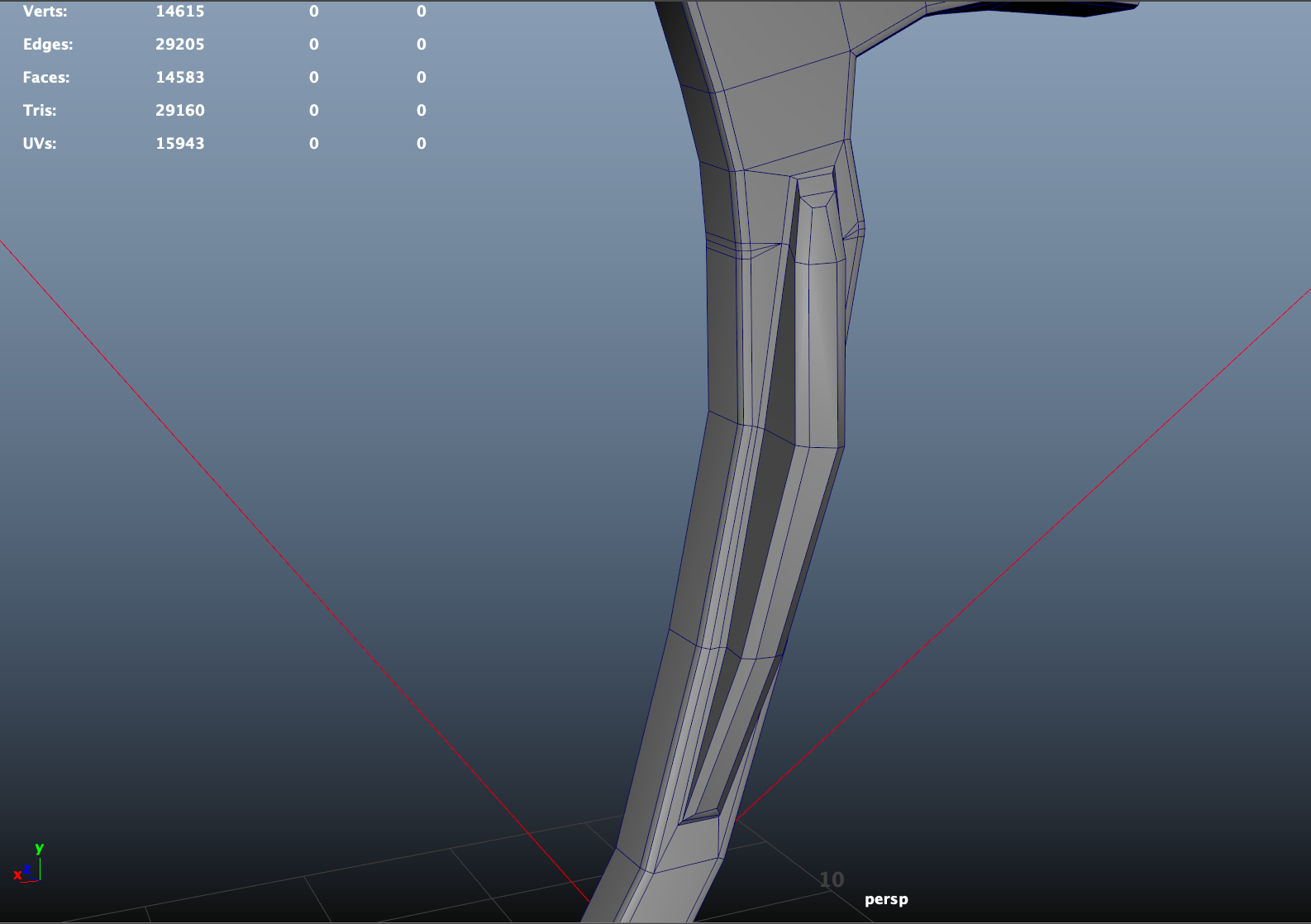
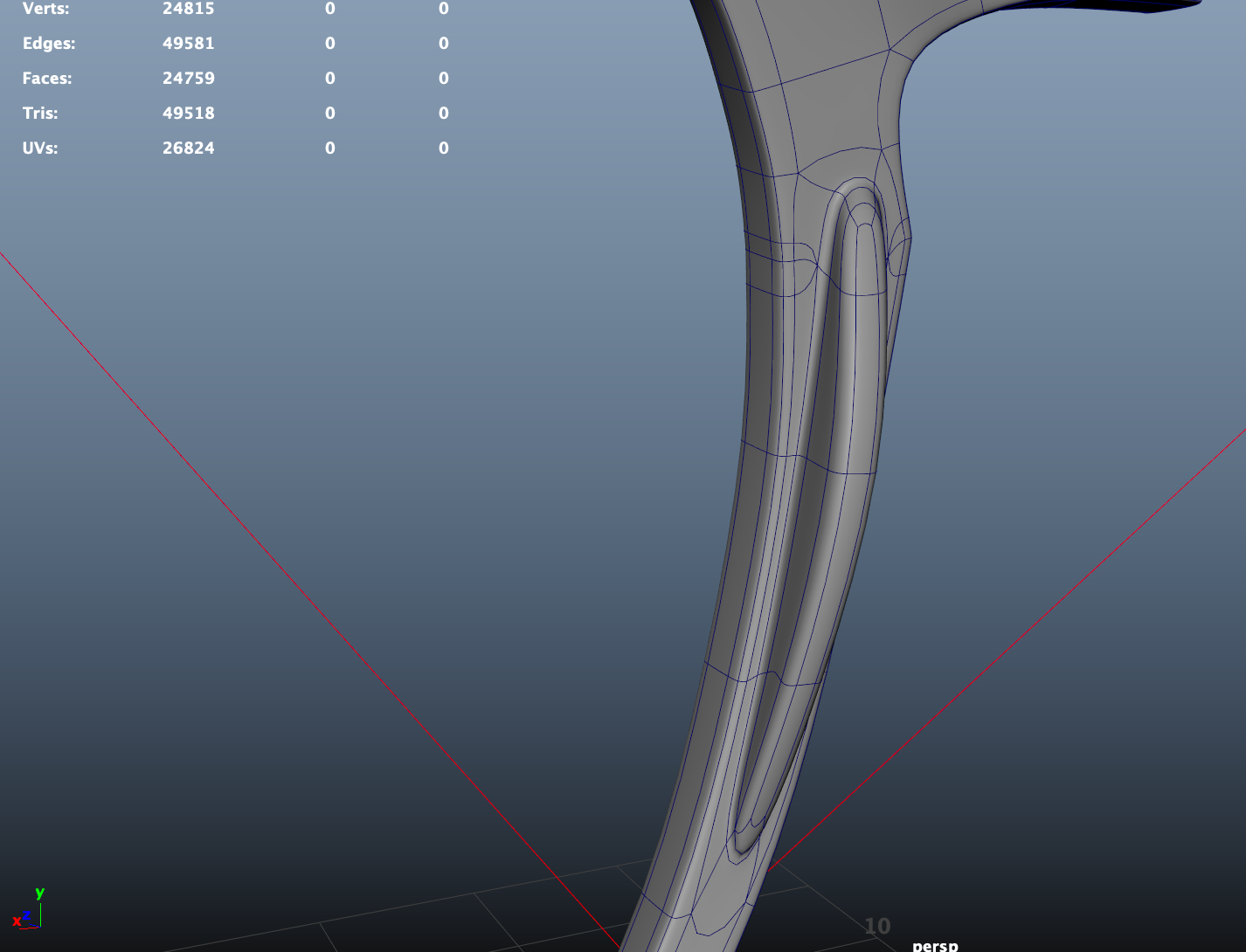
edit:
Here is another image of the model from the front, they're glasses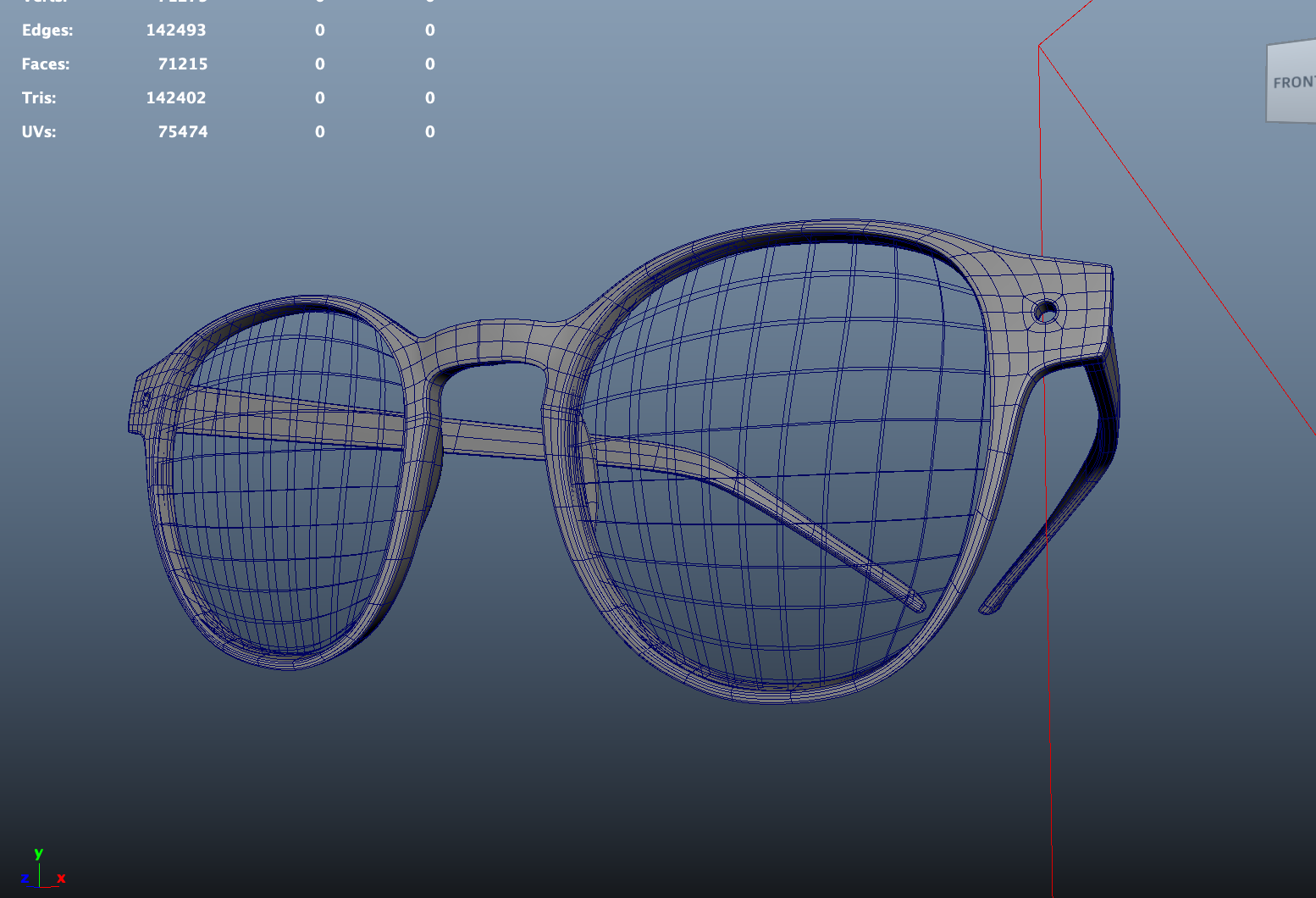
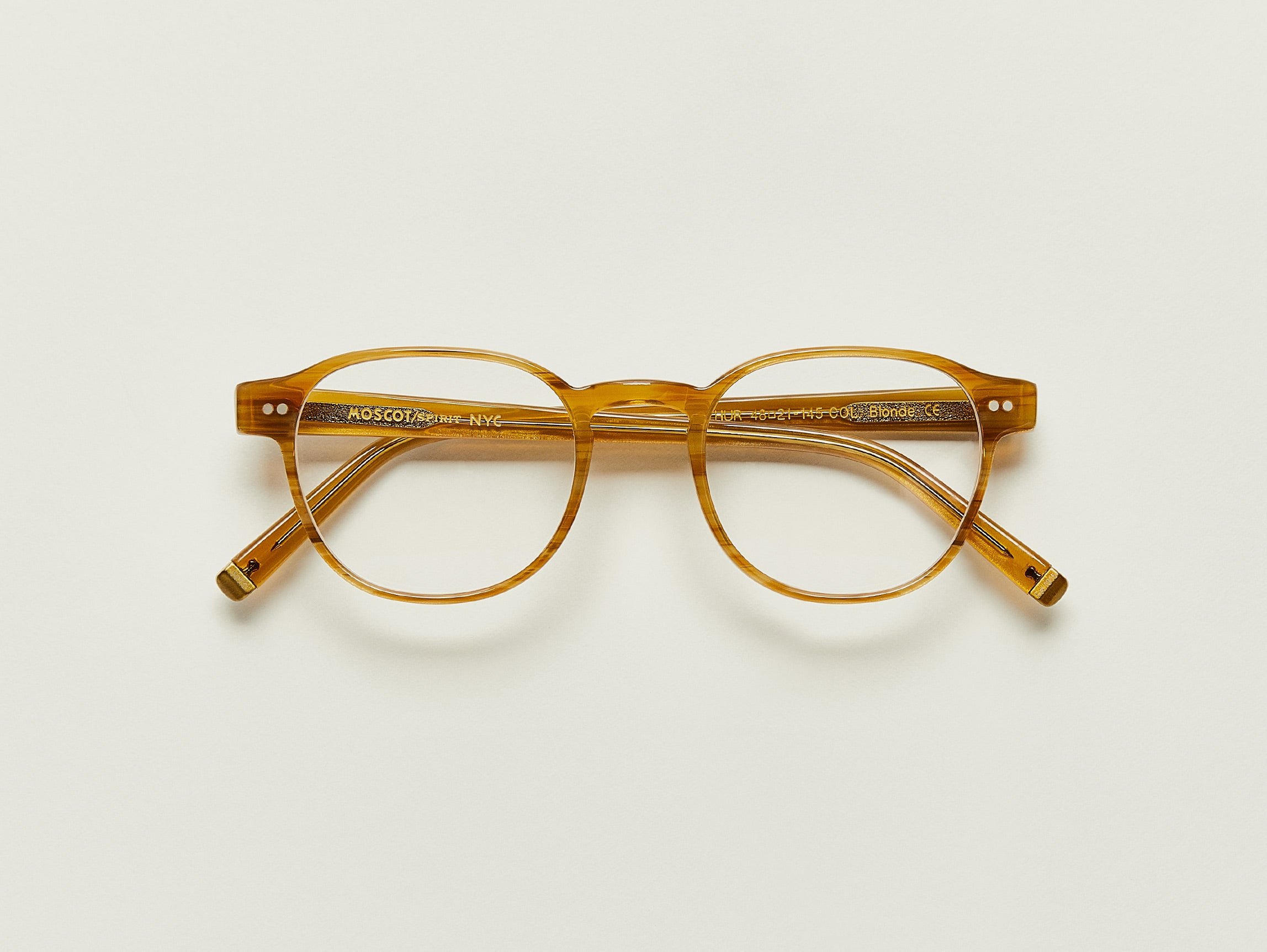
And here is my reference
edit:
Here is another image of the model from the front, they're glasses
And here is my reference
Spacewizard44
1 ·
Re: Where can I learn how topology should look when smoothened ?
Hi! The How The F*#% Do I Model This? is a great collection of different situations and place one can to turn to when stuck. Also share the reference, so people know what the goal is.
The wiki might contain some useful for information and links relating to this and other topics.
Frank Polygons sketchbook contains some great examples and step by steps.
There are probably more threads you can dig up using the search function.
The wiki might contain some useful for information and links relating to this and other topics.
Frank Polygons sketchbook contains some great examples and step by steps.
There are probably more threads you can dig up using the search function.
 Fabi_G
2 ·
Re: Where can I learn how topology should look when smoothened ?
You can learn about the algorithm by googling for catmull-rom smoothing and/or bicubic interpolation
What's most important to understand is that the position of a vertex changes after smoothing based on the relative position of it's first and second neighbours.
If you want tips on how best to structure your input mesh, there is a really good sticky thread in technical talk and basically any post by frankpolygon
poopipe
1 ·
Re: Where can I learn how topology should look when smoothened ?
https://polycount.com/discussion/56014/how-the-f-do-i-model-this-reply-for-help-with-specific-shapes-post-attempt-before-asking/p190
190 pages of this topic.
I recommend looking for things by @FrankPolygon
190 pages of this topic.
I recommend looking for things by @FrankPolygon
 Neox
Neox
1 ·
Re: modeling TV
Hi! Are you creating a game asset? What's your reason for modeling all the vents? You can take notes from existing models, how they solve such details (sketchfab, polyhaven).
For a game asset, I wouldn't model such details since they go inwards, not contributing much to the silhouette. I would add the detail in texture instead. Here you could either use floaters when baking, or you stamp the detail on during texturing (don't have to account for skewing when baking with averaged vertex normals when doing it that way). Yet another approach would be to create a texture atlas and map the lowpolys UVs to it.
For a game asset, I wouldn't model such details since they go inwards, not contributing much to the silhouette. I would add the detail in texture instead. Here you could either use floaters when baking, or you stamp the detail on during texturing (don't have to account for skewing when baking with averaged vertex normals when doing it that way). Yet another approach would be to create a texture atlas and map the lowpolys UVs to it.
Fabi_G
1 ·
Re: The low poly is baked into the texture
I think unless you have the the same mesh shape/resolution, you will always have this facetted pattern, it will just get smaller/ less noticeable as the lowpolys shape nears the one of the highpoly.
When I bake heightmaps, it's mostly baking down tiling highpoly geometry to a plane, can't say much about object-specific heightmaps.
Edit: Made a thinking mistake, the shape difference that's the deciding factor here, not resolution. But obviously with lower resolution, it's inevitable that the lowpolys shape differs from the highpoly.
When I bake heightmaps, it's mostly baking down tiling highpoly geometry to a plane, can't say much about object-specific heightmaps.
Edit: Made a thinking mistake, the shape difference that's the deciding factor here, not resolution. But obviously with lower resolution, it's inevitable that the lowpolys shape differs from the highpoly.
Fabi_G
1 ·
Re: 80s retro bedroom project
I know art station is nice and all, but it irks me to make people click off site to look at your project.
 Muzzoid
2 ·