Search
-
[Project] RIB Boat Grand 850 — Hard Surface / Vehicle Art

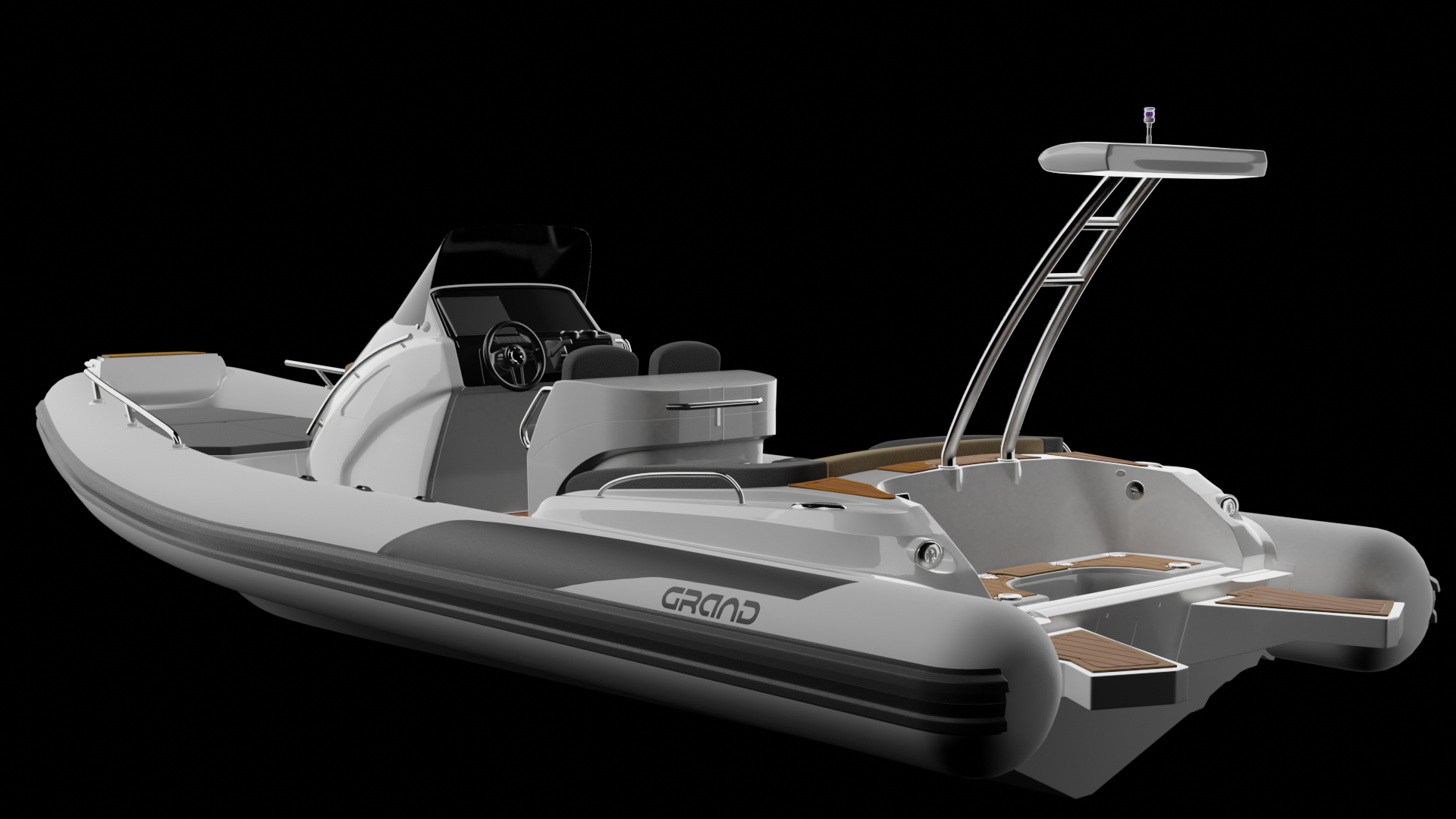 Hello everyone, I’d like to share my first independent project: a detailed 3D model of the Grand 850 rigid-inflatable boat (RIB). Since I am still a beginner in 3D modeling, this was a massive learning experience for me. My primary objective for this project was to achieve accurate hard-surface geometry representation,…
 -
(3ds max) some maps appears "inverted" but appear normal in render
when I apply more than one map to the material sometimes a map shows inverted,like the normal map,in the view but they show normal when I made a render is there is something I havent payed attention? or is this normal since they show fine in the render? but the thing is that this model is supposed to be made for videogame… -
Rendering sprites sheets in max?
 Basicly i want to render something like this: I have a animated 3d model and that animation frames should be rendered in a row and the whole sheet needs to have alpha. Im too lazy to put them by hand in a row in PS, its also quite a lot of frames and animations. Is there something build in in max that does that or is there…
 -
Blender - Texture Artifacts In Render
 Hi! I've been having an issue while trying to render a textured model. I get strange looking artifacts on parts of the model during the render, i've attached an image. I'm a little lost and can't seem to find any answers on google, if anyone can shed some light on this I would greatly appreciate it, thanks!
 -
Re: rigging, skinning and rendering?
 Adding lights to the scene, setting up cameras, tweaking the render settings (Scanline, MentalRay, VRay, RenderMan ect...) and "rendering" out 2D images. It normally isn't done in games, the rendering in games happens in the engine in "realtime".
 -
Zdepth pass rendering very low contrast (Maya)
 Hello, I am doing a tutorial for exporting passes from Maya to be used as game textures and I am having problems with the "camera depth" pass and "camera depth remapped" pass also. The problem is that when I check my zdepth image in Fcheck after the batch render it appears to be incredibly faded to the point that I…
 -
🚀 Looking for a CGI Artist for a Music Video Project (Portfolio/Collaboration)
Hey everyone! I’m a music artist gearing up to launch a new CGI-driven project, and I’m looking for a passionate, knowledgeable CGI Artist to join forces and co-create an animated music video. If you are looking to build a massive, standout piece for your portfolio and want to work on something highly stylized and unique,… -
Cant render the SSS Pass in Zbrush, why?
Yes, why i can't render the sss pass in Zbrush under the Render Passes? -
how to render isolines in max
Anyone know a good way of rendering the isoline type display that is an option under meshsmooth in Max 8? I want some nice renders of meshsmoothed objects with the isoline display overlayed. Only way I can see of getting the isolines out of Max is to screengrabs which isn't really suitable for what I need it for. cheers…
>37760 results