Search
-
Weighted Vertex Normal Weard Shading Problem
 Picture of the problem : https://gyazo.com/eb9ef8268eb740fcd467616e4b943f6f 3dsmax Picture : https://gyazo.com/7684ac711e77460b02d3736eaa470e12 I thing the problem is within my verticies how they are a lined. If you know how to put them correct way can someone please send picture how to aline the verticies correct way so…
 -
Maya how to change the standard vertex boundary?
 Hey when I use smooth mesh preview I would like to have it set at sharp edges. But you have to click it for each object is there a way to set the preference to sharp edges instead of sharp edges and corners? I tried to find it but I can't find it anywhere but I'm sure it's possible right?
 -
Re: [Technical Talk] - FAQ: Game art optimisation (do polygon counts really matter?)
 Ok maybe a bit OT, but what about animation costs (e.g. transformation costs). More vertixes would certainly mean higher transformation costs or is that mostly limited by the number of bones (and level of weights) anyways? And what about vertex animations (.md3) and those new Dx10 geometry shaders? Of course given the fact…
 -
Vertex animation in UDK - nonskeletalanimation
 Hi ! i tried searching but i dunno if thers something wrong today but i keep getting the no found topics answer.. so idk if its been answered before. My question is, does UDK support Keyframed animation, say deforming a mesh in maya keyframed, pulling vertices until u get the desired look. or animate a characters vertices…
 -
3ds Max 2014 Vertex Issue
 Hey Guys, Hope you can help me out with this one. Currently trying to convert a Hi-Poly prop down to a Low one for baking. Although, for some odd reason I'm running into an issue with an element. Problem Outlined Here: What I want to do is take the floating elements vertices and weld it to the main part. But I'm not even…
 -
Marvelous Designer: Device does not support vertex buffering
 Hi Got the warning shown in the title. Googled the crap out of the problem but am non the wiser really. Anyone have issues with this? I just got a new rig and the onboard graphics card is an Intel HD Graphics 4600. I have no experience with these as I have always used NVIDIA.
 -
ANSWERED: 3DO vertex normals don't match Maya

 I am working on this tree and I can't seem to get the hardened UV seams to render right in 3D0. I have the borders hardened and they render correctly with the normal map applied in Maya but are outta wack in 3D0... Would appreciate any help.
 -
Re: shadergraph : vertex paint heightmap blend
 First guess is your shader is using 8-bit values for each vertex colour channel and then that 8-bit value is being used in the shader creating only 256 levels of height. If it's something like that, you would need to convert your 8-bit to 16-bit and do some kind of smoothing/lerp/whatever between values.
 -
Re: LOW-POLY ART

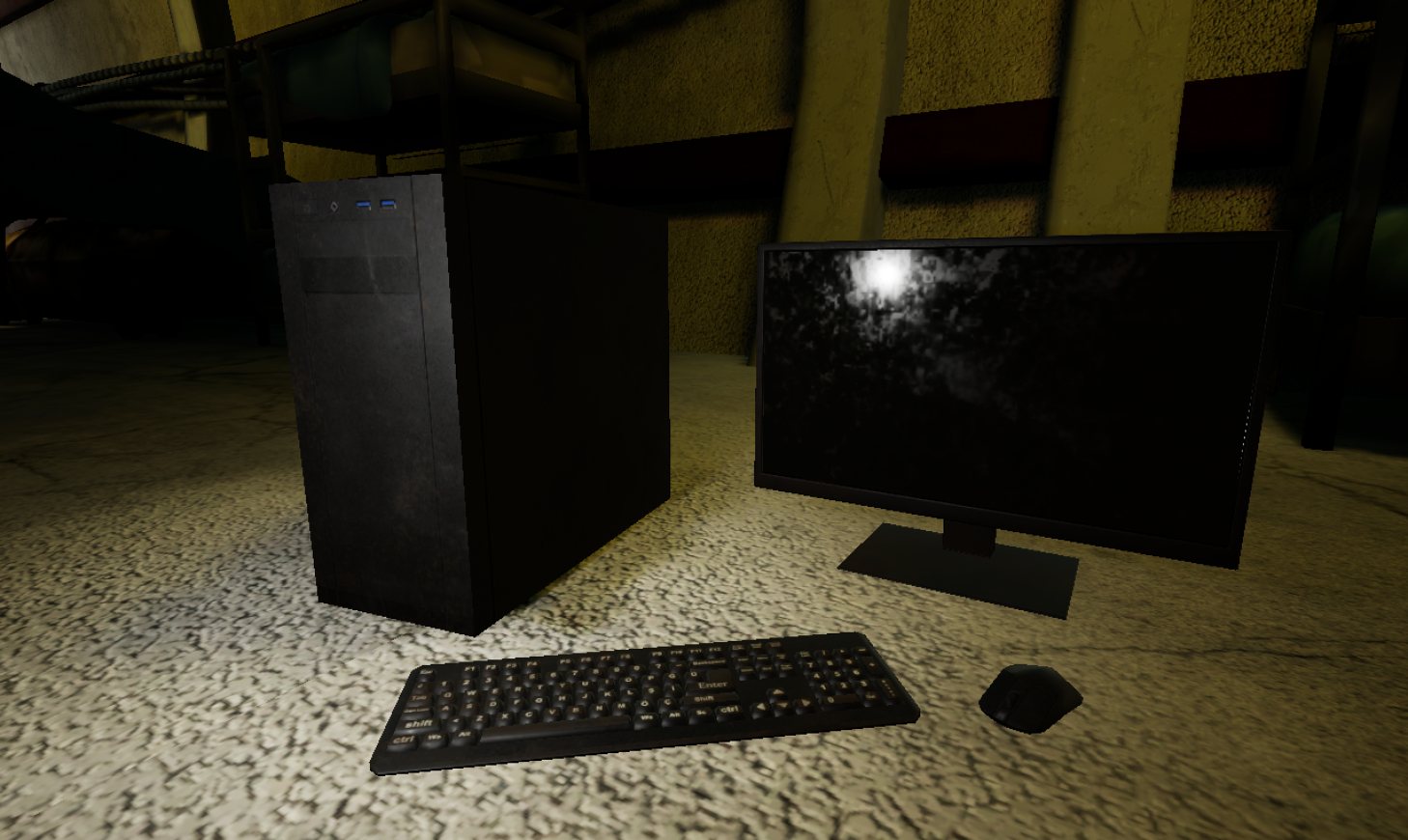 I modeled those assets for a mobile game project there is no normal map just roughness metallic and base color. keyboard 844 vertex maybe I should delete buttons mouse 155 vertex screen 144 vertex Case 8 Vertex
 -
(UE4) Vertex Paint Water Puddle Master Material
This is a complex master material I am working on in my free time. I recently put in a vert paint puddle system. You can make the blue vert paint channel act as liquid with a toggle. Looking to add a few more functions... but here it is! hope you like! https://www.youtube.com/watch?v=e2ibwXHZL6g&feature=youtu.be
>9915 results