Search
-
Re: Collateral Damage Studios - Professional 2D anime illustration studio

 Even more key visuals that we've done for videogames! We are always looking out for more work for our artists. If you need anything 2D done (concept art, key visuals, animation or even merch), just get in touch with us at ohayo@collateralds.com Character artworks for Hiragana: Forbidden Speech Key visual for Kitty Cat…
 -
If I want to retopo armor or hardsurface pieces, should I use quad draw?
 So I have been working on a few armor pieces in Zbrush, I want to retopo it in Maya. However, I'm not too sure how to go about this, is quad draw a good solution? I want to make the armor fairly inorganic looking. Any tips here would be great!
 -
Stylized 3D mage
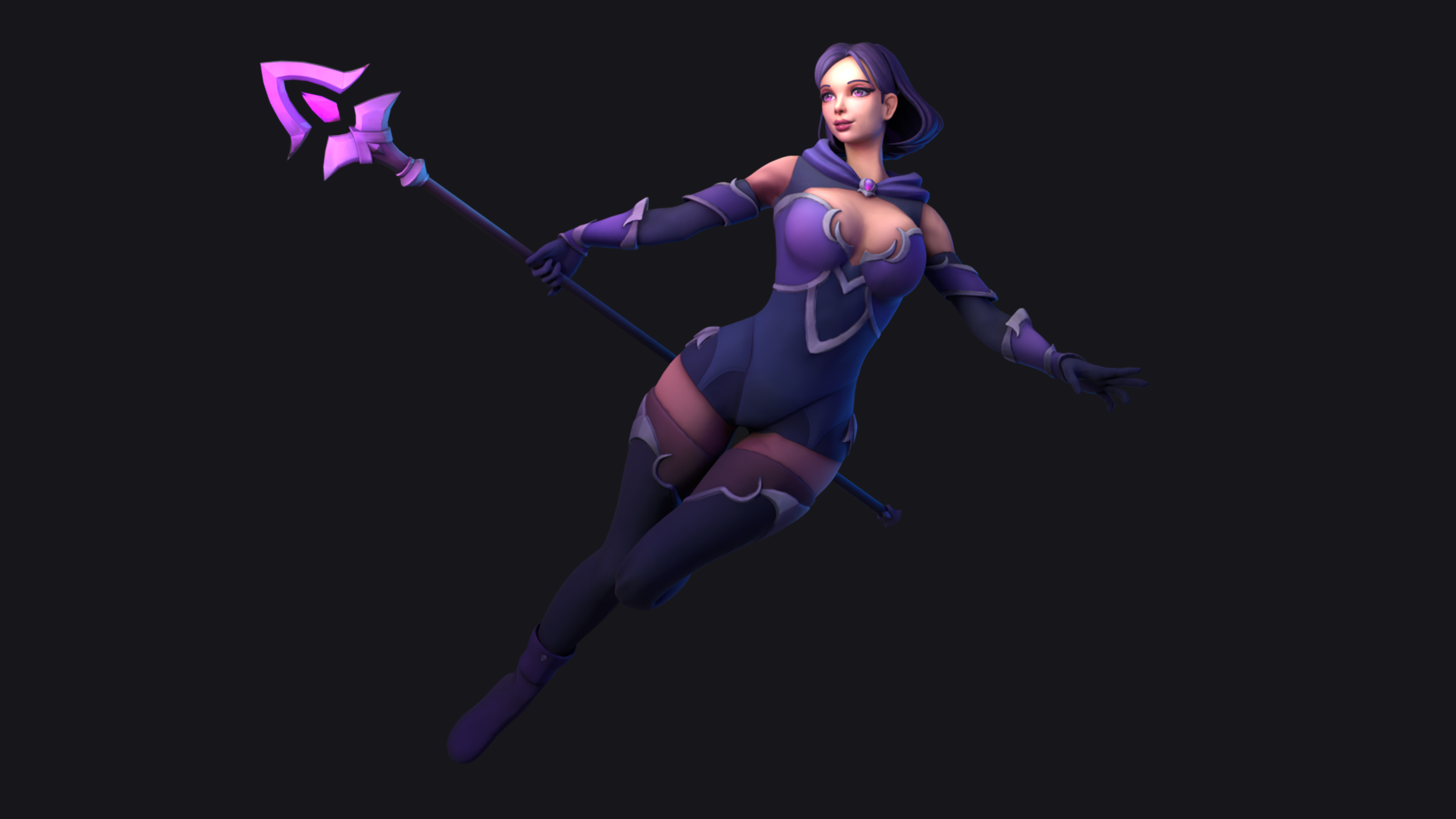 Hi! Here is the last model, a full stylized character mage.Take a look in Artstation and if you can give me a like i'll be grateful. Thanks!https://www.artstation.com/artwork/y4dYVx
 -
I think I broke Max's keyboard shortcuts
 The past couple of day's whenever I've started up Max2008, I've found my keyboard and Quads setups reset to the default settings. I'd saved out a file with my settings for both before the problems occurred, but after a little while the keyboard settings will revert to default, and reimporting my settings doesn't fix it.…
 -
Good VFX / Particle System tutorials?
Hello! I'm currently looking for VFX tutorials similar to this: https://liamandrews1.artstation.com/projects/8BXOZQ I really loved how the author showcased step by step, enabling/disabling elements of the composition, as well as showing the entire composition blending togeher. It was possible to see all parameters and… -
How do i get my Landscape look so good what am i doing wrong?
 Hi, Im trying to create a nice Landscape but idk why my Landscape doesnt look that great...I want to create it as realistic as this: This Guy "just" created a Landscape Blending Material with 2 Quixel Materials.. Well i took the Brushify Template from the Asset Store and replaced the Materials with Quixel Materials.. Here…
 -
ADVICE: I made some awesome textures, now how do I show them off?
 This may seem basic to many of you, but I am looking for suggestions, tips, anything really to get started showing off some of the textures I've been creating using Substance. I continually see people showcasing the sphere + smooth cube, and I have a hard time believing that it's just a screen grab out of Substance…
 -
Can I edit a model with a rig? And can I add face Blendshapes to it too?
 I have a rig made for my models body, but I want to use Blend shapes for the face, I also want to add a few more detailed parts to the model ( outer eye level and a few bits that did'nt stick right) Can anyone send me in the right direction here?
 -
I have created a simple character, but it looks bland and empty, how can i improove it.
 I have made a simple character in blender (and painted some details over it) with intent of blocking it out so I can 3D model it later. But it just looks a bit boring tbf, any tips on how to improove it. I havent modelled small details like belt buckles and wires, but the larger stuff is already put down. What else could I…
 -
How do I make an animated image with a transparent background using what I have?
 I have a bunch of texture image files (normals and metallic maps from substance painter), an animated model, the bare model, and am completely lost on how I could make a gif or something with this that has an animated background. I was thinking about throwing all the textures onto a model in unreal and somehow recording…
>164743 results