Search
-
FAQ: Concept Art Shader Pack for Unreal Engine
 My outlines are looking weird, flickering or appearing in places where they shouldn't be. There are two options to fix this: Option 1 Set the Antialiasing Method to MSAA or FXAA. This is a quick fix, but will result in aliasing / jagged lines. To then counter the aliasing, you can take screenshots at higher resolutions.…
 -
Re: WIP Stylised Fantasy Character

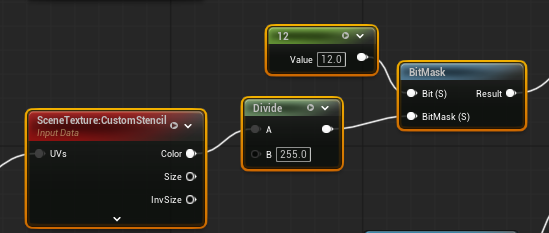 had to check for the project, switched machines in the meantime and didnt run it in ages. but regarding that rimlight. this is a 1 bit mask of the custom stencil buffer set to 12 (could be any number really, dont even ask why 12, dunno anymore :D )here is the custom stencil mask applied per object (so it doesnt apply to…
 -
Re: Sketchbook: David Cruz
 Thanks @Fabi_G yah i checked those guys out i can see how one might've thought that, totally awesome it does resemble them mashed up how cool. hmm yeah i suppose i forgot how to make imgs not be super dark, however on the screen i am using i can see it fine. mmm is there anyway to have "brightness" always be accurate…
 -
Re: Anatomy study entirely made on my Ipad

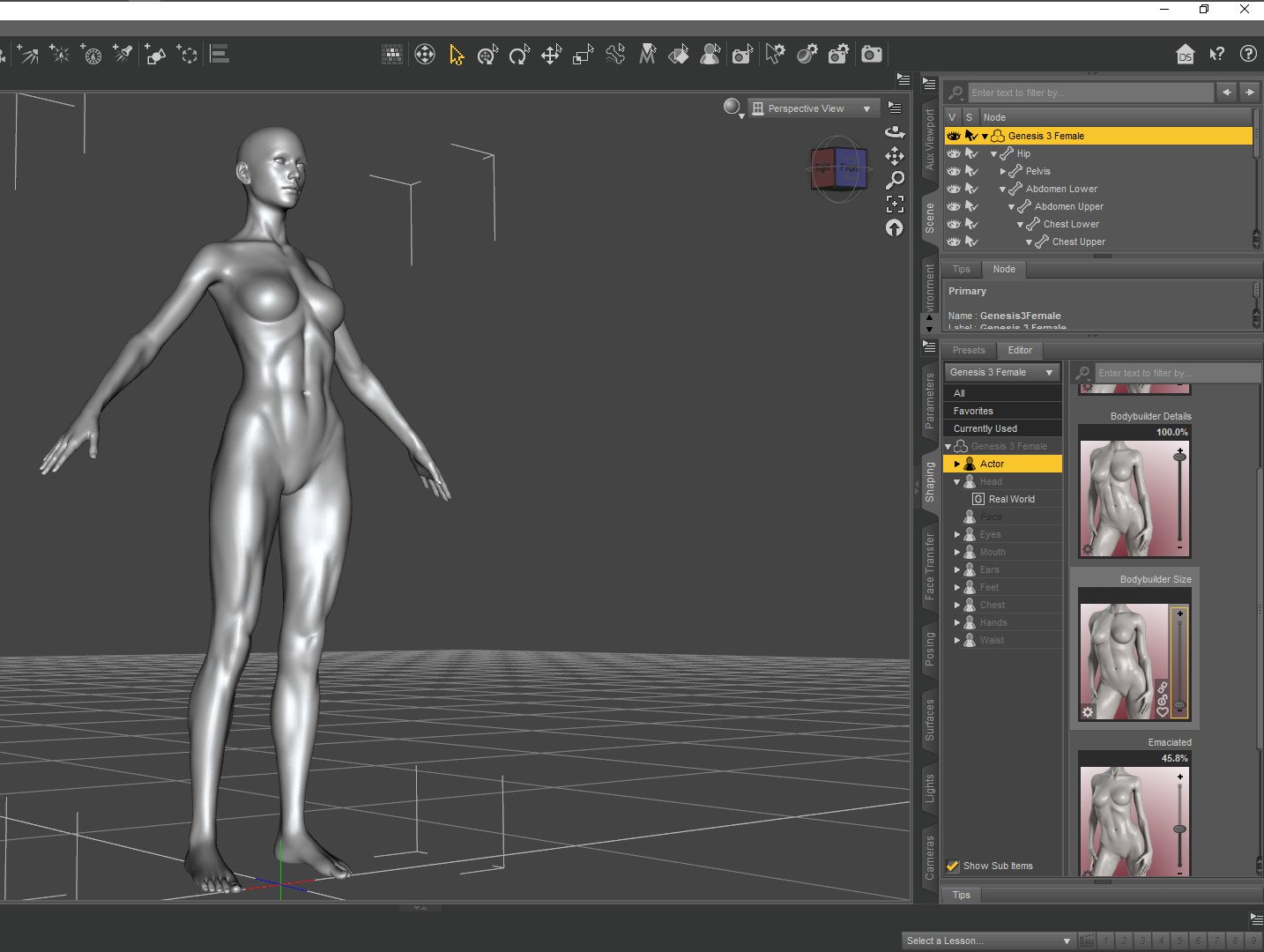 Well done on the model. Making it on an ipad is probably like making the Eifel tower out of match sticks. If you are going to sculpt/model human anatomy its useful to have a great 3d reference on a screen next to the one you are working on. your second screen can be a really cheap one if you aint rich. Daz3d is still free…
 -
Tachikoma (GITS SAC Season 1 Design)

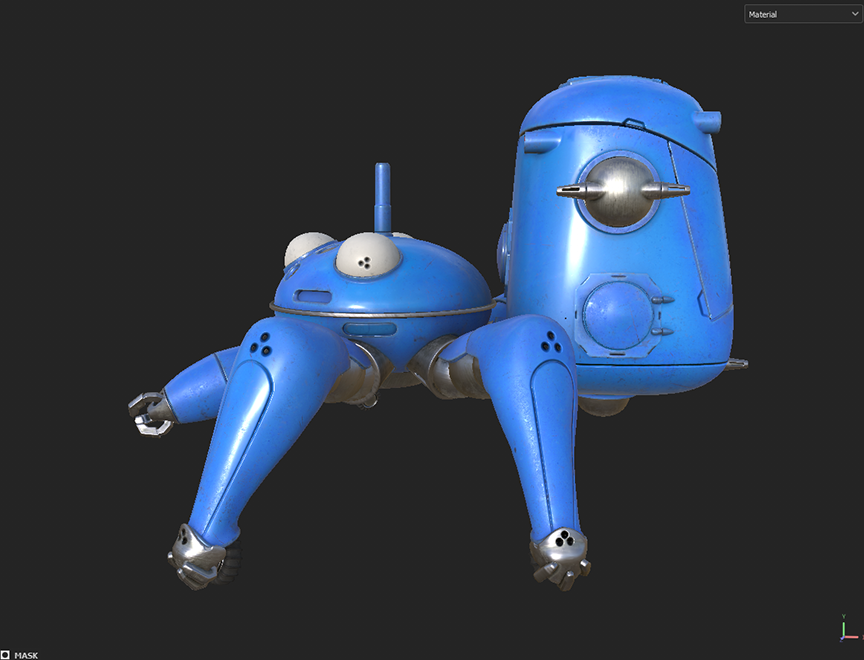 Tachikoma from Ghost in the Shell: Stand Alone Complex Season 1. Started in 3ds Max, then finished in blender, Bake in Marmoset Toolbag, and textured in Painter. Below are simple screen grabs in Painter with basic viewport settings. Thoughts are welcome on anything but I am far more concerned with material definition than…
 -
Re: [WIP] Stylized Island (for portfolio)
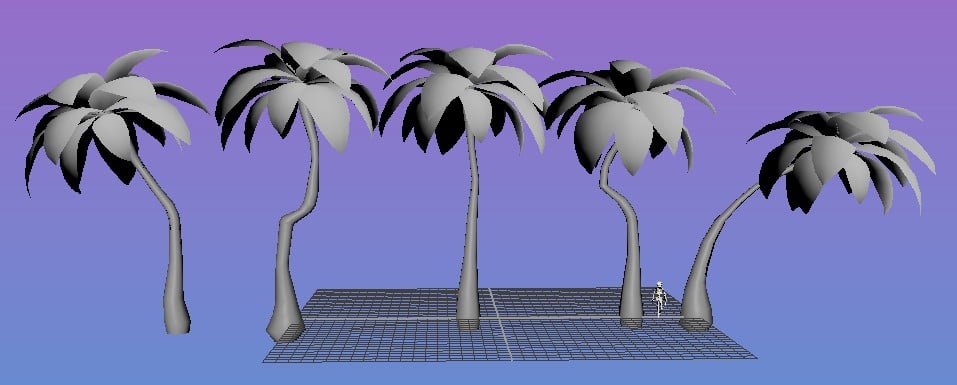 over due update(back in the usa). Switched ue version to an older one, because my landscape mat was just not working or bugging out constantly. anyway, here are some palms i am trying to get to a place i like. the palms on the little island arnt staying there, just for the screenshot.thanks everyone who gives feed back.…
 -
Re: 3D Modelers Wanted for Multiplayer Arena Action Game (Prior Codebase Available)
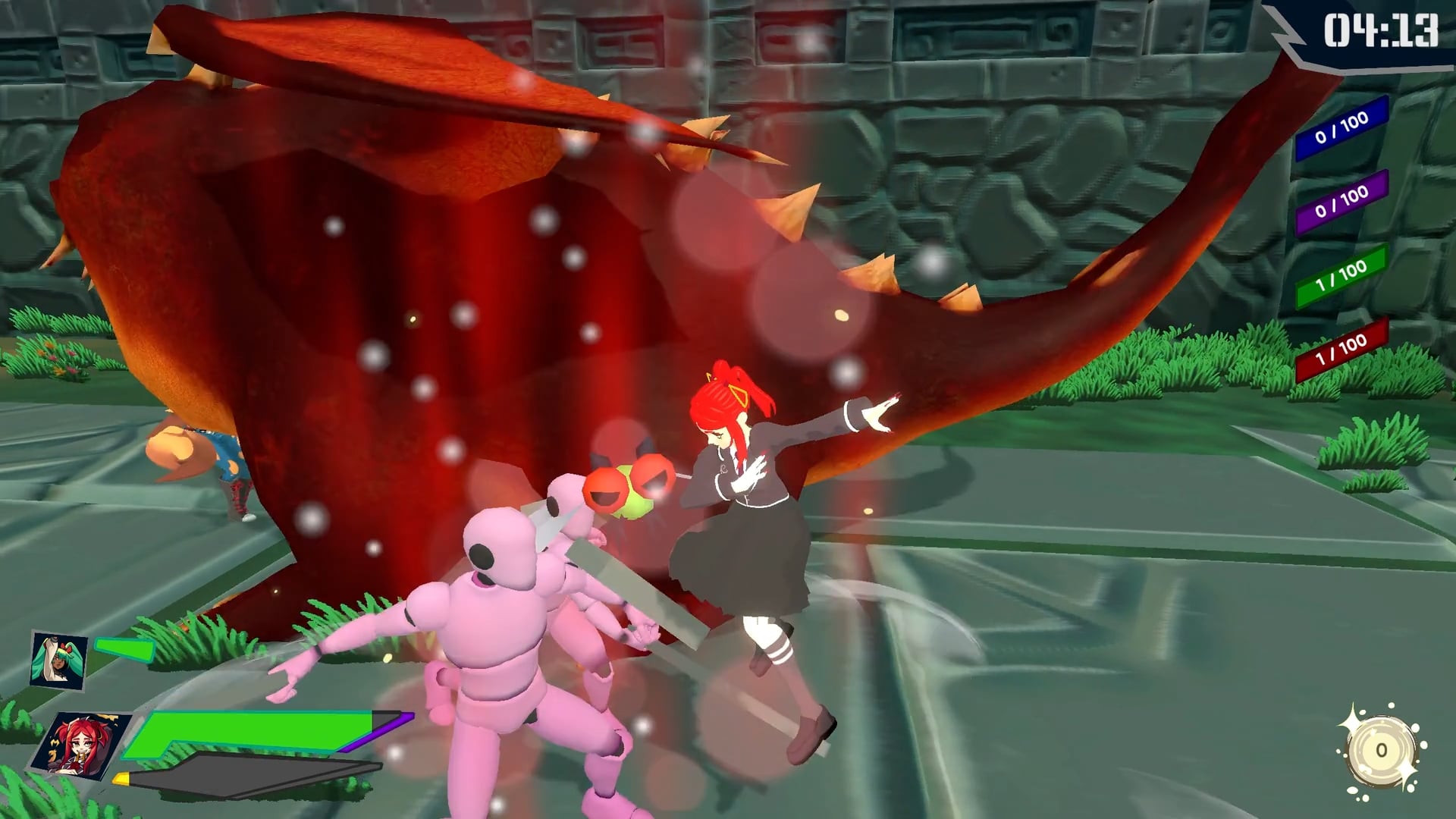 Bumping, as we're currently looking for character modelers and/or animators! Updated with in-game screenshots of current work:
 -
Re: Ax (fan art)The Elder Scrolls V : Skyrim

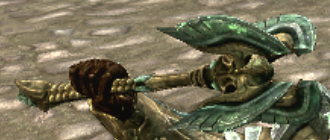 Hmm, from the game screenshot, it looks like it's a four-sided system of blades: But if you wanted to just make it two-bladed, I think the middle part as you've sculpted it is too thick. (Oh wait, nevermind, I didn't look at his other hand!)
 -
Re: Sculpted Dragon Head (wip)
 Hi! I think you can solve a lot early by doing some sketches before jumping into 3d. Once you're in the process of modelling, you can take a screenshot at any time and manipulate it, or draw on top, to explore different options. Drawing lines in on references, might help you understand their proportions and placement of…
 -
Re: Learning Blender and Texturing

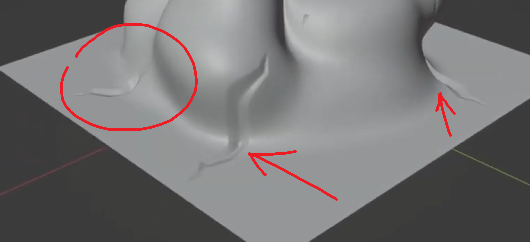 I'm experimenting with the brushes, but I'm not quite sure about what setting to modify to get a brush with sharp angles and flat faces, for example these cracks here: the default Crease Polish and Crease Sharp are too rounded, and in the screenshot above (from a youtube video) those cracks are used as "drag stancils", but…
>24164 results