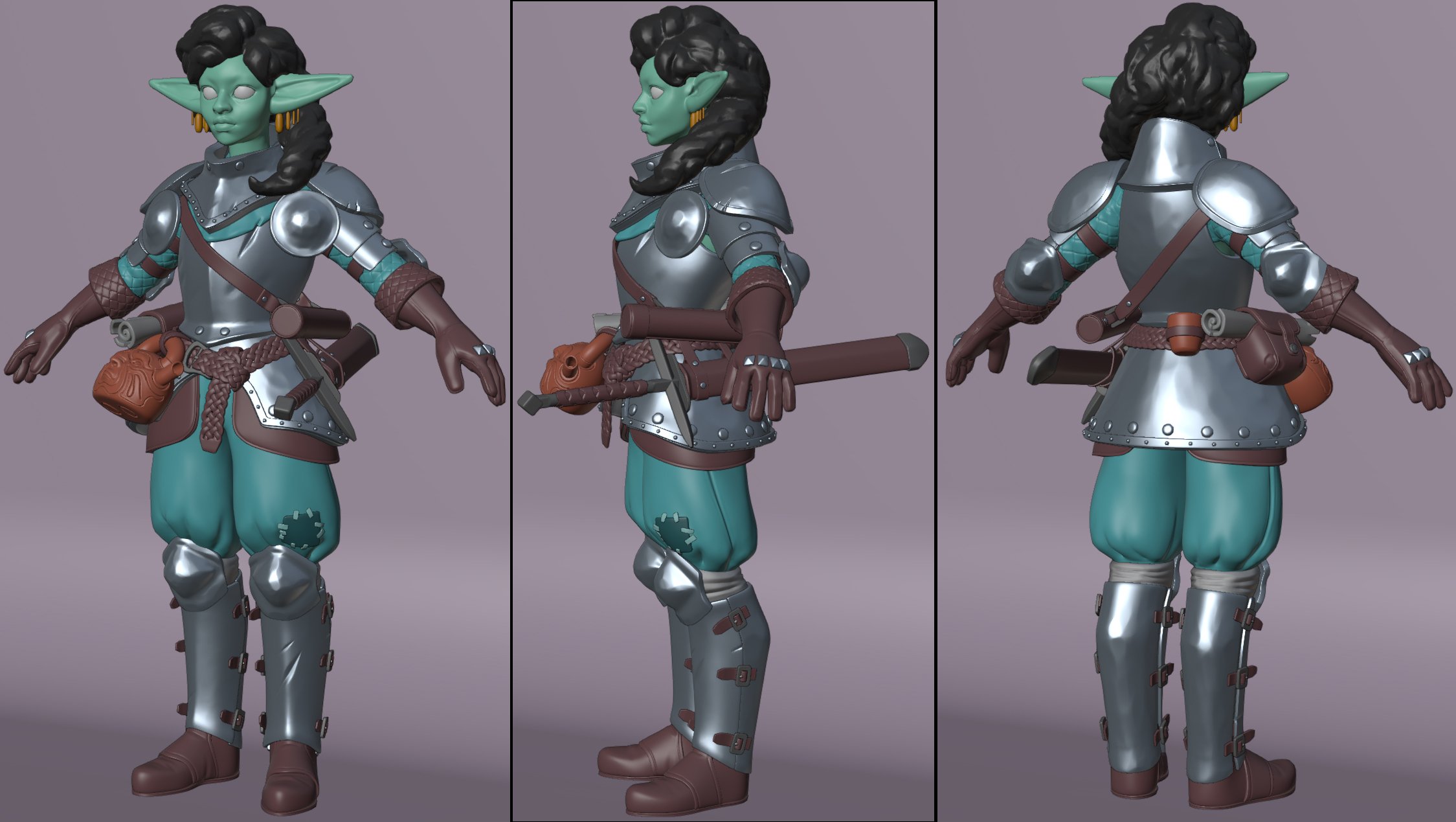
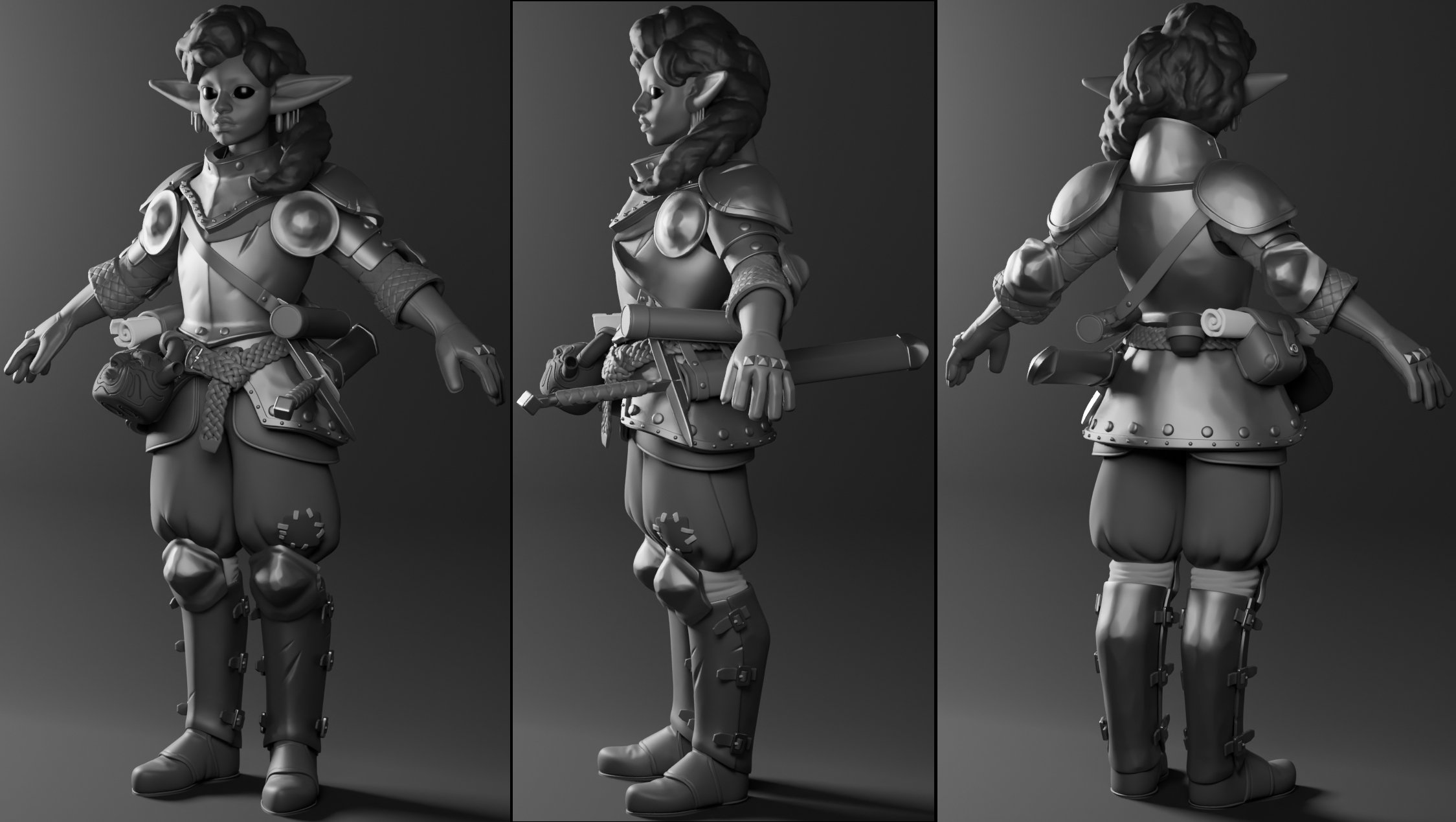
Really loving the face on her, it's got a nice balance with proportions and stylization. You know where you're heading for the texture style yet? Feels like she could go in a lot of directions successfully.
Thanks! I'm thinking of grounding the textures in traditional media. Something soft but with enough detail to show off the forms in flat lighting...
Nice work! The face looks really good, although I feel like the eyelid structure is a bit too weak. Have you based it on any specific reference? If not I'd suggest maybe just making them a bit more ticker or just close the, a bit more. Regardless, great work that's coming along nicely.
Appreciate the feedback. I can see what you mean about the eyelids, definitely worth a revisit, cheers!
Nearly wrapped up the low for the body. The first version is just going to be a straight diffuse texture with no normals, so I'll try not to overcook the highpoly for now.
Some progress on the head and hair. Haven't touched the body since last update. Still plenty to do but if anyone wants to share their thoughts feel free!
For me the pink skin is a bit jarring, since that hue appears no where else. Maybe choose a complementary skin hue, or add a pink complementary color elsewhere in the kit?
Also, how much is painted-in lighting, vs. how much would be covered by PBR lighting. Hard to tell since you have a strong rim, but obviously-painted steel reflections.
For me the pink skin is a bit jarring, since that hue appears no where else. Maybe choose a complementary skin hue, or add a pink complementary color elsewhere in the kit?
Also, how much is painted-in lighting, vs. how much would be covered by PBR lighting. Hard to tell since you have a strong rim, but obviously-painted steel reflections.
Thanks Eric! Appreciate the feedback I'm keen on the skin colour, so I'll see what I can do with the body to make it fit.
I'm thinking unlit colour with painted-in lighting for this iteration, with a stylised rim light like below. Just need to figure out how to execute it...
use a custom stencil/depth buffer, offset it by X pixel and use the same buffer as a mask. blurring is gonna be the most annoying here to set up as you have to do this a few times with various offsets and then layer it together, but its doable pretty much exactly like you did it in PS
i did something similar here. but only did one step of "blurring"
you could try doing a value check, make everything greyscale and see which areas are too light or dark, or need more hand painted light info. I just loaded this into photoshop and used the burn and dodge brushes. Overall you could push details and contrast a bit more. Either her skin is too dark for her hair, or her hair is too dark for her skin imo. Pants could use more detail. The gold ornaments in her hair contrast too much with her hair (or vice versa) and could use more detail. You can take the eyes up to another level by increasing contrast and saturation
had to check for the project, switched machines in the meantime and didnt run it in ages. but regarding that rimlight.
this is a 1 bit mask of the custom stencil buffer set to 12 (could be any number really, dont even ask why 12, dunno anymore )
here is the custom stencil mask applied per object (so it doesnt apply to the entire scene, it will also not work with this simple mask approach as if something is behind the asset it would take that objects stencil mask. i am sure you could technically also do something depth based
what you basically do now is take that mask, offset it by X,Y units, invert and multiply by the original mask without offset
the result applied to the characters alone
as its one bit in nature this will be very harsh, if you want to soften that transition you will have to do the same, stronger offset and layer it together basically. a simple blur would already mean doing this 8x, 1x per direction
in this example its also just straight up units applied to the screenspace texture coordinates, you might wanna change that math to work with percentages or pixels using the viewsize.
and applied to the scene this very basic version looks like this, i just blended it with a color against the scene output.
i applied a whole bunch of other things/math to it, like different offset at distance so it doesnt appear much fatter on characters further away. offsetting it based on where on the screen it happens, so my character in the center has the backlight applied as if it was behgind, while one to the left or right has it coming from their respecitive sides.
i also masked undersides/downvector from it, to reduce some noise here and there. - Snip
-
Ive been playing with an alternative setup, where I render the stencil into a lowres texture, which can be blurred and modified, it would in theory have some nice transitions overall. But it isn't foolproof yet and no idea if it would be feasible at all for realtime usage
more blurred
or sharper but not 1bit perfect
but as its blurred, the less offset there is, its easier to create issues like bleeding into areas where you dont want the rim
Thanks for the feedback all! agreed Eric and Zetheros. I did a bit on the texture and tweaked the colours and values, but looking at your paintover and links Zetheros I think I could go a bit further.
Still need to fix random bits and pieces, and the hair isn't fitting yet.
Also thanks for showing me the approach Neox! The end goal is to embed this on my Artstation page so I'll have to figure out how to get the same look in marmoset or something similar.
Replies
You know where you're heading for the texture style yet? Feels like she could go in a lot of directions successfully.
Thanks! I'm thinking of grounding the textures in traditional media. Something soft but with enough detail to show off the forms in flat lighting...
Appreciate the feedback. I can see what you mean about the eyelids, definitely worth a revisit, cheers!
Nearly wrapped up the low for the body. The first version is just going to be a straight diffuse texture with no normals, so I'll try not to overcook the highpoly for now.
For me the pink skin is a bit jarring, since that hue appears no where else. Maybe choose a complementary skin hue, or add a pink complementary color elsewhere in the kit?
Also, how much is painted-in lighting, vs. how much would be covered by PBR lighting. Hard to tell since you have a strong rim, but obviously-painted steel reflections.
Thanks Eric! Appreciate the feedback
I'm thinking unlit colour with painted-in lighting for this iteration, with a stylised rim light like below. Just need to figure out how to execute it...
https://help.steampowered.com/en/faqs/view/0688-7692-4D5A-1935
https://sketchfab.com/search?q=handpainted&type=models
follow Jeff Parrott https://www.linkedin.com/posts/artofjeffp_handpainted-gameart-activity-7111001742368014336-D5KC/
-
Snip
Ive been playing with an alternative setup, where I render the stencil into a lowres texture, which can be blurred and modified, it would in theory have some nice transitions overall. But it isn't foolproof yet and no idea if it would be feasible at all for realtime usage
Still need to fix random bits and pieces, and the hair isn't fitting yet.