Search
-
[UDK] Fantasy, Skyrim inspired environment
 Latest Update: So after all the time doing small scenes or single objects I decided to tackle something bigger (maybe too big). So here I am in UDK. This more or less gives a rough idea of the size and some of the elements I have so far. Story behind it. I imagine this place like the last stage in a game where you about to…
 -
"Videogame Aesthetics: The Future!" - gamasutra
 I stumbled over this interesting read on gamasutra about the future of videogames aesthetics. I don't know if it has been posted allready but here it is http://www.gamasutra.com/features/20051014/hayward_01.shtml I don't think it holds any clear thoughts about the future but is more a resumee of the current situation and…
 -
Full-time Effects Artist (S2Games-Northern CA)
Role This position will involve creating art and scripts for special effects, such as spell effects in a fantasy setting. Requirements [*] Good 2d/Texturing Capabilities [*] Art/Game integration [*] A great attitude [*] Scripting experience a plus [/list] Benefits [*]Competitive salary [*]Moving bonus [*]Medical, Dental,… -
[Riot Creative Contest 2017] - Yvette
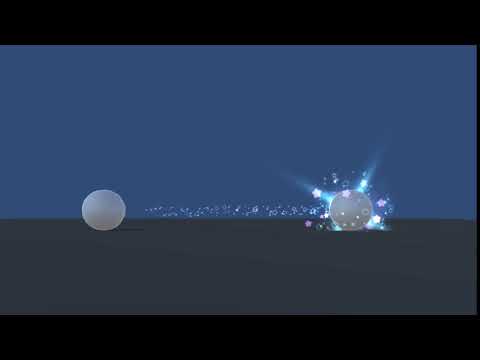 Topic by Yvette · · Home› Contests & Challenges Archives› Riot Creative Contest 2017› Riot Creative Contest 2017 - VFXHi everyone! I'm Yvette. I'm pretty new to VFX but I really like making it and wanna give it a shot. Final version: https://www.youtube.com/watch?v=vaJBvPyqMSw WIP gif I got from Jan 29 to Jan 31 so simple start! Just experiment the hit the first version of charging, then I feel like it's more like a healing spell then I…
 -
Worksflows, modularity, efficiency, tiling texture atlas with overlapping UVs & TIME
 Hey all, Maybe this can be a discussion. A recent response of mine to another poster on this site has got me wondering about workflows, time and efficiency. In this case I'm talking environmental modeling, UVing and texturing in a modular/reusable/hero + tiling/atlas/overlapping UV sense. I've read as many articles and…
 -
Re: Transparency, can't add "additive blending"?
 Additive blending is no longer supported in Toolbag. What you'll likely want to use is Refraction or Thin Surface for the outer shell of the eye. You can enable either mode in the Transmission panel in the Material Editor. You may want to select the shell mesh and disable shadow casting on it as well.
 -
soulburn's object detach equivalent in maya?
 Hi guys, I was wondering if you know a way in maya to separate a mesh into poly shells. In 3ds max there is soulburn scripts which will allow me to select a mesh and run the script, it will then separate a single mesh into multiple elements (shells) provided they exist within the same mesh. if any of you know a script for…
 -
Set Texel Density
 I would like a script that scales the texel density of my uv shells to a number I type in without distorting the uvs, much like normalize in textools does, but with a type in of say 8px per 1 generic max unit. I tried the type in in textools, but its scaling some of my shells differently from the rest resulting in uneven…
 -
Re: re thin edges cloth - yay or nay ?
 I imagine just doing a simple shell modifier and collapsing it is all you would need. You can select the fresh thickness geometry and UV it quick and easy as it could easily be unwrapped into perfect strips especially since the shell modifier gave your thickness perfect quads.
 -
Re: Normals with split edges?
You can try breaking off the UV shells where those annoying seams occur in the Normals. I know it sounds weird but the normals work better around 90degree edges when the UV shells are broken and have a little bit of padding. Hope this helps some. -Stockwell
>14035 results