Search
-
Normal baking trouble.
 Hi there, I've been following this tutorial on current gen game art workflows and now I'm stuck on baking the normal maps for my low poly model. I've followed the tutorial but can't seem to get it to work correctly, I'm using max 9 where the tutorial uses 2009 but I can't see that making much of a difference. Here's the…
 -
High to low baking issues in substance painter.
 Hello, I am having some trouble with a model I created. I cannot work out why I am getting errors around one of the handels after baking in substance painter. I have changed the UV's to only include the handles as I thought they might have had too little uv space orignally but I am still getting these issues. The models…
 -
Normal Map Baking Error? what did i do wrong?
 As you can see the edge when I bake normal map ( high mesh from Zbrush) is wrong. Can anyone tell me what can I do to make it disappear. I need some tip for perfect normal map baking in Substance Painter. Thanks all
 -
Treasure chest - How to bake correctly normal and ambient occlusion maps
 I've wrote a little tutorial trying to give a few tips about baking normal and ambient occlusion maps. I hope you'll find it useful. You can read it here: 3d how i see it: Treasure chest - How to bake correctly normal and ambient occlusion maps
 -
Re: [WIP] Lisbon Street - Unreal Engine 5

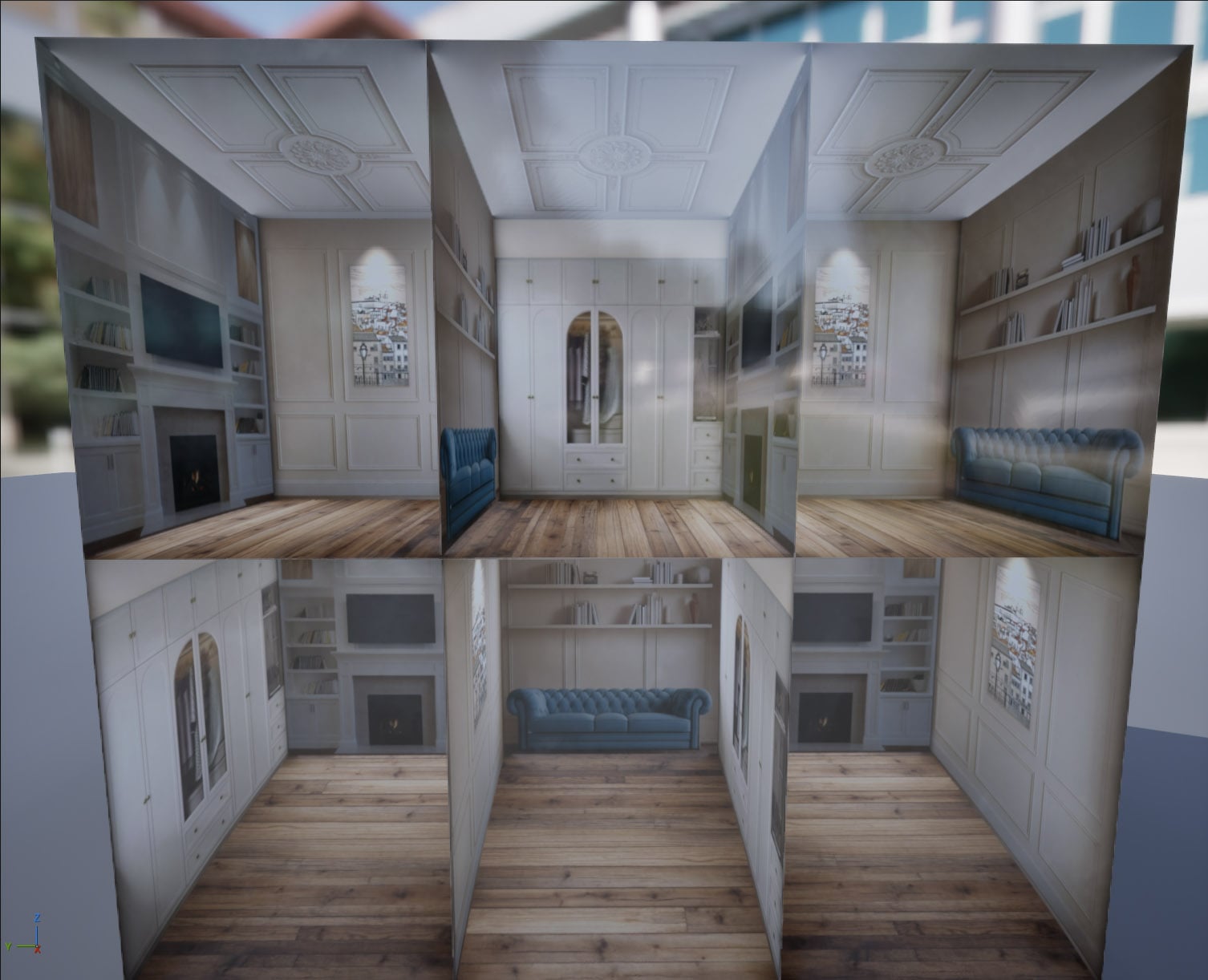 Hi @Eric Chadwick Thank you for your feedback. Yes the interior projection has a slight offset as my spacing of each room doesn't quite come to an even square so i had to offset it slightly to a more rectangular shape and maybe that is causing some slight distortion in the parallax effect based on the viewing angle. In…
 -
Normal Map Baking Artifacts when meshes intersect

 Hi! I've been wanting to use Painter as a baking tool for the assets in our game, but I'm running into a problem. If I understand correctly, you should be able to bake intersecting meshes all at once without exploding by using the _high and _low suffixes on the different parts of the low and the high poly, right? Whenever…
 -
Re: Normal Map edge padding 'streaks'
 Doing bakes with no AA and then adding padding after the fact just seems like a waste of time to me honestly. I've never had an issue with pixel padding, as was clear from this thread, the issue was totally unrelated(missed rays). When you get missed rays, the baker treats that as null space, and from the edges of all of…
 -
Re: Normal Map baking issue - 'dimples' in my map
 This is flipped triangulation during bake. And you are displaying it with a different triangulation from how it was when you baked. You can see it from the "X" shapes. Just triangulate your mesh before baking so this cannot happen.
 -
Foliage settings for light baking in UE4?
Trying to find some info here with no results and its just confusing me a bit more. I have a lot of grass in my outdoor scenes in my game Im making. Its currently all instanced using the foliage tool and its set to Static with cast shadow, cast dynamic shadow, and cast static shadow all checked. My main question is -… -
a few problems with uv baking in blender
So i'm trying to bake my uv with ao but some problems arise. I made a robot hat with bolts on it. to save polys, i just put the bolts inside the hat without any joining vertices. like this: but when i bake it the shadows look like this: as you can see, the shadows look jagged and wavy. also, some of the shadows dont match…
>27503 results