Search
-
Re: Graph editor, what the damn is it?
 Excuse the crudity of the image below Here we are focusing on Translating the ball on one Axis only The x-axis Do you see the difference between the two balls? -The top ball is traveling at a constant speed. The bottom ball isn't. Focusing on the bottom Ball: Notice when the curves[green] are modified by the tangent[red],…
 -
Low Poly Modelling Questions
 So, i'm starting at 3D modelling and i have some questions about low poly stuff. 1. I wanted to make a medieval table with separate planks, like on the image bellow: I really want these beveled edges on both top and bottom part, and i tried to get the same effect baking a high poly mesh onto the low poly mesh. But it…
 -
Re: Project PEACEKEEPER - WIP thread
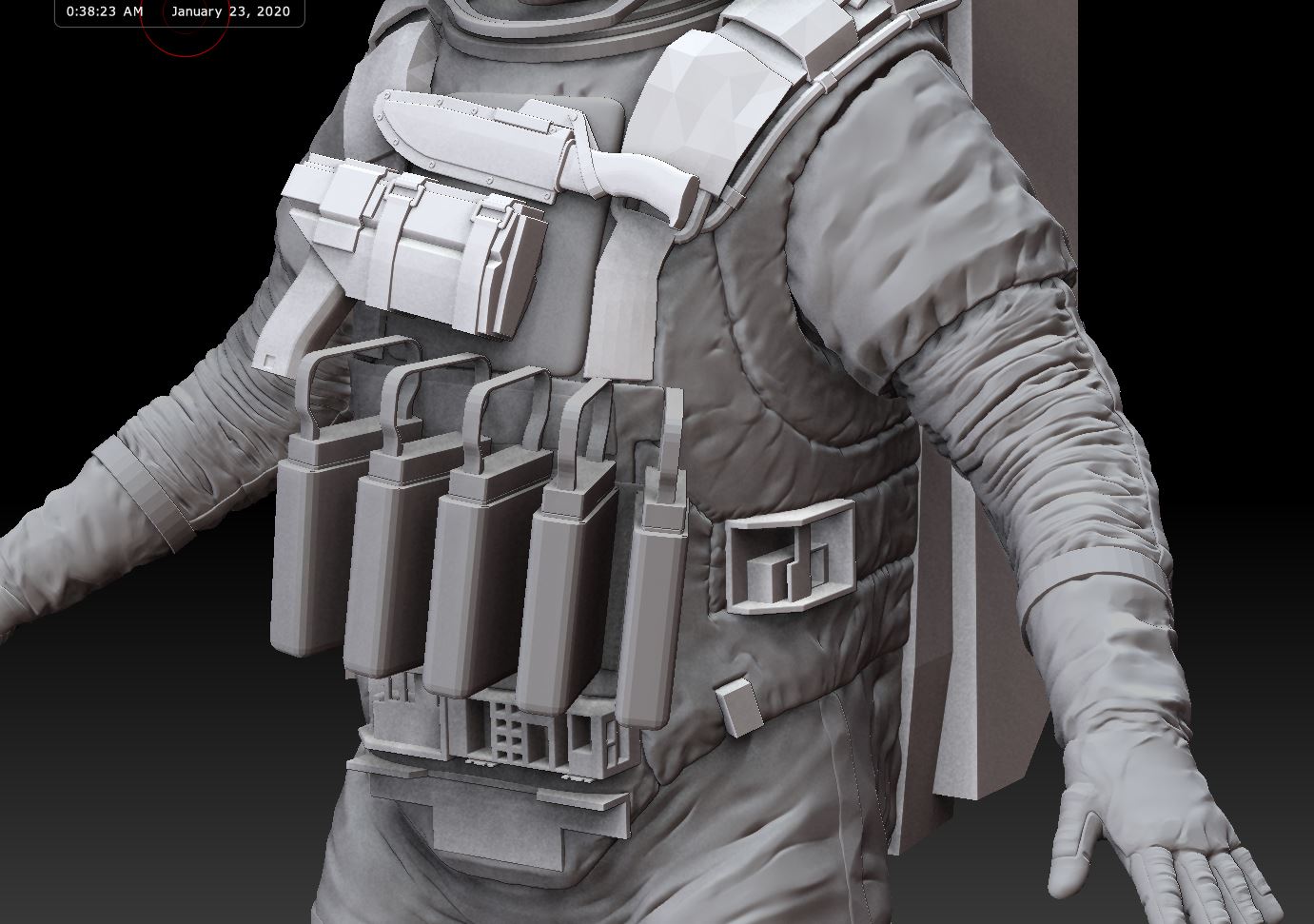
 I've been working on something cool! :) Here's a teaser. It's a long way from being done.. but the (slow) progress is as good as any. Can't wait to show more. (I can sculpt cloth now, lol)
 -
Poly Flow
Poly Flow is a set of script designed to help the modeler with the everyday boring task of rearranging edges. It makes predictable changes to the topology giving you want you want. Learn more here. [ame]http://www.youtube.com/watch?v=W_dLr9spAqo[/ame] [ame] http://www.youtube.com/watch?v=JtdADPd1Ook[/ame]… -
Re: [Environment] Desert Wreck
 The sand blending is looking great! Crits: 1) The mountains in the back should be more detailed and should help frame the composition of the shots. 2) Notice these foreground framing objects, these really help with composition, and they're so simple... 3) Notice the action line from the roof drops your eye right on a…
 -
[RIOT ART CONTEST] - ILLUSTRATION Snow Angel Morgana

 Topic by ItsAshree · · Home› Contests & Challenges Archives› Riot Creative Contest 2017› Riot Creative Contest 2017 - IllustrationI got a moodboard started up for my new concept. I start off with a moodboard for inspiration and some reference actually. It helps me zone in on aspects I want. Instead of being influenced by anything else google has to offer. -eg so many cat photos with a face full of snow. Afterwards I get down to designing, I'll get…
 -
Re: Questions about xnormal cages, exploded bakes, and Maya
 I usually use a torus primitive to get the result that I need and it works well enough. It isn't really an issue of being able to make the shape, it is more of an issue of slow and clunky work flow. If that makes any sense.
 -
Re: [Riot Creative Contest 2017] - Adam Kania
 Reply by Egyptian Penguin · · Home› Contests & Challenges Archives› Riot Creative Contest 2017› Riot Creative Contest 2017 - AnimationMore progress, Slowed things down a bit, gave him a better landing and made his antic more feline-like. I'll probably show-case the run cycle I finished later: https://vimeo.com/253003696
 -
UV Seams showing in Marmoset

 So I exported my textures from substance painter and put into marmoset and my UV seams are showing, I've never had this issue before using other applications.
 -
show shell bleeds.. in maya?
 HeadUvsLayout has a really handy tool to show the edge bleeding (pixel based) for each uv shell. Do you know any script to have this in Maya. Thanks in advanced. :)
>68796 results