Search
-
Re: How are these mixer textures generated?

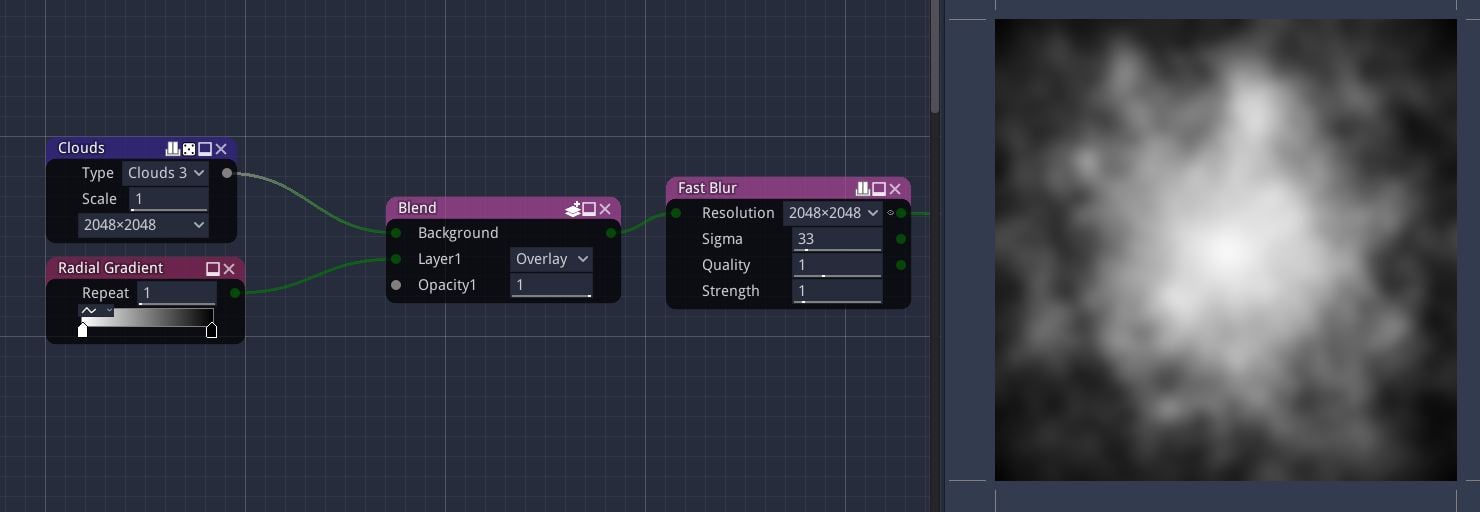 This properly can be done in unity Bildschirmfoto zu 2025-10-28 10-34-04or anyBildschirmfoto zu 2025-10-28 10-34-04 other node based tool.. just use and mix any kind of random object and/or noise and maybe concentrate it into the center or make in tileable in one direction like your third example.. (not using unity myself…
 -
[UE5.5] Help Needed. How to merge virtual textures and world aligned textures

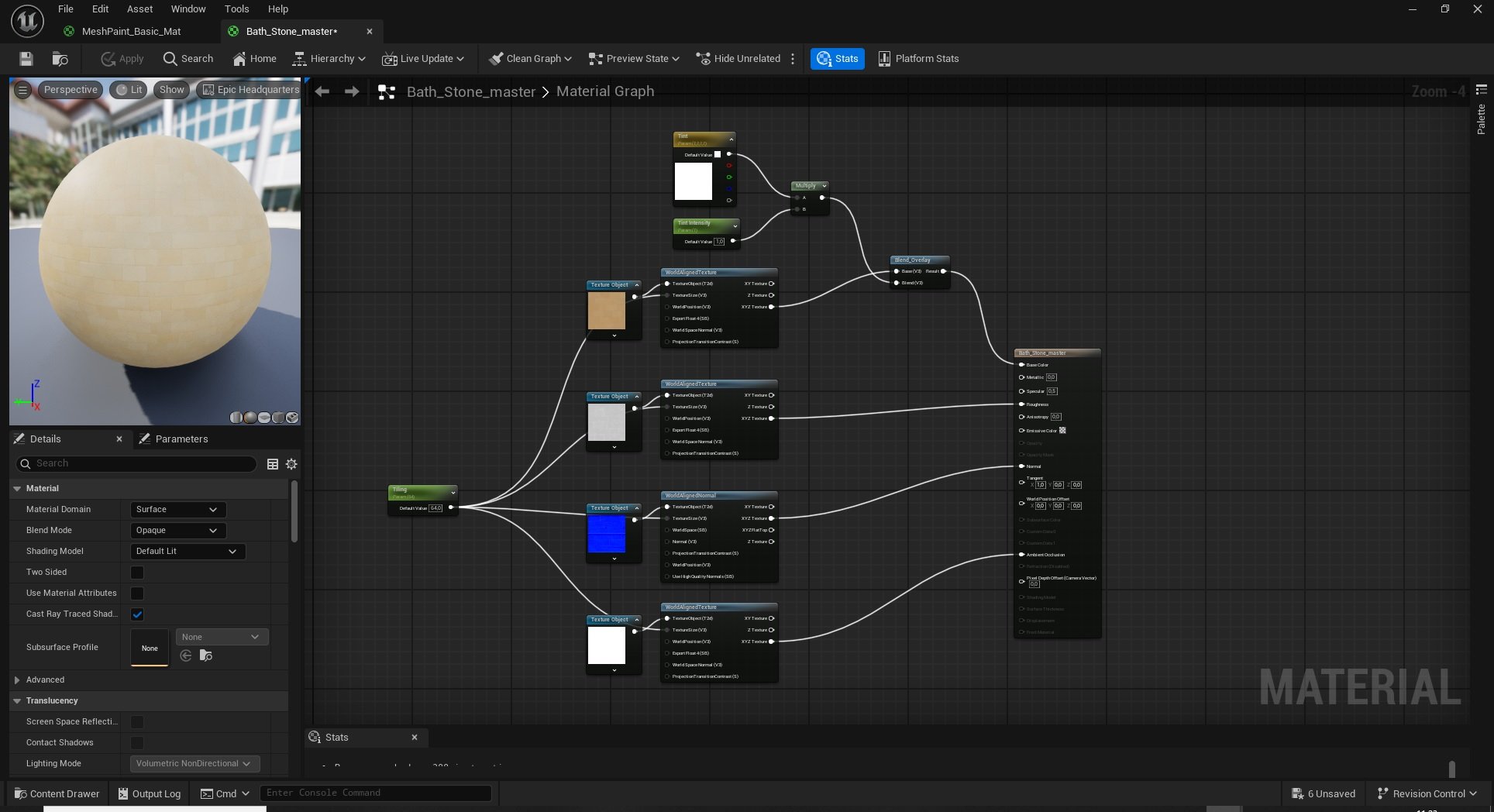 Hey guys, I have world aligned textures on my building in unreal engine, but would like to combine it with virtual textures introduced in UE 5.5. I am a bit new to materials in UE, could you plese help me outh with this? So altogether I want to paint virtual textures on a object with a world aligned texture. Is it possible…
 -
Re: Best way to retopo a tree-like mesh?
 Not knowing the software is not the same as the software lacking something. Off the top of my head I can think of several ways to re-top it in max with minimal effort. It gets even easier if you use some free and or not free scripts but it is very easy to do without them they just save a bit of time and are very useful for…
 -
Re: Connect shortcut key Max 9
 you gotta set your shortcuts the same for edit poly and editable poly. customize IU/group dropdown/edit poly and customize IU/group dropdown/editable poly object pain in the ass but then your shorcuts work for modifiers and collapsed ojects
 -
Perspective Camera's "Fly To" Command Not Moving As Expected
 Hello everyone. I'm having some trouble isolating a problem with the fly to command. You know when you hit F and the camera gradually glides to the selected object? My camera view snaps to some random point on the grid before instantaneously teleporting itself to the object that I want to rotate around. Although I do get…
 -
Re: Losing vertex color when combining meshes in Maya
 Also true for Blender, btw. Keeping an eye on those data channel names and if needed unifying them before an object merge really helps - with managing blood pressure. :p
 -
Re: UDK - tagging system
K, I'm going to answer this myself in case anyone else needs to know. This question of tagging came up when working in a team environment where I was unable to tag other artists' assets. Here's what I can tell from my bit of detective work: If you are working by yourself, tagging works fine. As you create something, a note… -
Re: Creating a smooth-edged deboss area without making an inset first?
 Yeah, like if you do a test and make it an edit mesh out of the blue result, might turn up the issues mentioned above. I'd do what Frankpolygon has been saying & go to the lowest, cut out the area i need and punch the stuff in & work back up. Hopefully NOT having to re-edit or cut anything out, even building the space…
 -
[ 3dsMax <> UVLayout ] UVPipe mod by miauu
 This script will allow you to send the selected objects to UVLayout and get them back. This is useful when you wants to have more than one object in the same UV square. All editable poly objects from the selection(selected objects or groups) will be sent to UVlayout. It's a modified version of Norman "Norman3D" Schaar's…
 -
[Solved] Maya Script problems- New rig swap?
 Never mind, I decided to do some learning on Maya's site and found some basic commands to achieve exactly what I wanted. It was pretty simple on the coding side too. I have a lot of basic character models that I am re-skinning with a new rig. Super basic models that only require parenting each object to the new bones…
>26394 results