Search
-
Re: Interior Environment with Hero Assets WIP Log: 1960s Apartment Crime Scene

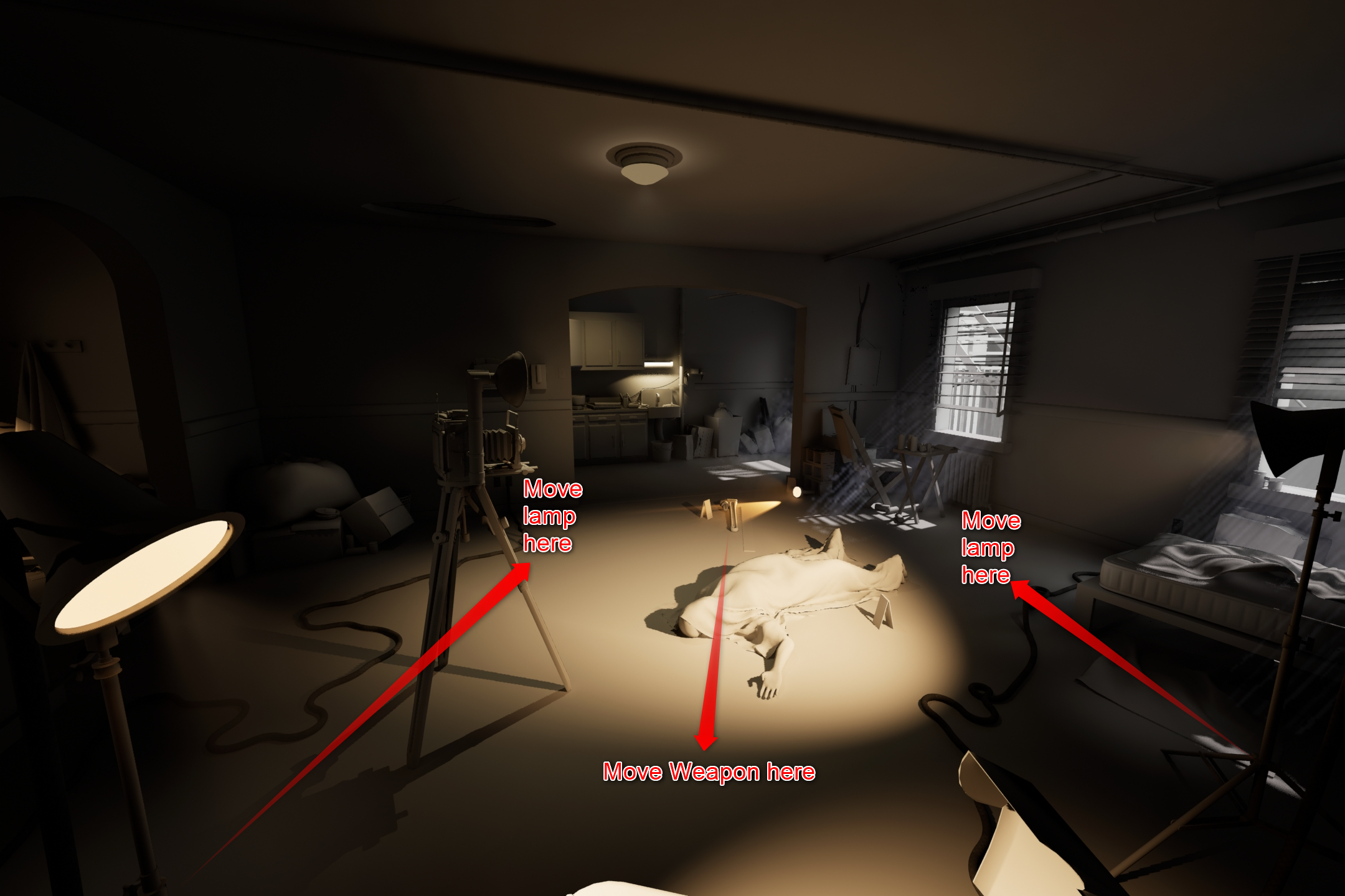 (Apologies if you saw the two same images, realize I selected the same image twice on the first upload, and I've since edited the post) I didn't think of that; so with keeping the same camera position (kitchen/escape route in background, windows with rays to the right) you're thinking something like this might be better…
 -
MODO Pelting Macro of Expanded Awesomeness
 Hey Everyone, My name is Brandon from The Foundry. Just wanted to stop in and show off a little MODO awesomeness! Greg (MODO Creative Specialist) has gone ahead and made a script that makes pelt mapping so easy its a crime. There will likely be a few versions of it. However, we wanted to throw it out there to see what kind…
 -
help with uv channel cleanup script
 I'm working on a script that removes unneaded map channels from selected meshes. Right now it's coded to remove UV channels 2-4, vertex alpha & illumination - later I'll see if I can have a UI that asks what channels you'd like to keep and have it detect how many channels each object has. Now to the problem, I don't really…
 -
Re: Help with Silo
 Silo should scale to your selection's center. If it's not doing so, make sure you don't have extraneous components in your selection. If you want it to treat each selection island as a separate selection, use the 'local scale' tool. If you want to manually move and align the center, there are tools for this in the…
 -
Substance Designer | Using custom labels inside `Export outputs` dialog

 Hello, Is there a way to use custom labels inside `Export outputs` dialog? Here is my case. I have a `Multi Switch` node with exposed `Input Selection` For `Input Selection` I created `Drop Down List` with options 0: triangles 1: squares I want to add to export name what I select in `Input Selection`. E.g. if `triangles`…
 -
So, how's that whole election malarky going?
 It seems pertinent to start some kind of discussion given that the fate of the world hangs in the balance. Or something. Is there a convenient site keeping track of the numbers? My brief google search didn't yield anything particularly useful.
 -
EASY SOLVE: How do I remove Material??
Here I have my shirt selected. Everything looks fine Here I have my head selected but my shirt is still highlighted What I believe I did was select my shirt and went to the colour tab and selected Fill Object. How do I remove the colour on the shirt so that whatever sub tool I select it will highlight without highlighting… -
Re: HELP!MY MAYA
 eh``,My problem is that if you do not select anything in the scene,your Select Tool setup panel display on the right of the screen as the image above.And then if you select anything in the scene,the Select Tool setup panel change to Attribute editor of the asset that you just select, automatically.But mine not .It does not…
 -
Re: 3DS Max - Normal Bend to Target Mesh
 In your specific example you would just have to select both meshes and add the "Edit Normals modifier". After that you can either select both normals and click on Average "Selected". Or select just one of them click "Copy Value", select the other one and click "Paste Value". Finally collapse the modifier.
 -
Re: Geometry Nodes Hair - Blender

 @JoseConseco looks cool, looking forward to messing aorund with that. So particle hair has some basic functionality for storing selections now. In the tools section of the comb brush there is a hair group option. it is supposed to also colour each group, but does not work.It does store the selection, but you can't seem to…
>15387 results