Search
-
Re: [WIP] The Northman interior Environment - Cult

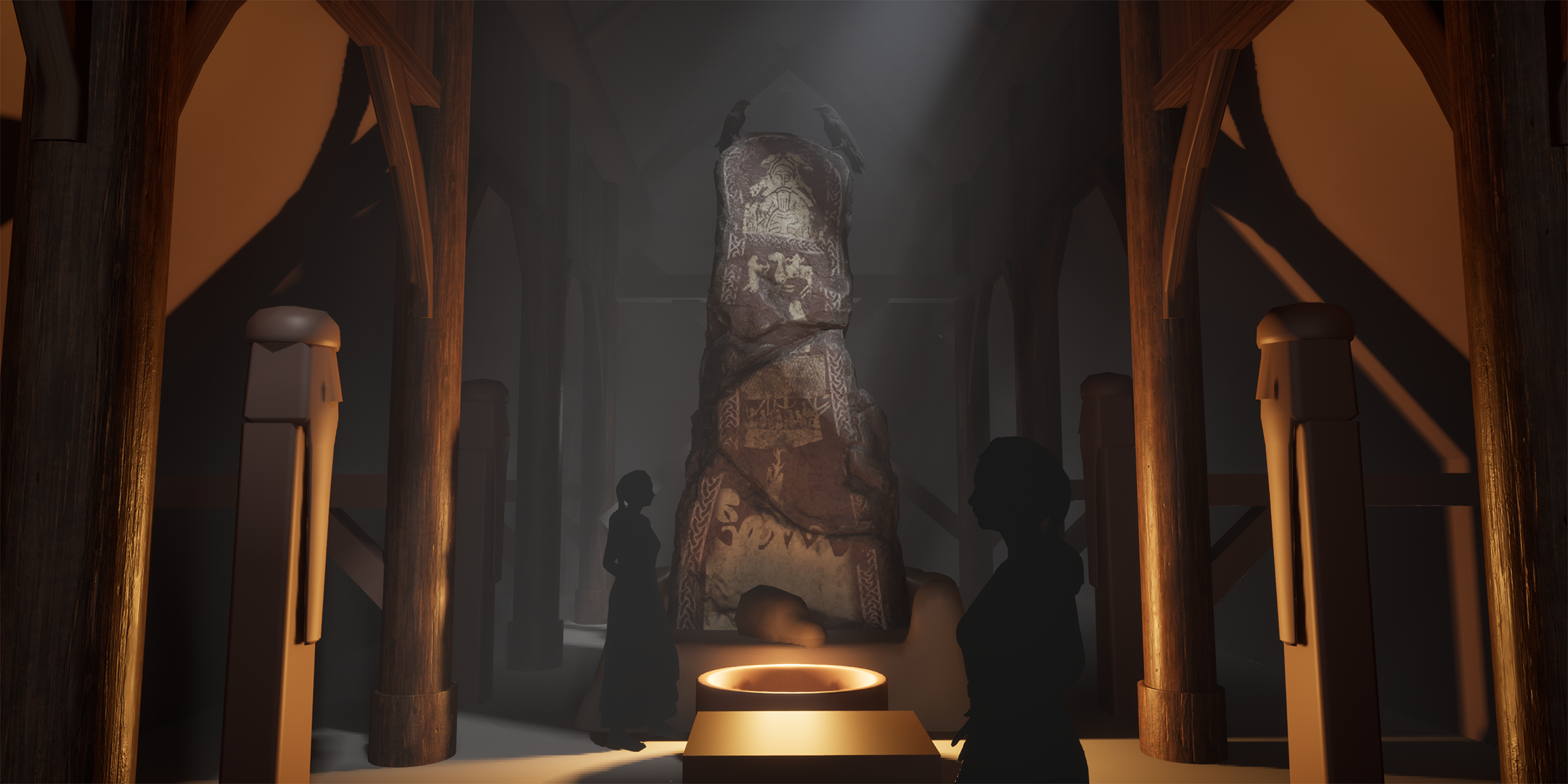 Back again with another update to this one. This time I've: - Pushed the lighting. I liked the godray shining onto the runestone to attract the eye a bit more and thought I could get some storytelling going there with the ravens having flown in to sit menacingly on our little runestone. - Moved around some pillars and…
 -
Re: UE5.6 stylized portal shader help — Ratchet & Clank inspired
 Small update / extra question: Thanks again for the suggestions. I looked at a few portal VFX tutorials, but most of them are more focused on Niagara particles or gameplay portals. What I’m still struggling with is mainly the material/shader structure itself. Right now, my biggest issue is that the portal still feels too…
 -
Re: Abandoned Dacha Environment - Modular Kit with interiors

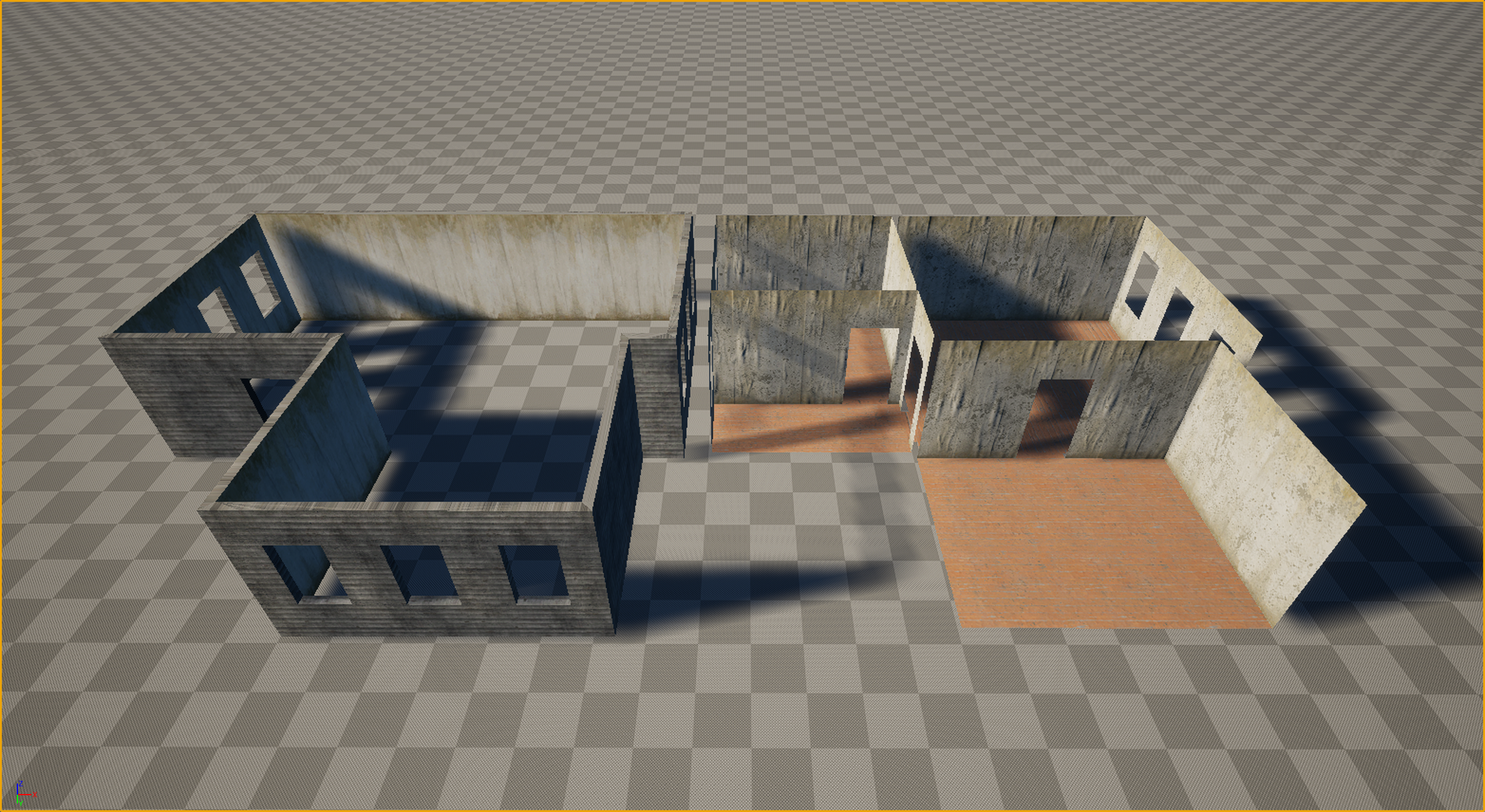 Thanks everyone for the kind words and the great questions! Let’s dive in. Working in VR is truly like walking on a razor's edge. It’s a technical hell where every decision must be calculated ten steps ahead. Performance requirements (high resolution across two displays + high frame rates) leave no room for error, and you…
 -
[Maya] Material Manager 5.0.0 has Arrived!

 Hey guys, just wanted to do a quick plug of the latest and final edition of my Material Manager tool for Maya. Any feedback is welcomed, and I'll keep an eye on this thread for bug reports. Thanks! Material Manager 5.0.0 The Material Manager is an all-in-one interface for quickly interacting with scene materials. Quickly…
 -
3ds Max Materials and Objects Questions
I have a custom helicopter model (huey) that was in GTA and I am trying to prepare it for crysis. I am using max 2012 and have gone into the material slate editor and replaced the GTA multi subobjects with standard subobjects. The texture on the helo remained the same because I used the same bitmaps. I am able to export… -
Re: How to do Layered Materials in Unreal engine 4 UE4
 Layered materials are actually just material functions, which are blended with other material functions, and by doing that (combining them) you create a new material. Actually, you don't need to set up different materials ids (you can, but its not necessary for the material layers to work). I usually do this when working…
 -
dDo Material Manager v3.0.0
Hey everyone! With Legacy dDo recently becoming available to everyone, I thought it might be fitting to give my plugin one last major update. Have a look! Swift manipulation of materials: There are automatic texture, utility, and shading group naming conventions to keep organized, all based on the material name: Get your… -
Re: Witcher 3 Architectural Material in Unreal 4

 @A_B Sorry for taking so long to respond. If haven't messed with this in some time because I was doing other things. As far as purely getting better vertex painting results (minus everything else I did here) there's this video which walks you through everything pretty well: https://www.youtube.com/watch?v=OPHnxGb6KHA That…
 -
Re: does maya have any form of material inheritance?
I was thinking a level deeper than that really - eg. if you wanted to change how you unpacked a texture or add a parameter in the base material and have that propagate rather than having to muck around in each of your sfx graphs. in theory that process should work with .sfx files but my experience suggests it doesn't work… -
Multiple sub object material?
I know this is possible because I did it months ago but can't remember how. So I have two objects each has it's own unique material. I want to combine them and have the new combined object have a multi sub object material applied. When I apply the multi sub object material I want it to populate the sub object fields with…
>32858 results