Search
-
selecting edge loops in the max unwrapwindow
 Is there any way to easily select edge loops on your model while in the max unwrap UVW window? this would really speed up my workflow! i really wish the selection controls were the same in unwrap UVW as they are in edit poly. Also is there a way to weld a group of vertexes in the unwrapwindow just like the weld button in…
 -
Retopo and Edge connecting

 Hi, Im doing a retop thing based from a dynamesh mesh in MAX but I have these cylinder type things. My question would i need to make everything flow into one mesh in that case I would need to make much more edge-loops on my Cylinder and also my base-model so I can stich all the verts together so it connects. Or can just…
 -
Maya - Best way to approach
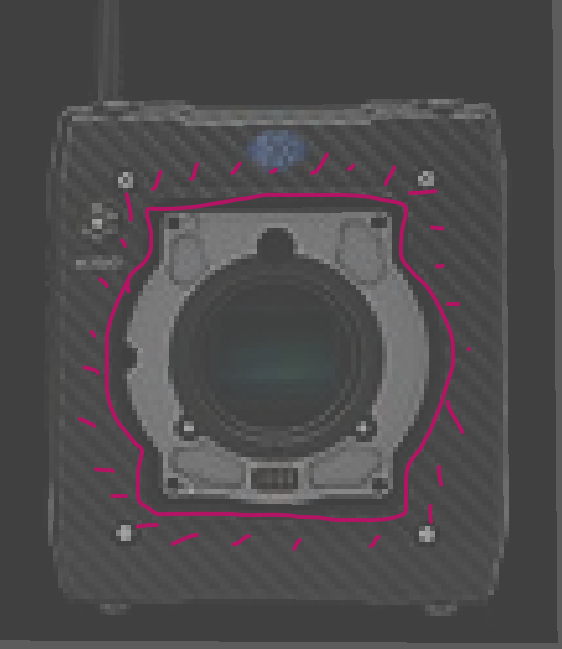 Hi all, I am in the middle of a project creating an Arri Alexa Mini 3D model. I have shaped out some basic shapes and some supporting lines. But I am not too sure on how I would approach the extrusion inside the camera towards the sensor. Below is the image and annotation of the shape I am trying to imitate: At first I…
 -
Maya 2022: distribute verts along its edge
 Is there a way in maya 2022 to distribute verts along its edge? I tried "ZenTools" but this seems outdated for Maya2022 Is there maybe a native way of doing that? or another plugin/script for that?
 -
IN PROGRESS: Highlighted edges in DDO
 So since last night, after not changing anything in particular all of my masks started getting highlighted around the edges of the map, Can't really wrap my head around it as I didn't change anything in the normal map but at the same time if i use another normal map this doesn't happen, also no matter how i collapse the…
 -
marmoset AO white edge lines

 so i just baked my textures out for substance and everyone was great as usual, except for one the AO map, for some reason i dont know there is white lines on my AO from the mesh edges, the smoothing groups are fine as all the other bakes worked great, ive never seen this issue on an AO before AO OFF AO ON
 -
script formaking edges face the same direction
 does such a script exist for max? I could n't find anything on script spot, but might have missed it. so yeah I want all the internal edges on a mesh to face the same direction(this improves the look of smoothing of certain types of meshes)
 -
Answered: Color Id map getting snipped at the edges
 Can anyone tell me why DDO keeps doing this to my colour ID map? it clips all the edges of my uv's and deletes some altogether.
 -
Re: Артефакты в unity
 Hi! Did you create manual lightmap UVs? Doing so, you could add another loop in the flat area and then lightmap UV the whole opening as a straightened strip. You could probably ditch the bevel and let the baked lighting do the edge smoothing. The other way would be to simply increase lightmap resolution. Share the mesh if…
 -
Re: Deus Ex Pistol
 i really like it looks awesome :) , but i think in fps view the the back of the slide should be rounder compared to the concept ,yours looks to edgy and the concept has this kinda hard edge but still its more circular. i made a little paintover so u can see what i mean.
>24975 results