Search
-
max snap vertex to grid issue
 I am having issues snapping verts to the grid in max, they always snap from a relative position to the grid, if a vert is a few pixels from a grid point and I snap them to another grid point then they are a few pixels from that grid point. In other posts it's suggested that you have to snap the object pivot to the grid but…
 -
Maya 2019 - Just paint vertex alpha channel without transparency
I am painting the alpha channel of the vertex, but I don't want to see the transparency in the viewport. I want just to paint a black/white mask. Can I do this? -
Transfer vertex normals on models other than hair/foliage?
 After doing hair for the first time it occured to me that maybe one could transfer vertex normals from the high resolution sculpt that you bake your normal map from onto the low resolution mesh. Would this be a good idea, do people do it?
 -
Vertex blend material using a height map
 Hey everyone UE4 noob question here. How do I set up a vertex blend material to use a height map to blend between the two textures? I've searched all over the UE4 wiki, you tube, and just google search in general and can't seem to find a straight answer. This is what my current material set up looks like and the height map…
 -
Vertex Normal Corner Decals?
 Hey guys. I was looking around Polycount to try and find a post I saw about a month or so ago about making polygonal decals for corners. The main example I remember was from Metal Gear Solid 5, showing a cliff edge, and a decal placed over the corner of that edge using a normal map and opacity to make it looked chipped and…
 -
Vertex Color Bake Issue

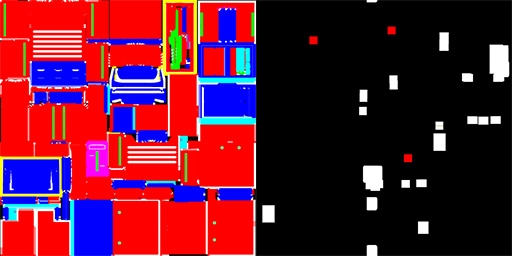 My latest test with Toolbag 3's vertex color baking is producing some buggy results. I have a scene with three Bakers, one for each of the materials assigned to my low poly model. For one of the three, I get perfect results. The other two produce this weird collection of squares. I did a test in xNormal (no cage) to make…
 -
Maya - Focus on Vertex/Edge/Face with symmetry on
 Hi guys, Maya beginner here - came from Blender. In Blender we have the possibility to focus on a single Vertex/Edge/Face with the comma button of the numblock - even with symmetry on. In Maya I have the problem to focus on a single face to get the rotation of the viewport navigation right, because with symmetry on, both…
 -
Re: Difference from smothing groups vs weighted vertex normals.
That mirrored cursor is trippin me out One way to think about it is that smoothing groups split or unify your vertex normals, while weighted vertex normals change the direction the normals themselves are pointing. -
Interior wall pivots, center on edge or stick to corner vectex?

 This question has been bugging me for a while, if my interior walls have thickness, should I put the pivot in the middle of an edge? Or should I leave it on vertex and handle it in game instead? I want to place walls like Sims 4, which appears to guarantee thickness on both sides, I believe that makes designing fitting…
 -
Bake AO to Vertex Color Maya LT 2018?
 I'm an old school Maya user, and back in the Mental Ray days it was pretty easy to bake AO to your vertex colors. Does such a feature exist in LT 2018? All I can find is information about baking to texture maps, which is not what I want to do. If not, does a seperate app like Marmoset, 3D coat or something else support…
>9915 results