Search
-
displacement and .. what?
 Hi, I'm having a problem with my CG tessellation and displacement shader. I'm doing this in unity but I'm not sure this is related to unity. To make it short. I use the diffuse texture alpha chanel as my displacement source. I set it to 128. I calculate displacement like that (DisplacementCenter = 0.5f) float vHeight =…
 -
Re: Yet another sci fi tunnel
 Right now things are looking too flat, white, and empty. There is nothing in the scene that really draws the eye. SuperFranky is right about the jagged edges you have on your arches - they're very distracting. You might want to add some geo to them to smooth things out. You also might want to take a look at some sci fi…
 -
Re: Galen Davis - Environment Art Portfolio
 your stuff is pretty good, Sci fi Variation seems a bit flat, moonlit is cool but i don't really see any good detail in the assets because of all the snow in it, and padora cage is ok but the chains on the bridge look like their floating and the bar the statues are holding doesn't look very secure for that much pull on it.…
 -
Re: vertex color
 something like Max Payne 2 is a good example of what you can do with careful vert colouring. As long as you can tesselate your polys to a high degree (important), it's an excellent way of seating props against floors and walls and stopping that "floating" effect, and defining shape in surfaces that might otherwise appear…
 -
Re: poops substance fiddling thread

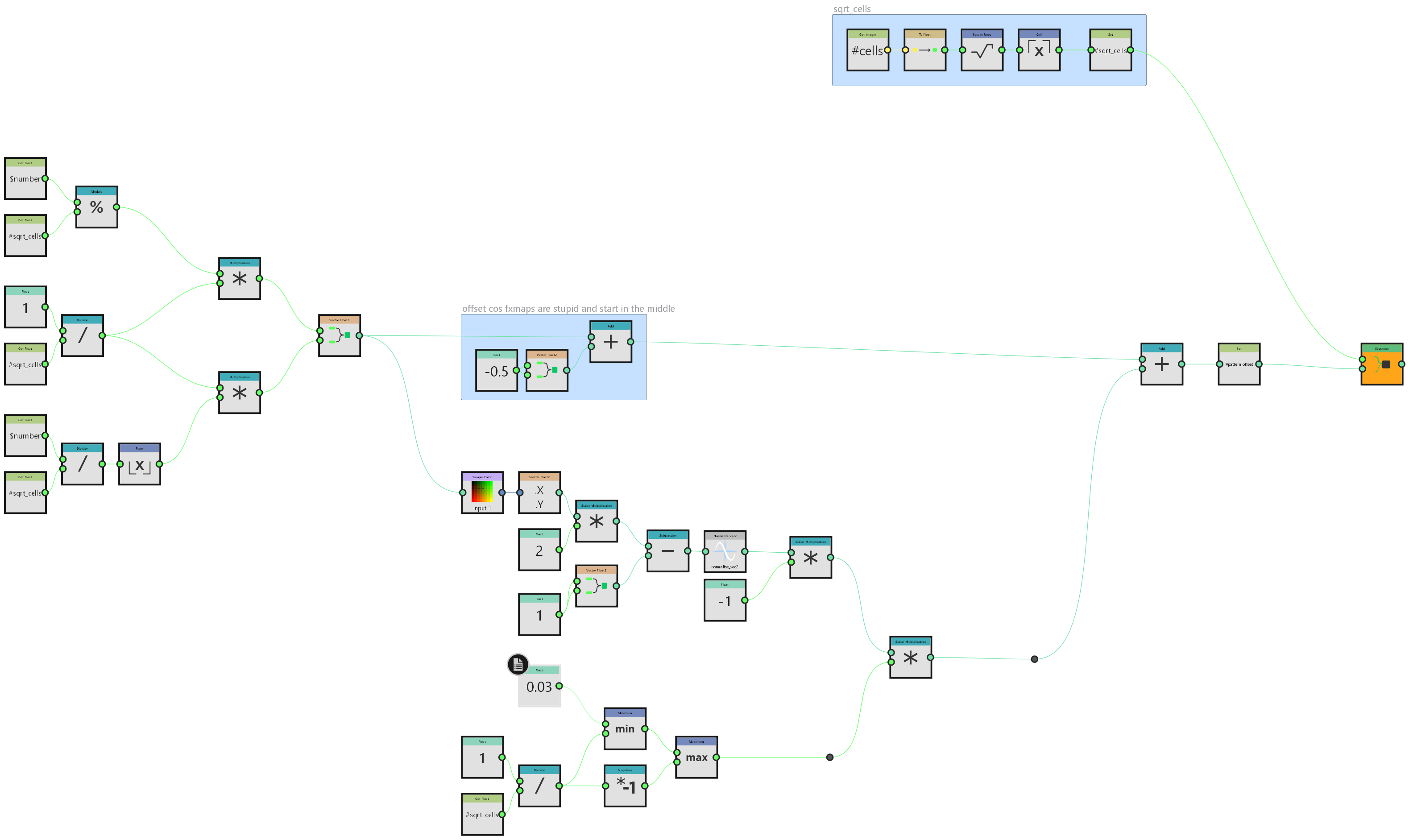 i did this primarily because I'm going to need it at work on monday but it's a neat enough trick that it's worth sharing here generally speaking I don't do a lot with fx-maps. most things can be done better in pixel processors if you apply enough maths but in this instance I will need to take advantage of their inherent…
 -
The Hanging City | Environment Design

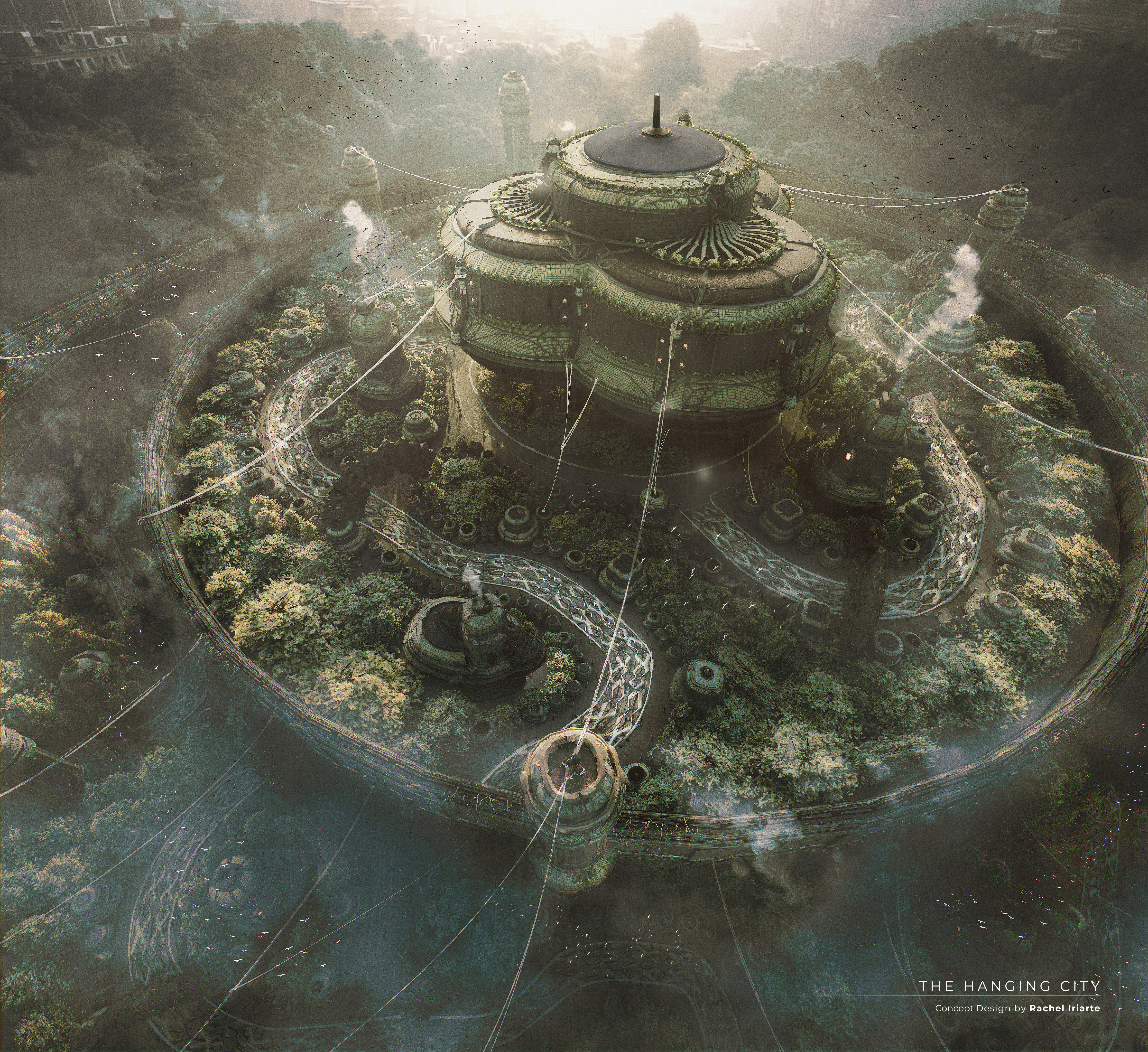 I thought about designing a setting belonging to a faction of eco-technological Buddhists. "A floating city on a lake, woven together by canals, cultivated gardens and biotechnological temples in its surroundings. It is a place that blends antiquity with the future, commerce with harmonious coexistence with nature" Full…
 -
Maya/Blender - Any mesh unfold scripts for making 2D meshes reflecting the UVs?
 I was wondering if there were any scripts floating around for these apps (specially Maya) that would take a mesh that has UVs, and create a flat 2D mesh "unfolded" according to its UVs, like you can do in ZBrush. I was experimenting to see if it would save me some time at transferring textures between meshes. Sometimes…
 -
Re: Warthog

 Did the remaining attachments and made some other necessary changes: * Replaced the iron sights on the LAAG with a proper red dot sight * Increased overall polycount to reduce flatness * Resculpted the high poly, I wanted the details to be way more subtle * Made some changes to the mirroring reducing the number of seams *…
 -
Re: inset letters
 I think the edit poly modifier on top of the stack option is fine, you can always delete it and redo the seams if you need to make changes. As for the inset you just hover it like other floaters. When the projection happens it will look at the pieces more or less straight on and not be able to tell one is floating above…
 -
Re: [3D] How to unwrap spherical Visor so texture doesn't distort?
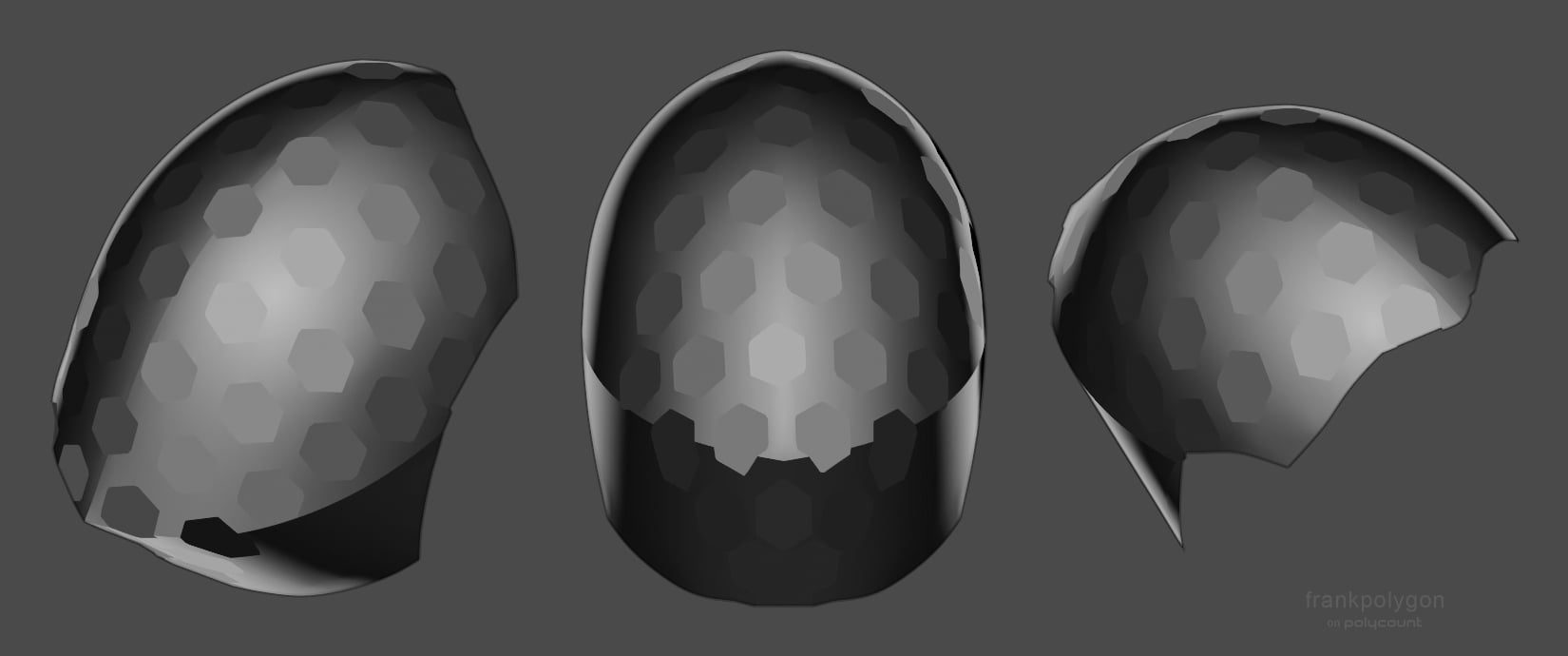 Have to agree with @Noren , @ZacD , and @pior : both the contiguous unwrap and compound curvature of the shape are contributing to the distortion in a way that's almost unavoidable with a [tiling] texture only approach. Lot's of good advice on how to proceed with different approaches from everyone in this thread. As far as…
>20352 results