Search
-
Re: ZBrush Polygroups Issue
 Hmm your images are broken. Looks like they are coming from Discord. Drag-and-drop works better here, see https://polycount.com/discussion/63361/information-about-polycount-new-member-introductions/p1#forum-tricks
 -
Re: 1 Large Texture or Few Small Textures?
 Always bunch up textures when you can. Because it saves on state changes and pipeline stalls. When renderers actually get to the part where they start drawing stuff (after deciding what needs to be drawn) the process involves looping through the materials and drawing everything that uses that material. To change a material…
 -
Best way to drag a shape over an object's surface in Maya
 I'd love to see if anyone has a better way of doing this. I always make a duplicate object of the shape I want to drag onto, and make it Live. The drawback is that I have to be pretty specific of where I want to drag my shape over, or else the dragged shaped will eventually become too deformed. How do you guys do this,…
 -
Re: So I'm Making a Gaem
 Here are some basic enemy animations. I blocked them out in Maya to get the perspective correct, then snapshot every frame and drew over them in Photoshop. Very tedious, but I don't know of a better way to really achieve the hand-drawn look I want for our game. After my initial 3D blockout, each animation only took about…
 -
Re: Landscape Layer Blend
I haven't used it since the November build, but here are some of my notes from back then. Be aware this might be wrong now, as the Landscape system was under heavy development at the time. * The height map creates the terrain shape. * The alpha map creates a mask for the layer. There is a different alpha map for each… -
Re: Sketchbook: Rickshaw

 Right now my focus is on gestures and portraits, I don't really have anything exciting to show when it comes to gestures yet, as they're little more than fat stick figures. But these are some of my first attempts at a more realistic portrait style, from the past week or so. The further down you scroll, the newer the art.…
 -
Re: My learning/progression art thread.
 Along with learning to draw/paint, you'll probably want to learn as much about the world as you can. And to do it by just studying everything by making drawings of them, and thinking about how they work. Maybe do studies like, focus a fortnight just on copying tropical fish, then one on the fashion of a particular decade,…
 -
Retopology on Fiddler
 Quad Draw in maya offers a variety of features to streamline the retopology process. The Relax tool smooths the distribution of vertices, maintaining even spacing without distorting the shape. The Extend tool lets you quickly add new quads by dragging edges, speeding up the process considerably. Additionally, the…
 -
Using AI to create hand-painted textures.
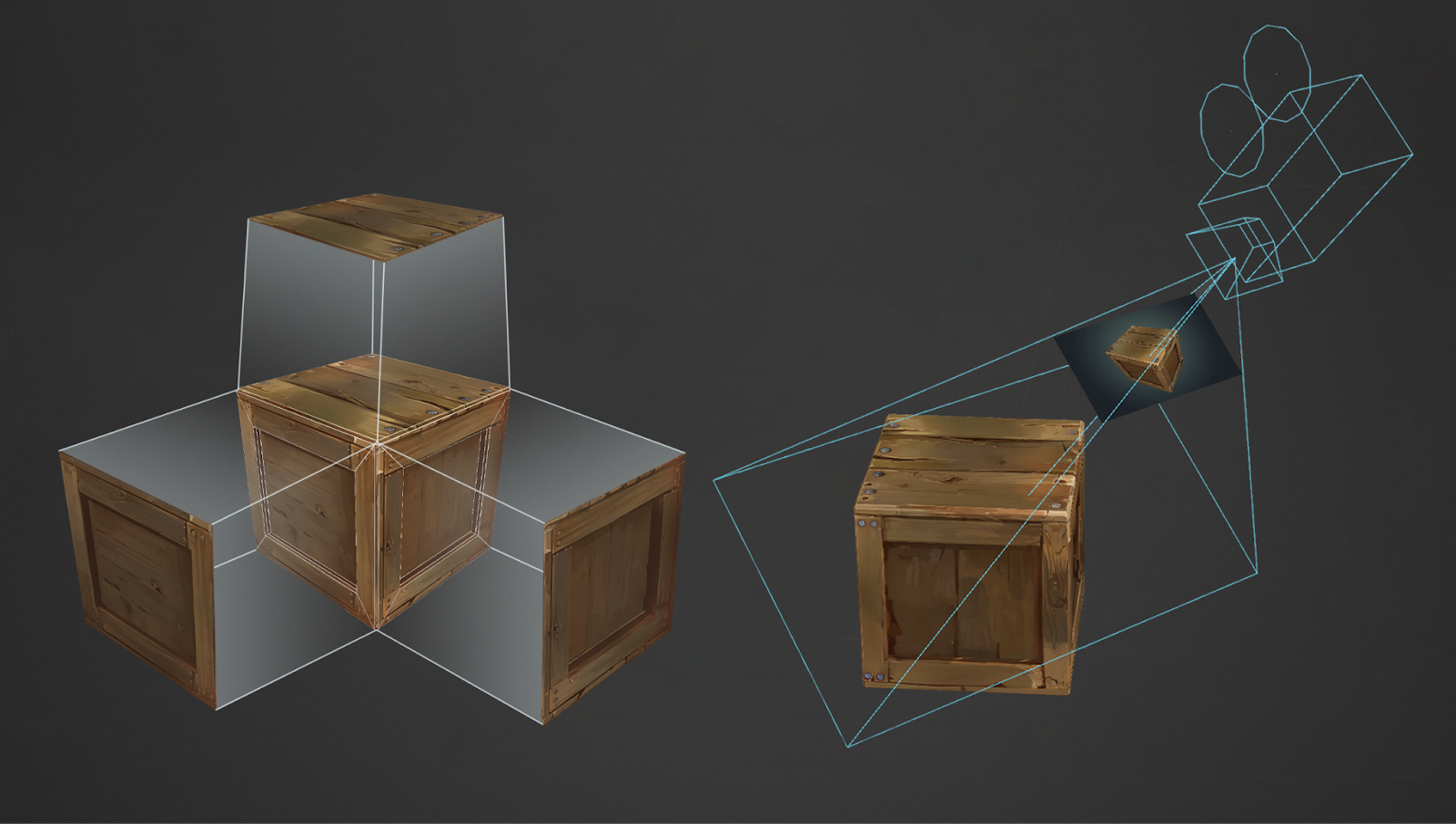
 Texture projection method The main method of creating texture using AI is to project the generated image onto the model from several angles. Important This technique does not exclude a person from working on textures. AI is a tool that speeds up the process, not completely automated. Also, when working on textures, work in…
 -
Re: Sketchbook: jddg5wa (My Journey To Becoming a Digital Painter)
 That's a good idea, adding the basic shapes to get down the perspective first. I'll give it a try. I really do need practice and improve on my anatomy drawing but I think that should be a whole study in itself. Maybe I'll take a few weeks to study anatomy instead of the weekly drawings; of course after I finish the one I…
>23340 results