Search
-
Re: blender questions
 1. shift+s let's you place the cursor at the selection/grid/active. I don't use grease pencil much sorry. Lol, you want to do those doodle things of yours, don't you:) 2. press F6, press the "add new" button if there isn't already a texture, in "texture type" choose image then press the load button that appears (you can…
 -
How to recreate One Piece anime-style shading & glow (Paint Tool SAI 2 + After Effects)?

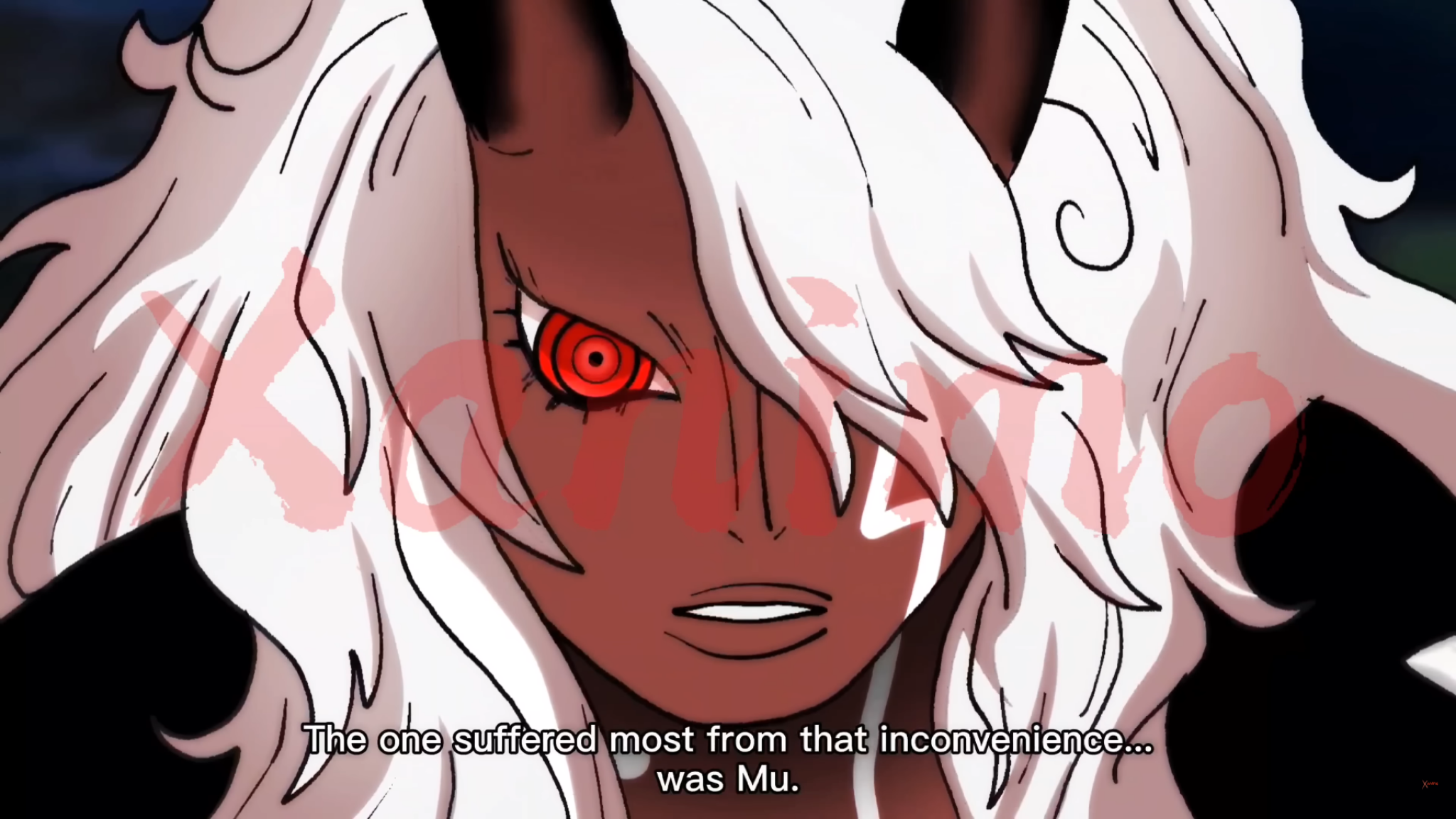 Hi everyone, I’m trying to recreate this kind of anime coloring/shading style from One Piece (image attached). What I’m specifically trying to achieve: * Strong cel shading with soft transitions in some areas (like the face and hair) * Intense glow/red eye effect * Clean but dynamic highlights in hair (not overly…
 -
ReTiCo (RealTime Companion), a Blender add-on oriented 3D realtime and glTF workflows

 Let me introduce you to ReTiCo: https://github.com/Vinc3r/ReTiCo It's oriented realtime workflow but some feature may be interesting for everyone as well. Here a non-exhaustive-list of features, check the doc' to know more: Materials: - quick set backface culling on/off - set active texture node (useful in viewport Solid >…
 -
Re: [maya] Disable Component in object/component mode
 I'm a little confused about what you're asking here, maybe it's a difference in how you and i work. Personally I only use F8 when I want to work on multiple objects in component mode. To move between modes, I use the standard right click marking menu in a quick snap motion. For example, I'm in vertex mode on object A, and…
 -
Maya Paint Mode
I kinda got stuck in that paint mode... I tried pressing 8 to get out, but it only changes the paint mode. -
Documentation: PBR Master - for Unreal Engine
PBR Master is a universal material for Unreal Engine that simplifies the setup of PBR materials, using the textures you have available. It provides a ready-made framework for creating complete, customizable materials without manually building a node network. How to set up a custom material using PBR Master: * Go to… -
UV Squashing in Borderlands 2 on masks for color tints.

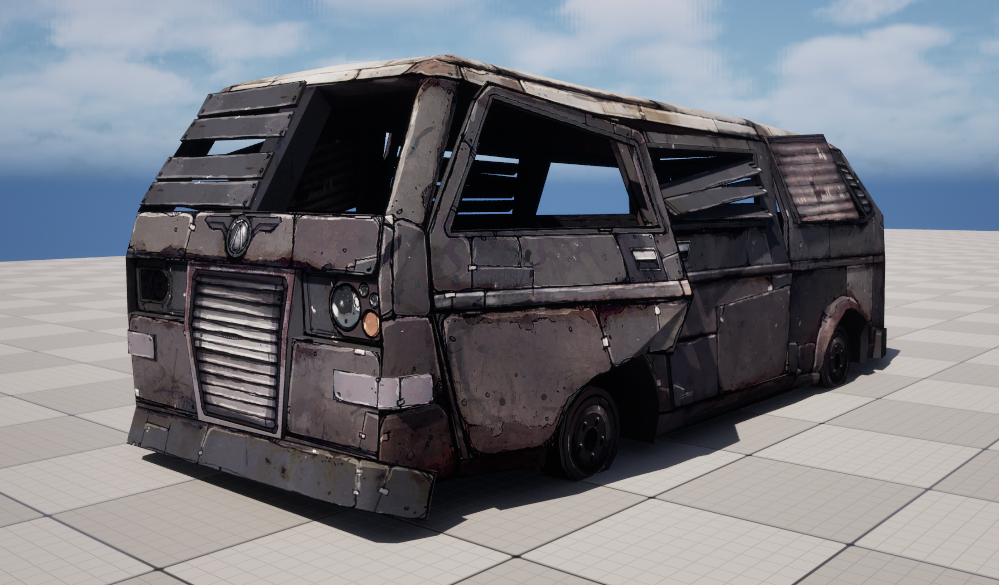 I wanted to share something I came across while looking at models and textures from Borderlands 2. There is a 3D model called WreckedVan that is used all over the game. It comes with a 2048 diffuse map and a second packed mask texture. The size might seem large for 2012 but given that it was standard practice to give…
 -
Face Topology [Breakdown Guide]
 ~ (NOTE: I wrote this to help some students I know and some PC friends mentioned posting it on here to help out the early learning community. Feel FREE to dive in and we can start a fresh discussion on the age old face-topology subject :) ) Students seem to often find face topology so alien and hard to learn so I decided…
 -
Re: Alternative to Quixel Suite ?
After Designer I always feel like a breath of fresh air when I go to Blender nodes . To be honest I hate Designer UI . In Blender I just do a stroke across connecting lines with shift or ctrl . In designer i need to click 2-3 times to insert that same damn dot and with heavy graph it gets so unresponsive . Working with… -
Re: Photoshop Hard Light blend mode in UE4 shader?

>37268 results